Author: williamwhite

  • Hosting a Mail Server: A Practical Guide to Email Privacy and Security

    Hosting a Mail Server: A Practical Guide to Email Privacy and Security

    Running your own mail server is a powerful move, putting you in complete control of your digital communications. It's about setting up and managing your own email system on a server you control, giving you the final say on everything from email privacy to email security protocols. This guide will walk you through the process, but also explore when a dedicated, secure hosted email platform might be a better choice.

    Why Bother Hosting Your Own Mail Server?

    In an age of slick, convenient cloud email services, the idea of hosting your own mail server can feel like a throwback. But that convenience from major platforms often comes with a steep, hidden price: your privacy. When you use a third-party service, you're handing over your most private conversations to a corporation whose business model often involves mining your data.

    Self-hosting turns that arrangement on its head. It is a conscious decision to prioritize digital sovereignty over plug-and-play simplicity, making you the master of your own communication infrastructure. It's not for everyone—it demands technical expertise and a commitment to maintenance—but the payoff in privacy and control is immense.

    Take Back Full Ownership of Your Data

    The single biggest reason for hosting a mail server is unquestionable data ownership. Your emails are an intimate log of your personal and professional life. When that data sits on someone else's server, it’s subject to their privacy policies, their terms of service, and their potential legal obligations to hand it over.

    When you self-host, your emails live on your hardware, governed by your rules. Period.

    • No Data Mining: Your messages won't be scanned to build an advertising profile or train an AI.
    • True Deletion: When you delete an email, it's actually gone, not archived for future analysis.
    • No Lockouts: You can't be kicked off your own server for violating an obscure term of service.

    Build Genuine Email Privacy and Security

    While standard email providers offer a baseline of security, self-hosting lets you construct a security fortress tailored to your exact needs. You decide on encryption standards, authentication methods, and how server logs are handled. For a much deeper look, we've covered how setting up an email server boosts privacy and security in another guide.

    Choosing to self-host is a statement. It declares that your digital privacy isn't a negotiable feature but a fundamental right you intend to protect. You become the architect of your own secure communication channel, free from the prying eyes of corporations.

    This level of control is becoming more critical. Daily email volume exceeded 319 billion in 2021 and is projected to hit 376 billion by 2025 as more people move to the cloud. You can learn more about these email market trends from The Radicati Group's report.

    Hosting your own server is your way of opting out of this massive data consolidation. It’s more than a technical project; it's a powerful education in how one of the internet's most essential protocols works and how to protect it.

    Building Your Technical Foundation

    Before installing software, you must get your foundation right. This is the most important part of hosting a mail server. Your pre-flight checklist will determine whether your emails land in the inbox or vanish into a spam filter.

    Your first decision is where your server will live. A Virtual Private Server (VPS) often hits the sweet spot between cost and control. But don't just shop for the lowest price. The real value is in a provider with a reputation for clean IP address ranges. Starting with a tainted IP is a fight you don't want to have.

    You’ll also need a static IP address. This is non-negotiable. Unlike the dynamic IP from your home internet, a static one never changes, giving your server a stable identity that other mail servers can learn to trust.

    This image shows how the core pillars of self-hosting—ownership, privacy, and control—work together to form a secure system.

    Database with ownership and control labels showing security features including key, lock, and settings icons

    Each element reinforces the others, creating a foundation for true email privacy.

    Securing Your Digital Identity

    With your server infrastructure chosen, it's time for your digital address: the domain name. Best practice is to register a new domain exclusively for sending email. This isolates its reputation, which is a smart long-term play for deliverability and email security.

    If you can find a domain that has been registered for a while, even better. Major email providers are often suspicious of brand-new domains, sometimes blocking them entirely for the first few months. An established domain helps you skip that painful "probationary period."

    Pro Tip: Before committing to a VPS, run the IP address through several blacklist-checking tools. A previously blacklisted IP can be a deliverability nightmare. It's far easier to ask for a new IP at the start than to repair a damaged reputation later.

    Once the domain is yours, you need to configure its DNS records. These are the internet's sorting instructions for your email and your most powerful tool for proving you aren't a spammer.

    Understanding Core DNS Records for Email

    Setting up DNS can feel arcane, but it boils down to a few key records working together to build trust. Skipping any of them will severely damage your ability to send email reliably.

    Here are the absolute essentials:

    • MX (Mail Exchanger): This record points to the server responsible for receiving email for your domain. It’s the mailing address for your server.
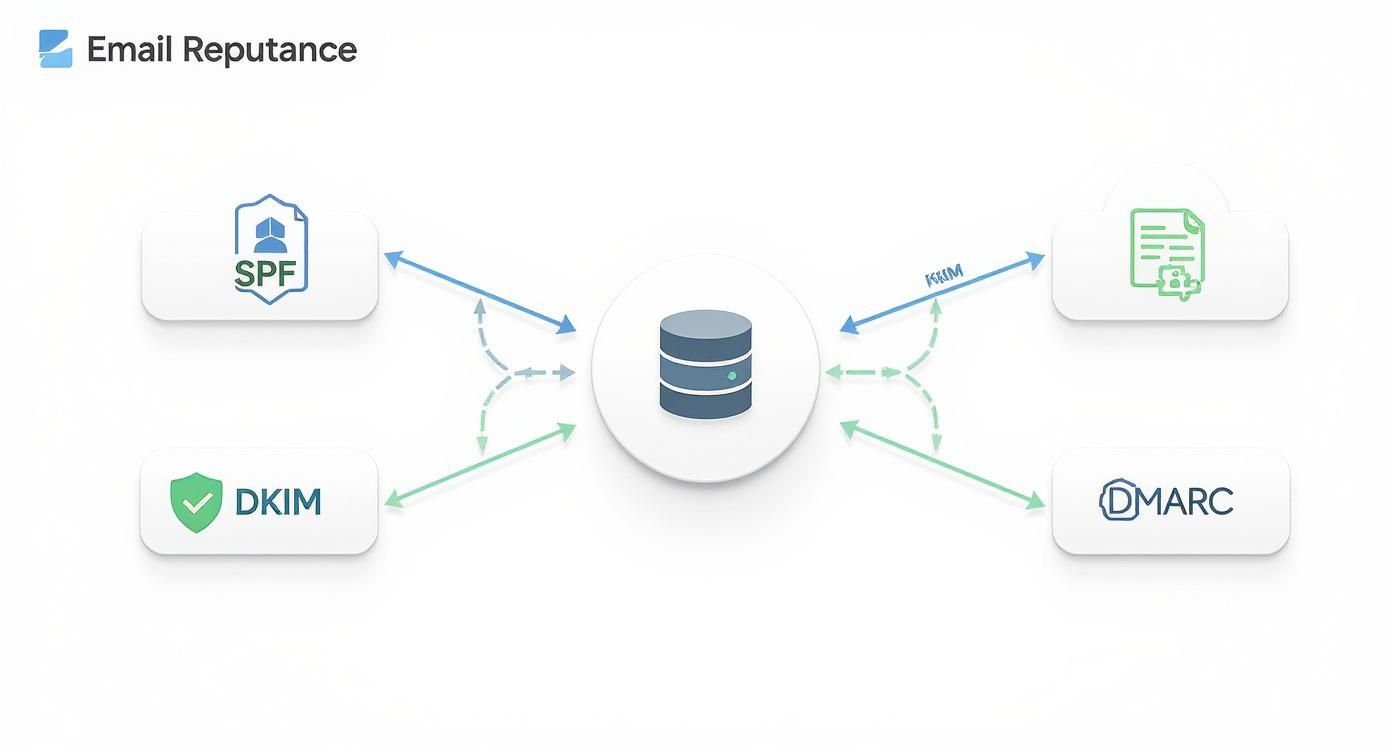
    • SPF (Sender Policy Framework): This record is a public list of servers authorized to send email from your domain. It's a critical tool for preventing scammers from spoofing your address.
    • DKIM (DomainKeys Identified Mail): DKIM adds a unique digital signature to every email you send. The receiving server checks this signature against a public key in your DNS, proving the message hasn't been altered in transit.
    • DMARC (Domain-based Message Authentication, Reporting, and Conformance): DMARC ties SPF and DKIM together. It tells other servers what to do if an email fails those checks—reject it, quarantine it, or report back to you.

    Getting these authentication methods right is the foundation of your email security and deliverability. For a deeper dive, our complete guide to email authentication breaks down exactly how they work.

    Assembling Your Mail Server Software Stack

    With your server prepped, it's time to choose the software that will run your mail server. Think of it less like installing a single app and more like assembling custom components—the engine, the transmission, the security system—that must work in perfect harmony.

    The software you pick will define your server's security, performance, and day-to-day user experience.

    Laptop displaying mail server stack diagram with MTA, MDA, and IMAP protocols and email flow

    This isn't just a technical decision; it's a strategic one. Your choices here directly impact your control over your data and email privacy.

    The Core Components of an Email System

    A mail server is a collection of specialized tools. The two most important are the Mail Transfer Agent (MTA) and the Mail Delivery Agent (MDA).

    • Mail Transfer Agent (MTA): This is your server's public-facing post office. The MTA uses the SMTP protocol to talk to other mail servers, sending your outgoing mail and receiving incoming mail. Popular, battle-hardened choices are Postfix and Exim.

    • Mail Delivery Agent (MDA): Once the MTA accepts an incoming email, it hands it to the MDA. The MDA files the email into the correct user's mailbox. The most common tool for this is Dovecot, which also provides the IMAP and POP3 services your email clients use to retrieve messages.

    The combination of Postfix and Dovecot is a classic for a reason—it's incredibly stable, secure, and well-documented.

    By picking and configuring these components yourself, you gain total control. You decide which encryption standards to enforce, how users authenticate, and what gets logged. That's a level of granular control you'll never find with a standard hosted email platform.

    Building Out a Modern, Secure Stack

    A simple MTA/MDA setup isn't enough. To protect your server from the constant flood of junk and malicious attacks, you need dedicated spam and virus filtering. This is where a layered security approach is critical.

    You’ll want to add a couple more components:

    • Spam Filter: SpamAssassin is a must. It inspects every incoming email and scores it based on thousands of rules, allowing you to automatically reject or flag spam.

    • Antivirus Scanner: An antivirus engine like ClamAV is essential. It scans all attachments for malware, viruses, and phishing attempts before they can land in a user's inbox. This is a non-negotiable step for email security.

    The scale of email today makes this essential. The global user base is expected to reach 4.6 billion by 2025, with daily email volume projected to hit nearly 392.5 billion by 2026. As you can see from these email marketing statistics, that massive volume is a huge attack surface. Robust filtering isn't a luxury; it's a core requirement.

    Mail Server Software Stack Comparison

    Here’s a high-level look at the most common open-source components to help you decide on a stack.

    Component Type Popular Software Primary Function Best For
    Mail Transfer Agent (MTA) Postfix, Exim Sends and receives email from other servers (SMTP). Postfix: Security and simplicity. Exim: Extreme flexibility and customization.
    Mail Delivery Agent (MDA) Dovecot, Procmail Delivers email to user mailboxes; provides IMAP/POP3 access. Dovecot: The modern standard for performance, security, and features.
    Spam Filter SpamAssassin, Rspamd Analyzes and scores emails to identify and block spam. SpamAssassin: Highly configurable and widely used. Rspamd: Faster, modern alternative.
    Antivirus Scanner ClamAV Scans email attachments for viruses, malware, and other threats. ClamAV: The open-source standard for email antivirus scanning.

    The classic Postfix, Dovecot, SpamAssassin, and ClamAV stack remains an excellent and well-documented choice for anyone starting out.

    What About All-in-One Solutions?

    If assembling this stack piece by piece sounds daunting, you have another option. All-in-one mail server suites are designed to simplify this entire process.

    Projects like Mail-in-a-Box or Mailcow bundle all the necessary software into a single, cohesive package. They come with automated installation scripts that handle the most complex parts of the configuration for you.

    • The DIY Stack: This path is for those who want absolute control and a deep understanding of how everything works. It’s more work but offers unmatched flexibility.
    • The All-in-One Suite: This is for someone whose main goal is a private, self-hosted email server without spending weeks on configuration. It offers a much faster path to a secure system.

    A DIY server is an incredible learning experience. But an all-in-one suite gets you 90% of the benefits with only 10% of the setup headache, making it a fantastic and practical choice for many.

    Hardening Your Server for Email Security

    Getting your mail server software running is just the start. An unconfigured server is a welcome mat for spammers and attackers. The next critical phase is to turn that basic setup into a digital fortress. This layered defense protects your data and ensures genuine email privacy.

    A properly hardened server also tells other mail servers you're a responsible operator, which is a massive factor in getting your emails delivered.

    Padlock in front of laptop screen displaying secure mail server configuration interface

    Implementing Robust Spam and Virus Filtering

    Your first line of defense is dealing with the relentless flood of incoming junk. Without powerful filtering, your inbox will become a nightmare and your server will be exposed to attacks.

    • SpamAssassin: This is the champion of spam identification. It puts every email through a gauntlet of tests to generate a spam score. You can set rules to reject emails above a certain score or tag them for user-side filtering.
    • ClamAV: A solid antivirus engine is non-negotiable. ClamAV scans every attachment for malware. Integrating it into your mail flow ensures malicious files are stopped on arrival, protecting users from phishing and ransomware.

    This proactive filtering is a fundamental part of responsible server management when hosting a mail server. It keeps your users safe and prevents your server from being used to spread junk, which is the fastest way to get your IP blacklisted.

    Enforcing Encrypted Connections with TLS

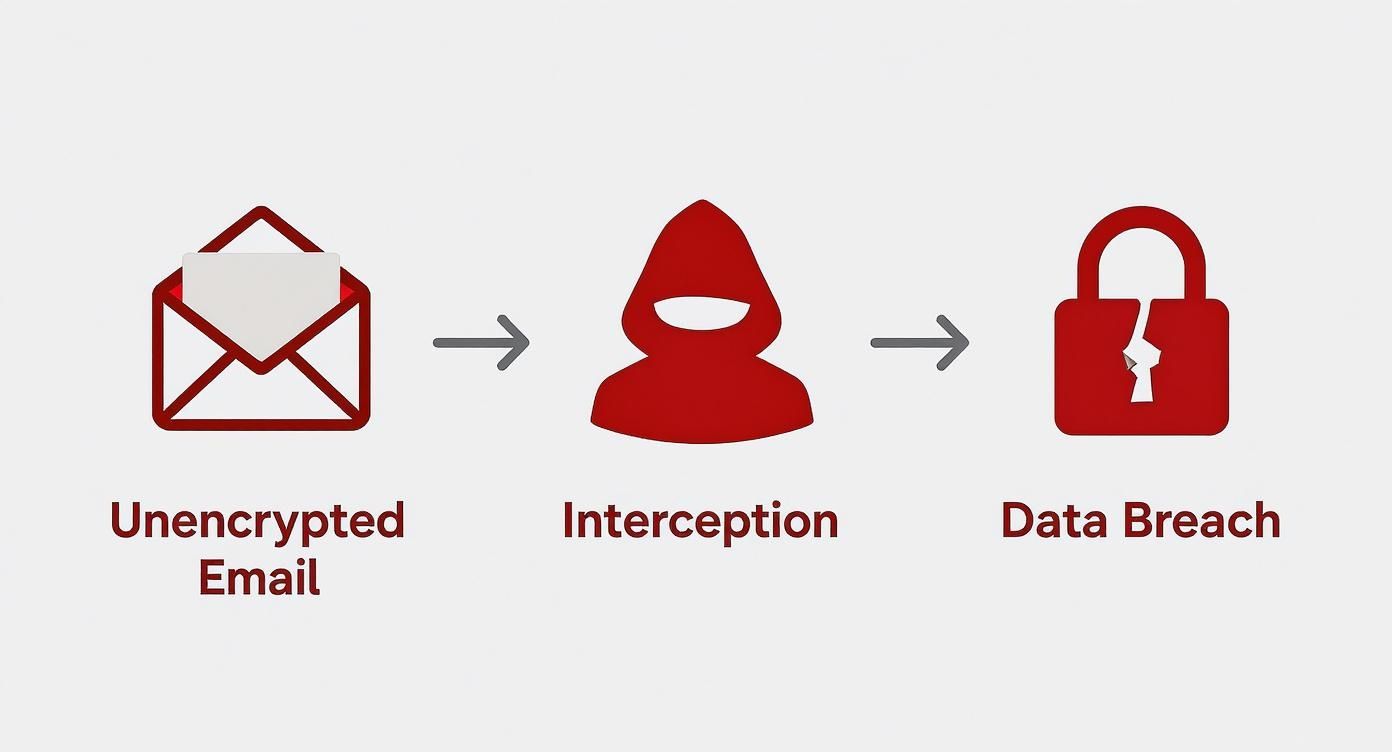
    Sending an email without encryption is like mailing a postcard. For true email security, you must enforce encrypted connections for every step of an email's journey using Transport Layer Security (TLS) certificates.

    Forcing TLS encryption isn't optional anymore. It's the bare-minimum expectation for any legitimate mail server. Without it, you expose user credentials and message content, and other servers will rightly refuse to trust you.

    Let's Encrypt is a free, automated certificate authority that provides the TLS/SSL certificates you need. A tool like Certbot can automate the entire process of getting and renewing them.

    You’ll need to configure your server to use these certificates for:

    1. SMTP (Sending/Receiving): Encrypts the conversation between your mail server and others.
    2. IMAP/POP3 (Client Access): Encrypts the connection between an email app and your server, protecting logins and content.

    Locking Down Your Server's Perimeter

    You also have to secure the underlying operating system. Your server is being scanned for weaknesses 24/7.

    A well-configured firewall is your most critical perimeter defense. Using ufw or iptables, you should set a "deny by default" policy, blocking all incoming traffic and then poking specific holes only for the services you need.

    To fend off automated login attempts, Fail2Ban is an absolute must-have. It watches server logs for brute-force attacks and automatically updates your firewall to block the attacker's IP.

    Finally, get into a strict routine of applying security patches for your OS and all installed software. This closes security holes as soon as they're discovered, keeping your fortress walls strong.

    Self-Hosted vs. Hosted Email Platforms: When to Hand Over the Reins

    So you've hardened your server and have it humming along. Now what? You've reached a fork in the road. One path is continued self-management—a commitment to being a permanent, on-call sysadmin. The other leads to a managed, privacy-focused hosted email platform.

    This isn't about giving up. It's about making a smart decision based on your time, expertise, and what you ultimately want to achieve with your email security and privacy.

    The truth about self-hosting is that the job is never done. You are now responsible for monitoring IP blacklists, troubleshooting deliverability issues, and patching vulnerabilities at a moment's notice. For many, the initial thrill of control eventually gives way to the practical need for reliability.

    The True Cost of Total Control

    The siren song of self-hosting is digital sovereignty. You own the server, control the software, and set every rule. This gives you the pinnacle of email privacy. But that control comes with an equally absolute level of responsibility.

    Every security patch, every software update, every configuration tweak—it's all on you. When a major provider randomly blacklists your IP, you're the one navigating their delisting process. This constant, ongoing effort is the hidden tax of self-hosting, paid not in dollars, but in hours.

    When Hosted Email Platforms Just Make Sense

    A privacy-focused hosted email platform offers a powerful middle ground. You offload the immense technical headache of server management while keeping the core benefits you wanted: email security and data privacy.

    Unlike big-name free providers, specialized services are built to protect user data, not sell it. Companies like Typewire operate on a simple principle: your email is your own. They provide expertly managed infrastructure, robust security, and stellar deliverability that are incredibly difficult for one person to achieve alone. And they do it all without mining your messages for ad revenue.

    The question isn't "Can I run my own server?" It's "Is running my own server the best use of my time?" For a growing number of people and businesses, a privacy-first hosted email platform is the smarter choice.

    To put the challenge in perspective, Gmail controls roughly 27.76% of the email client market, serving over 2.5 billion users. That operation requires massive data centers and entire teams dedicated to security. This breakdown of Gmail's scale on clean.email underscores the mountain a solo admin has to climb.

    Decision Matrix: Self-Hosted vs. Privacy-Focused Hosted Email

    Choosing your path boils down to a trade-off analysis. This table can help you weigh the key factors.

    If you're leaning toward a hosted solution, it's worth checking out this guide on the top 7 best hosted email platforms for business security in 2025.

    Factor Self-Hosted Mail Server Privacy-Focused Hosted Service (e.g., Typewire)
    Time Commitment High: Requires constant monitoring, maintenance, and troubleshooting. Low: The provider handles all technical management and security.
    Technical Expertise Expert Level: Deep knowledge of Linux, DNS, and mail protocols is essential. Minimal: Requires basic user setup and domain configuration.
    Control & Privacy Absolute: You have full control over all data, logs, and policies. High: Strong privacy policies, no data mining, but you trust the provider.
    Deliverability Variable: Dependent on your skill in managing IP reputation and DNS. High & Consistent: Managed by experts who specialize in deliverability.
    Initial Cost Moderate: VPS hosting fees and potential software licenses. Predictable: Fixed monthly or annual subscription fee.
    Security Your Responsibility: Effectiveness depends entirely on your configuration. Expert-Managed: Handled by a dedicated team using advanced tools.

    Ultimately, both paths can lead to a more private and secure email experience. The real question is which one honors your most valuable resource: your time.

    Frequently Asked Questions

    Even the best-laid plans run into questions. Before you dive into hosting a mail server, let’s tackle the most common concerns.

    What Are the Real Costs Involved?

    Financially, getting started can be cheap. A Virtual Private Server (VPS) costs just a few dollars a month, and the core software is open-source and free.

    The real currency you'll spend is time. The setup, constant security monitoring, and troubleshooting—that's the investment. When an email gets flagged as spam or a security patch needs to be deployed now, you're on call.

    The biggest investment in self-hosting isn't money; it's your time. The ongoing commitment to maintenance, email security, and deliverability is a very real operational cost.

    How Does Self-Hosting Compare to Gmail for Privacy?

    This gets to the heart of why people self-host. With a free service like Gmail, you are the product. Your messages are scanned to build advertising profiles and feed AI models. It's a trade-off: convenience for a lack of true email privacy.

    When you're hosting a mail server yourself, that dynamic vanishes. There's no third party scanning your messages and no data mining. You control the logs and encryption policies. The privacy is absolute because you are the gatekeeper of your own data.

    Is Maintaining Email Deliverability Really That Hard?

    Honestly? Yes. It's the single most frustrating and ongoing challenge. Big players like Google and Microsoft are inherently suspicious of mail from small, independent servers.

    You can do everything right—flawless DNS, top-notch encryption, a clean IP—and still see your emails land in spam. Building a good sender reputation takes a lot of patience.

    • IP Reputation: Your server's IP is everything. If it has a bad history, you've inherited a problem.
    • Domain Age: New domains are often treated with suspicion for months.
    • Sending Volume: Inconsistent sending patterns can look spam-like to automated filters.

    Once your mail server is running smoothly, using effective email management tips can help you manage your inbox and improve your day-to-day productivity.

    What Happens If My IP Address Gets Blacklisted?

    Getting blacklisted happens. The immediate effect is that other servers will refuse to accept your email. First, use an online tool to find out which blacklist you're on.

    Then, you have to diagnose the cause. Was your server compromised? Is there a mistake in your SPF records? Once fixed, you must follow each blacklist's specific delisting process. This can be a slow, painful process that leaves your email out of commission for days. It’s a stark reminder of the difference between having a dedicated team managing your email security on a hosted email platform and doing it all yourself.


    Ready for secure, private email without the technical headaches? Typewire offers expertly managed hosting that puts your privacy first. Get the control you want and the reliability you need. Explore our plans and start your free 7-day trial today at typewire.com.

  • Hosting a Mail Server for Enhanced Email Privacy and Security

    Hosting a Mail Server for Enhanced Email Privacy and Security

    Hosting your own mail server means setting up and running your email system on your own dedicated hardware. This gives you complete control over your email data and communications, a significant step away from relying on third-party services that often scan your messages for advertising or use your data for commercial gain. It's a powerful move toward regaining your digital independence and seriously bolstering your email privacy and security.

    Why Host Your Own Mail Server Today

    White mail server unit next to laptop computer on wooden desk in modern office

    In a world where "free" email from tech giants is the default, the idea of hosting your own mail server can seem complex. Why undertake such a technical challenge when hosted email platforms like Gmail or Outlook are readily available? The answer centers on a crucial concept: digital sovereignty.

    When you use a mainstream provider, your emails are stored on their servers, subject to their terms of service, and almost certainly scanned by algorithms for advertising and data mining. Your private data is their product. Hosting your own mail server fundamentally changes this dynamic, putting you back in control of your email privacy.

    Reclaiming Your Digital Privacy

    The primary motivation for running your own mail server is the pursuit of genuine email privacy. When you manage the server, you are the sole custodian of your email data. This eliminates third-party access, ensuring your conversations remain confidential and free from algorithmic surveillance.

    This direct control allows you to implement email security measures tailored to your specific needs, rather than relying on a generic policy designed for billions of users. We explore how setting up an email server boosts privacy and security in another guide. It’s about creating a digital space where you define the security and privacy rules.

    By self-hosting, you actively remove your most sensitive communications from the control of corporations whose business models often depend on monetizing user data. It's a tangible method for reducing your digital footprint and safeguarding your personal information.

    Gaining Unmatched Control and Flexibility

    Beyond the significant privacy benefits, self-hosting provides unparalleled control over your email environment. You are no longer constrained by the arbitrary limitations of a commercial email platform.

    • Unlimited Mailboxes and Aliases: Create as many mailboxes, aliases, and forwarding rules as you need without incurring additional costs.
    • Custom Filtering and Rules: Implement powerful, server-side rules to manage your inbox with precision, blocking spam or sorting messages before they reach your client.
    • No Arbitrary Storage Limits: Your storage capacity is determined only by your server's hardware, freeing you from "mailbox full" warnings.

    This level of flexibility is essential for small businesses and power users who find the one-size-fits-all approach of most hosted email platforms restrictive.

    Understanding the Modern Email Environment

    Secure communication has never been more vital. The number of global email users has reached approximately 4.63 billion, with over 392 billion emails sent and received daily. This massive volume makes email a primary target for spam, phishing, and various cyberattacks, highlighting the necessity of robust email security for any mail server. You can discover more insights about email growth on SQ Magazine.

    While hosting a mail server offers immense advantages in privacy and control, it is a demanding task that requires a commitment to continuous learning and maintenance. You become solely responsible for security, uptime, backups, and ensuring your emails are successfully delivered. This guide is designed to navigate you through this process, equipping you with the knowledge to build a secure, reliable communication system that is entirely your own.

    Laying the Groundwork for Your Mail Server

    Before installing any software, it's crucial to establish a solid foundation for your self-hosted mail server. Proper groundwork is the key to a reliable email system and prevents future complications.

    First, you must have a static IP address. This serves as your server's permanent, unchanging address on the internet. The dynamic IPs assigned by most residential internet providers are a major red flag for large email services like Gmail and Outlook, as spammers often use them. A static IP is fundamental for building trust and ensuring email deliverability.

    With a stable IP address secured, you need to decide where your server will operate. There are two primary options:

    • Virtual Private Server (VPS): This is the most popular choice. You rent a portion of a server in a professional data center from a hosting provider. This gives you a clean static IP, dedicated resources, and frees you from managing physical hardware. It’s a practical, affordable, and reliable solution.
    • On-Premise Hardware: This is the advanced, do-it-yourself approach, involving running a physical server at your own location. While it offers total control, you are responsible for everything: business-grade internet, hardware maintenance, power, and cooling. It represents a much greater commitment.

    Choosing Your Mail Server Software Stack

    Once your server is operational, you need to select the software to manage your email. In the open-source world, the most trusted combination is Postfix and Dovecot.

    Postfix is your Mail Transfer Agent (MTA). It functions as the digital post office, receiving incoming mail and sending your outgoing messages. It is renowned for its exceptional security, speed, and robust design.

    Dovecot is the complementary component, serving as your IMAP and POP3 server. While Postfix handles the transfer of mail, Dovecot allows your email client (like Thunderbird or Apple Mail) to securely access and manage your messages in your mailbox. It is known for its stability and efficiency.

    While this pair is highly regarded, other options exist:

    • Exim: A powerful and highly flexible MTA, widely used by many large-scale hosting companies.
    • Stalwart Mail Server: A modern, all-in-one server written in Rust, designed for a more integrated and user-friendly experience.
    • Mailcow: A comprehensive mail server suite packaged in Docker containers. It includes a web-based admin panel that greatly simplifies management, making it an excellent choice for beginners.

    The Postfix/Dovecot combination offers maximum control but requires more manual configuration. A solution like Mailcow abstracts much of this complexity.

    The Bedrock of Deliverability: Your DNS Records

    This final part of the foundation is arguably the most critical. Your DNS records are your mail server's public identity and prove to the internet that you are a legitimate sender. Misconfigured DNS is the number one reason self-hosted emails are flagged as spam.

    Planning your DNS strategy from the start is essential. These records are your server's passport to the global email network. Without them correctly in place, other servers will view you as an untrusted source and reject your mail.

    To set up these records, you must own a domain name. If you are new to this, our complete guide on how to set up a custom email domain is the perfect starting point.

    Once you have your domain, you must configure these five records correctly:

    1. MX (Mail Exchanger): The fundamental record that directs your domain's incoming email to the correct server.
    2. SPF (Sender Policy Framework): A public list of IP addresses authorized to send email on behalf of your domain, preventing email spoofing.
    3. DKIM (DomainKeys Identified Mail): Adds a cryptographic digital signature to your outgoing emails, verifying their authenticity and integrity.
    4. DMARC (Domain-based Message Authentication, Reporting, and Conformance): Unifies SPF and DKIM, instructing receiving servers on how to handle failed checks (e.g., quarantine or reject) and providing you with reports.
    5. PTR (Pointer Record): Also known as a Reverse DNS record, it maps your server's IP address back to your domain name, a crucial identity verification for many mail servers.

    With your static IP, server, software choice, and a solid DNS plan, your foundation is complete. You are now ready to begin the configuration process.

    Securing Your Server and Ensuring Email Deliverability

    With your server and software stack chosen, it's time to transition from planning to implementation. Launching a mail server with default settings is a significant security and deliverability risk. This stage is about transforming a basic server into a fortified, trusted communication hub focused on email security.

    Our objective is twofold: to build a server that protects your data and earns the trust of major email providers like Gmail and Outlook. Without this trust, your emails will be sent directly to the spam folder, defeating the purpose of self-hosting.

    Your server, domain, and DNS records are interdependent. A weakness in one can compromise the entire system. This diagram illustrates how they must work in harmony.

    Diagram showing mail server flow from server through domain to DNS configuration

    A flaw in any of these interconnected components will undermine both your email security and your ability to reach the inbox.

    Building Your Digital Fortress Against Spoofing

    First, you must prove that your emails are genuinely from you. Spammers and phishers frequently forge "From" addresses in a technique called spoofing. To combat this, you need to implement the three core email authentication standards.

    These DNS-based standards—SPF, DKIM, and DMARC—work together to create a verifiable chain of trust. They provide receiving mail servers with the evidence needed to confirm that an email claiming to be from your domain was actually sent by your authorized server.

    • Sender Policy Framework (SPF): This is a DNS record that publicly lists the IP addresses authorized to send emails for your domain. If an email arrives from an IP not on this list, it is immediately flagged as suspicious.

    • DomainKeys Identified Mail (DKIM): This adds a digital, tamper-proof signature to every email you send. Your server signs it with a private key, and receiving servers use a public key in your DNS to verify it. A valid signature proves the message has not been altered in transit.

    • Domain-based Message Authentication, Reporting, and Conformance (DMARC): DMARC enforces SPF and DKIM policies. It instructs other servers on how to handle emails that fail these checks—whether to allow, quarantine, or reject them. It also provides reports, which are invaluable for detecting abuse of your domain.

    Setting up these three records is non-negotiable for modern email security. They are the digital equivalent of a wax seal on a letter, providing the authenticity and integrity that are foundational to email deliverability today.

    Encrypting Communications With TLS

    With sender authentication in place, the next step is to protect the message content itself. By default, email travels across the internet in plain text, making it vulnerable to interception. Transport Layer Security (TLS) solves this problem.

    TLS encrypts the connection between mail servers and between your email client and your server. This ensures that your communications are secure and private, similar to sending a sealed, tamper-proof letter instead of a postcard.

    Acquiring a TLS certificate was once complicated, but services like Let's Encrypt now offer them for free and with automated renewal. Most modern mail server software can manage this process for you. A real-world email authentication setup guide that works can provide detailed instructions on implementing these critical security measures.

    Before discussing threat defense, let's review the DNS records that form the backbone of your server's reputation and security.

    Core DNS Records for Email Deliverability and Security

    This table outlines the essential DNS records you will configure. Each plays a distinct role in verifying your identity and securing your communications. Correct implementation is the single most important factor for deliverability.

    DNS Record Purpose Impact on Security & Privacy
    MX Mail Exchanger record directs incoming mail to your server. Essential for receiving mail. A misconfiguration can lead to lost emails or delivery to an unintended server.
    SPF Sender Policy Framework lists authorized sending IPs. Prevents others from spoofing your domain, protecting your reputation and reducing phishing risks.
    DKIM DomainKeys Identified Mail provides a cryptographic signature. Guarantees message integrity, ensuring the email content wasn't altered in transit, which is key for email privacy.
    DMARC Enforces SPF/DKIM policies and provides reports. Tells receiving servers how to handle failures, preventing fraudulent use of your domain and giving you visibility.
    PTR Pointer record (Reverse DNS) links your IP back to your domain. Critical for reputation. Many servers reject mail from IPs without a valid PTR record, seeing it as a spam indicator.

    These records are not optional. They are the foundational elements that major email providers use to decide whether to trust your server. An incorrect or missing record is a significant red flag that harms your email security posture.

    Deploying Multi-Layered Threat Defense

    Your server handles both outgoing and incoming mail, which means it will be targeted by a constant stream of spam, viruses, and phishing attempts. A single security tool is insufficient; you need a multi-layered defense to protect your system.

    Here’s a practical, layered approach to email security:

    1. Reputation Filtering: This is your first line of defense. Before accepting an email, your server should check the sender's IP address against reputable blocklists (DNSBLs) like Spamhaus. If the IP is a known source of spam, the connection is immediately dropped, conserving server resources.

    2. Content Analysis: If an email passes the initial check, it is inspected by a tool like SpamAssassin. This software analyzes the email's content and headers for hundreds of spam characteristics, assigns a score, and flags messages that exceed a certain threshold.

    3. Antivirus Scanning: The final checkpoint is a malware scan. Integrating an open-source engine like ClamAV allows you to scan all attachments for viruses, trojans, and other malicious payloads. Infected emails are promptly rejected or moved to a secure quarantine.

    By layering these defenses, you create a robust filter that neutralizes the vast majority of threats. This not only keeps your inbox clean but also prevents your server from being compromised and used to send spam.

    Managing Your Mail Server for the Long Haul

    Laptop displaying cloud server dashboard with monitoring charts next to server maintenance device on desk

    Launching your mail server is a significant achievement, but the real work of hosting a mail server is ongoing. Daily administration is what separates a reliable communication system from a source of constant frustration. This is not a set-and-forget project; it requires continuous commitment.

    Your server is a high-performance system that needs regular maintenance and monitoring. Without consistent attention, performance will decline, security vulnerabilities will emerge, and your emails will start being marked as spam.

    Establishing Robust Maintenance Routines

    Proactive maintenance is your best defense against potential issues. The most critical component is your backup strategy. You need an automated system that backs up everything—mailboxes, configuration files, logs—to a secure, off-site location. This is not just for disaster recovery; it's also your safety net for when a simple software update fails.

    Equally important is staying current with software updates. Your mail server software, spam filters, and the server's operating system are constantly being patched for security vulnerabilities. Neglecting these updates leaves your server exposed to known exploits.

    Key tasks for your maintenance routine include:

    • Daily Backups: Automate backups of all mailbox data and critical configuration files, ensuring they are stored off-server.
    • Weekly Software Updates: Schedule a time during off-peak hours to apply security patches for your MTA, IMAP server, and OS.
    • Monthly Log Rotation: Configure log rotation to prevent log files from consuming all your disk space and archive old logs for potential security audits.

    Proactive Monitoring for Early Warnings

    You cannot fix problems you are not aware of. Proactive monitoring involves keeping a close watch on your server’s vital signs to detect minor issues before they become major outages. This means regularly reviewing server logs for unusual activity, such as a high volume of failed logins or persistent connection errors, which are often early indicators of a brute-force attack or configuration issue.

    Beyond logs, you must monitor your server's resource usage. A sudden spike in CPU or memory could indicate a malfunctioning process or, worse, that your server has been compromised to send spam. You also need to monitor your mail queue. If it is constantly growing, your server is struggling to deliver mail, which could point to a network issue or your IP being blocklisted.

    Staying ahead of trouble is the core of effective server management. By the time users report a problem, it's often too late. Vigilant monitoring allows you to spot performance degradation or security anomalies and act before they impact service.

    Navigating Common Troubleshooting Scenarios

    Even with meticulous management, problems will arise. Learning to diagnose issues is an essential skill when you are hosting a mail server.

    One of the most common and frustrating challenges is being placed on a blocklist (DNSBL). This occurs when a service like Spamhaus flags your IP for sending suspicious mail. First, use an online tool to identify which list you are on. Then, investigate your logs to ensure your server wasn't compromised, resolve the underlying issue, and follow the blocklist's delisting procedure.

    Another frequent issue is legitimate emails landing in the spam folder. This often traces back to your DNS records. Use online validators to confirm that your SPF, DKIM, and DMARC records are correctly configured. A common mistake is a mismatch between your server’s PTR record and its hostname, which is a major red flag for many receiving mail servers.

    Resolving these problems requires patience and a systematic approach. Always start with the basics—DNS, logs, resource usage—before exploring more complex causes. This hands-on problem-solving is an integral part of the self-hosting journey and is what will ensure your server remains a dependable asset.

    When to Choose a Privacy-Focused Hosted Email Service

    https://www.youtube.com/embed/zEud6RL8ifI

    After reviewing the steps involved in securing a server, setting up monitoring, and planning for backups, it becomes clear that running your own mail server is a significant undertaking. It is an incredibly rewarding project for those who desire complete control over their digital communication. However, it is not suitable for everyone.

    For many individuals and businesses, the technical complexity, the need for constant vigilance, and the time commitment are prohibitive. If the idea of dealing with a server outage or spending a weekend resolving an IP blocklist is daunting, you are not alone. Fortunately, there is an excellent and practical alternative: privacy-focused hosted email platforms. These services offer a compelling balance of security, privacy, and convenience.

    The Best of Both Worlds

    A privacy-first hosted email service, such as Typewire, provides a powerful middle ground. It allows you to offload the complex and time-consuming aspects of server administration while retaining the core benefits you seek: data sovereignty and robust email security.

    Consider what these hosted email platforms manage on your behalf:

    • Expert Security Management: They employ dedicated teams to manage firewalls, apply security patches, and monitor for threats 24/7.
    • Guaranteed Uptime: Their infrastructure is designed for high availability and redundancy, ensuring your email is always accessible.
    • Professional Support: When issues arise, you have a team of experts ready to assist, saving you from spending hours searching through forums.

    This approach frees you to focus on your work or personal life, providing peace of mind that your email is secure, private, and reliable without requiring you to become a full-time system administrator.

    Comparing Self-Hosting with a Privacy Service

    The choice between self-hosting and using a dedicated service is a trade-off between absolute control and practical convenience. There is no single right answer, but a direct comparison can help clarify the decision.

    Here’s a quick breakdown to help you weigh your options.

    Self-Hosted vs Privacy-Focused Hosted Email

    Feature Hosting a Mail Server (Self-Hosted) Privacy-Focused Hosted Service (e.g., Typewire)
    Control Absolute control over software, hardware, and data policies. Control over user accounts and data, but not underlying infrastructure.
    Time Investment Very high; requires ongoing setup, maintenance, and troubleshooting. Minimal; setup is quick and ongoing management is handled for you.
    Technical Skill Advanced technical knowledge is required for setup and security. Basic user skills are all that's needed; no server expertise required.
    Deliverability A major, ongoing challenge requiring constant DNS management and IP reputation monitoring. Professionally managed by the provider to ensure high deliverability rates.
    Cost Can be low in direct costs (VPS, domain) but high in time and effort. A predictable monthly or annual fee.
    Privacy Ultimate privacy, but only if configured and secured correctly by you. Strong privacy by design, with clear policies against data mining and tracking.

    As the comparison shows, choosing a privacy-focused service is not a compromise on your values. It is a strategic decision for those who value their time and want expert-level email security without a steep learning curve.

    Making the Smarter Choice for You

    The modern email landscape is dominated by a few major players. Google's Gmail, for instance, serves over 1.9 billion users and holds a 27.76% market share among email clients, second only to Apple Mail's 54.04%. While convenient, these services often come at the cost of your personal data. You can read the full analysis of email provider statistics to understand the broader context.

    Privacy-focused hosted email platforms are a direct response to this model. They are built for users who consciously reject the "data-as-product" business model and prioritize email privacy.

    Choosing a privacy-focused hosted email provider is not an admission of defeat in the quest for digital sovereignty. It's a calculated decision to entrust the technical execution to experts while you retain full ownership and control over your personal data.

    Ultimately, the best path depends on your resources, skills, and priorities. If you are a business owner, a busy professional, or simply someone who cares deeply about email privacy but lacks the time or desire to become a server expert, a hosted platform like Typewire is often the more intelligent and sustainable choice.

    It delivers the email security and sovereignty you seek, allowing you to reclaim your digital privacy without shouldering the entire technical burden yourself.

    Frequently Asked Questions About Running Your Own Mail Server

    Considering running your own mail server is a major step, and it's natural to have questions about the practical implications. Let's address some of the most common concerns.

    Getting clear answers will help you determine if self-hosting is the right path for you, or if a managed, privacy-focused hosted email platform is a better fit.

    Is It Actually More Private to Host My Own Email?

    Yes, but with a significant condition. When you have complete control over the server and its software, you achieve a superior level of email privacy. Your emails are not scanned for advertising purposes, and you are not part of Big Tech's data collection ecosystem. You control your own data.

    However, this privacy is only as strong as your security measures. A poorly configured or unmaintained server is vulnerable to compromise, making it far less private and secure than a service like Gmail. True email privacy comes from the combination of owning the infrastructure and securing it effectively.

    What's the Single Biggest Headache I'll Face?

    Without a doubt: email deliverability. Sending an email is easy; ensuring it reaches an inbox at Gmail or Outlook is the real challenge.

    These large providers are engaged in a constant battle against spam, and your small, unknown server will be viewed with suspicion by default. You must perfectly configure your DNS records (SPF, DKIM, DMARC) and vigilantly protect your IP address's reputation. This is not a one-time task but an ongoing effort.

    To be clear: you'll spend about 20% of your time on the initial setup and the other 80% managing deliverability and ongoing maintenance. Your IP reputation is extremely fragile, and a single misstep can land you on a blocklist, effectively taking your mail server offline until you can resolve the issue.

    How Much Is This Really Going to Cost Me?

    The direct financial costs can seem low initially. A Virtual Private Server (VPS) can be rented for $5 to $50+ per month, and a domain name costs $10-$20 per year. The core software, such as Postfix and Dovecot, is free and open-source.

    The real cost is your time. The hours spent on initial configuration, troubleshooting errors, applying security patches, and resolving deliverability issues are substantial. For most individuals and businesses, this time investment is far more valuable than the monthly fee for a hosted email service.

    Can I Just Run This on My Home Internet?

    This is strongly discouraged for any serious use. Most ISPs provide dynamic IP addresses for home connections, which change periodically. Email servers require a stable, static IP to build a trustworthy reputation.

    Furthermore, many residential IP address ranges are preemptively blocklisted by major email providers because they are a frequent source of spam from compromised computers. To have a realistic chance of your emails being delivered, you need a static IP from a reputable hosting provider, which comes standard with a VPS or dedicated server.


    If managing servers and combating blocklists sounds like more than you want to handle, you don't have to sacrifice your privacy. A service like Typewire manages all the expert-level security and deliverability challenges for you. Explore how our secure, private email hosting can provide the best of both worlds.