Setting up your own email server puts you in the driver's seat of your digital communications. For anyone serious about email privacy and security, it’s a game-changing move. While hosted platforms offer a quick solution, a self-managed server guarantees your data isn't being scanned for ads or left vulnerable in a massive data breach. It's the ultimate way to reclaim ownership of your most sensitive information. For those who want control without the technical burden, privacy-focused hosted email platforms offer a compelling alternative.
Why Running Your Own Email Server Is a Smart Move

In an age where "free" email services often mean you are the product, taking charge of your email infrastructure is a major strategic decision. Mainstream hosted email platforms, for all their simplicity, often run on a business model where your data is their asset. They can comb through your private conversations to serve you ads and build unnervingly detailed profiles.
Setting up your own email server—or choosing a privacy-first hosted platform—completely flips that script. By managing it yourself, you're building a private communication channel where you make all the rules. This is a critical move for businesses handling confidential client data, legal firms protecting attorney-client privilege, or anyone who believes their personal conversations should stay just that—private.
The Core Benefits of Taking Control
The advantages stretch far beyond just dodging targeted ads. True ownership of your email infrastructure gives you direct control over your security posture and data management in a way that generic hosted services simply can't match.
- Enhanced Email Privacy: Your emails are stored on your hardware or a virtual private server you control. No third party has the right to snoop on your communications for their own gain.
- Superior Email Security: You can implement custom, hardened security measures that blow past the one-size-fits-all settings of big email providers. Think stricter spam filters, immediate patching, and finely-tuned access controls.
- Complete Data Ownership: Your data lives where you say it lives. This is the heart of data sovereignty, a crucial concept for compliance and genuine peace of mind. For a deeper dive, check out our guide on https://typewire.com/blog/read/2025-06-19-data-sovereignty-definition-key-insights-on-data-control.
The decision to prioritize email privacy is a proactive step toward digital autonomy. It's about building a digital fortress where you are the gatekeeper, not just a tenant in someone else's building.
Hosted Platforms vs Self-Hosted Servers at a Glance
To put things in perspective, let's break down the key differences between sticking with a standard hosted service and running your own email server. This table gives a quick overview of what you gain—and what you're responsible for—with each approach.
| Feature | Hosted Email Platforms (e.g., Google Workspace) | Self-Hosted Email Server |
|---|---|---|
| Control | Limited to the provider's settings and policies. | Complete control over software, security protocols, and data storage. |
| Cost | Predictable monthly/annual fees per user. | Higher upfront costs (hardware/VPS) but can be cheaper long-term for many users. |
| Security | Relies on the provider's security team and infrastructure. | Your responsibility; allows for highly customized, hardened security configurations. |
| Privacy | Data is often scanned for ads or analytics. | Guaranteed privacy; no third-party access to your communications. |
| Maintenance | Handled entirely by the provider. | Requires your technical expertise for setup, updates, and troubleshooting. |
| Brand Image | Professional, but tied to the provider's domain for some plans. | Maximum brand control with your own domain, reinforcing professional credibility. |
While a self-hosted server demands more technical know-how, the trade-off is unparalleled control and privacy—something no standard hosted platform can truly offer.
Building Trust and Brand Identity
For any business, an email from contact@yourbrand.com instantly carries more weight than one from a generic @gmail.com address. It reinforces your brand with every single message you send. This professional touch signals to clients and partners that you're established and take your operations, including email security, seriously.
The demand for these secure, branded solutions is surging. The global mail server software market is currently valued at around USD 4.5 billion and is expected to nearly double to USD 8.7 billion by 2032. This growth is fueled by businesses that need secure, scalable email they can fully control.
Ultimately, setting up your own server is an investment in privacy, security, and your professional reputation. If you're new to server administration, a good general server setup tutorial can give you a solid foundation for the concepts involved.
Choosing Your Path: Hosted vs. Self-Hosted Email
https://www.youtube.com/embed/Ue8LFaneXH4
So, you're ready to get serious about your email. The very first decision you need to make is a big one, and it will define everything that comes after: are you going with a managed, hosted email platform, or are you rolling up your sleeves to build your own self-hosted server?
There's no single right answer here. Each path comes with its own unique blend of control, cost, and commitment, with a strong focus on email privacy and security.
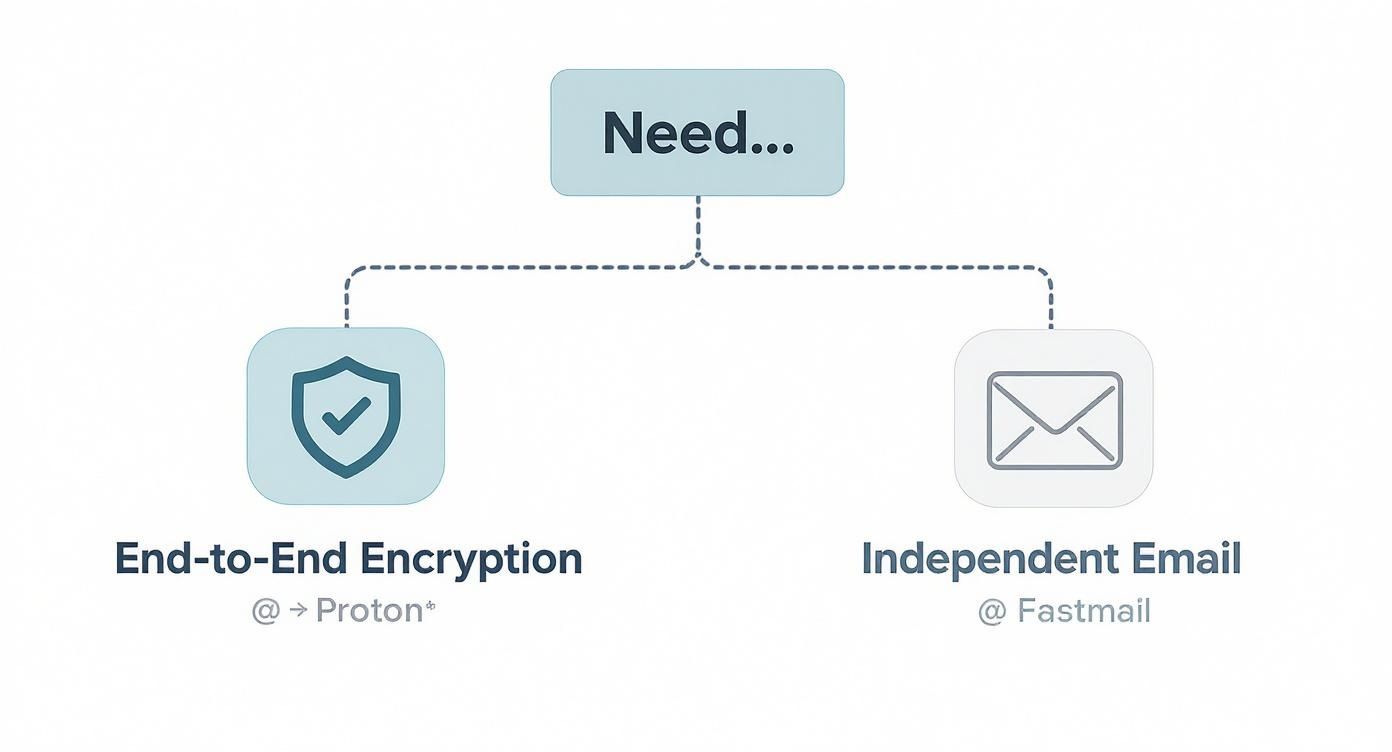
Hosted email is, without a doubt, the path of least resistance. Providers like Typewire, Proton Mail, or Fastmail handle all the messy backend work—the server maintenance, security patches, and software updates—so you can just get on with your work. The global market for email hosting services is expected to swell to USD 56.3 billion by 2029, as reported in a market analysis from Technavio. A significant part of this growth comes from users seeking secure, privacy-respecting alternatives to big tech.
But that convenience comes with a trade-off, and it's not just the subscription fee. You're handing over your most sensitive communications to a third party. It’s absolutely essential to read past the marketing copy and get into the weeds of their privacy policy to see how they're really handling your data.
The Hosted Email Platform Route
Opting for a hosted provider is a smart move if you prioritize reliability and simplicity but still demand strong email privacy and security. For a small business where email downtime means lost revenue, this is often the most practical and responsible decision. A good privacy-focused provider guarantees uptime, deals with spam and security threats, and gives you support when needed, all while respecting your data.
When you're shopping around for a hosted platform, your focus should be squarely on their approach to email security and privacy.
- Data Scanning Policies: Does the provider scan your emails to build an advertising profile? You want a service that explicitly promises they won’t mine your data.
- Encryption Standards: Look for terms like end-to-end or zero-access encryption. This is your guarantee that not even the provider can snoop on your messages.
- Jurisdiction and Data Location: Where are their servers physically located? A provider based in a country with strong privacy laws (like Switzerland) offers a much better legal shield for your data.
If this sounds like the right path for you, it pays to look beyond the usual suspects. We put together a guide on the top alternatives to Google Workspace for secure hosted email that highlights providers who genuinely put privacy first.
The Self-Hosted Server Route
Running your own email server is the path for those who demand absolute control and are willing to put in the work to get it. This is the domain of privacy purists, tech-savvy founders, and organizations with strict compliance mandates that can't afford any third-party involvement.
When you self-host, you are the sole guardian of your data. No one sees it unless you explicitly grant them access. It offers an unmatched level of email privacy, but make no mistake: the buck stops with you.
Self-hosting is the definitive statement in digital sovereignty. You're not just renting a mailbox; you're building the entire post office, which means you're also in charge of security, maintenance, and making sure the mail gets delivered.
Before you jump in, you need to be honest with yourself about what this really takes.
Technical Skills and Time Commitment
This isn't a "set it and forget it" project. Setting up and, more importantly, maintaining an email server requires a firm grasp of server administration, DNS, and network security. You'll be on the hook for:
- Initial Configuration: Getting the mail server software, DNS records (MX, SPF), and all the security protocols set up correctly from the start.
- Ongoing Maintenance: Diligently applying security patches, keeping software updated, and combing through server logs for anything that looks off.
- Troubleshooting: Hunting down and fixing problems, especially the notoriously tricky issues with email deliverability that can get your messages flagged as spam.
Costs and Infrastructure
While you won't be paying a per-user monthly fee, self-hosting is far from free. Your main expense will be the infrastructure, which usually means renting a Virtual Private Server (VPS). A solid VPS powerful enough to run an email server can cost anywhere from a few bucks to a serious monthly investment, all depending on your traffic and storage needs. Don't forget to also factor in the cost of your domain and a dedicated IP address, which is crucial for building a good sending reputation from scratch.
Ultimately, choosing between hosted and self-hosted is a strategic call. You have to decide what matters more to your mission: the convenience and security of a trusted hosted platform, or the absolute control that comes with holding the keys to your own digital kingdom.
Building Your Foundation: Getting DNS Records Right
Before your server can receive a single email, you have to tell the internet where to send it. Think of your server as a newly built house—it exists, but without a registered street address, the mail carrier has no idea how to find it. The Domain Name System (DNS) is how you register that digital address.
Getting your DNS records set up correctly is the absolute first step. These little text records might seem overly technical, but they do three critical jobs: they point traffic to your server, prove you are who you say you are, and start building your server's reputation. This part is non-negotiable for both deliverability and email security.
The DNS Records You Can't Ignore
Three specific records are the bedrock of any email server setup. You'll eventually add more for enhanced security, but these are the ones you must get right from the very beginning.
-
A Record (Address Record): This is the most basic, yet essential, piece of the puzzle. It maps a name, like
mail.yourdomain.com, directly to your server's public IP address. It’s the digital equivalent of linking a specific street address to a set of GPS coordinates. -
MX Record (Mail Exchanger): This record is the linchpin for receiving email. It publicly announces, "Hey, internet! If you have an email for
@yourdomain.com, send it over to this specific server." It points to your server's A record, effectively becoming the official mailing address for your entire domain. -
SPF Record (Sender Policy Framework): Now we're getting into email security. An SPF record is a published list of all the servers you've authorized to send email for your domain. When another server gets an email from you, it looks up your SPF record. If the sending server is on the list, the email is considered legitimate. This is a powerful, straightforward way to stop spammers from impersonating you.
Take your time and double-check these records. A simple typo in an MX record means you get zero inbound email. An absent SPF record is like leaving your front door wide open for spammers to ruin your domain's reputation.
How DNS Configuration Directly Impacts Your Security
Setting up DNS properly isn't just a functional step—it's your first line of defense in establishing strong email security. When your DNS records are clear and verifiable, you immediately start building trust with every other mail server on the internet.
A well-configured SPF record, for instance, makes it incredibly difficult for a bad actor to "spoof" your domain by sending fake emails that look like they came from you. This is huge, considering that phishing attacks, which almost always rely on spoofing, are behind a massive number of security breaches. Your SPF record is a frontline defense.
This entire process is part of a broader concept called email authentication. To really dive deep into how it all works, check out our guide on what email authentication is and why it matters. By authenticating your domain, you’re not just directing traffic—you're proving your legitimacy with every email you send.
Think of this initial DNS setup as pouring the concrete foundation. It prepares you for the more advanced security measures we'll discuss later, like DKIM and DMARC, which are essential for modern email security.
Building Your Security with Essential Protocols
Once your DNS records are in place, you've basically put your email server on the map and given it a basic security badge. Now it's time to build the armored truck that will protect your messages as they travel across the open internet. Sending an unencrypted email is like mailing a postcard—anyone who intercepts it along its route can read its entire contents.
This is where essential security protocols come in. These aren't just optional add-ons; they are the absolute standard for modern email privacy and security. They work in tandem to encrypt your data on the move and prove you are who you say you are, which is the bedrock of building trust and keeping bad actors out of your communications.
Encrypting Your Communications with TLS
The first and most important layer of defense is Transport Layer Security (TLS). Think of TLS as a secure, private tunnel created between your email server and the receiving server. When an email travels through a TLS-encrypted connection, its contents are scrambled, making them completely unreadable to anyone trying to eavesdrop.
Without TLS, your email is like a message in a clear glass bottle. With TLS, it's locked inside an opaque steel safe. Even if someone gets their hands on the package, they can't see what's inside. Implementing TLS is a fundamental step, ensuring any sensitive information in your emails stays confidential from the moment it's sent to the moment it's received, a cornerstone of email privacy.
The good news is that most modern mail server software makes enabling TLS pretty straightforward, often as part of the initial setup. Just make sure it's active and properly configured—this should be a top priority.
Verifying Your Identity with DKIM
While TLS is great for protecting the content of your email in transit, it doesn't stop someone from pretending to be you. That's a job for DomainKeys Identified Mail (DKIM). DKIM acts as an unforgeable digital signature for every email you send, a critical component of email security.
It all boils down to a pair of cryptographic keys: a private key that stays on your server and a public key that you publish in your DNS records for the world to see.
- Signing: When an email leaves your server, it uses the private key to generate a unique, encrypted signature that gets attached to the email's header.
- Verifying: When a receiving server gets your email, it finds your public DKIM key from your DNS. It then uses that key to decrypt the signature. If it works, it proves two crucial things: the email is genuinely from your domain, and its contents haven't been messed with since it was sent.
This digital signature is what separates your legitimate message from a sophisticated phishing attempt. It’s your server's seal of authenticity.
Enforcing Your Policies with DMARC
So, you've encrypted your emails with TLS and signed them with DKIM. Awesome. But what happens if a receiving server gets an email that looks like it's from you but fails these security checks? That's the exact problem Domain-based Message Authentication, Reporting, and Conformance (DMARC) was designed to solve.
DMARC is basically a set of instructions you publish in your DNS that tells other servers what to do with emails claiming to be from your domain that fail SPF or DKIM checks.
DMARC empowers you to say, "If an email claiming to be from me doesn't have my authentic signature, don't just suspect it—reject it." It's the final piece of the authentication puzzle, moving you from passive protection to active enforcement of your email security.
Your DMARC policy can tell receiving servers to take one of three actions:
p=none: This "monitoring mode" lets you see what's happening without affecting mail delivery. It's perfect when you're just starting out and need to see who is sending mail on your behalf.p=quarantine: This tells servers to flag suspicious emails and send them to the recipient's spam folder.p=reject: This is the strongest setting. It instructs servers to block unverified emails from being delivered at all, offering maximum security.
The visual below shows how foundational DNS records like A, MX, and SPF form the basis for these advanced security protocols.
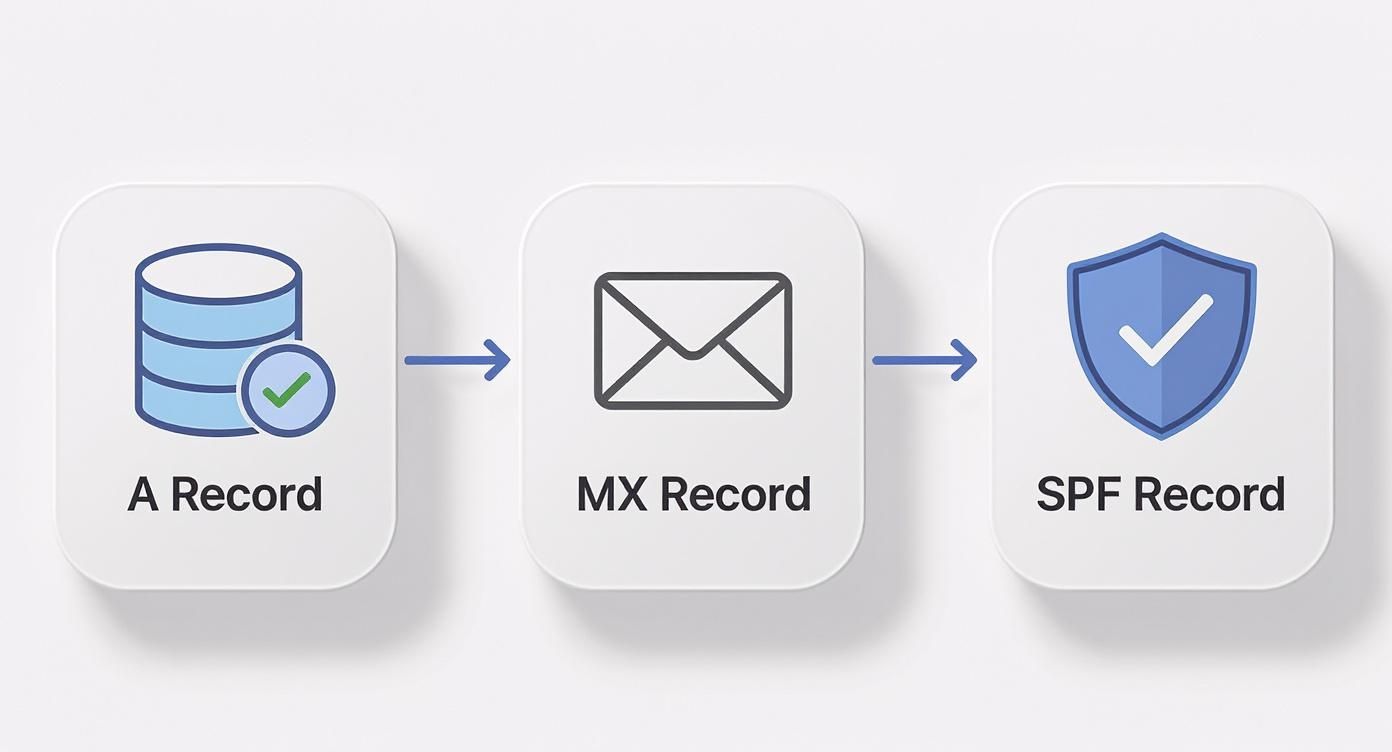
This flow really highlights how each record builds upon the last, creating a trusted and verifiable pathway for all your email communications.
Implementing DMARC doesn't just stop spoofing; it also gives you incredibly valuable reports, offering visibility into who is sending email from your domain. Beyond the initial setup, it's vital to stay on top of ongoing threats and learn how to check if your email has been hacked to maintain your server's integrity.
The growing need for this kind of robust email security is clearly reflected in the market. The global email management software market was recently valued at USD 4.59 billion and is projected to climb to USD 5.08 billion, a surge driven by the demand for advanced security tools.
Keeping Your Email Server Clean and Reliable

Getting your email server up and running is a huge milestone, but the real work is just beginning. Now comes the day-to-day diligence that turns a functional setup into a truly dependable communication hub. This ongoing maintenance is what keeps spam at bay, ensures your emails actually get delivered, and protects your email security and privacy for the long haul.
Think of it this way: you just built a high-performance car. The setup was the assembly process; now you need to handle the oil changes, tire rotations, and system checks to keep it running safely on the internet highway.
Putting Up a Smart Spam Defense
Your first and most constant battle will be against the never-ending flood of junk mail. Spam doesn’t just clutter inboxes; it’s a primary delivery system for phishing attacks and malware, making it a serious security threat. The only way to win is with a multi-layered filtering strategy.
Most self-hosted setups lean on powerful open-source tools like SpamAssassin or Rspamd. These systems are brilliant—they analyze incoming messages against a massive set of rules, giving each email a score based on spam-like characteristics. Your job is to set the threshold, configuring rules to automatically quarantine or flat-out reject messages that score too high. It's a balancing act, though. You want it aggressive enough to catch junk but not so strict that it starts blocking legitimate emails (what we call "false positives").
Proactive spam filtering is more than a convenience; it's a critical security function. A well-tuned filter acts as a constant guard, preventing malicious content from ever reaching your users and preserving your server's clean reputation.
The Essential Maintenance Checklist
Routine checks are the bedrock of a healthy server. Instead of waiting for something to go wrong, a proactive maintenance schedule lets you catch email security problems before they start. This checklist covers the core tasks you should be doing on a regular basis.
- Dig Through Server Logs: Your server logs are a goldmine of information, telling you everything that's happening. I make it a habit to check them daily for anything unusual—repeated failed login attempts from a single IP, unexpected service restarts, or a sudden flood of outgoing mail. That last one is a classic sign of a compromised account.
- Patch, Patch, Patch: Software vulnerabilities are found all the time. Subscribe to the security mailing lists for your mail server software and OS. When a patch comes out, apply it as soon as you can. If possible, always test it in a staging environment first to make sure it doesn't break anything.
- Watch Your Resources: Keep a close eye on your server's CPU, RAM, and disk space. A sudden spike in usage can be a sign of a bad configuration, a runaway process, or even a denial-of-service attack.
- Check the Blacklists: Every so often, check if your server's IP address has landed on any major blacklists like Spamhaus or Barracuda. Getting blacklisted will absolutely tank your email deliverability. If it happens, you need to act fast to find the cause and request delisting.
Handling User Accounts the Right Way
As your organization evolves, you'll be adding and removing user accounts. Managing this process securely is non-negotiable for preventing unauthorized access and maintaining email security.
When creating a new account, always enforce a strong password policy. That means a minimum length, a mix of character types, and a ban on common or previously breached passwords. The offboarding process for a departing user needs to be just as buttoned-up.
First, disable the account immediately. Don't delete it. This locks them out while keeping all their data intact.
Next, figure out what to do with their emails. You might forward new messages to their manager for a month or two, or you might archive the entire mailbox for compliance purposes.
Finally, once the data is handled according to your policy, you can securely delete the account. A clear offboarding process ensures there are no loose ends left behind to become a future security risk.
Common Questions About Setting Up an Email Server
The thought of setting up your own email server is exciting, but let's be honest—it can also feel a little intimidating. It’s a huge step toward owning your digital communications, but it definitely comes with new responsibilities. Let's walk through some of the big questions that come up, focusing on privacy, cost, and the real-world challenges you'll face.
A lot of people ask if the hassle is really worth it when you could just use a privacy-focused hosted email platform instead. The answer comes down to what you prioritize.
Is a Private Server Genuinely More Private?
Yes, and the difference is night and day. When you use a "free" service from a major tech company, you're not the customer—you're the product. It’s no secret that many of these providers scan your private emails to build advertising profiles or hand over data to government agencies, often without you ever knowing. That’s just part of their business model.
When you set up your own email server, you become the gatekeeper of your own data. Every email is stored on hardware you control, whether that’s a machine in your office or a virtual server you’re renting. This puts you in the driver's seat, completely eliminating third-party data mining and letting you call the shots on your own email privacy.
When you run your own server, you're not just a user—you're the administrator. This shift in roles is the key to achieving true data sovereignty, where you have the final say on who can access your information and why.
What Are the Real Costs of Self-Hosting?
While you get to skip the monthly per-user fees that come with hosted email platforms, self-hosting isn’t exactly free. It’s easy to get tunnel vision and forget about the total investment beyond the lack of a subscription bill.
Here’s a look at the most common expenses:
- Infrastructure: This could be the one-time cost of buying physical hardware or the recurring monthly fee for a decent Virtual Private Server (VPS).
- Domain and IP: You'll have to pay for your domain name, and you'll likely need a dedicated IP address to start building a good sender reputation.
- Time and Expertise: This is the big one—the "hidden" cost. The ongoing maintenance, security patching, troubleshooting, and managing backups all take a serious amount of time. For a business, that time translates directly into staff hours.
Underestimating the time required for careful, consistent administration is probably the most common mistake people make when they decide to self-host. This is why many opt for secure hosted email platforms that offer the privacy benefits without the maintenance overhead.
How Hard Is Email Deliverability Management?
Making sure your emails actually land in someone's inbox—and not their spam folder—is hands-down the biggest challenge of running your own server. It's not a "set it and forget it" task; it's a continuous process that demands real attention to detail.
Getting it right comes down to a few key things. First, your DNS records (SPF, DKIM, and DMARC) have to be configured perfectly. These are absolutely essential for proving your emails are legit. Second, your server's IP address needs a spotless reputation and can't be on any blacklists. And finally, you have to stick to good sending practices, which means no unsolicited bulk mail. It takes constant vigilance.
Can I Migrate from a Hosted Platform Later?
Absolutely. Plenty of people make the move from a platform like Google Workspace or Microsoft 365 to their own server. The key is planning the move carefully to avoid any major communication breakdowns.
The migration usually involves getting the new server fully set up, creating all the user accounts, and then using specialized tools to pull over all the existing emails, calendars, and contacts. For a smooth cutover, you’d run both systems side-by-side for a bit, switch your MX records to point to the new server, and then do one final data sync before pulling the plug on the old service.
Ready to embrace true email privacy without the technical overhead of managing your own server? Typewire offers a secure, private email hosting platform designed for control and confidentiality. Enjoy custom domains, advanced security, and a guarantee of no ads, no tracking, and no data mining. Start your free trial today and take back control of your inbox.
Learn more at https://typewire.com.