Author: williamwhite

  • Your Guide to Private Email Hosting Services

    Your Guide to Private Email Hosting Services

    When you opt for a private email hosting service, you’re choosing a secure, ad-free home for your communications. Think of it as a dedicated server where your email lives, completely separate from the free providers that scan your data for advertising. It's about taking back control of your digital privacy and security.

    Why Your Business Needs Private Email Hosting

    If your business is still running on a free email service, you're essentially posting your sensitive communications on a public bulletin board. It might be convenient, but those platforms treat your private messages as a product to build advertising profiles. For any serious business, the risks to your email privacy and email security are just too high to ignore.

    Switching to a private email hosting service is like moving those conversations from the public board into a locked, company-owned safe. You own the space, you make the rules, and you're the only one with the key. This isn't just a technical upgrade; it's about taking full ownership of your digital assets and professional identity.

    Secure Your Communications and Data

    The biggest driver for making the switch is email security. Free services are gigantic, tempting targets for hackers simply because of their massive user numbers. Private email platforms, on the other hand, run on dedicated servers with much stronger security protocols in place.

    This setup makes you a much harder target for anyone trying to get their hands on confidential client info, financial records, or internal company plans. By separating your email from the public pool, you drastically shrink your vulnerability to attack.

    A dedicated email hosting service gives you server space to store your emails and grants you access to a domain name of your choice. It provides personalization and a professional look that free services lack.

    Build a Professional Brand Identity

    Security aside, private hosting is a game-changer for your brand's credibility. An address like sales@yourcompany.com immediately looks professional and trustworthy. A generic one like yourcompany123@gmail.com? Not so much. It can look amateurish and chip away at customer confidence.

    A custom domain is a fundamental part of building a solid brand. For a deeper dive, check out our guide on how using an email with a custom domain can boost your business credibility.

    This control also gives you some serious operational advantages that help you grow:

    • Guaranteed Privacy: Your provider’s business model is selling you a service, not selling your data. Your conversations stay confidential.
    • Complete Control: You can create custom addresses for different teams (support@, billing@, etc.) and easily manage accounts as your team grows.
    • Enhanced Reliability: You get to skip the crowded servers of free providers, which means better uptime and faster, more reliable delivery for your important messages.

    How Hosted Email Platforms Actually Work

    When you hit 'send' on an email, it kicks off a surprisingly complex digital journey. If you're using a free service like Gmail, think of it like dropping a postcard into a massive public postal system. Your message gets sorted and transported alongside millions of others, and it's often scanned for keywords to help advertisers target you.

    Private email hosting works on a completely different principle. It’s more like hiring a private courier to deliver a sealed, confidential document. Your message travels a direct, secure route, handled by infrastructure that's dedicated solely to you or a small, controlled group.

    That distinction is everything when it comes to email privacy and email security. Instead of being just another package on a public conveyor belt, your communications are treated as a priority, ensuring they stay confidential and arrive without being snooped on.

    The Infrastructure Powering Your Privacy

    So, what’s the secret sauce? It all comes down to the server setup. Free services cram everyone’s data onto enormous, shared servers to keep costs down. Hosted email platforms, on the other hand, give you a more isolated and secure environment to operate in.

    There are three main flavors of infrastructure you'll encounter:

    • Dedicated Servers: This is the gold standard for privacy. You get an entire physical server all to yourself. It’s like owning the entire courier truck instead of just renting a small lockbox inside. This gives you unparalleled control, performance, and security.
    • Virtual Private Servers (VPS): A VPS is a clever compromise. A single, powerful physical server is partitioned into multiple, completely isolated virtual machines. Each one acts like its own dedicated server, giving you dedicated resources and solid security without the price tag of a full physical machine.
    • Cloud Infrastructure: Private cloud hosting uses a distributed network of servers to run your email, which is great for reliability and scaling up as you grow. The key here is that a private provider ensures your data is kept separate and secure within their cloud—a world away from the massive public clouds used by free services.

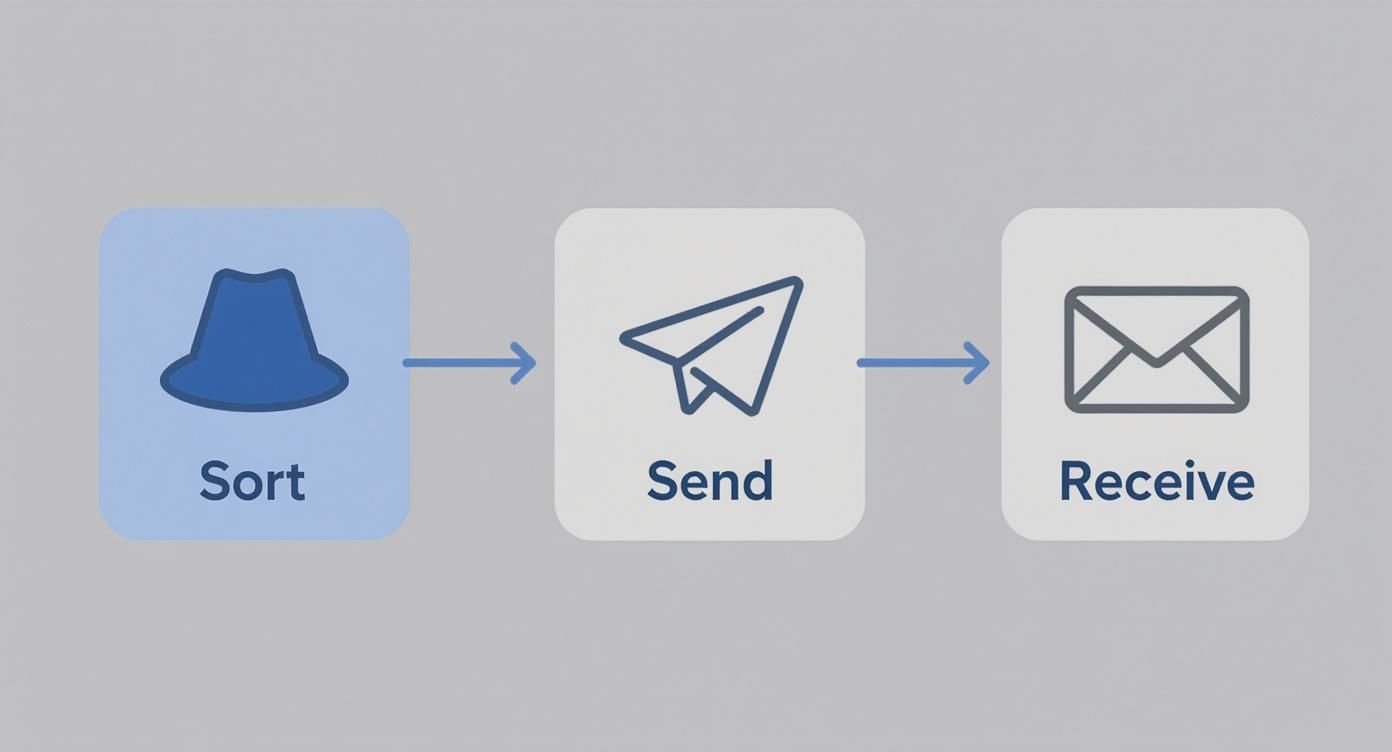
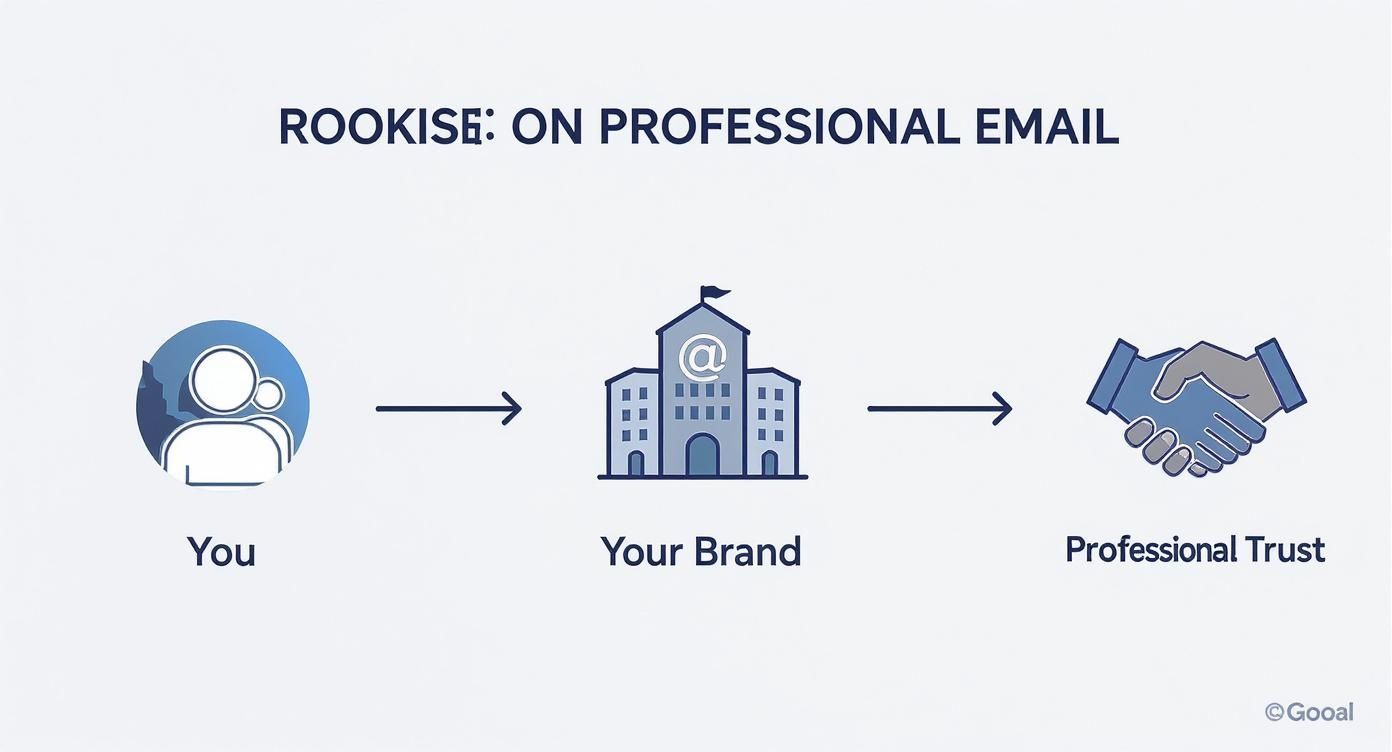
    This visual breaks down the direct, secure path an email takes with a private hosting service, from the moment you send it to when it’s received.

    Infographic about private email hosting services

    As the infographic shows, using a private server cuts out the middle-man stops where data scanning and analysis typically happen on free platforms.

    Why Server Choice Matters for Security

    The type of hosting you choose has a direct impact on your security and how much control you have. The VPS model, for example, is hitting a sweet spot for many people, offering a great balance of performance and affordability. In fact, VPS hosting is projected to grab 20-25% of the total hosting market by 2026, which shows a clear shift toward more private and controlled online spaces. You can dig into the numbers in this detailed industry analysis.

    The real advantage of any private hosting model—whether it’s dedicated, VPS, or cloud—is isolation. By walling off your email from the sprawling systems of free providers, you dramatically shrink your attack surface and stop your data from being mined for profit.

    Ultimately, these platforms work by giving you your own secure, exclusive space on the internet. Your provider takes care of the technical heavy lifting—managing the servers, patching security vulnerabilities, and keeping the network running smoothly—so you can just focus on communicating. They handle the sending protocols (SMTP) and the retrieval protocols (IMAP or POP3) that let your email client securely fetch your messages. If you're curious about how that last part works, we have an article that explains the differences between IMAP and POP3. It's a managed environment designed to make your email not just private, but also reliable.

    The Real-World Benefits of Private Email Hosting

    Once you get past the technical side of things, switching to private email hosting services offers some very real, tangible perks that touch everything from your company's reputation to its day-to-day operations. The whole idea is built on three core pillars: rock-solid email security, guaranteed email privacy, and absolute control over your communications.

    Think of it less as a simple upgrade and more like putting a high-tech security system on your digital headquarters. Every single email you send or receive is a small piece of your business, and it's an asset worth protecting. A professional email host turns your inbox from a potential weak spot into a secure, efficient tool that actually helps you grow.

    Pillar 1: Fortifying Your Digital Defenses With Enhanced Security

    In a world where cyber threats are a daily reality, using a free email service for your business is kind of like leaving your office door unlocked overnight. Private email hosting services give you a whole suite of advanced security features that act like a dedicated digital security guard, actively shielding you from hackers and scammers.

    This kind of proactive defense is light-years ahead of what you get with free platforms. It works 24/7 to make sure your sensitive conversations with clients, partners, and your own team stay confidential and out of the wrong hands.

    These aren't just abstract ideas; they have a real impact every day:

    • Advanced Spam and Malware Filtering: The best private hosts use incredibly sophisticated filters that catch malicious emails before they ever land in your inbox. This dramatically cuts your risk from phishing scams and malware. A single successful phishing attack can cost a small business thousands, making this first line of defense absolutely essential.
    • End-to-End Encryption (E2EE): Many private providers offer E2EE, which essentially scrambles your message the second you hit "send" and keeps it that way until your recipient opens it. Nobody in between—not even your email provider—can decipher its contents.
    • Targeted Attack Resistance: When you use a free service, you're part of a massive, attractive target for hackers. By moving your email to a separate, dedicated server, you become a much smaller, more difficult target. It’s like moving from a giant, crowded apartment building to a private, gated home.

    Pillar 2: Reclaiming Your Data With Guaranteed Privacy

    Let's be honest about how most free email providers make their money: they scan your emails. They look for keywords to build detailed advertising profiles, turning your private business conversations into a product they can sell. With a private hosted email platform, that entire conflict of interest vanishes. You're the customer, not the product.

    The core promise of private email is simple: your data belongs to you. The provider's job is to protect it, not profit from it. This alignment ensures your confidential business strategies, client details, and internal discussions remain truly private.

    This commitment to email privacy is huge for building trust with clients and staying on the right side of data protection laws. If you do business with anyone in Europe, this isn't just a nice-to-have; it's a legal requirement to comply with the General Data Protection Regulation (GDPR). Getting it wrong can lead to massive fines, making privacy a critical part of managing your business risk.

    Pillar 3: Taking Command With Complete Control

    Beyond just security and privacy, private hosting gives you something incredibly valuable: total control. This is your most important communication channel, and you get to be in the driver's seat. It starts with your professional image.

    Using a custom domain like you@yourcompany.com instead of a generic Gmail address instantly builds credibility and reinforces your brand every time you communicate. It’s a small detail that makes a huge difference in how clients see you. But a professional address is just the start.

    Free Public Email vs Private Hosted Email

    To really see the difference, it helps to put them side-by-side. The gap between a free service and a professional one becomes pretty clear when you look at what you get—and what you give up in terms of privacy and security.

    Feature Free Public Email (e.g., Gmail, Yahoo) Private Hosted Email
    Email Address Generic (yourname@gmail.com) Custom Domain (you@yourbrand.com)
    Data Privacy Data is scanned for advertising Data remains private and is not monetized
    Storage Limited, shared resources Generous, dedicated storage that scales
    Admin Control Limited to a single account Full admin panel to manage users and aliases
    Integrations Locked into a specific ecosystem Flexible integration with business tools

    This table really just scratches the surface. That level of control means your email system can actually grow and change with your business. You can create unlimited aliases (like support@ or info@) to keep things organized and get generous storage limits that won't hold you back.

    A reliable email infrastructure is also a foundational piece for other communication strategies, like generating leads for email marketing. In the end, taking control of your email is a direct investment in your company’s long-term health and independence.

    Must-Have Features in a Secure Email Provider

    A digital illustration showing a padlock over an envelope, symbolizing secure email.

    Jumping into private email hosting is a huge win for your business security, but it's crucial to understand that not all providers are built the same. To find a service you can genuinely trust, you need to look past the shiny marketing promises and really dig into what they offer. It’s all about vetting their security, confirming they have the tools your team needs to get work done, and scrutinizing their commitment to your email privacy.

    Think of it like hiring a security firm for your digital headquarters. You wouldn't just pick the first name on the list. You'd meticulously review their credentials, their methods, and their reputation. A top-tier provider doesn't just hand you an inbox; they deliver a complete protective shield for your most sensitive information.

    Security Foundations That Protect Every Message

    First things first: the core security protocols. These are the absolute non-negotiables that form the bedrock of any respectable private email hosting service. They're your frontline defense against the constant barrage of digital threats, from clever phishing scams to relentless brute-force attacks.

    Any provider that cuts corners here is leaving your business wide open. These features aren't just buzzwords; they work in tandem to create a multi-layered defense, making it exponentially harder for anyone to break into your accounts or read your mail.

    Here are the essential security building blocks you should be looking for:

    • End-to-End Encryption (E2EE): This is the gold standard for email security, and for good reason. E2EE scrambles your message the second you hit "send" and keeps it that way until your recipient opens it. Nobody in the middle—not even your email provider—can decipher the contents. To get a clearer picture, check out our simple guide on what end-to-end encryption is.
    • Two-Factor Authentication (2FA): A password just isn't enough anymore. 2FA adds a second layer of verification, like a code sent to your phone, creating a critical barrier that stops attackers even if they manage to steal your password.
    • Intelligent Anti-Phishing and Spam Filters: Modern filters have evolved far beyond basic keyword blocking. The best ones use sophisticated algorithms to spot and neutralize advanced phishing attacks, malicious links, and dangerous attachments before they ever land in your inbox.

    Productivity Essentials for Business Operations

    While security is the main event, your email service still has to function as a practical tool for your business. A platform that's clunky, confusing, or missing key features will just slow your team down and cause headaches. The best hosted email platforms are the ones that flawlessly merge ironclad security with a smooth, user-friendly experience.

    These features make sure your email plays nicely with all your other business tools, allowing you to manage contacts, schedule meetings, and stay connected from anywhere, all without compromising on safety.

    The goal is to find a provider that enhances both your security posture and your operational efficiency. A secure email system that's too cumbersome to use is one that your team will eventually try to bypass, defeating the entire purpose.

    Make sure your potential provider offers these key productivity tools:

    • Reliable Calendar and Contact Syncing: Support for open standards like CalDAV (for calendars) and CardDAV (for contacts) is a must. This ensures your schedule and address book sync perfectly across every device you own, from your desktop to your smartphone.
    • Flexible and Ample Storage: Your data needs will only grow. A great provider offers plenty of storage from the get-go and has simple, affordable ways to add more space as you expand. No more "inbox full" warnings.
    • An Intuitive Admin Panel: If you're managing a team, you need an easy-to-use control panel. It should let you add or remove users, create email aliases (like info@yourcompany.com), and adjust permissions without needing a degree in IT.

    Privacy Guarantees That Build Trust

    Finally, you have to examine the provider's fundamental dedication to your email privacy. This isn't just about features; it's about their business model, their legal structure, and their core philosophy. A truly private email service operates on one simple principle: you are the customer, not the product they sell.

    This is where you can separate the genuine privacy champions from everyone else. It means taking the time to read the fine print and understanding the real-world implications of where your data is stored and who can legally demand access to it.

    Here’s what you need to dig into:

    • A Clear Privacy Policy: The provider must state, in no uncertain terms, that they don't scan your emails, track what you do, or sell your information. Their revenue should come from your subscription fee, period.
    • Zero-Knowledge Encryption: This takes privacy a step further. It means the provider has "zero knowledge" of your encryption key and, by extension, your password. They are physically incapable of decrypting your data, even if forced by law.
    • Legal Jurisdiction: Where a company is based makes a huge difference. A provider headquartered in a country with strong privacy laws, like Switzerland, offers far greater legal protection than one based in a "Five Eyes" intelligence-sharing nation (US, UK, Canada, Australia, New Zealand).

    How to Choose the Right Email Hosting Service

    A person at a desk thoughtfully comparing different email hosting service options on a laptop screen.

    You get the "why," but now it's time for the "how." Turning your knowledge of private email hosting services into a smart decision takes a clear game plan. The goal isn't to find some mythical "best" service, but to find the one that fits your business like a glove. The process feels a lot like choosing a web hosting provider, where the essentials—reliability, security, and solid support—are non-negotiable.

    First thing's first: set a realistic budget. Sure, free email is out there, but a private email host is an investment in your security and professional brand. Look past the price tag and focus on the value you're getting, like storage space per user, built-in security features, and access to real human support when you need it.

    Define Your Core Requirements

    With a budget in mind, you can start to filter your options by asking some key questions about what you actually need. Think of this as building your wishlist to find a service that matches your vision for email security and email privacy.

    Start with how hands-on you want to be. Are you looking for a "set it and forget it" managed solution where the provider takes care of all the technical heavy lifting? Or do you need the keys to the kingdom with deep control over server settings? For most businesses without a dedicated IT staff, a managed service is the way to go.

    Next, make a list of your absolute must-have security features. Does every message need end-to-end encryption? Are you in an industry where you have to comply with data privacy laws like GDPR or HIPAA? Answering these questions will quickly narrow down your list to only the serious contenders.

    The demand for professional-grade email is exploding. The global email hosting services market is expected to jump from $27.04 billion in 2024 to an incredible $108.73 billion by 2032. This growth is all about the increasing need for secure, reliable communication tools.

    Planning a Smooth Migration

    Finally, think about the switch itself, especially if you’re moving away from a free service like Gmail. The idea of migrating years of emails and contacts can feel overwhelming, but a good hosted email platform should make the process almost painless.

    Here’s what to look for to ensure a headache-free transition:

    • Dedicated Migration Tools: The best providers offer automated tools that can pull in your entire inbox, contacts, and calendars from other platforms in just a few clicks.
    • Clear Documentation: Look for easy-to-follow guides and video tutorials that walk you through setting up your accounts and connecting your devices.
    • Responsive Customer Support: Nothing beats the peace of mind that comes from knowing help is just a call or a chat away if you run into any trouble.

    By thinking through your budget, your technical needs, and the migration plan ahead of time, you can confidently pick the right private email hosting service from the start.

    Common Questions About Private Email Hosting

    Thinking about moving to a private email host? It's a smart step, but it's natural to have a few questions. Most people wonder about the cost, the setup process, and whether it’s really that different from just using a custom domain with a free service.

    Let's break down these common concerns so you can feel confident you're making the right move for your business.

    Is Paying for Email Really Worth It?

    Here’s the thing: when you pay for an email service, you become the customer, not the product. That monthly fee isn't just for an inbox—it's an investment in serious email security, guaranteed email privacy, and real customer support when you need it. Free services have to make money somehow, and they often do it by scanning your data for advertising. That's a hidden cost that puts your privacy on the line.

    Think of it this way: the true value isn't just about a few dollars a month. It's about preventing a single data breach that could cost your business thousands in lost revenue and, more importantly, your customers' trust.

    Isn't a Custom Domain on Gmail the Same Thing?

    Using your own domain with a service like Gmail is a great start for branding, but it doesn't touch the core privacy problem. Your emails are still sitting on their servers, which means they're subject to their data-mining practices and terms of service. You get the professional look, but you miss out on the crucial security and privacy that a true hosted email platform provides.

    With a private host, your data is kept in a secure, separate environment. This isolation is key to protecting your conversations from both prying eyes and the massive-scale cyberattacks that often target big, free providers.

    How Difficult Is It to Set Up and Move My Old Emails?

    The idea of migrating years of emails sounds like a massive headache, right? Thankfully, modern private email hosting services have made this surprisingly painless. Most quality providers give you simple control panels and automatic migration tools that pull in your old emails, contacts, and calendars with just a few clicks.

    You definitely don't need to be an IT wizard. These are managed services, which means they handle all the server upkeep, security patches, and other technical stuff behind the scenes. The whole process is designed to be straightforward, getting you up and running on a more secure platform without the stress.


    Ready to take full control of your inbox with a service that respects your privacy? Typewire offers secure, ad-free private email hosting with zero tracking and zero data mining. Start your 7-day free trial today!

  • 12 Best Webmail Clients of 2025 for Privacy & Security

    12 Best Webmail Clients of 2025 for Privacy & Security

    Email is the digital backbone of our personal and professional lives, yet we often settle for services that treat our data as a commodity. The default options from big tech companies frequently come with a hidden cost: invasive ad tracking, data mining, and security vulnerabilities. Choosing from the best webmail clients is no longer just about storage space or a slick interface; it’s a critical decision for protecting your privacy and securing your communications. This guide is designed to help you navigate the complex world of hosted email platforms, moving beyond the familiar names to uncover services that put your security first.

    We’ve compiled a comprehensive resource list that cuts through the marketing fluff to deliver an honest assessment of each provider. You will find a detailed breakdown of top-tier services focused on privacy, security, and user control. We analyze key features like end-to-end encryption, data sovereignty, and robust anti-phishing measures. To truly safeguard your email communications, it's essential to understand strategies to prevent man-in-the-middle attacks that can compromise your data, a concept central to many of the secure providers we'll cover.

    This article provides everything you need to make an informed choice. Each entry includes:

    • A concise overview of what makes the service unique.
    • In-depth analysis of its security and privacy features.
    • Clear pros and cons based on real-world usage.
    • Practical use cases for individuals, teams, and businesses.
    • Transparent pricing details.

    Our goal is to equip you with the information necessary to select a webmail client that aligns with your specific needs, whether you're a privacy-conscious individual, a small business owner, or an IT professional. Let's find the right hosted email platform to protect your digital correspondence.

    1. Typewire

    Best for Privacy-First Business & Personal Email

    Typewire establishes itself as a premier choice among the best webmail clients by championing an uncompromising privacy-first architecture. It’s an ideal solution for individuals and businesses seeking to reclaim control over their digital communications, free from the pervasive data mining, tracking, and advertising that define many mainstream services. By owning its entire infrastructure, Typewire ensures all user data is hosted exclusively on private servers in Vancouver, Canada, and protected under strong Canadian privacy laws (PIPEDA).

    Typewire Webmail Client Interface

    The platform’s commitment to email security is evident in its robust feature set. Every message benefits from end-to-end encryption, and the client automatically blocks tracking pixels by default, preventing senders from monitoring your activity. This core focus on user protection makes it an exceptional hosted email platform for IT administrators, SMBs, and remote teams who handle sensitive information. You can learn more about Typewire’s dedicated privacy features on their site.

    Key Features & User Experience

    Typewire’s web interface is clean, fast, and responsive, with both light and dark modes available to suit user preferences. For teams, the service simplifies administration with unlimited users per account, easy migration tools, and support for up to five custom domains on its premium plan. Each user can also create up to 50 aliases, adding a layer of flexibility for managing different communication channels.

    • Pros:
      • Privacy-Centric Design: No ads, data mining, or tracking pixels.
      • Canadian Data Sovereignty: All data is stored on privately owned Canadian infrastructure.
      • Comprehensive Security: End-to-end encryption plus advanced anti-spam and phishing defenses.
      • Business-Ready Tools: Straightforward user management and custom domain support.
    • Cons:
      • Paywalled Features: Custom domains and high alias counts require a premium subscription.
      • Limited Geographic Redundancy: Hosting is exclusively in Canada, which may not suit all global data residency needs.
      • Trial Requires Card: A credit card is needed for verification to start the 7-day free trial.

    Website: https://typewire.com

    2. Gmail (Google)

    As arguably the most dominant force in consumer email, Gmail’s place as one of the best webmail clients is secured by its sheer ubiquity and powerful features. However, its business model for the free tier is a significant trade-off for privacy. The service relies on data collection from your inbox to personalize advertising across Google's ecosystem. While conversations are encrypted in transit (TLS), this does not prevent Google from scanning email content for various purposes, a critical distinction from zero-knowledge providers.

    For users concerned about this level of data access, it is possible to add stronger protections. This guide to enabling end-to-end encryption in Gmail shows how to layer on security, though it isn't a native, default feature. On the security front, Gmail offers robust spam filtering and phishing detection, but the platform's core architecture is not built for user privacy. It excels as a powerful, feature-rich service, but not as a secure, hosted email platform for sensitive communications.

    Pricing and Key Details

    • Free Plan: 15 GB of storage (shared across Google services) with ads and data scanning.
    • Paid Plans: Google One (starting at $1.99/month) or Google Workspace (starting at $6/user/month) for more storage, no ads, and business features like custom domains.
    • Best For: Individuals and businesses deeply embedded in the Google ecosystem who prioritize features over email privacy.

    Pros & Cons

    • Pros: Exceptional search and organization tools, reliable infrastructure and high deliverability rates, and strong spam filtering.
    • Cons: Not a privacy-first service; scans email content for ad personalization, and lacks default end-to-end encryption.

    Website: https://mail.google.com/

    3. Outlook.com (Microsoft)

    As Microsoft's flagship webmail service, Outlook.com has evolved into a modern platform with a strong security footing, especially for users within the Microsoft 365 ecosystem. Its spam and phishing protection are built on Microsoft's enterprise-grade infrastructure, offering a reliable defense against common threats. However, like Gmail, the free version of Outlook.com operates on a business model that includes targeted advertising, which means your data is used for commercial purposes.

    The true security and privacy benefits of Outlook are unlocked with a paid Microsoft 365 subscription. This removes ads, provides message encryption options, and includes advanced threat protection that scans attachments and links for malware. For a detailed walkthrough of its security options, you can consult this guide to securing your Outlook emails. While it’s a more secure hosted email platform than many free alternatives, its privacy posture is not as strict as zero-knowledge services like Proton Mail or Tuta, as Microsoft can still access user data under certain conditions.

    Pricing and Key Details

    • Free Plan: 15 GB of mailbox storage and 5 GB of OneDrive cloud storage with ads.
    • Paid Plans: Microsoft 365 (starting at $1.99/month for Basic) provides 50 GB of ad-free email and enhanced security features.
    • Best For: Individuals and businesses invested in the Microsoft ecosystem who need strong, enterprise-level security features and are comfortable with a corporate privacy policy.

    Pros & Cons

    • Pros: Strong spam and phishing defenses, advanced security features in paid tiers, and excellent integration with Microsoft 365 apps.
    • Cons: The free tier includes advertisements and is not privacy-focused; the strongest security tools are paywalled.

    Website: https://outlook.live.com/

    4. Yahoo Mail

    As one of the original major players in the webmail space, Yahoo Mail has modernized its interface but remains a choice for users where advanced privacy and security are not top priorities. Its history of significant data breaches makes it a difficult recommendation for anyone handling sensitive information. While the service offers basic security features like spam filtering and virus protection, it lacks the advanced privacy tools that define the best secure webmail clients, such as end-to-end encryption or tracking pixel blocking.

    The platform's business model is ad-supported, and its privacy policy allows for the scanning of emails to personalize those ads and other content. This practice is in direct contrast to privacy-first hosted email platforms. Yahoo Mail’s key differentiators are its generous free storage and organizational tools, like the "Subscriptions" view for managing newsletters. These features make it a practical choice for a secondary, non-critical email account, but it is not suitable for users seeking genuine email privacy or robust security.

    Pricing and Key Details

    • Free Plan: 20 GB of storage with ads and email scanning.
    • Paid Plans: Yahoo Mail Plus (starting at $5/month) offers an ad-free experience, 500 disposable email addresses, and premium support.
    • Best For: Casual users who need a free, high-storage account for non-sensitive communications and managing subscriptions.

    Pros & Cons

    • Pros: Excellent tools for managing subscriptions, user-friendly mobile apps, and a low-cost plan to remove ads.
    • Cons: A history of major security breaches, scans emails for advertising, and lacks advanced privacy features like end-to-end encryption.

    Website: https://mail.yahoo.com/

    5. Proton Mail

    For users who prioritize privacy and security above all else, Proton Mail has established itself as a leading choice among the best webmail clients. Built by former CERN scientists, the service is based in Switzerland, a country renowned for its strong privacy laws. Its core feature is automatic end-to-end encryption for all messages exchanged between Proton users, meaning not even the company can read your emails. This privacy-first approach is extended through its open-source applications and a strict no-logs policy, making it a fortress for sensitive communications.

    Proton Mail

    Unlike mainstream providers that rely on advertising, Proton Mail is funded by its users, ensuring its business model aligns with user privacy. The platform offers advanced features like self-destructing messages and password-protected emails for communicating securely with non-Proton users. As a hosted email platform, all data is stored on secure, company-owned servers in Switzerland. While its free plan is limited, it serves as an excellent entry point into a more secure and private email experience.

    Pricing and Key Details

    • Free Plan: 1 GB total storage, 150 messages per day limit, and 1 email address.
    • Paid Plans: Mail Plus (starting at €3.99/month) or Proton Unlimited (starting at €9.99/month) for more storage, custom domains, unlimited messages, and access to the full Proton ecosystem (VPN, Calendar, Drive).
    • Best For: Privacy-conscious individuals, journalists, activists, and businesses that handle sensitive data and require legally protected communications.

    Pros & Cons

    • Pros: True end-to-end encryption by default, Swiss jurisdiction provides strong legal privacy protections, and a transparent, open-source security posture.
    • Cons: The free plan is quite restrictive, advanced features are paywalled, and encrypted workflows can have a learning curve when interacting with non-Proton recipients.

    Website: https://proton.me/mail

    6. Zoho Mail

    Zoho Mail carves out its niche as a powerful, ad-free webmail client that prioritizes business functionality and user privacy over data monetization. Positioned as a direct competitor to Google Workspace and Microsoft 365, it provides a comprehensive suite of applications while maintaining a firm no-ads policy, ensuring that your email content is never scanned for advertising purposes. For small businesses and individuals wanting to use a custom domain, Zoho Mail is an exceptionally compelling hosted email platform, offering a generous free-forever plan that includes support for one domain.

    Zoho Mail

    The platform is built for professional use, with robust administrative controls and easy migration tools. Email security is a key focus, with features like S/MIME message encryption, two-factor authentication, and data retention policies available to protect sensitive business communications. Its data centers are geographically distributed, offering redundancy and compliance with various regional regulations. This commitment to security without ad-based revenue makes it one of the best webmail clients for organizations looking for a unified, private productivity suite.

    Pricing and Key Details

    • Free Plan: Ad-free email for up to 5 users, 5 GB/user storage, and single custom domain support.
    • Paid Plans: Mail Lite starts at $1/user/month for more features. Workplace plans (starting at $3/user/month) bundle the full suite of Zoho apps.
    • Best For: Small to medium-sized businesses needing affordable custom-domain email hosting, and privacy-conscious users seeking an ad-free experience.

    Pros & Cons

    • Pros: Very competitive pricing for business email, strong admin and security controls, and a strict no-ads privacy policy.
    • Cons: The most advanced security and compliance tools (like e-discovery) are locked behind higher-tier plans, and the user interface can feel less modern than some competitors.

    Website: https://www.zoho.com/mail/pricing.html

    7. Fastmail

    For users prioritizing speed, privacy, and an ad-free experience, Fastmail stands out as a premium, independent choice. Unlike free services that monetize user data, Fastmail is a paid hosted email platform focused entirely on providing a fast, reliable, and secure email service. It is independently owned and operates its own servers, ensuring that your data isn't being handled by a third-party cloud provider. Fastmail never scans your content for advertising or tracks your behavior.

    Fastmail

    Its reputation for excellent deliverability and robust custom domain support makes it one of the best webmail clients for professionals and privacy-conscious individuals. A standout feature for email privacy is its native integration with 1Password for Masked Email, allowing users to generate unique, anonymous email aliases on the fly to protect their real address from spam and data breaches. This commitment to user privacy and control, combined with responsive customer support, justifies its place as a top-tier email provider.

    Pricing and Key Details

    • Free Plan: No free tier available (offers a 30-day free trial).
    • Paid Plans: Start at $3/user/month for Basic, with Standard ($5/user/month) and Professional ($9/user/month) tiers offering more storage (from 2 GB up to 100 GB per user), custom domains, and more.
    • Best For: Privacy-focused individuals, families, and small businesses who need a reliable, ad-free email host with strong custom domain features.

    Pros & Cons

    • Pros: Fast, clean, and ad-free web UI, excellent deliverability and custom domain tools, and a strong commitment to privacy and open standards.
    • Cons: No free tier available after the trial period, and lacks built-in end-to-end encryption like Proton Mail or Tuta.

    Website: https://www.fastmail.com/

    8. Tuta (formerly Tutanota)

    For users who demand uncompromising privacy, Tuta stands out as one of the best webmail clients available. Built from the ground up on a foundation of end-to-end encryption, the German-based platform ensures that not even the company can read your emails or access your calendar events. This zero-knowledge architecture extends to its search functionality, which encrypts your search index and allows you to search your mailbox locally on your device without compromising your data privacy. Tuta’s commitment to transparency is further reinforced by its open-source clients, which allow for independent security audits.

    Tuta (formerly Tutanota)

    This makes Tuta an excellent choice for journalists, activists, and any business handling sensitive information. Unlike mainstream providers whose business models rely on data scanning for advertising, Tuta is entirely funded by its users, ensuring its interests remain aligned with protecting privacy. The service operates on 100% renewable energy, adding an ethical dimension to its strong privacy stance. As a hosted email platform, it is an excellent alternative to big tech ecosystems.

    Pricing and Key Details

    • Free Plan: 1 GB of storage with limited search and a Tuta domain.
    • Paid Plans: Start at €3/month for personal use (Revolutionary plan) with 20 GB storage, 15 email aliases, and 3 custom domains. Business plans offer more advanced user and alias management.
    • Best For: Privacy-conscious individuals, security professionals, and businesses that require a hosted email platform with uncompromising end-to-end encryption.

    Pros & Cons

    • Pros: Strong privacy and security defaults with automatic encryption, open-source clients enhance trust, and no tracking or ads.
    • Cons: The strict focus on encryption means it cannot integrate with third-party email clients like Thunderbird or Outlook via IMAP/POP3, and its ecosystem is smaller than mainstream competitors.

    Website: https://tuta.com/

    9. Mailfence

    Mailfence offers a privacy-first email service from Belgium, a country known for its strong data protection laws. As a secure alternative to mainstream providers, it positions itself as one of the best webmail clients for users who prioritize confidentiality without sacrificing essential productivity tools. The platform integrates end-to-end encryption using the open-standard OpenPGP, making it straightforward for users to send and receive fully encrypted messages, even to recipients who don't use Mailfence.

    Mailfence

    Beyond its core email security, Mailfence provides a full suite of tools, including a calendar, document storage, and contact management, all protected under the same privacy-focused philosophy. This makes it an excellent choice for individuals and businesses seeking a cohesive, ad-free digital workspace. Unlike many free providers, Mailfence does not track user behavior or scan emails to serve ads, ensuring user communications remain private. Its business model is based purely on paid subscriptions, aligning its interests directly with its users' privacy.

    Pricing and Key Details

    • Free Plan: Includes 500 MB of email storage and 500 MB for documents, with no ads or tracking.
    • Paid Plans: Entry plan starts at €3.50/month for 10 GB email storage, custom domain support, and IMAP/POP3/ActiveSync access. Business plans add comprehensive admin controls and more storage.
    • Best For: Privacy-conscious individuals, journalists, and small businesses needing an affordable, secure, and ad-free email suite with integrated encryption.

    Pros & Cons

    • Pros: Strong focus on privacy with built-in OpenPGP encryption, operates under strong Belgian privacy laws, and offers a complete suite of productivity tools.
    • Cons: The free plan lacks IMAP/SMTP access, limiting its use with third-party desktop clients, and its ecosystem is smaller compared to major providers.

    Website: https://mailfence.com/

    10. GMX Mail

    GMX Mail, originating from Germany, operates under strong European data protection laws (GDPR) but positions itself as a feature-rich free service rather than a dedicated privacy platform. Its standout feature is the massive 65 GB of free email storage, which is appealing for users with high storage needs. The service includes built-in antivirus and spam protection and allows users to create up to 10 alias addresses, which can help protect one's primary email address from spam.

    However, GMX Mail's free tier is ad-supported, which means it doesn't align with the principles of the most secure, privacy-first webmail clients. While its security features are adequate for a casual user, it lacks advanced privacy tools like end-to-end encryption or tracking-pixel blocking. It is a functional and generous free hosted email platform, but users seeking true confidentiality for their communications should consider a paid, privacy-focused alternative.

    Pricing and Key Details

    • Free Plan: 65 GB of mailbox storage, 50 MB attachment limit, 2 GB of cloud storage, and is ad-supported.
    • Paid Plans: GMX does not have a widely available premium tier in all regions; the free service is its primary offering.
    • Best For: Individuals who need a large amount of free email storage and are not primarily concerned with advanced email privacy.

    Pros & Cons

    • Pros: Extremely generous 65 GB of free mailbox storage, large 50 MB attachment limit, and operates under GDPR.
    • Cons: The free tier is supported by advertisements, lacks advanced security and privacy features, and the interface feels less modern than competitors.

    Website: https://www.gmx.com/mail/

    11. iCloud Mail (Apple)

    For users deeply embedded in the Apple ecosystem, iCloud Mail presents a seamless and increasingly privacy-focused experience. It offers a clean, ad-free interface, and Apple’s business model does not rely on selling user data for advertising. This positions it as a more private alternative to services like Gmail or Yahoo. Its primary strength lies in its perfect synchronization across Apple devices.

    A paid iCloud+ subscription significantly enhances its security and privacy credentials. The Hide My Email feature generates unique, random email addresses to protect your personal address from spam and data brokers. Mail Privacy Protection hides your IP address and prevents senders from seeing if you’ve opened their email. While Apple does perform server-side scanning for security threats and spam, and does not offer zero-knowledge encryption for mail, these features make it one of the best webmail clients for privacy-conscious Apple users.

    Pricing and Key Details

    • Free Plan: 5 GB of storage (shared across all iCloud services).
    • Paid Plans: iCloud+ (starting at $0.99/month for 50 GB) adds more storage and powerful privacy features like Hide My Email and Mail Privacy Protection.
    • Best For: Individuals and families heavily invested in the Apple ecosystem who value seamless integration and strong privacy features.

    Pros & Cons

    • Pros: Excellent privacy features with iCloud+ subscriptions (Hide My Email, Mail Privacy Protection), ad-free, and exceptional integration with Apple devices.
    • Cons: The best experience is tied to Apple’s ecosystem, lacks zero-knowledge encryption, and the free storage tier is a restrictive 5 GB.

    Website: https://www.icloud.com/mail

    12. HEY (by 37signals/Basecamp)

    HEY is an innovative and opinionated take on email that prioritizes user privacy and control. It fundamentally changes how you interact with messages through its unique workflow, which starts with "The Screener." This feature acts as a gatekeeper, letting you decide if you ever want to hear from a sender again, effectively blocking unwanted mail before it hits your inbox. HEY is built for those seeking to escape email overload within a secure, private environment.

    Its commitment to privacy is a core tenet. HEY actively blocks spy pixels and tracking scripts by default, preventing senders from knowing when or where you opened their messages. This privacy-first approach is central to its appeal, offering a secure and ad-free hosted email platform without scanning your emails for marketing purposes. While it does not offer end-to-end encryption, its default privacy settings are a significant step up from mainstream providers, making it one of the best webmail clients for those who value both workflow innovation and privacy.

    Pricing and Key Details

    • Free Plan: No ongoing free tier; a 30-day free trial is available.
    • Paid Plans: HEY for You is $99/year for a personal @hey.com address with 100 GB of storage. HEY for Domains is $12/user/month for businesses using a custom domain.
    • Best For: Individuals overwhelmed by inbox clutter and businesses seeking a privacy-focused, workflow-driven email solution.

    Pros & Cons

    • Pros: Strong default privacy features like spy-pixel blocking, innovative workflows that actively reduce email overload, and a clean, ad-free user interface.
    • Cons: Does not offer end-to-end encryption, the opinionated design requires a significant adjustment, and there is no free plan after the initial trial period.

    Website: https://www.hey.com/

    Top 12 Webmail Clients Comparison

    Product Core features Security & Privacy ★ Pricing / Value 💰 Target audience 👥 Unique selling point ✨
    Typewire 🏆 End‑to‑end encryption, advanced anti‑spam, custom domains, unlimited users, responsive web & apps ★★★★★ Canada‑hosted, no trackers, no 3rd‑party cloud Free / Starter / Premium — 7‑day trial 💰 Privacy‑conscious individuals, SMBs, IT admins 👥 ✨ Canadian‑owned infra, in‑house dev, 24/7 support
    Gmail (Google) 15 GB shared storage, powerful search, labels, Drive/Meet integration ★★☆ Scans email for ads; strong spam filters Free; Workspace paid upgrades 💰 General consumers, G Suite users 👥 ✨ Deep Google ecosystem & search
    Outlook.com (Microsoft) Modern web app, Calendar & OneDrive sync, mobile apps ★★★☆ Good phishing/spam defenses; ads on free tier Free; Microsoft 365 adds storage/AI 💰 Microsoft users, families, businesses 👥 ✨ Advanced security in paid tiers
    Yahoo Mail 20 GB free, subscription view, disposable/alias addresses ★☆☆ History of breaches; scans email for ads Free w/ ads; Plus for ad‑free & more storage 💰 Casual users, newsletter managers 👥 ✨ One‑tap unsubscribe & alias support
    Proton Mail E2E encryption, open‑source clients, custom domains, bridge app ★★★★★ Swiss jurisdiction, privacy‑first Free + paid (EUR) tiers for advanced features 💰 Privacy‑first power users & activists 👥 ✨ Open‑source, strong jurisdictional privacy
    Zoho Mail Ad‑free mail, custom domains, workplace suite integration ★★★★ Business controls, S‑MIME on premium Free for small teams; competitive paid plans 💰 SMBs and teams using Zoho apps 👥 ✨ Affordable custom-domain email & admin tools
    Fastmail Paid plans, generous storage, IMAP/open standards, fast UI ★★★★ No tracking, excellent deliverability Paid only; per‑user plans 💰 Professionals wanting speed & deliverability 👥 ✨ Strong privacy policy & domain tools
    Tuta (Tutanota) E2E by default, zero‑knowledge search, aliases, shared calendar ★★★★★ Default encryption, open‑source clients Free + paid tiers for domains & aliases 💰 Privacy advocates & secure communicators 👥 ✨ Zero‑knowledge search, strong defaults
    Mailfence OpenPGP built‑in, calendar, docs, groups, 2FA ★★★★ OpenPGP & 2FA; balanced privacy Free 1GB; affordable paid business tiers 💰 Users wanting integrated OpenPGP & tools 👥 ✨ Built‑in OpenPGP suite with docs/calendar
    GMX Mail Very large free mailbox (65 GB), cloud, online office ★★☆ GDPR compliant; ad-supported model Free w/ ads; extras included 💰 Users needing large free storage 👥 ✨ Huge free mailbox + cloud tools
    iCloud Mail (Apple) Aliases, rules, Hide My Email, iCloud+ storage ★★★★ Strong within Apple ecosystem Free; iCloud+ paid storage tiers 💰 Apple device users & families 👥 ✨ Hide My Email & family sharing benefits
    HEY (37signals) Opinionated inbox workflows (Screener, Set Aside), 100 GB ★★★★ Spy‑pixel blocking & privacy defaults Paid flat pricing; 30‑day trial only 💰 Users wanting inbox re‑design & focus 👥 ✨ Unique workflows to tame inbox overload

    Making the Final Call: Your Privacy is Worth It

    Navigating the crowded market of webmail clients can feel overwhelming, but our deep dive into the top contenders reveals a clear and crucial trend. The era of passively accepting data-mining in exchange for a "free" inbox is ending. The modern digital landscape demands a more deliberate, security-conscious approach to our most fundamental communication tool: email.

    As we've explored, the distinction between ad-supported giants like Gmail and Outlook and privacy-first platforms like Proton Mail, Tuta, and Fastmail is not just about features; it's a fundamental difference in philosophy. One model treats you as the product, analyzing your conversations to sell ads. The other treats you as the customer, offering a robust, secure service in exchange for a fair price. This shift is at the heart of finding the best webmail clients for your needs.

    Key Takeaways: From Free to Sovereign

    The most important takeaway from this comprehensive review is that you have a choice. You are not locked into a system that compromises your privacy for convenience. Secure, hosted email platforms provide a viable, and often superior, alternative that puts you back in control of your digital identity.

    Remember these core principles as you make your decision:

    • Zero-Knowledge Encryption is the Gold Standard: Services like Proton Mail and Tuta use end-to-end and zero-access encryption, meaning not even the provider can read your emails. This is the highest level of privacy available.
    • Custom Domains Build Professionalism: For small businesses or professionals, a service like Zoho Mail or Fastmail that seamlessly integrates custom domains is essential for brand identity and credibility.
    • Jurisdiction Matters: The legal jurisdiction where a provider is based (e.g., Switzerland for Proton Mail, Germany for Tuta) has significant implications for data privacy laws and government surveillance.
    • A Small Price for Priceless Privacy: Investing a few dollars a month in a premium email service is a direct investment in your own security, digital freedom, and an ad-free experience.

    Your Action Plan for Choosing the Right Webmail Client

    So, how do you move forward? Don't let analysis paralysis stop you. Follow these actionable steps to select and implement the right service.

    First, define your non-negotiables. Is end-to-end encryption your top priority, or is it a polished user interface with advanced calendar and contact management? Are you a solo user, or do you need to manage a team with shared inboxes and administrative controls? Create a short list of your must-have features.

    Next, leverage the free trials. Nearly every premium service we've covered offers a free tier or a trial period. Use this opportunity to test the real-world experience. Import a few contacts, send some test emails, and see how the interface feels during daily use. Is it intuitive? Is it fast? Does it meet your expectations?

    Finally, plan your migration. Switching email providers can seem daunting, but modern tools make it simpler than ever. Look for built-in import tools that can transfer your old emails, contacts, and calendar events. Set up email forwarding from your old account for a few months to ensure you don't miss anything. Announce your new address to your key contacts and methodically update your online accounts.

    Choosing one of the best webmail clients is more than just a technical decision; it's a declaration of your digital independence. By opting for a secure, user-funded platform, you not only protect your own sensitive communications but also support a healthier, more private internet ecosystem for everyone. The peace of mind that comes from knowing your inbox is truly yours is an invaluable asset in today's digital world.


    If your priority is a streamlined, privacy-focused experience that combines powerful features with an intuitive design, consider Typewire. It was built from the ground up to provide a secure and productive environment, making it an excellent choice among the best webmail clients for users who value both security and usability. Explore how it reclaims your inbox at Typewire.