Author: williamwhite

  • Email Encryption Gmail: A Guide to True Email Privacy

    Email Encryption Gmail: A Guide to True Email Privacy

    Yes, Gmail offers built-in encryption, but the level of email security varies. For everyday privacy, there's Confidential Mode. For business users on hosted email platforms like Google Workspace, there’s S/MIME encryption, which uses security certificates. Both are designed to enhance your email security, but only one offers true privacy.

    Why Encrypting Your Gmail Is a Matter of Email Security

    We use email for everything from sensitive business proposals to personal tax documents, often assuming these conversations are private. However, a standard email is more like a postcard than a sealed letter. It can be intercepted and read as it travels across the internet, which is why email encryption has become a critical aspect of digital security.

    Gmail is a massive hosted email platform, with over 2.5 billion active users. Given its scale, understanding its security measures is vital for your email privacy. By default, Gmail uses Transport Layer Security (TLS) to encrypt emails in transit. This is a solid baseline for stopping casual eavesdropping as your message moves between servers. You can dig deeper into Gmail's user stats and what they mean for security over at sqmagazine.co.uk.

    The Limits of Standard Email Privacy

    While TLS provides a crucial layer of email security, it has a significant limitation: it only protects the email while it's moving. Once the message lands on a server, that TLS protection is gone. If the recipient's server isn't secure or their account is compromised, your sensitive information is exposed. Worse, because hosted email platforms like Gmail process your data, the provider itself can access the content.

    True email privacy means your message is protected from the moment you hit "send" until only your intended recipient reads it. It's about maintaining control and ensuring no third party, including your email provider, can access your private conversations.

    This is where end-to-end encryption is essential for genuine email security. It keeps the message scrambled and unreadable for everyone except you and the intended recipient. If you're sending a confidential project plan, you need assurance that no one else—not even Google—can access the contents. While hosted email platforms provide the infrastructure, achieving true email privacy requires using the right encryption tools.

    Sending Secure Messages with Gmail's Confidential Mode

    For sending sensitive information, Google offers a built-in feature called Confidential Mode to enhance email security.

    Think of it as adding a layer of access control to your message. It's a useful tool for sending a business proposal or personal financial documents you don't want permanently stored in someone's inbox. It improves email privacy by giving you control over your information, even after you’ve sent it.

    What Can You Do With Confidential Mode?

    When composing a new email, the lock-and-clock icon in the bottom toolbar opens your security options.

    This is where you can tailor the protection for your message:

    • Set an Expiration Date: You can make your email inaccessible after a set period, from a day up to 5 years. This is ideal for time-sensitive information that shouldn't remain accessible forever.
    • Require an SMS Passcode: For stronger security, you can require the recipient to verify their identity with a passcode sent to their phone. This makes it extremely difficult for anyone but the intended recipient to open the email.

    Here’s a look at the settings you’ll see right in your compose window.
    Image

    The recipient sees the message with a clear footer stating when access expires. Critically, options to forward, copy, print, and download are disabled. You can also revoke access at any time from your "Sent" folder, keeping you in control.

    It's important to remember that Confidential Mode is not true end-to-end encryption. Since the content is processed on Google's servers, it doesn't offer absolute email privacy from the platform itself. However, it's a powerful tool for preventing unauthorized sharing by the recipient.

    While Confidential Mode is a convenient feature for enhancing email security, it's just one piece of the puzzle. To explore other methods, you can learn how to protect an email with a password in our other guides.

    Turning on S/MIME Encryption in Google Workspace

    When your business operates on a hosted email platform and needs to meet stringent compliance standards, superior email security is required. This is where S/MIME (Secure/Multipurpose Internet Mail Extensions) becomes essential. It’s a significant upgrade that uses certificate-based encryption to lock down communications within Google Workspace.

    Unlike standard encryption that only protects an email in transit, S/MIME secures the message itself. It's like putting your documents in a tamper-proof safe that only the recipient can unlock with their private key. It also adds a digital signature, which is crucial for verifying your identity and ensuring message integrity—key components of robust email security.
    Image

    Getting S/MIME Set Up for Your Organization

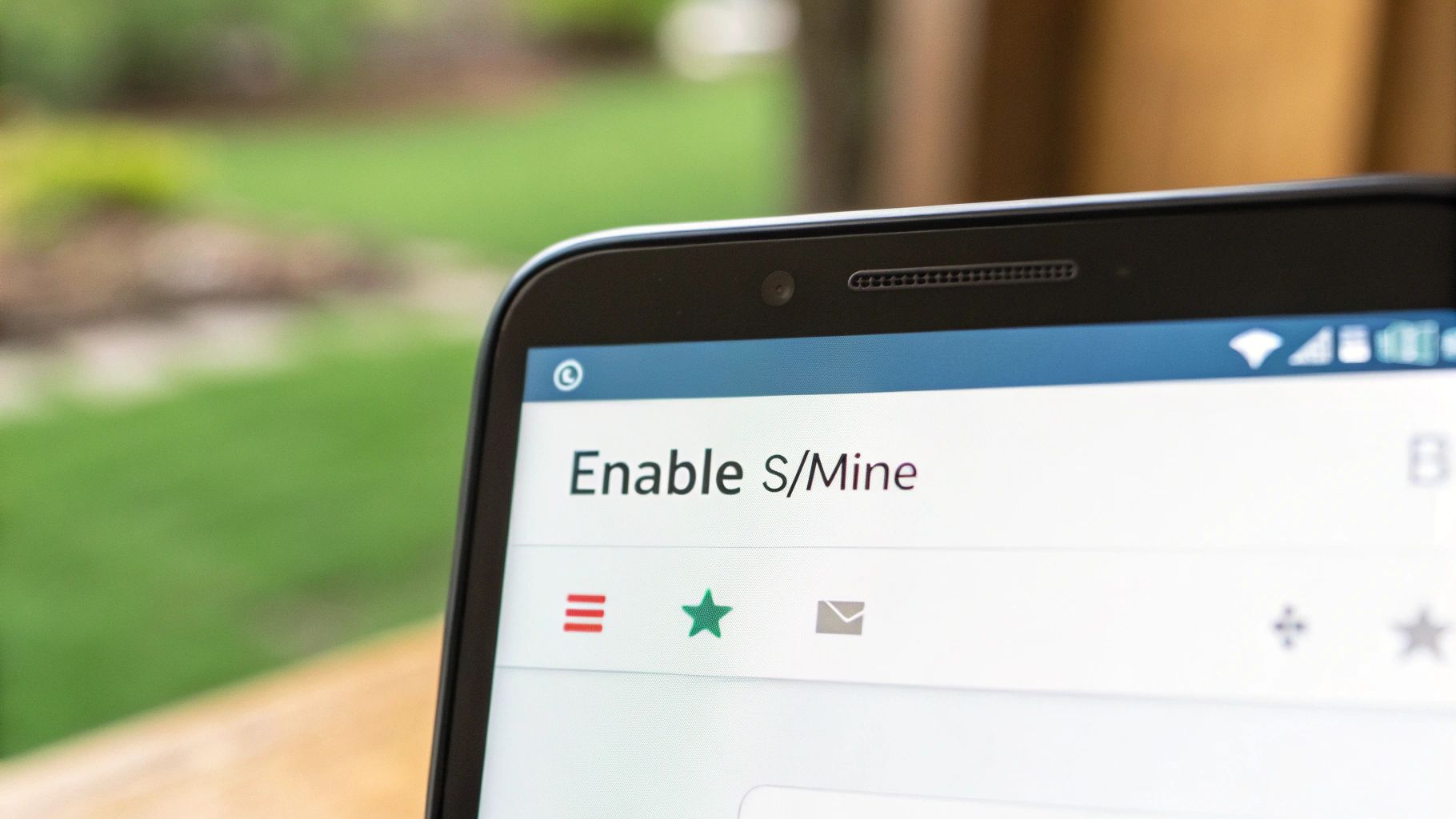
    Activating S/MIME is a task for a Google Workspace administrator. Through the Admin console, they can enable "hosted S/MIME," allowing Google to manage user certificates and maintain consistent email security policies.

    The administrator's role includes:

    • Enabling S/MIME for specific teams or the entire organization.
    • Uploading each user's certificate, which can be done in bulk or by individual users.
    • Setting content compliance rules to enforce S/MIME signing and encryption for all outgoing mail.

    S/MIME is the gold standard for many industries because it ties email security directly to verified identities. It builds a verifiable chain of trust, which is fundamental for secure business communication on any hosted email platform.

    How to Send an S/MIME Encrypted Email

    Once configured, the process for users is simple. Exchanging digitally signed emails with a new contact automatically shares the necessary certificates.

    From then on, you can send a secure message by clicking the padlock icon next to the recipient's address in the compose window.

    A green padlock confirms the email is protected with S/MIME encryption—the highest level of email security Gmail offers. This provides visual assurance that sensitive data is properly secured. To better understand the technology, our guide on secure email protocols is an excellent resource. These frameworks are the backbone of any modern hosted email platform that prioritizes email privacy and data integrity.

    Choosing the Right Gmail Encryption Method

    Selecting the right encryption method in Gmail depends on your email security needs and who you're communicating with. There is no one-size-fits-all solution; it's about matching the tool to the required level of email privacy.

    For a one-off sensitive document, Confidential Mode is a practical choice. Sending a signed contract or an offer letter with an expiration date and SMS passcode provides strong access control without technical complexity for the recipient.

    For ongoing, high-stakes business communications, S/MIME is the superior option. A law firm exchanging case files or a healthcare provider sending patient data needs verifiable, end-to-end encryption for every message. S/MIME delivers the digital signature and seal required for compliance and trust on hosted email platforms.

    Gmail Encryption Options At a Glance

    This side-by-side comparison of Gmail's native tools can help you decide which path aligns with your email security and privacy goals.

    Here’s a quick breakdown of how Gmail's built-in encryption features stack up.

    Feature Standard TLS Confidential Mode Hosted S/MIME
    Best For Everyday emails One-off sensitive documents Ongoing secure business comms
    Security Level Good (In-transit) Better (Access controls) Excellent (End-to-end)
    Recipient Action None May need SMS code Needs compatible email client
    Availability All Gmail users All Gmail users Google Workspace users only

    As you can see, each option serves a different purpose. Standard TLS is the baseline for email security, Confidential Mode adds a layer of control, and S/MIME is the enterprise-grade solution for achieving true email privacy.

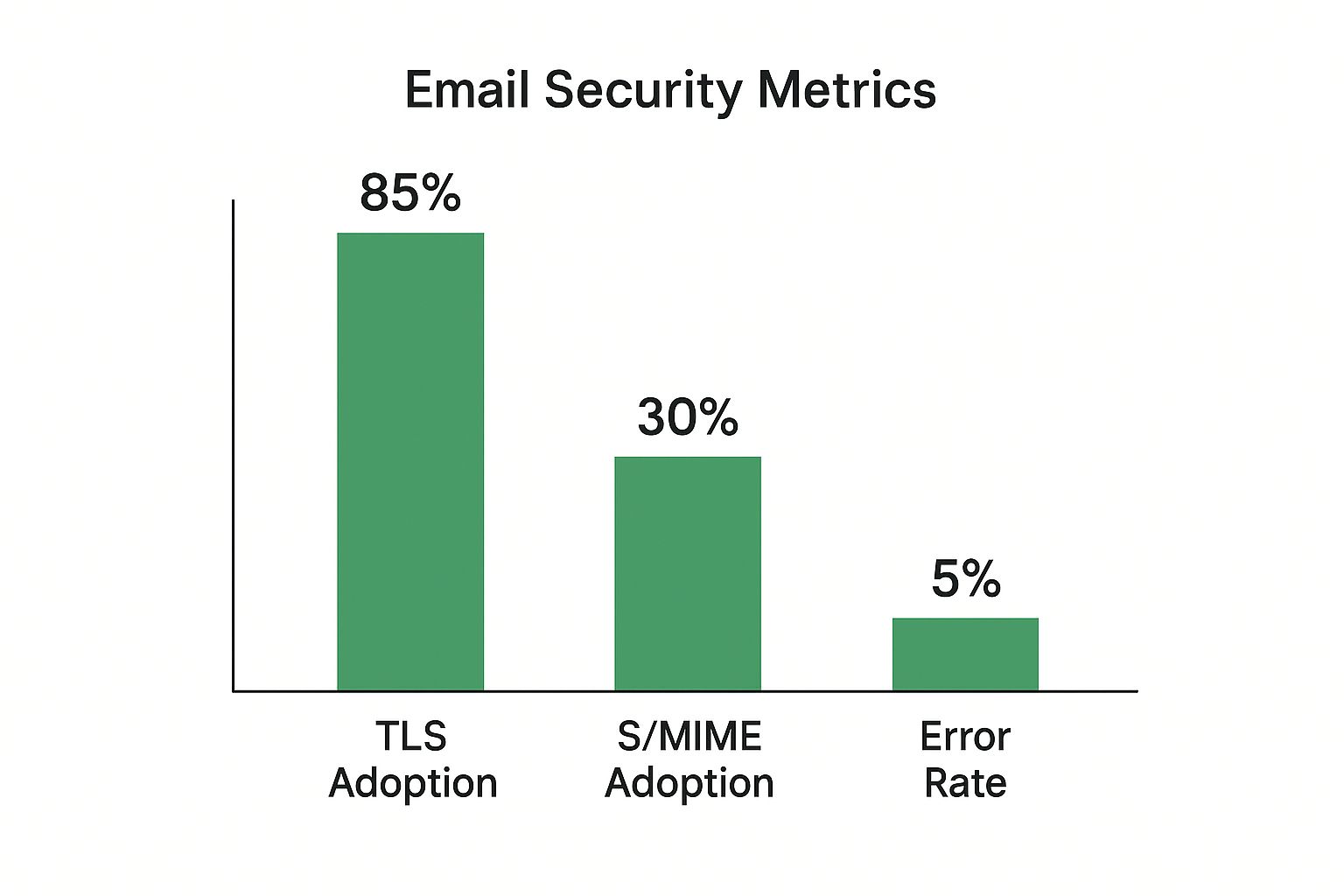
    This visual gives you a sense of where different security protocols fit into the bigger picture of email communication.
    Image

    The data highlights that while basic TLS is nearly universal, more advanced methods like S/MIME are specialized, typically deployed in sectors where email security and identity verification are top priorities.

    The Bigger Picture of Email Security

    Using Gmail's encryption tools is an important step, but it’s part of a larger email security strategy. The demand for better email privacy is driven by data protection laws like GDPR and HIPAA, and the constant threat of data breaches.
    Image

    For industries like healthcare and finance, strong email encryption is a non-negotiable part of business. Companies invest heavily in email security to protect client information, ensure compliance, and maintain customer trust. Without it, the integrity of their entire operation is at risk.

    A Growing Market for Email Privacy

    This shift is reflected in market trends. The global email encryption market was recently valued at USD 7.43 billion and is projected to grow, driven by regulations and a rising awareness of digital privacy.

    This growth signifies a crucial change in mindset. Businesses and individuals are increasingly moving away from standard, ad-supported services towards hosted email platforms that prioritize genuine email privacy and security. A key part of this is understanding the technology, so it's vital to know what end-to-end encryption is and how it protects your data from all third parties.

    Mastering email encryption is a fundamental part of modern digital literacy. It empowers you to protect your information and make informed choices about the hosted email platforms you trust with your private conversations.

    Ultimately, understanding these concepts helps you choose the right tools to protect your data. For a deeper dive into the most secure standard, check out our guide: https://typewire.com/blog/read/2025-08-07-what-is-end-to-end-encryption-explained-simply.

    Got Questions About Gmail Encryption?

    Email security can be complex, especially on a large hosted email platform like Gmail. Let's clarify some common questions to help you protect your messages effectively.

    Is Gmail's Confidential Mode Really "Encrypted"?

    This is a critical point for understanding email privacy. While Gmail’s Confidential Mode enhances email security, it is not true end-to-end encryption.

    It functions as a privacy shield, preventing recipients from easily forwarding, printing, or downloading your email. However, because Google's servers process the content, the company can still access it. This is fundamentally different from a protocol like S/MIME, where only you and your recipient hold the keys to decrypt the message, ensuring complete email privacy.

    Why Can't I Find S/MIME on My Personal Account?

    Many users wonder why the strongest email security features aren't available on free accounts. The reason is that S/MIME is an enterprise-level tool.

    • S/MIME is a Google Workspace feature: Native S/MIME encryption is a premium tool exclusive to paid Google Workspace plans. If you're using a standard @gmail.com address, you'll need a third-party solution or a different hosted email platform for this level of security.
    • What's that red padlock icon? A red, unlocked padlock next to a sender's name is a warning from Gmail. It means the message was not sent using TLS encryption and was vulnerable to interception. Avoid sending any sensitive information in reply.

    That little red padlock is a clear signal to prioritize your email security. It means the message traveled without basic protection, making its contents visible to anyone who might have intercepted it.

    What Does the Recipient See With Confidential Mode?

    A common question is whether your recipient needs a Gmail account to view a confidential message. The answer is no.

    If you send a confidential email to a non-Gmail address, the recipient receives a link to a secure, Google-hosted page. They can view the message there after verifying their identity, ensuring the security controls work across different email providers.


    For those seeking to regain full control over their data, a private hosted email platform is the ideal solution. Typewire provides a genuinely secure, ad-free email experience built on a foundation of email privacy. With no tracking and no data mining, your conversations remain yours alone. Explore a new standard of email privacy with Typewire.
  • A Practical Guide to Send Secure Mail

    A Practical Guide to Send Secure Mail

    To send a truly secure email, you need a service that provides end-to-end encryption. This is the gold standard for email privacy. It means only you and the person you're sending it to can actually read the message. No one in the middle—not your email provider, not a hacker, not even the government—can decipher it.

    This method is the bedrock of real email security, ensuring your data is locked down from the moment you hit "send" until your recipient opens it.

    Why Sending Secure Mail Is Now Essential

    In an era of near-constant data breaches and sophisticated phishing scams, treating email security as optional is a gamble most businesses can't afford to take. Protecting your communications isn't just a technical detail; it's a critical business function that safeguards you from financial loss, reputational ruin, and serious legal consequences.

    Think about it: a single unencrypted email can expose your entire organization. Imagine a law firm emailing sensitive case details or a healthcare provider sending patient records without proper protection. If intercepted, that data could be used for anything from fraud to corporate espionage, causing devastating harm to your clients and your business. The expectation of email privacy is no longer a niche concern but a mainstream demand.

    Image

    The Growing Need for Email Security

    The move toward stronger email security isn't just a fleeting trend. It's a direct and necessary response to the sharp increase in cyber threats we're all facing. This isn't just anecdotal, either; the market for these security solutions tells the same story.

    The global email encryption software market was valued at USD 3.82 billion in 2024 and is expected to climb to nearly USD 14.09 billion by 2034. That's a massive jump, and it’s driven entirely by the urgent need for companies to shield their confidential information from attackers. You can dive deeper into the email encryption market trends with this research from Precedence Research.

    The biggest hurdle is often a mental one. Shifting your mindset from seeing secure email as a technical chore to understanding it as a fundamental business practice is the first step toward true digital resilience.

    Email threats are not abstract concepts; they have concrete, often damaging, impacts on businesses every day. Understanding what you're up against is key to building an effective defense.

    Common Email Threats and Their Real-World Impact

    Threat Type Description Potential Business Impact
    Phishing Deceptive emails disguised as legitimate messages, designed to trick recipients into revealing sensitive information like passwords or financial details. Financial loss, credential theft, malware installation, reputational damage.
    Man-in-the-Middle (MITM) Attack An attacker secretly intercepts and relays communication between two parties, allowing them to eavesdrop or alter the conversation. Data theft, industrial espionage, compromised negotiations, fraudulent transactions.
    Business Email Compromise (BEC) Attackers impersonate company executives to trick employees into making unauthorized wire transfers or disclosing confidential data. Significant financial loss, data breaches, disruption of business operations.
    Malware & Ransomware Malicious software delivered via email attachments or links that can infect systems, steal data, or hold it hostage for a ransom. Data loss, system downtime, costly recovery efforts, reputational harm.

    These threats highlight why simply sending an email isn't enough anymore. You have to send it securely.

    This guide will break down the essential concepts of secure email in plain English. By getting a handle on how modern hosted email platforms can protect your data, you’ll be able to make smarter decisions to keep your most important communications safe.

    How Email Encryption Actually Works

    So, how do we make sure an email stays private? The basic idea is to scramble the message so thoroughly that only the right person can unscramble it. This is called encryption, and it's powered by a few key technologies working behind the scenes to keep your data safe. Let's break down the main players without getting bogged down in the super-technical weeds.

    The first and most common layer of security you already use every day is Transport Layer Security (TLS). I like to think of TLS as an armored truck for your data. It creates a secure, encrypted tunnel between your email app and the mail server, protecting your message while it's on the road.

    This is a huge deal. It stops anyone snooping on the same network—say, at a coffee shop with public Wi-Fi—from reading your emails as they travel. Thankfully, almost every modern email provider uses TLS by default, which gives us a solid baseline of security.

    Going Beyond the Armored Truck

    But here’s the catch: TLS only protects the message while it's in that armored truck. Once the truck reaches its destination (the email server), the message is often unpacked and stored in a readable format. For genuine privacy, you need something that protects the message itself, not just the journey it takes.

    That's where protocols like PGP (Pretty Good Privacy) and S/MIME (Secure/Multipurpose Internet Mail Extensions) enter the picture. These are the real game-changers. They provide what's known as end-to-end encryption, basically putting your message inside a tamper-proof digital envelope before it even gets loaded onto the armored truck.

    The diagram below shows the TLS "handshake"—the initial conversation between your device and a server to set up that secure tunnel before any of your actual data is sent.

    You can see the back-and-forth required to agree on the encryption rules. Only after this secure channel is locked in does your email content begin its journey.

    Here’s the key takeaway: TLS secures the journey, while PGP/S/MIME secures the message. For maximum security, you need both working together to protect your data from start to finish.

    If you're interested in the broader concepts, understanding the role of encryption in information security is a great way to see the bigger picture.

    This is exactly what privacy-focused hosted email platforms like Typewire do. They build these powerful encryption methods right into the service, handling all the complexity for you. The result is an email that no one—not even the provider—can read except for the person it was sent to. For a more detailed breakdown, check out our guide on what end-to-end encryption means explained simply.

    Choosing a Hosted Email Platform for Privacy

    Alright, you've got the basics of email encryption down. Now for the practical part: choosing a secure email service that actually puts your privacy first. It’s about more than just a slick feature list; you need to look under the hood at the company's core principles.

    Picking the right hosted email platform means knowing what to look for, and a few things are absolutely non-negotiable.

    The first thing I always check for is zero-knowledge encryption. This isn't just a fancy marketing buzzword. It's a fundamental architectural choice that makes it impossible for the provider to read your emails. Period. Here's a quick litmus test: if they can help you reset your password and get you back into your old emails, they hold the keys. That's not zero-knowledge.

    Image

    Where They Are and What They Promise

    Next, you have to consider data jurisdiction. In plain English, where are their servers located? A provider headquartered in a country with strong privacy laws, like Switzerland or Canada, gives you a layer of legal protection you just won't find elsewhere. This single factor dictates which governments can legally compel them to hand over user data.

    Also, look for compliance certifications. Even if you're not in the medical field, a provider that is HIPAA compliant has proven they adhere to incredibly strict data security standards. GDPR compliance is another massive green flag, showing a deep respect for user data rights.

    When you're weighing options like ProtonMail or Tutanota, don't just compare features. Dig deeper. Where are their servers? Is their code open-source? How transparent are they about their encryption? These are the details that tell you how serious they really are about protecting you.

    Why Secure Cloud Email Is Exploding

    It's no surprise that the market for cloud-based email security is booming. It’s projected to jump from USD 5.55 billion in 2025 to a staggering USD 9.73 billion by 2030. A big part of that growth comes from integrated platforms that use API-based tools, which can boost threat detection accuracy by up to 30%. If you're interested in the data, you can read more about the growth of the cloud email security market on Mordor Intelligence.

    Ultimately, the best service is the one whose security model fits your personal or professional needs. To help you sort through the contenders, we put together a detailed guide.

    Check out our breakdown of the https://typewire.com/blog/read/2025-08-19-top-7-best-secure-mail-service-providers-for-2025. It gives you a head-to-head comparison to find the perfect fit, whether you're protecting personal secrets or business communications.

    Sending Your First Encrypted Email with Typewire

    It's one thing to talk about encryption theory, but seeing it in action is what really matters. The good news is that with a hosted email platform like Typewire, all the heavy lifting of encryption happens in the background, so you can just focus on writing your message.

    Let's walk through what it's like to send your first secure message.

    When you first create an account, the system walks you through a brief setup. This is where your unique encryption keys get generated—think of them as your digital ID and the lock for your messages. You don't have to install any clunky software or mess around with confusing settings.

    Composing Your First Secure Message

    Once you log in, the layout looks and feels just like any email client you've used before. Your inbox, folders, and the "Compose" button are exactly where you'd expect them. The goal is to make it feel natural, so you can jump right into sending private emails without a steep learning curve.

    The magic happens automatically. If you're sending an email to another Typewire user, end-to-end encryption is on by default. You don't have to check a box or enable a special mode. The platform handles the entire key exchange and encryption process for you. The second you hit "send," your message is locked down tight.

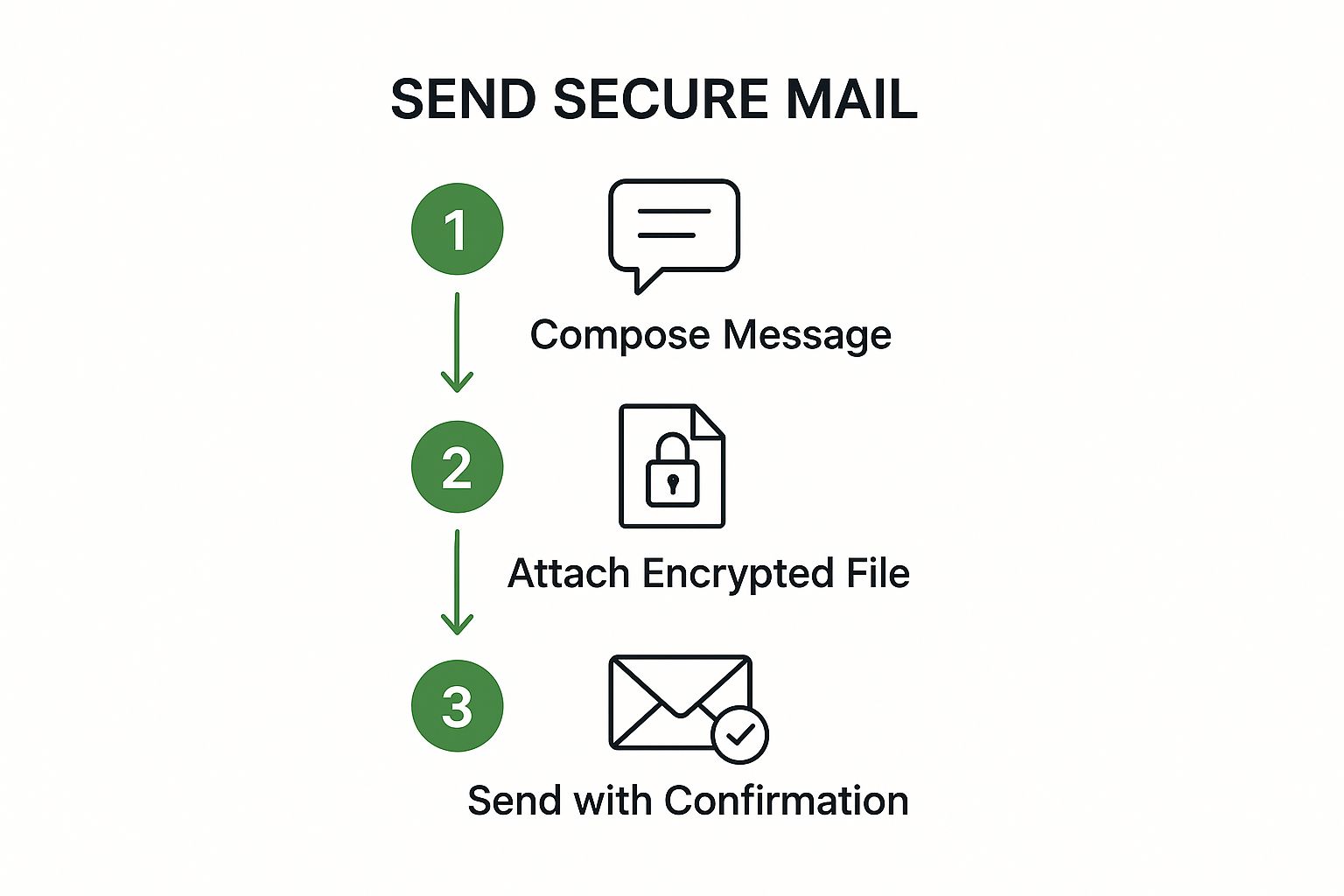
    The image below breaks down the simple three-step process.

    Image

    As you can see, the focus is on keeping the user experience clean and simple: compose, encrypt, and confirm.

    Sending Securely to People Outside of Typewire

    What about sending a secure email to someone on Gmail or Outlook? This is a really common situation, and it's handled quite elegantly.

    Instead of sending the message in the clear, Typewire emails the recipient a secure link. When they click it, they're taken to a private, protected web portal where they can read your message and open any attachments.

    You can also add a password to the message for an extra layer of security. You’d share this password with your recipient through a separate channel—maybe a quick text or a phone call. That way, even if someone intercepted the email notification, they couldn't access the message content without the password. It’s a dead-simple way to extend that security bubble.

    This method strikes a great balance between top-notch security and real-world usability, letting you protect sensitive info regardless of what email provider your contact uses.

    For businesses looking to add a layer of brand trust and professionalism, setting up a custom domain is the way to go. You can find out more in our guide on how to properly configure your domains with Typewire.

    Sending that first encrypted email really is a straightforward and empowering step. It shows you just how accessible digital privacy can be, no matter your technical background.

    Make Better Email Privacy a Daily Habit

    Picking a secure email provider is a huge win for your privacy, but the job isn't done. The best security tech in the world can't protect you if your daily habits create vulnerabilities. Think of it this way: your secure email service is the lock on the door, but your habits are whether you remember to close and bolt it.

    Image

    It all comes down to understanding that most modern threats aren't trying to brute-force their way through encryption; they're trying to trick you. Phishing emails are a perfect example. They look incredibly professional, often perfectly mimicking brands you trust, and they almost always create a fake sense of urgency to rush you into making a mistake. The single best defense is to cultivate a healthy sense of suspicion. If an email feels unexpected or is pressuring you to act right now, take a breath and verify it through a different channel.

    Build Your Security Muscle

    The trick to better email security is turning good practices into automatic habits. These don't have to be complicated, but they do need to be consistent. Over time, these small shifts make a massive difference.

    A classic example is public Wi-Fi. That free connection at the coffee shop or airport is a minefield for security. I make it a hard rule for myself: never open or send secure mail with sensitive information—like client contracts, financial details, or health records—on a public network. It’s just not worth the risk. Wait until you're on a trusted connection you control.

    The single biggest blind spot I see in email security? Password management. Reusing the same password for different services is like having one key for your house, your car, and your office. If a thief gets that one key, you've lost everything.

    This is where a good password manager becomes non-negotiable. It generates and saves a unique, ridiculously complex password for every single account you have. Adopting this one habit dramatically shrinks your attack surface. When you pair a strong password strategy with a genuinely secure email provider, you’ve built a formidable defense for your entire digital life.

    Answering Your Questions About Secure Email

    When you first dive into sending secure email, it's natural to have a few questions. Let's tackle some of the most common ones I hear, so you can feel confident you're actually protecting your conversations.

    How Does This Compare to Gmail's "Confidential Mode"?

    This is a big one. People often ask if features like Gmail's confidential mode are the same as true end-to-end encryption. In short, they're not even in the same league.

    While confidential mode can set expiration dates or prevent forwarding, the email itself isn't truly end-to-end encrypted. Google can still access the content. Real secure email platforms operate on a zero-knowledge basis, which means not even the provider can read your messages. This is the core difference between a feature designed for convenience and a platform engineered for genuine email privacy.

    The great thing is, you don't have to be a tech wizard to use this stuff anymore. Modern secure email services handle all the heavy lifting—the complex encryption—automatically in the background.

    And what about the person you're sending the email to? Most services make it simple. They'll typically send your recipient a secure link to view the message in their browser. For extra security, you can often protect that link with a password that you share with them separately, maybe over a quick phone call or a secure messaging app.


    Ready to take control of your email privacy? Typewire provides true end-to-end encryption with a zero-knowledge architecture, making sure your communications stay yours and yours alone. Check out our features and start a free trial to see how easy it can be.