Category: Uncategorized

  • Top Alternatives to Google Workspace for Secure Hosted Email

    Top Alternatives to Google Workspace for Secure Hosted Email

    Let's be honest, Google Workspace is a powerhouse. It’s pretty much the default for countless businesses. But that dominance is exactly why more and more organizations are starting to look for alternatives to Google Workspace, especially those that take email privacy and security seriously. The big reason? A growing unease about how major tech companies handle sensitive corporate data. This has kicked off a search for hosted email platforms with tighter security and clearer privacy policies.

    Why Businesses Now Demand Google Workspace Alternatives

    A person working securely on a laptop with a lock symbol overlayed, representing data privacy and security.

    The hunt for a Google Workspace replacement usually boils down to one simple question: who's really in control of your data? For a growing number of businesses, the standard settings and vague data policies of mainstream providers just don't cut it anymore. They're demanding more control over their own information, particularly within their hosted email platform.

    This is especially true for companies in tightly regulated fields like finance, healthcare, or law. They need ironclad email security to stay compliant. For them, proving that their communications are shielded from prying eyes isn't a "nice-to-have"—it's fundamental to staying in business.

    The Push for Enhanced Email Privacy

    A major factor driving this shift is a move away from business models that treat user data as a product. Many leaders are just not comfortable with the idea of their private conversations being scanned by algorithms, even if it's for something as innocent as developing new features. They'd much rather pay for a hosted email service where the service is the product, not their data.

    This demand for true confidentiality has brought a few key email security features from the fringes into the mainstream. These are quickly becoming non-negotiable for any security-focused company.

    • End-to-End Encryption: This is the gold standard for email privacy. It guarantees that only the sender and the person they're sending it to can ever read the message. Not even the service provider can peek.
    • Zero-Access Architecture: This is an email security model where the provider physically cannot access your encryption keys. If they can't get the keys, they can't decrypt your data. Simple as that.
    • Data Jurisdiction: Businesses are now paying close attention to where their data is physically stored, often choosing email hosting providers based in countries with robust privacy laws.

    The core issue is control. Businesses want to manage their own digital security without being forced into a one-size-fits-all ecosystem that may not align with their email privacy commitments or threat model.

    To really get why this matters, it helps to understand the essential cybersecurity strategies for businesses today. As we dig into the top hosted email platforms, we’ll be zeroing in on these critical security and privacy differences.

    Comparing The Leading Secure Email Platforms

    A comparison chart interface on a screen, symbolizing the analysis of different secure email platforms.

    When you start looking for alternatives to Google Workspace, it quickly becomes obvious that no two hosted email platforms are created equal. Each one strikes a different balance between productivity, email privacy, and security, and figuring out those core philosophies is the first step to finding the right fit.

    Let's meet the main contenders. First, you have Microsoft 365, the enterprise titan known for its deep email security features that large corporations rely on. On the other side of the spectrum is Zoho Workplace, an all-in-one suite with a privacy-first hosted email service that delivers incredible value.

    Then you get into the specialists. Proton for Business is the undisputed champion for anyone who needs zero-access, end-to-end encrypted email as a non-negotiable. Finally, Fastmail offers a clean, independent, and high-performance hosted email experience for people who just want a rock-solid service without the corporate baggage.

    A High-Level Snapshot

    Each of these hosted email platforms is built around a different core strength. The right choice really hinges on what your organization needs most—whether that's ticking compliance boxes, ensuring total email secrecy, or finding an affordable and private ecosystem.

    Think about it this way: what is the main threat you're trying to defend against? As you evaluate your options, consider how each one helps counter common email-based attacks like the dangers of email phishing. For one company, advanced threat detection might be the dealbreaker, while another might need an architecture that makes it impossible for even the provider to access their email data.

    If you want to get a better handle on what makes for a truly private email service, our guide can help you discover the best email hosting providers for privacy and security in 2025. This background will make your decision-making process a lot clearer.

    At a glance, the choice is between integrated ecosystems and specialized privacy tools. Microsoft and Zoho offer full suites with secure email, while Proton and Fastmail focus on perfecting secure email as their core mission.

    To help you get oriented before we dive deeper, the table below gives you a quick snapshot of where each email hosting platform shines. Think of it as a starting point for understanding what each service truly brings to the table.

    High-Level Comparison of Google Workspace Alternatives

    Alternative Primary Strength Ideal For Key Email Privacy Feature
    Microsoft 365 Enterprise-grade email security and compliance Large organizations with complex IT needs Advanced Threat Protection & Data Loss Prevention
    Zoho Workplace Privacy-first hosted email in an all-in-one suite SMBs and privacy-conscious businesses Strong no-tracking, no-ads policy on email data
    Proton for Business Zero-access, end-to-end encrypted email Journalists, legal firms, high-security teams Automatic end-to-end encryption for emails
    Fastmail Independent, high-performance email hosting Technical users valuing speed and privacy User-funded model with no email data monetization

    This high-level view helps frame the distinct value you get from each service. Now, let's get into the specifics of what each one has to offer.

    Microsoft 365 for Enterprise-Level Security

    A highly secure data center server room, illustrating enterprise-level infrastructure and security.

    When you're running a large organization, the conversation around productivity suites shifts. It’s no longer just about user-friendly features; it’s about erecting a digital fortress around your most sensitive data, starting with email. This is precisely where Microsoft 365 shines, positioning itself not merely as one of the top alternatives to Google Workspace, but as a comprehensive email security framework built for the demands of enterprise IT.

    Microsoft’s real strength lies in the deep, native integration of its email platform, Outlook, with its entire ecosystem. This creates a tightly controlled environment where administrators get granular control over email flow and access. For businesses in heavily regulated sectors, that level of command over their hosted email isn't a luxury; it's a necessity.

    The market battle between these two titans is fierce. While Google Workspace currently leads with over 50% of the market share, Microsoft 365 is right behind, holding a commanding 45.5%. Together, they form a near-duopoly that dominates about 96% of the entire productivity suite market.

    A Deep Dive into Email Security Architecture

    Microsoft 365’s email security isn’t just about a good spam filter; it's a multi-layered defense-in-depth strategy designed to counter threats from every conceivable angle. This is what makes its hosted email platform so appealing to enterprises.

    Its email security is built on several key pillars:

    • Advanced Threat Protection (ATP): Now integrated into Microsoft Defender for Office 365, ATP is your proactive defense. It actively scans emails, links, and attachments for phishing and malware threats in real-time. Any suspicious file is detonated in a secure sandbox environment, far away from your actual network.
    • Data Loss Prevention (DLP): This is where you set the email rules. Admins can configure robust DLP policies that automatically identify and safeguard sensitive data. For instance, a policy can be set to block any document containing credit card numbers or protected health information from ever being emailed outside the company.
    • Compliance Certifications: Microsoft has put in the work to achieve a massive portfolio of compliance certifications. Whether your email hosting needs to meet HIPAA standards for healthcare or GDPR for European data privacy, Microsoft 365 has the paperwork to back it up.

    Of course, the platform is only as secure as its configuration. For those managing the email component, our guide on how to secure emails in Outlook provides actionable steps to harden your defenses.

    For an enterprise, the key benefit of Microsoft 365 is its ability to enforce email security policies consistently across every application and device, creating a single, manageable defense perimeter.

    Real-World Use Case: A Financial Institution

    Think about a major investment bank where an email data leak could trigger catastrophic fines and shatter client trust. This is a scenario where Microsoft 365’s email security tools become indispensable.

    The bank’s IT team can configure specific DLP policies that immediately flag and block any email that contains sensitive client financial data. They can leverage ATP to fend off sophisticated spear-phishing campaigns targeting senior executives. This is the granular, policy-driven email security that large enterprises depend on from their hosted email platform.

    Zoho Workplace: The Privacy-First Pick for SMBs

    For small and medium-sized businesses, the search for a solid alternative to Google Workspace can feel like a compromise. You're often forced to juggle cost, features, and email security. This is where Zoho Workplace steps in, offering a powerful, budget-friendly suite built from the ground up with user privacy and secure hosted email in mind. It's an ideal choice for any business that believes its email data shouldn't be a product.

    Zoho's entire business model is a refreshing change of pace. They have a very clear, public stance: they don't monetize your data. That means no scanning your emails to target you with ads or building invasive advertising profiles. For Zoho, email privacy isn't just a bullet point on a feature list; it's the core of their philosophy.

    A Tightly Integrated and Secure Hub

    Instead of forcing you to stitch together various services, Zoho Workplace delivers a fully integrated suite centered around its secure email platform. This design choice creates a naturally seamless and secure workflow, eliminating the need for third-party integrations that can introduce security vulnerabilities.

    The suite bundles all the essential tools your team needs to work together effectively:

    • Zoho Mail: The foundation of the suite—a secure, ad-free hosted email platform.
    • Cliq: A real-time messaging tool for quick internal team chats and collaboration.
    • WorkDrive: A cloud storage and content hub where teams can safely store, share, and manage all their files.

    This all-in-one approach keeps your data safely inside Zoho's environment, shrinking your company's potential attack surface. Zoho Workplace is a genuinely compelling option for SMBs, especially given its competitive pricing. If you want to see how it compares to others, you can check out this analysis of Google Workspace alternatives.

    Strong Email Security for Growing Businesses

    Zoho definitely doesn't cut corners on the email security tools needed to protect business communications. The platform gives administrators real, meaningful control over their hosted email data, ensuring that sensitive information stays protected.

    You get essential email security controls like S/MIME encryption, which lets users digitally sign and encrypt emails. This verifies the sender's identity and prevents anyone but the intended recipient from reading the message. On top of that, its advanced spam filtering and anti-phishing measures are built to catch malicious threats before they ever land in an employee's inbox.

    For a growing startup, Zoho Workplace provides enterprise-grade tools with a privacy-first hosted email service on an SMB-friendly budget. It allows a business to scale with a full productivity suite while maintaining a user-centric privacy policy from day one.

    Real-World Use Case: A Growing Tech Startup

    Picture a new tech startup. Their budget is tight, but they are absolutely committed to protecting their intellectual property and client email data. They need professional hosted email, a shared place for documents, and a team chat app, but they're rightfully skeptical of platforms known for data mining.

    Zoho Workplace is a perfect match. The team can immediately set up professional email addresses using their own domain and collaborate on projects, all within a single, secure environment where their email data is never for sale. This lets them focus on building their business, confident that their hosted email platform respects their privacy.

    Proton and Fastmail: When Email Privacy is Non-Negotiable

    Some businesses can’t just prefer email privacy; they absolutely require it. For these use cases, you need to look beyond mainstream suites and into specialized, privacy-first alternatives to Google Workspace like Proton and Fastmail. These are first and foremost secure hosted email platforms.

    These services are built on a fundamentally different philosophy. Your email data is never scanned for ads, sold to third parties, or monetized in any way. For law firms or investigative journalists, a data breach is a catastrophic failure, and that's the exact problem these dedicated email security platforms are built to prevent.

    Proton for Business: A Digital Fortress for Email

    Proton for Business operates on a simple but powerful principle: they can't access your data, period. Headquartered in Switzerland, a country famous for its tough privacy laws, Proton uses a zero-access architecture for its hosted email. This means it's technically impossible for anyone at Proton to read your emails.

    Even if a court ordered them to hand over your data, they couldn't decrypt it because they don't hold the keys—only you do.

    This level of email security is built-in. Messages between Proton users are end-to-end encrypted by default. When you email someone outside the Proton network, you can still send password-protected, encrypted messages that self-destruct after a set time.

    • Swiss Jurisdiction: Your email data is protected by strict Swiss laws, keeping it outside the reach of US and EU authorities.
    • Zero-Access Encryption: The email hosting system is designed so that only you (and your intended recipients) can ever see your data.
    • Encrypted Ecosystem: Proton isn't just email. It includes an encrypted calendar, cloud drive, and VPN, creating a secure bubble for your team's digital activities.

    For organizations handling life-or-death information, Proton's hosted email is more than just a service—it’s a fortress. It’s designed from the ground up to withstand the highest possible threat levels, making it the only real choice when email data exposure is not an option.

    Fastmail: Independent and Technically Superb Email Hosting

    Where Proton builds an entire fortified ecosystem, Fastmail dedicates itself to doing one thing exceptionally well: providing a fast, reliable, and technically superior hosted email service. It’s entirely user-funded, which means its loyalty is to its customers, not to advertisers.

    This independence frees Fastmail to focus on what email users actually need—speed, stability, and genuinely useful features. Their commitment to email privacy shows in their business model and their tools. One of the best examples is their masked email feature, which lets you generate unique, anonymous email aliases. If an alias gets hit with spam, you just delete it, protecting your real inbox and identity. It's a brilliantly practical tool for everyday email privacy.

    Fastmail is also legendary among tech-savvy users for its incredibly snappy web interface and powerful search functions. It's built for people who demand efficiency from their email platform without compromising their principles on privacy.

    How to Choose Between Them

    Your choice between Proton and Fastmail really boils down to your specific threat model and email security needs.

    A Quick Look at the Key Differences

    Feature Proton for Business Fastmail
    Primary Focus Maximum email security through a fully encrypted ecosystem. A high-performance, independent hosted email experience.
    Encryption Model Automatic end-to-end encryption between Proton users. Strong server-side encryption; relies on open standards.
    Best For High-security fields needing encrypted email like law, journalism. Technical users and businesses valuing a private, fast email platform.
    Standout Feature Swiss legal protection and zero-access email architecture. User-funded independence and powerful masked email aliases.

    If your organization needs a completely sealed-off environment where every email is encrypted by default, Proton is the answer. But if your main priority is a blazing-fast, technically advanced, and reliable hosted email service from a company you can trust, Fastmail is an outstanding choice.

    How to Choose the Right Secure Platform

    Picking the right secure hosted email platform is about more than just comparing feature lists; it’s about understanding what your organization truly needs to protect. The first question to ask is, "What's our email security threat model?" Are you trying to guard against common cyberattacks, or are you protecting highly sensitive data that could be targeted by sophisticated actors? Answering this will tell you whether you need a broad enterprise security suite or a more specialized, privacy-first email tool.

    From there, you have to weigh the classic trade-off: convenience versus specialized email security. An all-in-one suite like Microsoft 365 or Zoho Workplace certainly makes life easier. But if your top priority is ironclad email confidentiality, a dedicated service like Proton simply offers a level of privacy that integrated platforms can't match.

    This decision tree breaks down the choice between the top privacy-focused hosted email platforms.
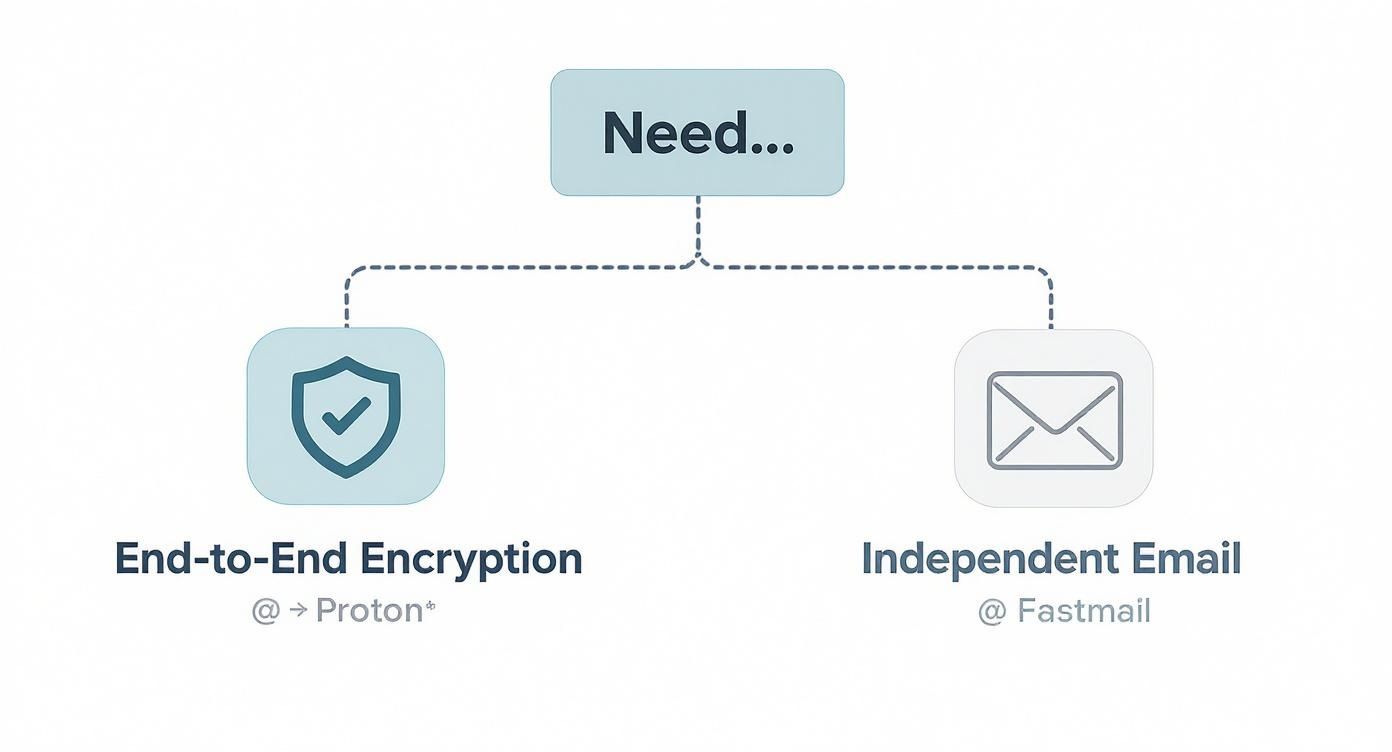
    Infographic about alternatives to google workspace

    As the visual shows, the choice often comes down to a fundamental philosophy. Proton is built for organizations where absolute, end-to-end encrypted email is non-negotiable. On the other hand, Fastmail is for teams that value a high-performance, independent email service that stands apart from the big tech ecosystem.

    Once you’ve made your choice, the real work begins: the migration. To make that process as painless as possible, our complete migration guide for switching email providers offers a clear, step-by-step plan to get you from your old email host to your new one without a hitch.

    Frequently Asked Questions

    Thinking about leaving Google Workspace often brings up some very practical questions about email security and privacy. Teams I've worked with are often concerned about the logistics—how do you move years of emails, documents, and calendar events without causing a massive headache?

    The good news is that most quality hosted email providers have really thought this through. They offer dedicated migration tools or step-by-step guides that take the pain out of the process, automating most of the heavy lifting.

    Another common worry is collaboration. If you switch to a privacy-first email service, will you be cut off from clients and partners who are still on Gmail or Outlook? Not at all. Professional email is built on universal standards. You'll still be able to send and receive messages from anyone, regardless of their provider, so your core communication won't miss a beat.

    How Does End-to-End Encryption Work in the Real World?

    End-to-end encryption (E2EE) sounds technical, but in practice, it's pretty straightforward for email. Let's take a service like Proton as an example. When you send an email to another Proton user, it’s encrypted automatically. The message gets scrambled on your device and can only be unscrambled by the person you sent it to.

    What about emailing someone on a standard service like Gmail? You can still send a password-protected, encrypted message. Your recipient simply gets a link to a secure webpage where they enter the password you shared with them to view the message. It's a simple, effective way to keep sensitive email conversations private, even when the other person isn't on the same hosted platform.

    The bottom line is this: with true end-to-end, zero-access email encryption, not even the email provider can read your messages. You are the only one who holds the keys, giving you total control over who sees your information.

    Is Migrating All My Data a Difficult Process?

    Moving your data—emails, contacts, calendars—is one of those tasks that sounds a lot harder than it actually is. Most secure email providers have built tools specifically to pull your data from major platforms like Google Workspace.

    The process usually looks something like this:

    • Grant Access: You’ll temporarily authorize the new hosted email service to connect to your Google account.
    • Choose What to Move: You get to select exactly what you want to bring over, like specific email folders or data from a certain time frame.
    • Kick Off the Transfer: The tool gets to work in the background, securely copying everything to your new home.

    While a big email migration might take a little while to complete, the process itself is mostly hands-off. It’s designed to minimize disruption and get you up and running smoothly on your new, secure email platform.


    Ready to take back control of your email privacy? Typewire provides secure, private email hosting with absolutely no ads, no tracking, and zero data mining. Start your free trial and feel the difference.
  • How to Prevent Email Spoofing and Fortify Your Email Security

    How to Prevent Email Spoofing and Fortify Your Email Security

    To stop email spoofing, you need a defense-in-depth email security strategy. It’s a mix of technical email authentication protocols (like SPF, DKIM, and DMARC), tapping into the security features of your hosted email platform, and ensuring your team is continuously trained on what to look for. This approach is what stops attackers from impersonating your domain, protecting both your brand's privacy and your data.

    The Real-World Cost of a Spoofed Email

    Picture this: an urgent email lands in your finance team's inbox. It looks like it's from the CEO, requesting an immediate wire transfer. Everything seems right—the name, the signature, even the tone. But it's a fake. This isn't a far-fetched scenario; it’s a common tactic that businesses of all sizes face every day. This isn't just a tech headache; it's a direct threat to your email security, financial stability, and your company's good name.

    A person looking at an email on a laptop with a warning symbol over it, illustrating the threat of email spoofing.

    The heart of the problem is just how easy it is for attackers to compromise your email privacy when strong security isn't in place. If your domain isn't locked down, anyone can send emails that look like they came from you, fooling employees, customers, and partners alike. The fallout can be severe.

    The Ripple Effect of a Single Fake Email

    A successful spoofing attack causes damage that spreads far beyond one fraudulent transaction. The consequences for your email security often include:

    • Direct Financial Loss: Attackers can trick employees into making unauthorized wire transfers, paying fake invoices, or diverting payroll funds. These hits can be immediate and, in some cases, catastrophic.
    • Reputational Damage: When scammers use your domain to blast out spam or phishing emails, the trust you've built with customers can evaporate overnight. This kind of damage can linger for years.
    • Data Breaches and Privacy Violations: Spoofed emails are a favorite way for attackers to deliver malware or trick employees into giving up sensitive login details, which can quickly lead to a full-blown data breach and compromise your organization's privacy.

    The scale of this vulnerability is staggering. It's alarming, but more than 90% of the world’s top email domains—we're talking major banks, government agencies, and global corporations—are wide open to spoofing because they haven't configured their email security properly. Even with the right tools available, only a tiny fraction have actually implemented the strictest email authentication policies needed to block these attacks cold.

    Beyond the immediate financial sting, a spoofing attack can absolutely trash your company's online reputation. When public trust is on the line, it’s critical to have a plan, and resources like an ultimate reputation management guide can be invaluable for navigating the crisis.

    At the end of the day, preventing email spoofing isn't just an IT task—it's a core business function. It’s about protecting your assets, ensuring email privacy, and preserving the hard-won trust you’ve built with everyone you do business with.

    Building Your First Line of Defense with SPF and DKIM

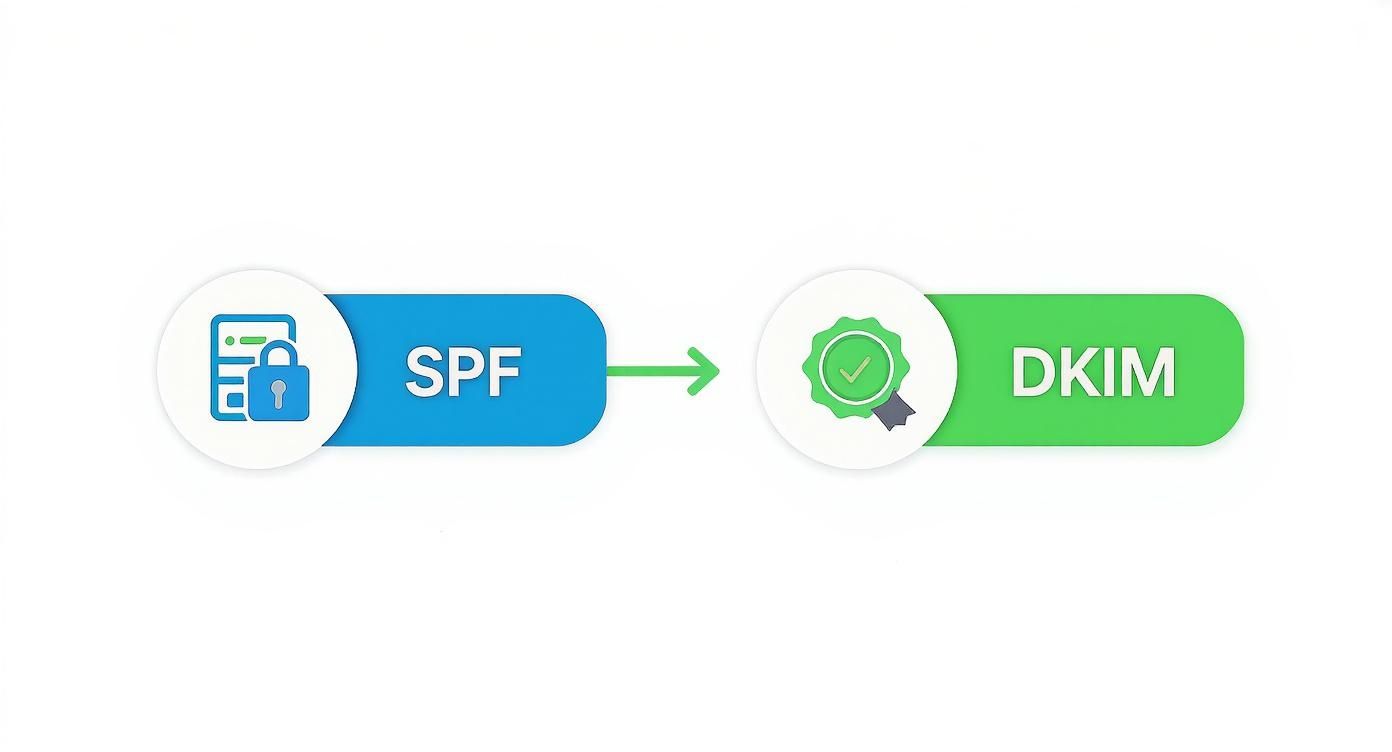
    To get a real handle on stopping email spoofing, you have to start with the fundamentals of email security. I like to think of Sender Policy Framework (SPF) and DomainKeys Identified Mail (DKIM) as your domain’s digital ID card and its tamper-proof seal. When you put them together, they create a powerful first line of defense that makes it incredibly difficult for attackers to impersonate you.

    Getting these protocols in place isn't some complex, overwhelming project. It’s a straightforward security upgrade that pays off immediately. Essentially, you're creating public records in your DNS that other mail servers can check to confirm an email is actually from you. It's like a bouncer checking an ID at the door—if the name isn't on the list, they're not getting in.

    Your Digital ID Card: Understanding SPF

    First up is SPF (Sender Policy Framework). It's basically a public list you create that tells the world, "These are the only mail servers allowed to send email on behalf of my domain." When an email claiming to be from you arrives, the recipient's server quickly checks this list. If the server that sent the email isn't on your approved list, it immediately gets flagged as suspicious.

    This one simple check is surprisingly effective at shutting down basic domain spoofing. It closes a massive loophole in email's original design by creating a verifiable link between an email and the server that sent it.

    An SPF record is just a single line of text you add to your domain's DNS settings. It looks something like this:

    v=spf1 include:_spf.google.com ~all

    Let's break that down:

    • v=spf1: This just identifies the record as an SPF record. Standard stuff.
    • include:_spf.google.com: This part specifies that Google Workspace servers are authorized to send email for this domain. Your own hosted email platform will give you the exact value to plug in here.
    • ~all: This is an instruction that tells receiving servers how to handle emails from unauthorized sources. In this case, it's a "soft fail," meaning they should be treated as suspicious.

    You’ll typically add this record in your domain registrar’s control panel, whether you use GoDaddy, Namecheap, or Cloudflare. The whole process usually takes just a few minutes.

    Sealing Your Emails with DKIM

    While SPF confirms the server is legitimate, DKIM (DomainKeys Identified Mail) confirms the email's content hasn't been messed with, protecting the privacy of the message in transit. It's the digital equivalent of a wax seal on a medieval letter. DKIM works by using a pair of cryptographic keys—one private and one public—to create a unique digital signature for every single email you send.

    Here’s a quick look at how it works in practice:

    1. Signing: Your email server uses its private key (which you keep secret) to add a unique, encrypted signature into the email's header right before it's sent.
    2. Verifying: The receiving mail server finds your public key, which you’ve published in your DNS, and uses it to verify the signature.

    If the signature checks out, it proves two critical things: the email definitely came from an authorized server, and its content—including any attachments—is exactly as it was when it was sent. This is a huge win for email security and privacy, protecting your communications from man-in-the-middle attacks where someone might intercept and alter a legitimate email.

    Setting up SPF and DKIM is the absolute cornerstone of a strong email security posture. It’s a proactive step that moves you from being a potential target to a well-defended domain, making it much harder for cybercriminals to leverage your good name.

    To get started, you'll generate the DKIM keys right inside the admin console of your hosted email platform, like Google Workspace or Microsoft 365. The platform gives you the public key, you add it to your DNS, and you're all set.

    For a deeper dive into how these protocols work together, you can find more information in our complete security guide to email authentication. By implementing both SPF and DKIM, you build a robust foundation that authenticates your messages and protects your reputation.

    Using DMARC to Block Impersonation Attempts

    You’ve got SPF and DKIM set up—think of them as your domain's official ID card and a tamper-proof seal on your messages. Now it’s time to bring in the enforcer: DMARC (Domain-based Message Authentication, Reporting, and Conformance).

    DMARC is the final, crucial piece of the email security puzzle. It’s a clear set of instructions you publish that tells every mail server on the planet exactly what to do when they receive an email claiming to be from you that fails the SPF or DKIM checks. It's your most powerful tool for shutting down spoofing for good.

    But you can't just flip a switch. A rushed DMARC deployment is a recipe for disaster, potentially blocking legitimate emails from your marketing team or even your customer service desk. The key is a phased approach that starts with visibility and moves carefully toward enforcement. This ensures you lock down your domain's email security without disrupting your business.

    This infographic breaks down how SPF and DKIM work together, which is the foundation DMARC builds upon.

    Infographic about how to prevent email spoofing

    As you can see, SPF validates the sending server while DKIM verifies the message's integrity. DMARC needs both of these signals to work effectively.

    Starting with Monitoring Only

    The absolute best way to begin is with a "monitoring-only" policy. It's a no-risk first step that lets you gather essential email security intelligence. You simply add a DMARC record to your DNS that tells receiving servers, "Don't block anything yet, just send me a report on all the email activity you see for my domain."

    Your first DMARC record will look something like this:

    v=DMARC1; p=none; rua=mailto:dmarc-reports@yourdomain.com;

    Let's quickly break down what those tags mean:

    • v=DMARC1: This is just a standard identifier that tells servers, "This is a DMARC record."
    • p=none: This is the most important part for now. The p stands for "policy," and none puts you in monitoring mode. No emails will be blocked, no matter what.
    • rua=mailto:dmarc-reports@yourdomain.com: This tells servers where to send the aggregate reports. These daily XML reports give you a high-level summary of your email traffic.

    Let this run for a few weeks, maybe even a month. You’ll start getting reports from mail servers all over the world, and they will reveal every single service sending email on your behalf—from your main hosted email platform to third-party tools like Mailchimp or Salesforce. This data is gold; it gives you a complete inventory of what’s legitimate and what’s not.

    Analyzing Reports and Moving to Enforcement

    Once you've combed through the reports and feel confident that all your legitimate sending services are correctly set up with SPF and DKIM, it's time to start tightening the screws. You'll gradually escalate your DMARC policy from just watching to actively enforcing.

    This process involves moving through three distinct stages, starting with the p=none you already have in place.

    DMARC Policy Implementation Stages

    The table below outlines the three phases of a DMARC rollout. Moving through them methodically is the safest path to full enforcement and robust email security.

    Policy Level DMARC Record Tag Action Taken on Failing Emails Primary Goal Recommended Duration
    Monitoring p=none No action; email is delivered normally. Gain visibility into all sending sources and identify authentication issues. 2-4 weeks
    Quarantine p=quarantine Sent to the spam/junk folder. Test the impact of enforcement by filtering suspicious mail without rejecting it. 4-8 weeks
    Reject p=reject The email is completely blocked and not delivered. Actively stop all unauthorized emails, achieving full spoofing protection. Ongoing

    Each stage gives you more control and protection. The recommended durations are just a guideline; the key is to be confident in your data before moving to the next level.

    The two enforcement stages are:

    • Quarantine (p=quarantine): This is the perfect intermediate step. It tells receiving servers to treat unauthenticated emails as suspicious, usually by sending them straight to the recipient's spam folder. This dramatically reduces the visibility of fraudulent emails without the risk of outright blocking something important.

    • Reject (p=reject): This is the endgame. A reject policy is a direct command to servers: "If an email fails DMARC, block it completely. Do not deliver it." This is the strongest possible defense, ensuring spoofed emails never even make it to a user's mailbox, safeguarding both security and privacy.

    By moving methodically from p=none to p=quarantine, and finally to p=reject, you systematically squeeze out all unauthorized email.

    When you finally reach a full reject policy, you can be sure that only legitimate, authenticated emails are being delivered from your domain. It’s a powerful feeling knowing you’ve effectively slammed the door on impersonation attempts, protecting your brand and the people who trust it.

    Turning On Your Hosted Email Platform's Best Defenses

    Email authentication protocols like SPF, DKIM, and DMARC are the foundation of email security, but they shouldn't be your only line of defense. The hosted email platforms you use every day—think Google Workspace and Microsoft 365—are loaded with powerful security features that, frankly, most businesses never turn on. Activating these tools takes you from basic authentication to a much smarter, more dynamic layer of email security and privacy protection.

    These hosted email platforms aren't static; they're constantly getting smarter. They use AI to scrutinize incoming mail in real-time, analyzing sender behavior, checking links for shady destinations, and even reading email content for subtle grammar mistakes common in phishing attacks. This is all about getting the most security and privacy bang for your buck from the tools you're already paying for.

    Unlocking Advanced Threat Protection

    So many businesses just stick with the default settings, leaving some of the most critical email security protections on the table. It’s time to pop the hood, get into your admin console, and enable the features designed to stop today's most sophisticated threats. Think of it as adding a highly trained security guard to your digital front door.

    Here are the key features you should be looking for in your hosted email platform:

    • Attachment Sandboxing: This is a game-changer. It automatically opens email attachments in a secure, isolated virtual environment to see what they do. If a file is malicious, it gets neutralized before it ever has a chance to land in an employee's inbox and compromise your security.
    • Link Safety Checks: When you turn this on, the platform rewrites links in incoming emails to route them through its own scanner first. If a user clicks, the link is checked against a real-time database of malicious sites. If it's a known threat, access is blocked instantly.
    • Impersonation Protection: This goes a step beyond basic spoofing. It uses AI to flag emails that try to mimic high-profile users (like your CEO) or use tricky display names, even if the email technically passes authentication checks.

    These features create a vital safety net. For instance, modern email security filters now block about 81% of phishing emails on average, with platforms like Google Workspace and Microsoft 365 reporting detection rates as high as 92%. But here's the kicker: a staggering 47% of attacks using hidden links or image-based tricks still slip past basic filters. That's precisely why these advanced settings in your hosted email service are so critical.

    Setting Up Visual Cues and Warnings

    One of the simplest and most effective security boosts you can implement is giving your users clear visual warnings right in their inbox. These little nudges can be surprisingly powerful when an employee is rushing through dozens of emails.

    Your team is busy. A well-designed warning can instantly break their routine, prompting them to pause and scrutinize an email they might have otherwise trusted. It's a small change that helps build a security-first mindset.

    Most major hosted email platforms let you set up banners that automatically pop up on certain emails. You can configure custom warnings for messages coming from outside your organization or from brand-new domains. A simple banner reading, "CAUTION: This email originated from an external sender" immediately tells the user to be extra careful before clicking any links or opening attachments.

    By turning on these built-in defenses, you’re finally using your hosted email platform’s full potential. You can find detailed breakdowns of the top hosted email platforms for business security to see how different providers compare in these areas. This approach adds a tough, intelligent layer of protection that works hand-in-hand with your authentication records to keep your organization safe.

    Creating a Human Firewall to Spot Advanced Threats

    Even with the best technical defenses in place, a well-crafted social engineering attack can still slip through. This is where your people come in. They are the final—and frankly, the most important—layer of your email security. The goal is to transform your employees from potential targets into a proactive "human firewall" that actively defends against email spoofing and other attacks that threaten your security and privacy.

    A team of people working together with a digital shield icon, symbolizing a human firewall.

    Real security awareness goes way beyond a simple checklist of red flags. It's about getting your team to instinctively question unusual urgency, spot those cleverly disguised look-alike domains, and feel empowered to challenge a suspicious request for payment, even if it looks like it came straight from the CEO.

    Building Practical Experience Through Simulation

    So, how do you build that instinct? The best way I've found is through hands-on practice in a totally safe environment. Running regular, simulated phishing campaigns is an incredible tool for building this kind of muscle memory without any of the real-world risk. It lets your team see what these attacks actually look like in their own inbox.

    The numbers back this up, too. Organizations that run these simulations see huge improvements. One study showed that simulated phishing cut real click rates by 76%. Even more telling, companies that ran monthly training saw their employees' click rates on malicious links drop from 34% to just 4.6% in a single year. You can see more data on how phishing trends impact businesses on keepnetlabs.com.

    A well-trained employee doesn't just protect themselves; they become a sensor for your entire organization. When they spot something suspicious, they're providing valuable threat intelligence that can protect everyone's email security.

    Cultivating a Culture of Security

    Training is crucial, but it’s only half the equation. You also need to build a culture where reporting a suspicious email is easy and, most importantly, blame-free. When people feel safe raising a flag without worrying they'll be shamed for it, they’re far more likely to report potential threats right away. This turns them from passive targets into active defenders of your email privacy.

    Getting this cultural piece right is a game-changer. Here’s how to start:

    • Establish a simple reporting channel: Make it dead simple. A dedicated email address like phishing@yourcompany.com or a one-click "report phish" button in their email client works wonders.
    • Acknowledge every report: Always thank employees for being vigilant. This small step reinforces that they did the right thing, no matter the outcome.
    • Share successes: When someone reports an email that turns out to be a real threat, share that story (anonymously, of course). It’s a powerful way to show the team that their actions are making a real difference.

    This blend of practical training and a supportive culture is what truly works. You can take these ideas even further by checking out this comprehensive guide to information security awareness training. In the end, this approach empowers your team to become your single greatest security asset.

    Got Questions About Preventing Email Spoofing? We've Got Answers.

    As you start digging into email authentication, a few questions always seem to pop up. It's totally normal. Let's walk through some of the most common concerns I hear from people trying to lock down their email security for the first time.

    Is Spoofing the Same Thing as Phishing?

    This is easily the most common point of confusion, and it’s a great question. The simplest way to think about it is that spoofing is the disguise, and phishing is the crime.

    Spoofing is the technical trick of faking the "From" address in an email. The goal is to make it look like the message came from someone you know and trust, like your boss or your bank.

    Phishing, on the other hand, is the malicious act itself. It’s the attempt to fool you into giving up sensitive information, clicking a bad link, or wiring money to a scammer. Spoofing is just one of the most effective tools in a phisher's toolkit because it undermines email security by making their bait look so much more convincing.

    Will DMARC Accidentally Block My Own Emails?

    This is a big—and very valid—fear. Nobody wants to implement an email security protocol only to find out their marketing newsletters or transactional emails are getting sent to spam. The good news is, this is entirely preventable if you roll out DMARC correctly. The trick is to never, ever jump straight to a p=reject policy.

    Start with DMARC in monitoring mode by setting your policy to p=none. This is your safety net. It tells receiving servers not to block anything, but to send you detailed reports on who is sending email from your domain.

    These DMARC reports are pure gold. They give you a complete picture of every service sending email on your behalf—the good, the bad, and the forgotten. You’ll see your legitimate hosted email platform, your CRM, newsletter service, and maybe even some old service you forgot about.

    Armed with that data, you can go back and properly authorize all your legitimate senders in your SPF and DKIM records. Once you're confident all your real mail is authenticated, you can slowly ramp up your policy to p=quarantine and, eventually, p=reject. It's a crawl, walk, run approach that ensures you don't disrupt your business operations.

    Are SPF, DKIM, and DMARC a Silver Bullet?

    So, once you have these three set up, are you 100% safe from spoofing? Almost, but not quite. SPF, DKIM, and DMARC are incredibly powerful and are the absolute best defense against direct domain spoofing. That's when a cybercriminal uses your exact domain name (like ceo@yourcompany.com) in an attack.

    However, they can't stop attacks from look-alike domains. Think ceo@yourc**0**mpany.com (with a zero instead of an 'o') or ceo@yourcompany-support.com. Your hosted email platform's filters might catch these, but DMARC on its own won't.

    That’s why these protocols are a critical piece of a larger security puzzle. A strong DMARC policy, combined with advanced threat protection from your hosted email platform and, most importantly, ongoing employee security training, creates a layered defense that protects your privacy and security from all angles.


    Ready to take full control of your email privacy and security? Typewire offers secure, private email hosting that puts you in charge. With no ads, no tracking, and powerful anti-spam filters, you can communicate with confidence. Start your free trial today.