You've probably seen them a thousand times—that block of formal-looking text at the bottom of an email. That's an email confidentiality disclaimer, and it's much more than just legal fluff. It’s a statement added to your email’s footer that clearly warns the recipient that the information is sensitive, explains how it should (and shouldn't) be used, and helps limit your liability if things go wrong.
Think of it as a formal notice that says, "Hey, this message is for your eyes only," reinforcing your commitment to email privacy and email security from the outset.
What Are Email Confidentiality Disclaimers Really For?

Let's cut through the jargon. An email disclaimer isn't some magic legal shield that makes you invincible in court. It’s more like putting a bright "Confidential: Handle with Care" sticker on a sensitive package. Its real job in today's business world is to set clear expectations and show your intent to protect sensitive information from the second someone opens your email.
In a world where one accidental "reply all" or a mis-typed email address can cause a major data leak, these disclaimers are your first line of defense. They serve as a constant, subtle reminder that reinforces a company-wide culture of email security and email privacy.
The Role in Modern Email Platforms
For businesses running on hosted email platforms like Microsoft 365 or Google Workspace, these disclaimers become a core part of a managed security strategy. Admins can automatically add a standard disclaimer to every single outgoing email. This ensures 100% consistency across the board, so you're not just hoping employees remember to add it themselves.
This kind of central management is a game-changer for email security:
- Risk Mitigation: It gives clear instructions to anyone who receives the email by mistake. Telling them to delete the message and notify you can stop a data leak right in its tracks.
- Establishing Intent: If a legal issue ever pops up, the disclaimer is proof that your organization was proactive about protecting its information.
- Compliance Demonstration: In regulated industries, it's a visible badge showing your commitment to data protection rules and email privacy.
An email disclaimer is a preventative tool. It's less about winning a court case after a breach and more about preventing the breach from getting out of hand by communicating your expectations upfront.
More Than Just a Footer
When you look at it this way, the disclaimer stops being a boring block of text and becomes an active part of your data security plan. It’s a simple tool that backs up complex security policies with every single message your team sends out.
A good disclaimer is a key part of professional communication—just as crucial as your sign-off. To round out your professional image, it's worth exploring the latest email signature best practices for 2025 to see how you can boost your brand. When you pair a polished signature with a strong disclaimer, you present a secure, professional front in every email.
The Surprising History of Email Disclaimers

It feels like those little blocks of legal text at the bottom of emails have been there since the beginning, doesn't it? But they weren't always a standard feature of our digital lives. The email disclaimer actually has a fascinating backstory that’s tied directly to the legal growing pains of the early internet.
The story really gets going in the 1990s. Email was just starting to move out of university labs and into the business world, and for law firms, this new form of communication was both a miracle and a nightmare. Their biggest fear? A simple typo in an email address could accidentally break attorney-client privilege, compromising client email privacy in an instant.
To combat this, lawyers started tacking on short, makeshift notices to their messages. Think of them as the first digital "sticky notes," warning recipients that the email's contents were confidential. It was a simple, unproven attempt to build a legal firewall in a brand-new, unregulated space.
From Legal Niche to Corporate Necessity
It didn’t take long for other regulated industries, like finance and healthcare, to see the value in this. As they adopted email for everyday business, they also adopted the same anxieties about data leaks, accidental disclosures, and compliance failures. Suddenly, the disclaimer wasn't just about legal privilege—it was about protecting sensitive financial data and private patient records as a matter of core email security.
This shift gained real traction as early court cases and regulatory opinions began to surface. Legal bodies started to agree that a clear disclaimer could be used as evidence of a sender's intent to keep a communication private. For example, the Law Society in British Columbia noted way back in 2001 that disclaimers could help protect privilege if an email was intercepted. This gave the email confidentiality disclaimer real teeth, turning it from a cautious habit into a legitimate risk management tool. You can read more about how these foundational legal concerns shaped professional communications.
The sheer volume of email today is what truly cemented the disclaimer's place. With over 300 billion emails flying around the globe every single day, the chances of one landing in the wrong place have skyrocketed. Automated disclaimers are now an essential part of damage control.
The Modern Role in Email Platforms
Today, the disclaimer has evolved once again, thanks to modern hosted email platforms like Microsoft 365 and Google Workspace. The focus has shifted from protecting a single email to managing email security for an entire organization. These platforms have turned the manual, copy-and-paste disclaimer into a sophisticated administrative feature.
Now, an IT admin can set a universal disclaimer for every single employee with just a few clicks. This guarantees that every message leaving the company carries the same protective language, enforcing email privacy and security policies without anyone having to think about it. It’s the final step in the disclaimer's journey: from a lawyer's personal safeguard to an automated, non-negotiable part of corporate governance.
Strengthening Your Email Security and Privacy
While the legal theory behind email confidentiality disclaimers is important, their real value is in what they do for your day-to-day operations. Think of a disclaimer less as legal jargon and more as a practical piece of your email security toolkit. It serves as a constant, quiet reminder that helps build a security-conscious culture for everyone.
Every time an employee hits "send," that automated footer reinforces their responsibility for handling company data. It’s a simple but effective way to build a habit of mindfulness, training everyone to think twice about the information they’re sharing and reinforcing email privacy standards.
For anyone on the receiving end, that block of text is an immediate signal that the email isn't just casual chatter. It contains proprietary information, and that small nudge can be enough to prevent someone from carelessly forwarding it or discussing sensitive details out of turn.
A Critical Safety Net for Human Error
We’ve all had that moment of panic—realizing you almost sent an email to the wrong person. Human error remains one of the biggest threats to email privacy, and this is where disclaimers offer a clear, immediate benefit. Hosted email platforms like Microsoft 365 and Google Workspace make it incredibly easy to add these footers automatically, turning them into a reliable safety net.
Let's say an employee accidentally sends a confidential client contract to the wrong "Sarah." The disclaimer gives that accidental recipient a clear set of instructions.
- Instruction to Delete: It tells the person to get rid of the message permanently.
- Request for Notification: It asks them to let the sender know about the mistake.
- Prohibition of Distribution: It explicitly forbids them from sharing or forwarding the contents.
This guidance can be the difference between a small slip-up and a major data breach. Instead of leaving the recipient guessing, the disclaimer provides a professional protocol to follow, helping to contain the damage from a simple mistake.
Connecting Disclaimers to Broader Compliance
Beyond everyday security, a consistent disclaimer strategy is also a public display of your company's commitment to protecting data. For any business operating under strict regulations like GDPR in Europe or HIPAA in the U.S. healthcare industry, this kind of visible compliance is a big deal for upholding email privacy.
Regulators want to see you’re taking proactive steps to protect sensitive information. A company-wide email confidentiality disclaimer is tangible proof of that effort, showing that you’ve implemented policies to safeguard data in your communications.
It’s no surprise, then, that nearly 85% of businesses that operate internationally now use email disclaimers to stay on top of confidentiality and compliance concerns. If you want to dive deeper, you can explore the research on email disclaimer adoption.
A consistently applied disclaimer isn't just a footer; it’s a public statement about your company’s values regarding data security. It tells clients, partners, and regulators that you take privacy seriously with every message you send.
Of course, a disclaimer is just one part of the puzzle. It works best when combined with other security measures. For truly sensitive information, you need to protect the content of the email itself. To take that next step, you might want to learn more about how to send encrypted email in our simple guide. Combining policy (disclaimers) with technology (encryption) gives you a much more robust defense for your most important communications.
Do Email Disclaimers Actually Hold Up in Court?
This is the big question, isn't it? Do those blocks of text at the bottom of emails actually carry any legal weight? It’s a common misconception that they function like a legally binding contract forced upon the recipient. The truth is a bit more subtle, but far more strategic.
The real power of a disclaimer isn’t in creating an instant contract. Instead, it serves as powerful evidence of your intent. Think of it as putting a stake in the ground. You're making a clear, documented statement that the information you're sending is confidential and you’ve taken steps to protect it as part of your email security policy.
Should a legal dispute or an accidental data leak ever arise, that simple footer becomes a crucial piece of your defense. It proves you weren't careless; you were proactive. It shows you took reasonable measures to safeguard sensitive information, which can make a world of difference in a legal setting.
Protecting Privilege and Showing You've Done Your Homework
One of the most critical roles a disclaimer plays is in preserving legal privilege, especially the all-important attorney-client privilege. If an email containing privileged advice is accidentally sent to the wrong person, the disclaimer is your first line of defense. It helps you argue that the privilege wasn't waived because you clearly marked the communication as confidential from the start.
Disclaimers are also workhorses for compliance. For regulators overseeing frameworks like HIPAA or GDPR, a consistently applied disclaimer is a tangible sign of due diligence. It demonstrates that you’re serious about email privacy and are actively reinforcing your security policies with every single message that goes out the door. For a deeper look at how these notices work to define legal boundaries, you can see an example in our general legal disclaimer.
A well-worded disclaimer transforms a simple email footer into a strategic legal asset. It shifts the narrative from "Did you prevent a breach?" to "What reasonable steps did you take to protect the information?"
Making Compliance Easy with Modern Email Platforms
If your organization uses a hosted email platform like Microsoft 365 or Google Workspace, implementing disclaimers is a straightforward and highly effective compliance win. You can set up a rule to automatically append a uniform disclaimer to every single email leaving your company. No exceptions.
This kind of centralized control is a game-changer. It ensures every message has that layer of protection, completely removing the potential for human error. No more worrying if someone forgot to add the legal text. It’s an automated, documented, and organization-wide commitment to email security.
What’s interesting is that despite how common they are, email confidentiality disclaimers aren’t actually required by law in many regions, including the UK and the US. There’s no statute that says you must have one. They are, however, considered a universal best practice for a reason. They're a smart, low-effort tool for managing risk, clarifying your intentions, and demonstrating that you take information protection seriously.
At the end of the day, a disclaimer's legal power isn't about forcing someone's hand. It's about creating an undeniable record of your company's good faith and responsible actions.
Crafting and Automating Your Disclaimer Strategy
Knowing why an email confidentiality disclaimer matters is one thing, but actually building an effective one is where the real work begins. A good disclaimer is clear, concise, and professional—not a wall of dense legal jargon that everyone just scrolls past. The goal is to get your point across without making the recipient’s eyes glaze over.
Think of it like building a toolkit. Each part of the disclaimer has a specific job, and when they all work together, they create a solid layer of protection for your company’s email privacy. A truly effective strategy isn't just about what you write, but how you consistently apply it using your hosted email platform.
The Essential Components of an Effective Disclaimer
Every solid email disclaimer is built from a few core elements. These pieces work in tandem to manage expectations, limit your liability, and give clear instructions if an email lands in the wrong inbox.
Here's a look at the key components and why they matter.
Anatomy of an Effective Email Disclaimer
This table breaks down the essential components of a robust email disclaimer, explaining the strategic purpose of each part.
| Component | Purpose and Key Wording |
|---|---|
| Confidentiality Statement | This is the foundation. It establishes that the email is private and intended only for the person it was addressed to. Wording like "This email and any attachments are confidential and intended solely for the use of the individual to whom it is addressed" sets a clear legal boundary. |
| Prohibition Clause | This part lays down the rules for unintended recipients. It explicitly forbids them from copying, forwarding, or sharing the message. A phrase such as "Any unauthorized review, use, disclosure, or distribution is prohibited" is direct and leaves no room for interpretation. |
| Instructions for Errors | This is the action plan. It tells someone who received the email by mistake exactly what to do: "Please notify the sender immediately by reply email and delete this message from your system." This simple instruction can be crucial in containing a breach. |
| Liability Limitation | This component helps protect the company. It clarifies that the sender's opinions might not be the company's official stance and often includes a warning about viruses, putting the onus on the recipient to scan attachments. |
At the end of the day, a disclaimer is only as good as its weakest link. Ensuring all these components are present and clearly worded is what gives it strength.
The strongest email confidentiality disclaimers are direct and actionable. They don't just state a legal position; they provide a clear protocol for recipients to follow, which is essential for mitigating damage from human error.
The infographic below shows how a disclaimer acts as a legal safeguard by establishing intent, providing evidence of your security measures, and supporting compliance.
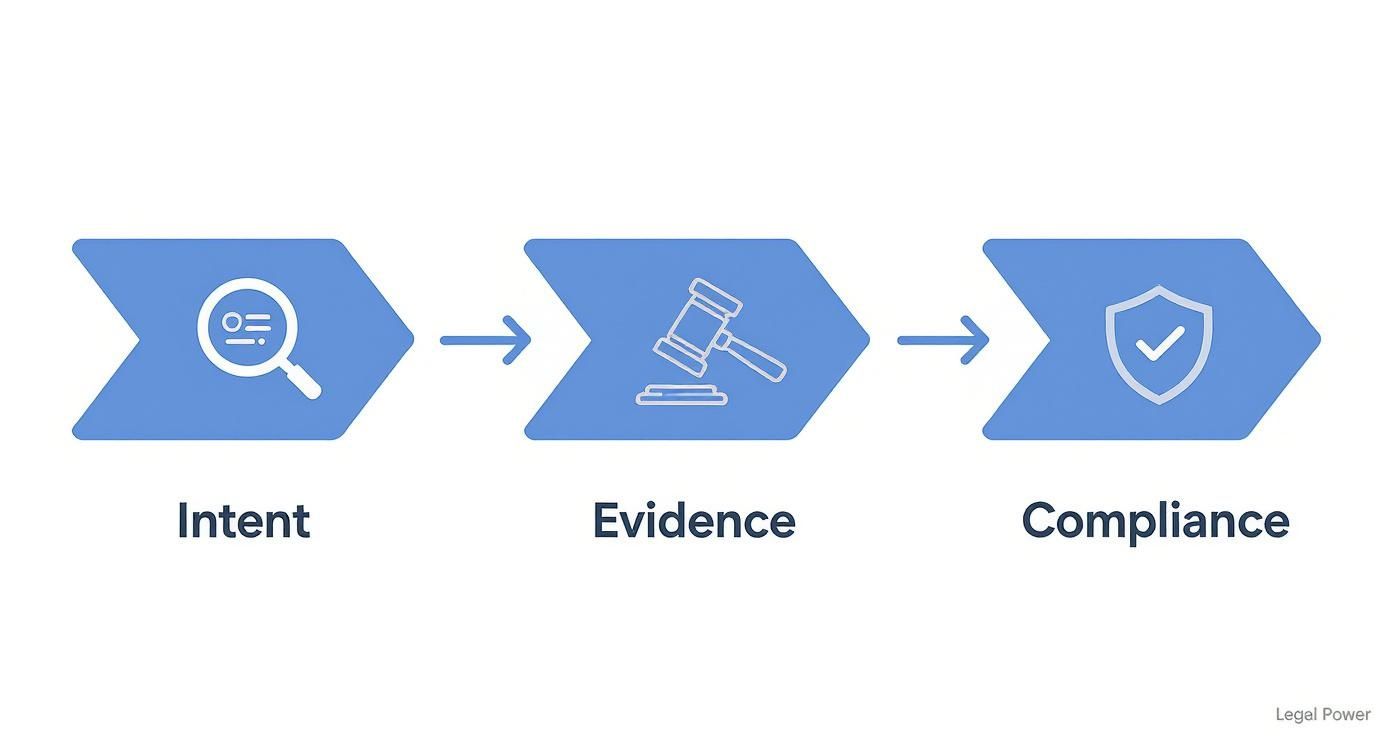
This really drives home the point: a disclaimer's true value is in demonstrating that you’re proactive about security and privacy. That’s a powerful asset during any legal or compliance review.
Automating Disclaimers with Hosted Email Platforms
Writing the perfect disclaimer text is only half the battle. The real secret to effective email security is making sure it’s on every single email, and that’s where platforms like Microsoft 365 and Google Workspace come in. Expecting employees to remember to add it manually is just asking for trouble—it’s inconsistent and a classic case of human error waiting to happen.
The only reliable method is centralized management. Using the admin tools in your hosted email platform, you can set up a simple rule that automatically appends your standard disclaimer to every email leaving your organization. This guarantees 100% consistency and ensures no message ever goes out unprotected. This automated approach is a core part of building a comprehensive communication strategy; you can learn more in our guide on creating an email policy for employees that actually works.
Setting these rules up is usually a breeze. An administrator can define conditions, like applying the same disclaimer to all outgoing messages or even tailoring different versions for specific departments, such as legal or sales. This level of control is what turns your policy from a piece of paper into a powerful security measure, reinforcing your commitment to protecting sensitive information with every click of "send."
Still Have Questions About Email Disclaimers? Let's Clear Them Up.
Even with a solid plan, a few questions always pop up when it's time to actually implement email confidentiality disclaimers. Let's tackle the most common ones head-on, focusing on the practical side of email privacy, email security, and how your hosted email platform fits into the picture. Getting these details straight will help you finalize your strategy with confidence.
So, Are These Disclaimers Actually Legally Binding?
This is the big one, and the answer isn't a simple yes or no. An email confidentiality disclaimer is not a legally binding contract. You can't force someone into an agreement they never consented to just because they opened an email from you.
But don't mistake that for meaning they have no legal teeth. Their real power is in demonstrating your intent. Think of a disclaimer as evidence you can present if things go sideways. It's a clear signal to a court that you intended for the communication to be private and took steps to say so.
If sensitive information leaks, that little block of text at the bottom of your email serves as powerful proof that you took reasonable precautions. This can be absolutely critical for preserving legal privilege, like attorney-client privilege, after an accidental disclosure.
When it comes to compliance with regulations like GDPR or HIPAA, a consistently applied disclaimer is a tangible sign of due diligence. It shows regulators you’re proactive about email security, which can make a world of difference in mitigating penalties. So while you can't sue someone for ignoring the disclaimer, its presence seriously strengthens your legal and compliance footing.
Does My Small Business Really Need an Email Disclaimer?
Yes. Without a doubt. In fact, small businesses often have the most to lose from a single data breach or liability claim, which can be financially devastating. An email confidentiality disclaimer is one of the simplest, lowest-cost risk management tools you can possibly use for email security.
Here’s why it’s so important, especially for small and medium-sized businesses:
- It Protects Your Core Data: Think about what you send over email—client lists, financial details, secret strategies. A disclaimer helps safeguard that vital information.
- It Limits Your Liability: If you give advice, estimates, or quotes via email, a disclaimer can help shield you from liability for errors or omissions.
- It Makes You Look Professional: A well-written disclaimer signals that you take data security seriously. It builds trust with clients and partners right away.
Plus, if your business handles any personal customer data (and most do), a disclaimer is a key piece of the puzzle for demonstrating compliance with privacy laws like CCPA or GDPR. It's an easy win that offers a huge return in protection and peace of mind.
How Can I Automatically Add a Disclaimer to Every Single Company Email?
Relying on your team to manually add a disclaimer is a recipe for disaster. People forget. They use old versions. It's inconsistent and unreliable. The only way to do this right is to set it up automatically through your hosted email platform.
Modern email services like Microsoft 365 and Google Workspace are built for exactly this. They give administrators centralized control to enforce these kinds of policies across the entire company.
For Microsoft 365 Users
An admin can jump into the Exchange admin center and create "mail flow rules" (sometimes called transport rules). You can set up a rule that automatically sticks a standardized HTML or plain-text disclaimer onto every single outgoing message. You can even get fancy and apply different disclaimers based on who's sending it, who it's going to, or even keywords in the email itself.
For Google Workspace Users
It's just as straightforward. The Google Workspace Admin console has a feature to automatically append a footer to all outgoing emails. You'll find it under the 'Compliance' settings in Gmail, where you can create and apply one uniform disclaimer for your whole domain. This ensures every email is 100% compliant, no matter who hits "send."
Using these built-in platform features—or a dedicated third-party signature management tool—is the only way to go for serious email security. It takes human error out of the equation, guarantees consistency, and presents a unified, professional front without anyone on your team having to think about it.
What’s the Difference Between a Disclaimer and an Email Signature?
They often live in the same space at the bottom of an email, but an email signature and a disclaimer have completely different jobs. Mixing them up can weaken both your branding and your legal protection.
An email signature is all about branding and contact info. It’s your name, title, company, phone number, and maybe a link to your website or a marketing slogan. Its job is to tell people who you are and how to reach you.
An email confidentiality disclaimer, on the other hand, is a legal and security notice. Its job is to protect the email's contents, limit your liability, and tell someone what to do if they got the email by mistake. It’s about managing risk and reinforcing email security, not marketing your business.
They work best as a team. Your signature establishes your professional identity, and the disclaimer protects the conversation itself.
Should I Use Different Disclaimers for Internal and External Emails?
Absolutely. Using different disclaimers for internal and external messages is a smart, nuanced approach to email privacy. Your hosted email platform’s rules-based system makes this surprisingly easy to pull off.
For external emails going to clients, vendors, or partners, you need the full-length disclaimer. This is where you include the strong confidentiality statement, liability limits, and instructions for what to do if the email ends up in the wrong hands. This is your public-facing shield.
For internal emails between employees, a shorter, more direct disclaimer is often more effective. It could be a simple reminder that company communications are confidential and fall under the employee handbook’s policies. This keeps internal messages from getting cluttered while still reinforcing your security culture from the inside. Tailoring your disclaimers this way shows you’ve put real thought into the context of your communications, which strengthens your entire security framework.
Ready to secure your communications with a truly private email solution? Typewire offers secure, ad-free email hosting built on our own infrastructure, giving you full control over your data.