Think about sending a postcard. Anyone who handles it—from the postal worker to the person who shares your mailbox—can read what you wrote. For a long time, that’s pretty much how standard email worked. Your sensitive business plans, financial data, or private conversations were just out there, exposed, as they traveled across the internet.
End-to-end email encryption changes the game entirely. It takes that open postcard and seals it inside a locked metal box. The only person with the key to open it is the one you're sending it to. This is the cornerstone of genuine email privacy and security.
Why Your Standard Email Isn't Private Enough
We live in an age of constant data breaches and digital snooping, so just relying on the default security settings of your hosted email platform isn't a great strategy. Most email services use a protocol called Transport Layer Security (TLS). It's a good start, but it has one major weakness when it comes to email privacy.
TLS is like an armored truck for your message. It protects the email while it’s moving from one server to another, but once it arrives at its destination server (like your provider's data center), it's no longer protected. Anyone with access to that server—the email provider, a government agency, or a hacker—can potentially read your messages. This is a critical failure in email security.
The Power of True End-to-End Encryption
This is where the real magic of end-to-end encryption (E2EE) comes into play. Instead of just protecting the journey, it protects the message itself. Before an email even leaves your computer or phone, it's scrambled into unreadable code. It stays that way all the way to the recipient, and only they have the unique private key to unscramble it back into plain text.
End-to-end encryption means that absolutely no one in the middle can peek at your content. Not your internet provider, not your email host, not even the most sophisticated snoops. Only you and your recipient. This is the ultimate in email privacy.
This simple visual breaks down the different levels of email security, showing just how much more protected you are with E2EE.
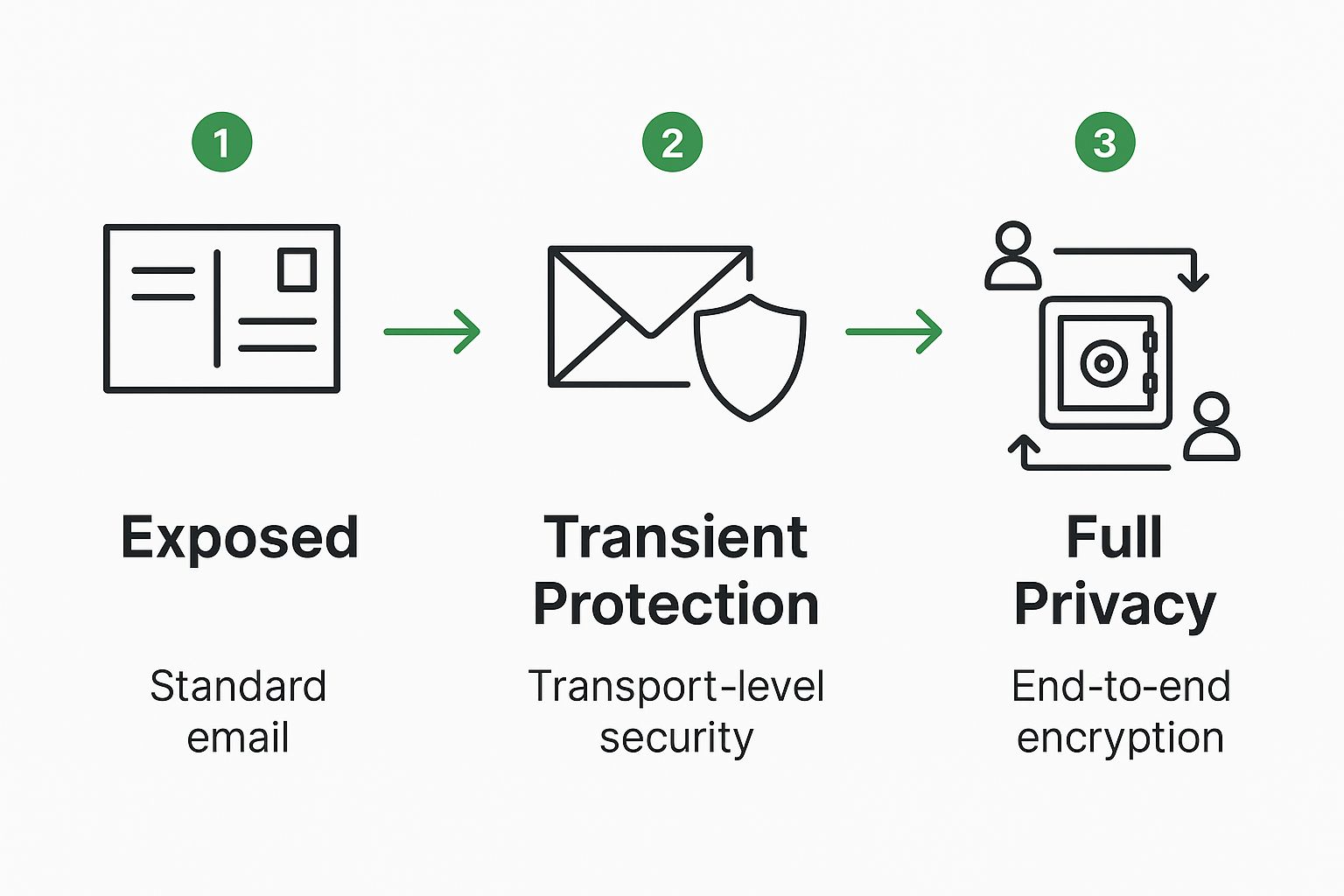
As you can see, E2EE puts a lock on your data that stays on from start to finish, protecting it both on the move and when it's sitting on a server.
To make the distinction crystal clear, here’s a quick side-by-side comparison.
Email Security At a Glance
| Feature | Standard Encryption (TLS) | End-to-End Encryption (E2EE) |
|---|---|---|
| Protection in Transit | Yes | Yes |
| Protection at Rest | No (Server can read content) | Yes (Content remains encrypted) |
| Provider Access | Provider can read/scan emails | Provider cannot read/scan emails |
| Third-Party Access | Vulnerable on servers | Shielded from third-party access |
| Overall Privacy | Limited | Maximum |
This table shows why TLS, while useful, simply doesn't offer the same level of email privacy and control as a true end-to-end solution.
A Growing Need for Real Email Security
This fundamental difference is causing a huge shift in how we think about communicating online. The built-in vulnerabilities of standard email are pushing more people and businesses toward hosted email platforms that offer genuine privacy.
The global market for email encryption is booming, valued at around USD 6.4 billion and on track to hit an incredible USD 31.1 billion by 2034. You can read more about these email encryption market trends to see just how fast demand is growing.
This isn't just about fending off cyberattacks. It’s about taking back control of our digital lives. For companies, E2EE is critical for protecting trade secrets and meeting tough data compliance regulations. For the rest of us, it’s about having the freedom to communicate privately, without worrying about who might be looking over our shoulder. End-to-end encryption is no longer a "nice-to-have"—it's an absolute must for secure communication.
How E2E Email Encryption Actually Works
So, how does all this technical magic actually happen? You don’t need to be a cryptographer to understand the core idea. The best way to think about end-to-end email encryption is to imagine a special kind of digital lockbox. This whole system runs on a concept called asymmetric cryptography, which is the real engine behind true email privacy.
Picture this: everyone gets a unique lockbox that comes with two very different keys.
The first is your public key. Think of it as a special padlock that only locks things. You can make as many copies as you want and hand them out to anyone who might want to send you something securely. You can post it on your website, add it to your email signature—it doesn't matter, because this key can only lock the box. It can't open it.
The second is your private key. This one is yours and yours alone. You keep it secret, you guard it closely, and you never, ever share it. Why? Because this is the only key in the world that can unlock your box.
The Digital Lockbox in Action
Let's walk through what this looks like when you're actually sending an email. Imagine your colleague, Alex, needs to send you a confidential project plan.
- Locking the Message: Alex grabs a copy of your public key (which you’ve shared with the team) and uses it to lock—or encrypt—the email. Instantly, the message is scrambled into a jumble of unreadable code called ciphertext.
- Sending Securely: The encrypted email then travels across the internet. Even if a hacker intercepts it or a service provider peeks at their servers, all they'll see is gibberish. It's completely meaningless without the right key.
- Unlocking the Message: Once the email lands in your inbox, your email client automatically uses your private key to unlock—or decrypt—it. The message snaps back to its original, readable form, just for you.
This clever process guarantees that only you, the person holding the private key, can ever read the message. Anyone with your public key can send you something securely, but only you can open it. This is exactly what’s happening behind the scenes when you use a hosted email platform with built-in E2EE.
The core principle is simple but profound: what is locked with a public key can only be unlocked by its matching private key. This one-way relationship is the foundation of modern digital privacy.
The Protocols Doing the Heavy Lifting
While the lockbox analogy gives us a great mental model, established protocols are what handle the real mechanics. You've probably run into terms like PGP (Pretty Good Privacy) or its open-source cousin, OpenPGP. These are the standardized systems that actually create and manage the public and private key pairs.
- PGP (Pretty Good Privacy): This is the original encryption program that set the standard for authenticating and protecting data. It's widely used to sign, encrypt, and decrypt everything from emails to entire files.
- OpenPGP: As a non-proprietary protocol based on PGP, this is the standard that most secure email providers and plugins have adopted for their end-to-end encryption.
These protocols are the unsung heroes, ensuring the encryption is ironclad and the keys work perfectly together.
When you use a secure hosted email platform, these complex operations are completely automated. You don't have to be an expert to get expert-level email security. To learn more about the specific technologies at play, our essential guide to secure email protocols breaks down the standards that keep your communications safe.
Ultimately, the goal is to make all this complexity invisible. You just write your email and hit send. The platform automatically finds the recipient's public key, encrypts the message, and sends it off. On their end, your recipient opens it just as easily, as their software uses their private key to decrypt it on the fly. That seamless experience is what makes modern E2EE both incredibly powerful and practical enough for everyday use.
What You Really Gain with Truly Private Communication
When you switch to end-to-end email encryption, you're doing more than just adding a layer of security. You're fundamentally changing how your digital conversations work, setting a new, much higher standard for email privacy and control over your own data.
The biggest win here is absolute confidentiality. Think about it: your message gets scrambled into unreadable code on your device and can only be unscrambled by the person you sent it to. This has a massive implication—no one in the middle can peek at your content. Not your email provider, not a snooping ISP, nobody.
Your sensitive business strategies, confidential client files, and private personal chats are kept completely under wraps. This creates a powerful shield against a whole host of modern digital threats and is a core principle of email security.
Fortifying Your Defense Against Breaches
Data breaches are no longer a surprise; they're an expensive and disruptive reality. When a typical email provider gets hacked, every single plaintext message on their servers is suddenly up for grabs. But with E2EE, that whole scenario plays out differently.
Even if a hacker successfully breaks into the email server, all they'll find is a jumble of useless, encrypted data. Because the provider never has the private keys to decrypt anything, your messages stay safe and sound. It makes your communications tough enough to withstand server-side attacks, which is a critical defense when even tech giants are getting breached.
End-to-end email encryption effectively neutralizes the threat of server-side data breaches exposing your sensitive email content. It ensures that even if the storage location is compromised, the messages themselves remain locked and confidential.
This kind of email security also shuts down man-in-the-middle attacks, where a third party secretly intercepts and relays messages to spy on a conversation. Since the email is encrypted from your device to your recipient's, any data they manage to grab is worthless without the private key. You can dive deeper into these foundational advantages of using encrypted email in our detailed guide.
Meeting Modern Compliance and Building Trust
In today's business world, strong email security isn't just a "nice-to-have"—it's often the law. Data privacy regulations come with hefty fines, making secure communication a non-negotiable for organizations of all sizes.
End-to-end encryption is one of the most effective tools for staying on the right side of major data protection laws:
- GDPR (General Data Protection Regulation): This EU regulation demands serious protection for its citizens' personal data. E2EE is a straightforward way to meet that requirement, making sure any personal info sent over email is unreadable to anyone who shouldn't see it.
- HIPAA (Health Insurance Portability and Accountability Act): For healthcare in the U.S., protecting patient information (PHI) is paramount. E2EE is a crucial component for securing emails containing patient data, helping organizations avoid devastating breaches and costly penalties.
This push for better email security is fueling major market growth. With cyber threats on the rise and regulations getting stricter, the email encryption market—currently valued at USD 9.3 billion—is expected to climb to USD 23.33 billion. You can explore more about the email encryption market's growth and what's driving it.
Ultimately, by embracing E2EE, you're not just dodging legal bullets. You're also building trust. When you show clients and partners that you're serious about protecting their data, you strengthen those relationships and boost your brand's reputation as a company that can be trusted.
What E2E Encryption Doesn't Protect
While end-to-end email encryption is a massive step up for email privacy, it’s not a magic shield that solves every email security problem. Knowing its limits is just as important as understanding its strengths. If you have a clear picture of what E2EE can't do, you can build a smarter, more complete security plan and sidestep common assumptions that could leave you vulnerable.
One of the biggest things to get straight is that E2EE protects the content of your email, but not the metadata.
I like to use the old-school analogy of a sealed letter. The message tucked inside is totally private, but anyone who handles the envelope can still see some pretty important information right on the outside.
The Exposed Envelope Metadata
Even when your message and attachments are locked down with the strongest encryption, certain details are still out in the open for email servers—and anyone snooping on network traffic—to see. This unencrypted metadata includes:
- Sender and Recipient: Who sent the email and who's getting it.
- Subject Line: The title of your email is almost always sent in plain text.
- Timestamps: The exact time an email was sent and received.
- Email Size: A rough idea of how large the message and its attachments are.
This information alone can tell a surprising story. Imagine a journalist emailing a confidential source, or a lawyer from one company corresponding with another during a secret merger. Just by looking at who is talking to whom, and when, someone could piece together what's happening, even without reading a single word of the actual conversation. This is a key limitation to be aware of for total email privacy.
Here’s a golden rule for E2E encrypted email: Treat your subject line like you're writing it on a public postcard. Never, ever put sensitive information there.
Endpoint Security and User Responsibility
End-to-end encryption is fantastic at protecting your data while it's in transit between devices, but it can't do a thing to protect the devices themselves. If your computer or phone gets infected with malware or a keylogger, an attacker could simply grab your messages before they’re ever encrypted or right after you’ve decrypted them. This is a critical aspect of overall email security.
On the same note, the entire system falls apart if your private key is compromised. If you use a weak password or an attacker gets their hands on your key, all of your encrypted messages are suddenly an open book. This is why having strong, unique passphrases and practicing good device security is non-negotiable.
Malware, Phishing, and Anonymity
There's a common misconception that E2EE is an all-in-one defense against every cyber threat. It really isn't. Here are a few critical things it won't do for you:
- It Doesn't Scan for Malware: E2EE encrypts your attachments, but it has no idea if they're safe. A virus sent in an encrypted email is still a virus when the recipient decrypts and opens it.
- It Doesn't Stop Phishing: An encrypted email from a scammer is still just a phishing attack. The encryption can't judge the sender's intentions or stop you from clicking on a malicious link they've sent.
- It Does Not Make You Anonymous: As we covered with metadata, your identity as the sender isn't hidden. E2EE is a tool for email privacy, not anonymity.
Think of end-to-end encryption as one essential tool in a larger security toolkit. When you pair it with other smart practices—like solid endpoint protection and good old-fashioned user vigilance—you can build a truly effective defense for your digital communications.
Choosing the Right Encrypted Email Platform
So, you're ready to make the switch to a truly private email experience. That’s a great first step, but now comes the hard part: picking the right hosted email platform. While a lot of services say they offer end-to-end email encryption, they aren't all built the same. You have to look past the marketing slogans and dig into the features that actually deliver on the promise of email privacy and security.
The first big question to ask is how the encryption is actually implemented. Is it baked right into the service, working seamlessly in the background? Or does it rely on you installing and configuring external plugins? For most people, a hosted email platform with integrated E2EE is the clear winner—the encryption and decryption happen automatically, so you don't even have to think about it.
That ease of use is more important than it sounds. If a security tool is a pain to use, you'll eventually stop using it. It's also worth thinking about how E2EE fits into the bigger picture of comprehensive email security solutions, especially for businesses that need more than just message privacy.
Key Criteria For Evaluating Providers
As you start comparing your options, a few critical factors should be at the top of your checklist. These aren't just technical details; they speak volumes about a provider's commitment to protecting its users' email privacy.
-
Jurisdiction and Privacy Laws: Where is the company headquartered? A provider based in a country with strong privacy laws, like Switzerland or Germany, gives you far better legal protection against government snooping than one located in a country with invasive intelligence-sharing agreements.
-
Open-Source Code: Is the platform's code open for public review? Open-source software is a huge mark of trust. It allows independent security experts to audit the code, verify the encryption works as advertised, and ensure there are no hidden backdoors.
-
Zero-Knowledge Architecture: Does the provider operate on a "zero-knowledge" or "zero-access" basis? This is crucial. It means they physically cannot access your private encryption keys and, therefore, can't decrypt your emails—even if a court orders them to.
These three pillars—legal, technical, and architectural—are what separate a truly trustworthy hosted email platform from the rest.
Comparing Different Service Models
Encrypted email providers tend to fall into a couple of different camps, each with a unique take on security and usability. Getting a handle on these models will help you figure out what makes the most sense for you.
A provider's philosophy is just as important as its technology. Choose a service whose business model is aligned with your privacy, not one that treats your data as a product to be monetized.
The market for this technology is exploding, and for good reason. With cybersecurity threats on the rise, the global end-to-end email encryption market was valued at about USD 3.8 billion and is expected to skyrocket to nearly USD 54.4 billion by 2034. This trend has even pushed giants like Google to roll out E2EE for certain Gmail users, though it's not the default for everyone.
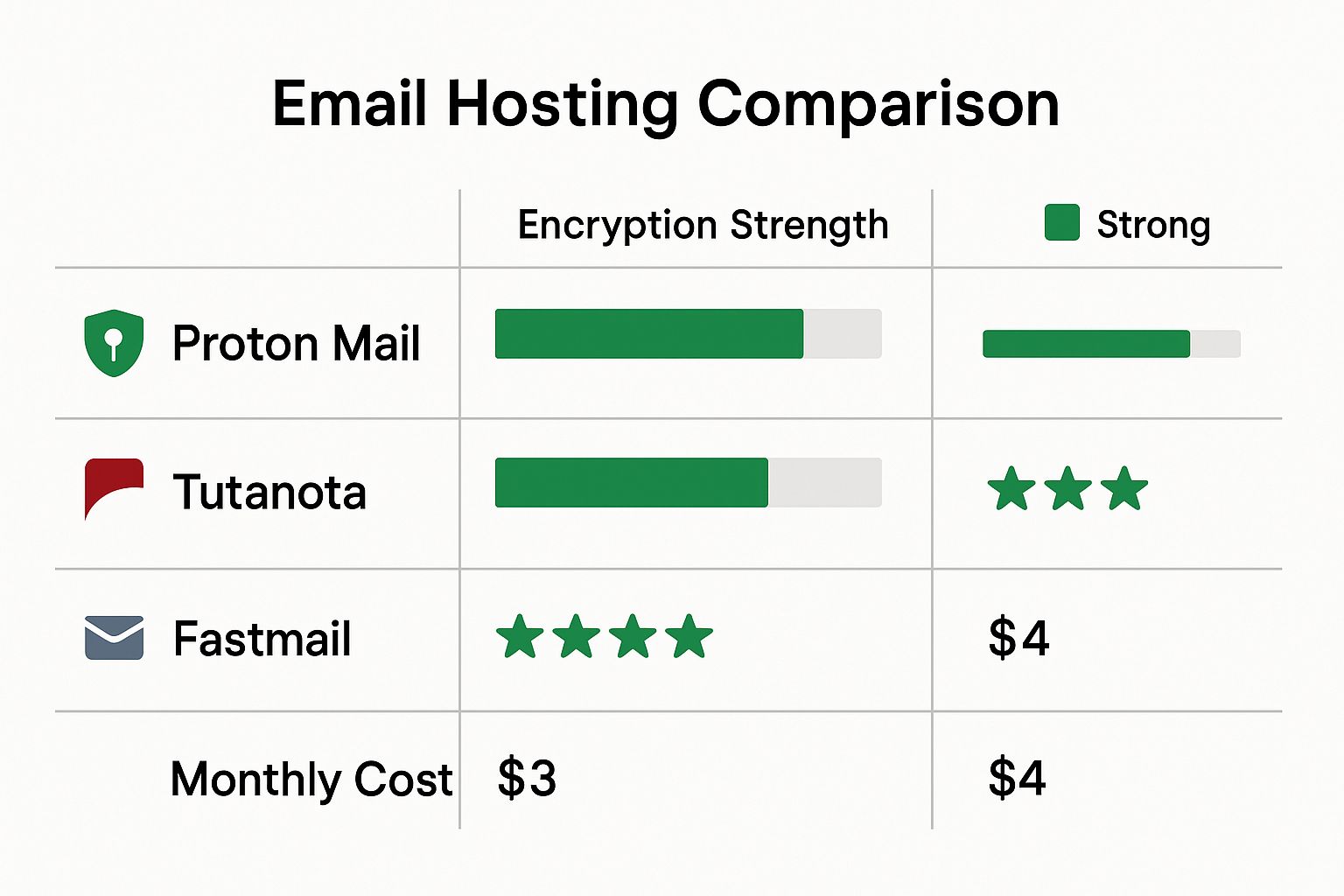
To make sense of the options, it helps to see how they stack up.
Secure Email Provider Feature Comparison
This table breaks down the core differences between hosted email platforms built for privacy from the ground up and mainstream services where security is an afterthought.
| Feature | Built-in E2EE (e.g., ProtonMail) | Built-in E2EE (e.g., Tutanota) | Mainstream with Add-on (e.g., Gmail + PGP) |
|---|---|---|---|
| Ease of Use | High (encryption is automatic) | High (encryption is automatic) | Low (requires manual setup and key management) |
| Security Model | OpenPGP standard | Custom encryption standard | OpenPGP standard (via plugin) |
| Metadata Protection | Some protection (encrypted subject lines between users) | High protection (encrypts subject lines, contacts, calendar) | None (metadata is fully exposed) |
| Mobile Compatibility | Dedicated secure mobile apps | Dedicated secure mobile apps | Complex and often requires separate apps for PGP |
| User Experience | Seamless and intuitive | Seamless and focused on privacy | Clunky and disconnected from the native email client |
As you can see, the user experience is worlds apart. Platforms designed for email privacy from day one offer a smooth, integrated experience. Trying to bolt PGP onto a mainstream service like Gmail is certainly possible, but it’s clunky, complicated, and leaves a lot of room for user error.
If you're serious about protecting your communications, dedicated secure hosted email platforms are the way to go. To dive deeper into specific providers, check out our detailed guide on https://typewire.com/blog/read/2025-07-17-finding-the-best-encrypted-email-solutions.
Best Practices for Secure Email Habits
The technology gives you the lock, but it's your daily habits that truly keep the door bolted. While adopting end to end email encryption is a huge step forward for email privacy, it works best when you pair it with smart, consistent security routines. A few simple adjustments to your workflow can make all the difference in keeping your conversations genuinely private from start to finish.
The absolute most important habit? Guarding your private key. Think of it as the one and only master key to your entire encrypted world. If that key falls into the wrong hands, all of your privacy is gone in an instant.
That’s why locking it down with a strong, unique passphrase isn't just a suggestion—it's essential for your email security. A weak passphrase is like leaving that master key under the doormat; it makes the high-tech lock completely pointless.
Verify Before You Trust
Another crucial practice is to always verify who you're talking to, especially before kicking off a sensitive conversation. Scammers are masters of impersonation, and sending a perfectly encrypted email to the wrong person completely defeats the purpose.
Many secure email services offer built-in ways to verify a contact's public key. Taking that extra moment to confirm you’re sending your message to the right digital identity is a simple step that prevents massive headaches and ensures your private information ends up exactly where you intended.
Even with the best encryption, don't forget the basics. Always treat subject lines as if they're written on a postcard. They often aren't encrypted and can leak sensitive context to anyone snooping on the network.
Secure Your Endpoints
End-to-end encryption is fantastic at protecting your data while it's in transit between devices. But its job is done the moment the message is decrypted on your screen. This is a critical point of vulnerability if your device itself isn't secure.
Even the most advanced hosted email platforms can’t save you if your computer is riddled with malware. Spyware or keyloggers can easily snatch your messages after they've been decrypted or just steal your private key's passphrase as you type it. This is why solid endpoint security is a non-negotiable part of any real email security strategy.
Here are a few practical steps you can take to lock down your devices:
- Keep Software Updated: Make a habit of regularly updating your operating system, web browser, and antivirus software. These updates often contain critical patches for newly discovered security holes.
- Use Strong Device Passwords: Lock your computer and phone with strong, unique passwords or, even better, biometric authentication like a fingerprint or face scan.
- Be Wary of Attachments: Be cautious with attachments, even if they seem to come from a trusted contact. They remain a popular way to sneak malware onto a device.
At the end of the day, E2EE is a powerful tool, but it's just one piece of a larger email security puzzle that you control. When you combine the robust technology of end to end email encryption with disciplined habits, you build a truly formidable defense for your private communications. These practices are what turn the promise of security into a reliable, everyday reality.
Frequently Asked Questions
When you start digging into end-to-end email encryption, a few common questions always seem to pop up. Let's tackle some of the most frequent ones to clear up how this privacy tool works day-to-day.
Is My Email Completely Private with E2E Encryption?
Mostly, but there's a small catch. End-to-end encryption does a fantastic job of locking down the actual content of your email and any attachments. Think of it as putting the body of your message into an unbreakable digital safe that only you and your recipient can open. This is the core of email privacy.
However, the metadata—the "who, what, and when"—remains visible. Your email provider, and potentially others along the message's path, can still see details like:
- The sender and recipient email addresses
- The subject line of your message
- The exact time the email was sent and received
It's like sending a sealed, confidential letter. Anyone can see the addresses on the envelope, but no one can read the letter inside.
Do Both People Need to Use End-to-End Encryption?
Yes, absolutely. This is non-negotiable. For end-to-end email encryption to work, both you and the person you're emailing must be using services or clients that support the same encryption standard. You can't just send a locked message to someone who doesn't have the key to unlock it.
If you were to send an encrypted email to a standard inbox, the recipient would just see a jumble of unreadable text. This is a big reason why using a hosted email platform with built-in E2EE is so much easier—it handles everything automatically for users on the same platform. Many of these services also offer a simple, secure web portal for external recipients to read and reply to messages.
Can I Use This with My Gmail or Outlook Account?
Technically, yes, but it’s not for the faint of heart. Services like Gmail and Outlook don't offer native end-to-end encryption that you control. They are not hosted email platforms designed for this level of email privacy.
To add it yourself, you’d need to install a third-party plugin that handles an encryption protocol like PGP. Both you and your recipient would have to install and correctly configure a compatible plugin, and then you'd need to go through the process of exchanging public keys. While it’s a viable path for those with some technical savvy, it’s far more complicated and opens the door to user error compared to using a service where E2EE is a core, built-in feature.
Ready to experience truly private email without the technical hassle? Typewire offers secure, end-to-end encrypted email by design. Protect your conversations from prying eyes with a platform that puts your privacy first.
Start your 7-day free trial and take back control of your inbox today.