Category: Uncategorized

  • What Is a Digitally Signed Email?

    What Is a Digitally Signed Email?

    Think of a digitally signed email as the modern equivalent of a letter sealed with a unique, tamper-proof wax seal. It's a method for providing mathematical certainty that a message is authentic and hasn't been altered. In short, it proves you are the real sender and that the content is exactly as you sent it, creating a vital layer of trust and enhancing your overall email privacy and email security.

    Why Digital Signatures Are a Must-Have for Email Security

    Imagine you’ve just sent a crucial contract or a high-value invoice from your company's hosted email platform. What if your recipient has no way of knowing it’s actually from you? In an environment rife with business email compromise and incredibly convincing phishing scams, that kind of uncertainty is a massive risk to your email security.

    A digitally signed email cuts through that doubt. It provides two non-negotiable security guarantees for your messages, whether you're using a major hosted email platform like Google Workspace or Microsoft 365, or a privacy-focused provider.

    This isn't a niche concern. As of 2025, an estimated 4.6 billion people are using email, a jump from 4.37 billion just two years earlier. That huge user base makes email a goldmine for fraudsters, turning verifiable security measures from a "nice-to-have" into an absolute necessity for protecting your digital privacy.

    Getting Clear on Authenticity and Integrity

    It's easy to mix up digital signatures with encryption, but they do very different jobs for your email security. Encryption is all about confidentiality—it scrambles a message so only the intended recipient can read it. Digital signatures, on the other hand, are focused on two other critical principles that are fundamental to email privacy:

    • Authenticity: This is all about proving the sender's identity. A signature cryptographically confirms the email came from who it says it came from, helping people instantly spot fakes. It's a powerful way to https://typewire.com/blog/read/2025-10-29-how-to-prevent-email-spoofing-and-fortify-your-email-security.
    • Integrity: This guarantees the message and its attachments are untouched. If anyone alters anything in transit—even changing a single comma—the recipient's email client will immediately flag the signature as invalid, protecting the message's content.

    A digital signature doesn’t hide the contents of your message; it seals it. It’s a public declaration that the message is genuinely yours and exactly as you wrote it, building a foundation of trust that encryption alone cannot provide and is essential for secure communication.

    Of course, digital signatures are just one piece of a much larger security puzzle. A truly comprehensive defense strategy should also include robust endpoint security solutions to protect devices where emails are actually read and written. When you combine these technologies, you create a powerful barrier against the daily threats aimed at your inbox.

    How Digital Signatures Actually Work

    To really get what’s happening under the hood of a digitally signed email, we need to look at a brilliant system called public key infrastructure (PKI). It sounds a bit intimidating, but the concept is actually quite straightforward. The whole thing hinges on a matched pair of digital keys that create an unbreakable mathematical bond between you and your message, ensuring your email security.

    Imagine you have a special lockbox with two unique keys. One is your public key, which is like the slot on the lockbox. You can give copies of this slot to anyone and everyone. They can’t open the box with it, but they can use it to confirm that a package genuinely came from you.

    The other key is your private key. This one you keep to yourself, always. It’s the only key that can lock a package in a way that’s unique to you. This is the key you use to "seal" your emails before they go out, a crucial step for maintaining your email privacy.

    Creating the Digital Fingerprint

    Before your email is sealed, the system first creates a one-of-a-kind identifier for it through a process called hashing. Think of it like a digital fingerprint. A special algorithm scans your entire message—every single word, space, and attachment—and boils it down into a short, fixed-length string of characters called a hash value.

    This hash is completely unique to that specific email. If you were to change just a single comma in the original message and run the hash again, the new fingerprint would look completely different. It's this extreme sensitivity that makes hashing the perfect tool for proving a message hasn't been touched.

    The diagram below shows how this process works from start to finish to protect your email's authenticity and integrity.
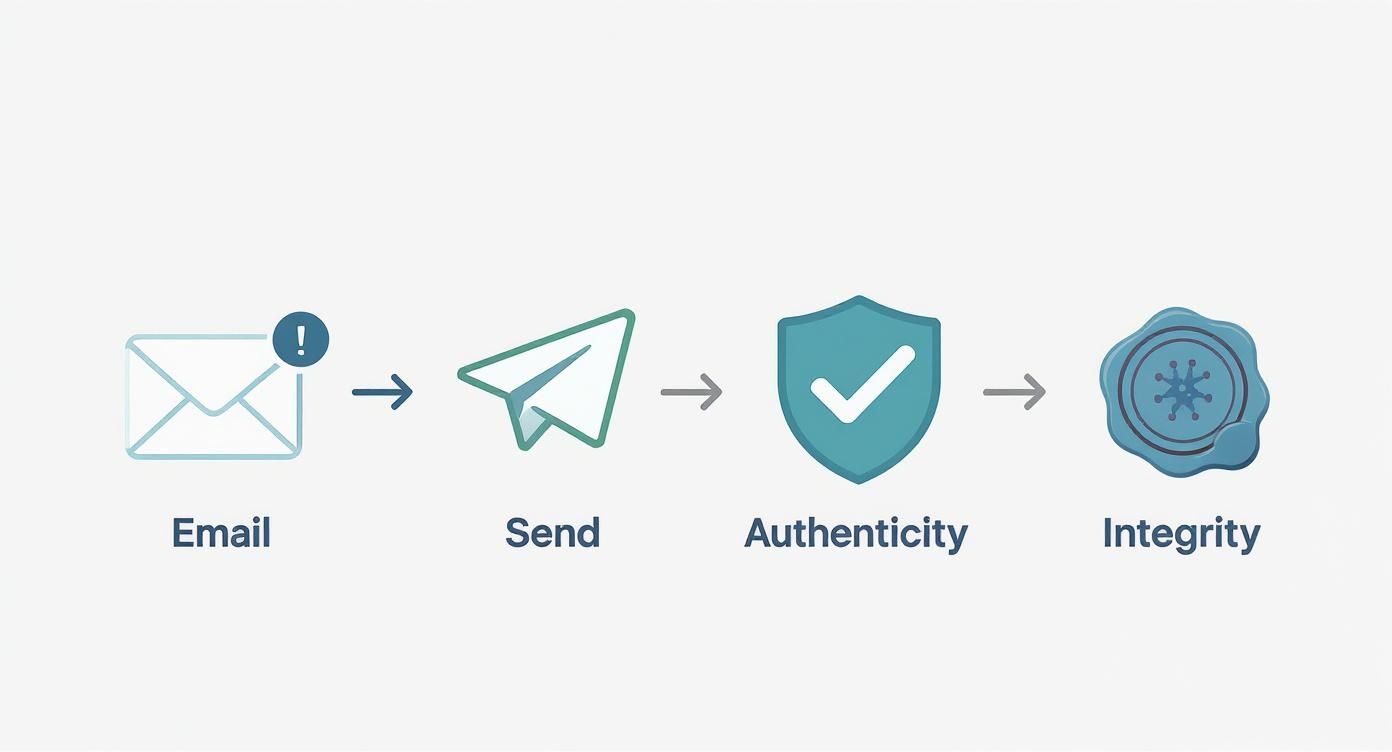
    Email security process diagram showing send, authenticity verification, and integrity validation steps

    As you can see, a digital signature nails down the two most critical parts of email security: who sent the message and whether it arrived exactly as it was sent.

    Locking the Fingerprint with Your Private Key

    Once that unique hash is created, it's time to sign it. Your email client takes your closely guarded private key and uses it to encrypt only the hash. This encrypted hash is the digital signature.

    It’s a common misconception that the whole email gets encrypted. It doesn't. The message itself stays perfectly readable, but it now travels with this locked-up fingerprint attached. It’s ready to be verified by anyone who has your public key. To see the bigger picture, it helps to understand the role of encryption in information security and how these concepts secure more than just email.

    A digital signature is where the uniqueness of the message content (the hash) meets the uniqueness of the sender's identity (the private key). The result is a verifiable seal that's mathematically tied to both the email and its author.

    This lock-and-unlock mechanism is a perfect example of asymmetric cryptography, where different keys are used for different jobs. We dive deeper into this in our guide on what is symmetric and asymmetric key encryption in email. It’s a core concept in modern cybersecurity.

    How the Recipient Verifies Your Signature

    When your email lands in someone's inbox, their email client kicks off a verification process automatically. It all happens in the background in a split second.

    Here’s a breakdown of what their system does:

    1. Generate a New Fingerprint: First, the recipient's email client takes your message and runs it through the exact same hashing algorithm you used. This creates a fresh hash value on their end.
    2. Unlock Your Original Fingerprint: Next, the client uses your public key (which it can find easily) to decrypt the digital signature that was attached to your email. This reveals the original hash you created before you hit send.
    3. Compare the Two Fingerprints: Finally, it’s showtime. The client compares the new hash it just made with the original one it unlocked.

    If the two fingerprints are identical, the signature is valid. Their email client will display a little badge of trust—like a checkmark or a ribbon—to show the message is authentic and untampered with. If the hashes don't match, it's a red flag that something was changed in transit, and the client will display a prominent warning that the signature is invalid.

    Comparing Digital Signature Technologies

    When it comes to digitally signing emails, you've got a few different tools for the job. Think of them as different types of ID cards—each one is valid, but they work in different systems and are trusted for different reasons.

    The three main players in this space are S/MIME, PGP/GPG, and DKIM. While they all rely on the same core cryptographic magic, they're built for very different purposes. A large corporation using a hosted email platform will lean one way, while a privacy-minded individual will prefer another. Let's dig into what makes each one tick.

    Three white cards displaying email encryption protocols S/MIME PGP GPG DKIM and envelope icons on wooden table

    S/MIME: The Corporate Standard

    If you work in a business environment, you've likely encountered S/MIME (Secure/Multipurpose Internet Mail Extensions). It’s the go-to standard for most companies because it relies on a centralized, hierarchical trust model that businesses understand well.

    To use S/MIME, you need a digital certificate issued by a recognized Certificate Authority (CA), like GlobalSign or DigiCert. This CA acts as a trusted third party, a bit like a digital passport office, that verifies your identity before handing you a certificate. This is why major hosted email platforms like Microsoft 365 and Google Workspace have built-in support for it. It just works, right out of the box in clients like Outlook and Apple Mail, which makes IT administrators happy.

    PGP/GPG: The People's Choice for Privacy

    On the other end of the spectrum is PGP (Pretty Good Privacy) and its popular open-source implementation, GPG (GNU Privacy Guard). Instead of a central authority, PGP operates on a decentralized model called the "web of trust." This model is a cornerstone for users prioritizing absolute email privacy.

    Here, trust isn't bought from a CA; it's earned. You establish your identity's validity when other people you know and trust digitally sign your public key, essentially vouching for you. This peer-to-peer system is a favorite among journalists, activists, and anyone who prefers not to rely on a corporate or government entity for their email security. The trade-off is that it’s more hands-on. Setting it up and verifying keys requires a bit more effort and often means installing plugins or specialized software.

    DKIM: The Silent Guardian of Domains

    Then there's DKIM (DomainKeys Identified Mail), which operates on a completely different level. It's not concerned with proving who sent an email, but rather with proving where it came from. DKIM adds an invisible, domain-level signature to every outgoing message from a hosted email platform.

    DKIM’s job is to stop domain spoofing. It allows receiving email servers to verify that a message claiming to be from yourcompany.com was actually sent from a server authorized by that domain.

    This process is completely transparent to the end-user. An administrator sets it up once, and it protects the entire organization's email traffic from then on. It’s a foundational piece of modern email security, working behind the scenes with SPF and DMARC to protect a company’s reputation and prevent phishing attacks.

    Comparison of Digital Signature Technologies

    Choosing the right technology depends entirely on your goals—are you a business trying to secure internal communications, an individual protecting sensitive sources, or a system administrator fighting phishing? This table breaks down the key distinctions.

    Feature S/MIME (Secure/Multipurpose Internet Mail Extensions) PGP/GPG (Pretty Good Privacy / GNU Privacy Guard) DKIM (DomainKeys Identified Mail)
    Trust Model Centralized. Trust is granted by a formal Certificate Authority (CA). Decentralized. Trust is built peer-to-peer through a "web of trust." Domain-Level. Trust is verified via public keys in a domain's DNS records.
    Primary Use Case Signing and encrypting individual emails, mostly in corporate or government settings. Securing person-to-person communication for privacy-focused individuals and communities. Authenticating the sending domain to prevent email spoofing and phishing at scale.
    Setup & Management Individuals get certificates from a CA; often deployed and managed by an IT department. Users generate and manage their own key pairs and must manually verify others' keys. Configured once at the domain level by an administrator; completely invisible to users.
    Integration Native support in most major email clients (Outlook, Apple Mail) and platforms. Typically requires third-party plugins or dedicated software for email clients. Handled automatically by email servers and service providers; no user action needed.

    In short, S/MIME is for structured, top-down trust. PGP/GPG is for grassroots, decentralized trust. And DKIM is for automated, domain-wide trust. Many organizations will actually use both S/MIME for user-level security and DKIM for domain-level protection, as they solve different problems.

    The Business Case for Digital Signatures

    Beyond the technical wizardry, adopting digitally signed email is a smart business move, especially if you're using a hosted email platform. It takes email security out of the abstract IT department and turns it into a real asset that protects your revenue, builds stronger client relationships, and makes your business more resilient. Think of it less as an IT upgrade and more as a business upgrade.

    Investing in digital signatures is one of the most direct ways to fight back against financially devastating cyber threats. Scams like invoice fraud and business email compromise (BEC)—where a criminal poses as an executive to reroute a payment—cost companies billions every year. A digitally signed email makes these cons incredibly difficult to execute.

    When your finance team gets a signed payment request, they can confirm its origin and that it hasn't been messed with in a matter of seconds. That simple check closes the door on the main attack vector for invoice fraud, transforming a major vulnerability into a secure, verifiable process.

    Building Unbreakable Client Trust

    In business, trust is everything. Each email you send is a tiny billboard for your brand's professionalism and how seriously you take email security. Using a digitally signed email sends a clear message to your clients: "We care about the security of our communication, and by extension, we care about protecting you."

    This has a surprisingly powerful effect on people. When clients see that little verification badge on your emails, it's an instant dose of reassurance.

    • Contracts and Agreements: They know the legal documents they just received are the real deal and haven't been altered.
    • Financial Reports: They can be confident that sensitive financial data is exactly as you sent it.
    • Sensitive Data: It assures them that confidential information stays that way from your outbox to their inbox, respecting their email privacy.

    Consistently showing up with this level of security builds a reputation for being reliable and careful, which can easily set you apart from competitors who might be cutting corners.

    Meeting Stringent Regulatory Compliance

    If you're in an industry with heavy regulation, proving your data is protected isn't just a good idea—it's the law. Regulations like GDPR in Europe and HIPAA in the U.S. require organizations to have the right technical measures in place to guarantee the integrity and authenticity of sensitive information, a core tenet of email privacy and email security.

    A digitally signed email creates an auditable, cryptographic record that proves where a message came from and that it remains untouched. This becomes an indispensable tool for proving compliance during an audit and sidestepping the massive fines that come with mishandling data.

    By implementing digital signatures, you aren't just locking down your data; you're creating a clear, defensible paper trail that keeps regulators happy.

    The market is already signaling a major shift in this direction. The global e-signature market was valued at over $3 billion as of 2025, which shows just how much companies are investing in digital authentication. As we all move away from paper, the demand for tamper-proof digital documents is exploding for both efficiency and security. You can find more data on the growing adoption of these technologies on Exploding Topics. This trend really highlights that adopting digital signatures isn't just about keeping up; it's about getting ahead and aligning your business with modern standards.

    A Practical Guide to Using Signed Emails

    Putting digitally signed emails into practice is much easier than it sounds. Most modern hosted email platforms and apps have streamlined the whole process, so both individuals and entire organizations can add this critical layer of email security. Let’s walk through the steps for getting started.

    Setup for Individual Users

    If you're setting this up for yourself on something like Outlook or Apple Mail, you'll most likely be using S/MIME. The first thing you need is a digital certificate from a trusted Certificate Authority (CA). Think of it as your official digital ID card.

    Once you have your certificate file, it's usually just a simple three-step process:

    1. Get a Certificate: You can obtain an S/MIME certificate from a well-known CA like GlobalSign or DigiCert. They'll need to verify your identity to make sure the certificate is really tied to you.
    2. Install the Certificate: Most CAs give you an installer or a file you just double-click. Your operating system then securely stores it in its keychain or certificate manager.
    3. Configure Your Email App: Dive into your email client’s settings—for instance, Outlook's Trust Center or Apple Mail's account settings. There, you'll find an option to link the new certificate to your email address for signing.

    After that's done, you should see a "Sign" button or icon pop up when you compose a new email. Just click it, and your digital signature gets attached before you hit send. Simple as that.

    How to Recognize a Signed Email

    Once you start sending and receiving signed messages, spotting them is easy. Email clients use clear visual cues to show you that a signature has been checked and verified.

    Keep an eye out for these common signs:

    • A Checkmark Icon: Many apps display a small, colored checkmark right next to the sender's name.
    • A Ribbon or Seal Badge: A little ribbon or seal icon is another popular symbol that says "this email is legitimately signed."
    • An Informational Banner: Some platforms put a banner right at the top of the email, stating something like, "This message is signed and the signature is valid."

    These little symbols give you instant confidence that the sender is who they say they are and that the message hasn't been messed with.

    Setup for System Administrators

    For admins managing email for a whole company on a hosted email platform, the game changes. You’re not thinking about one person, but about organization-wide deployment. Here, two key technologies are in play: S/MIME for individual user emails and DKIM for authenticating the entire domain.

    Deploying S/MIME Across an Organization

    Trying to manually install certificates on every employee's computer would be a nightmare. Instead, administrators typically use certificate management tools to automate the rollout. This ensures everyone gets a valid certificate without having to do anything technical themselves.

    Publishing DKIM Records

    In today's world, DKIM is non-negotiable for business email security. It works by adding a hidden signature to every single outgoing email. Receiving servers then check that signature against a public key you publish in your domain's DNS records. Setting up DKIM is a one-time task that protects your entire domain from being spoofed.

    For system administrators, DKIM is the foundation. It protects your brand's reputation at scale, while S/MIME provides granular, user-level proof of identity for high-stakes communications. Both are essential components of a robust email security posture.

    For a deeper dive, check out this guide on how to authenticate email with a real-world setup that works. It provides detailed instructions to help you lock down your domain's defenses.

    Troubleshooting Common Issues

    Even with a perfect setup, things can go wrong. The good news is that most problems with digitally signed emails fall into a few common buckets and are usually pretty easy to fix.

    • Certificate Validation Errors: This usually happens when the recipient's email client doesn't trust the CA that issued your certificate. Make sure you're using a certificate from a major, widely recognized CA to avoid this.
    • "Signature is Invalid" Warnings: If you see this, it’s a red flag. It means the message was altered in some way after it was sent. Don't trust the email's contents. Contact the sender through another channel, like a phone call, to confirm they sent it.
    • Misconfigured Email Clients: Honestly, this is the most common problem. It's often just a setting that's off. Double-check that the S/MIME certificate is correctly associated with the sending email address in your client's settings.

    By following these steps, both individuals and administrators can get digital signatures working smoothly, seriously boosting the email privacy and email security of their communication.

    Frequently Asked Questions
    Person holding tablet displaying signed email FAQ document with question mark and envelope icon illustration

    As you start working with digitally signed email, you're bound to have some questions. It's a powerful tool, but some of the concepts can be tricky at first. This section tackles the most common questions we hear, with straightforward answers to help you see how this technology really works to protect your communications.

    Our aim here is to clear up any confusion and solidify the core ideas, so you can feel confident every time you send or receive a signed message.

    Signed vs. Encrypted Emails Explained

    What's the real difference between a signed email and an encrypted one? This is a great question because people mix them up all the time, but they solve two very different email security problems.

    Think of it this way. A digitally signed email is like sending a letter in an envelope sealed with your personal, official wax seal. Anyone can see the envelope, but that seal guarantees two things: it proves the letter really came from you (authenticity) and shows it hasn't been opened or messed with along the way (integrity).

    An encrypted email is entirely different. It’s like putting that same letter inside a virtually unbreakable lockbox. Only the person with the one-of-a-kind key can open it and see what's inside. This gives you confidentiality, a key component of email privacy. For the highest level of security, you can actually do both—send an encrypted message inside a digitally signed envelope.

    Software Needs for Recipients

    Does the other person need special software to read my signed email? For the vast majority of business emails today, the answer is usually no.

    Modern email clients like Outlook, Apple Mail, and even Gmail have built-in support for verifying S/MIME signatures, which is the standard in the corporate world. When someone using one of these hosted email platforms gets your signed email, their software handles the verification automatically in the background.

    If the signature checks out, they’ll see a small trust icon—like a checkmark or a ribbon—letting them know the message is legit. It’s a seamless experience. While PGP users might need a plugin, the S/MIME process is mostly invisible for anyone on major platforms like Microsoft 365 or Google Workspace.

    The beauty of standards like S/MIME is their integration into the email ecosystem. The security check happens without requiring the recipient to take any extra steps, making it a practical solution for enhancing trust in everyday business communications.

    The Risk of Phishing Attacks

    Can a digitally signed email still be a phishing attack? This is a critical point to understand for your email security. While a valid signature makes phishing much, much harder, it’s not entirely impossible.

    A digital signature proves two key facts: the email truly came from the sender’s address (like support@yourbank.com) and its contents weren't changed in transit. This immediately shuts down attackers who are just "spoofing" the 'From' address, which is one of the most common phishing tricks.

    But what if a skilled attacker compromises a legitimate account first? If a scammer hacks a real employee's email, they could send a phishing message that is correctly signed from that account. The signature would be technically valid because it came from the authentic source.

    So, you should always view a digitally signed email as a strong layer of verification, but not a free pass to let your guard down. Stay vigilant about suspicious links, weird attachments, or out-of-character requests, even if the message has a valid signature.

    What If a Signed Email Is Altered

    What happens if someone modifies a signed email in transit? This is where digital signatures truly shine, showcasing their core function: the integrity check that is vital for email security.

    When an email is signed, that signature is created from a unique "digital fingerprint" (a hash) of the original message. If an attacker intercepts that email and changes anything—even a single comma—the fingerprint of the now-altered message will no longer match the fingerprint locked into the signature.

    When the recipient's email client runs its verification check, it will spot this mismatch instantly and the validation will fail. The client will then display a big, hard-to-miss warning that the signature is invalid and the message may have been tampered with. This tells the recipient not to trust what they’re reading, neutralizing the threat.


    Ready to take control of your email privacy and security? At Typewire, we provide secure, private email hosting built on our own infrastructure, free from tracking and ads. Explore our plans and start your 7-day free trial to experience a truly private inbox. Learn more at Typewire.
  • what is a mail server: A guide to email privacy and security

    what is a mail server: A guide to email privacy and security

    Ever wonder what happens after you hit "send" on an email? Your message doesn't just teleport across the internet. It’s handed off to a powerful, behind-the-scenes system that works like a digital post office.

    This system is called a mail server, and it’s the invisible backbone of all email communication. Understanding how it works is the first step toward securing your digital privacy.

    Your Digital Post Office Explained

    Think of a mail server as your personal, 24/7 postal worker. It’s a dedicated computer system running specialized software, and its sole job is to manage the flow of electronic mail. It makes sure your messages get from your outbox to the right recipient, quickly and reliably.

    Without mail servers, email as we know it simply wouldn't exist. These systems are the engines powering every single message, from a quick note to a friend to critical business communications. Every day, they sort, route, and deliver billions of messages with incredible speed.

    The Core Responsibilities of a Mail Server

    At its core, a mail server really only does three things. It accepts outgoing mail from users, figures out how to deliver it, and receives incoming mail for its users. This constant cycle ensures your digital letters always have a place to go and a way to get there.

    Let's break that down with the post office analogy.

    A Mail Server's Key Responsibilities

    Function What It Means Postal Office Analogy
    Sending Mail Your mail server takes the email you just wrote and sends it on its journey across the internet. This is like dropping your letter in the local blue mailbox.
    Receiving Mail It accepts incoming emails addressed to you and holds them securely until you're ready to read them. This is the local post office receiving mail and sorting it into your P.O. Box.
    Storing Mail The server keeps a copy of your received (and sometimes sent) messages, so you can access them anytime. This is your P.O. Box, holding onto your mail until you come to collect it.

    This process is built on a "store-and-forward" model. Unlike a phone call, neither the sender nor the recipient needs to be online at the same time for an email to be sent. Your mail server holds the message until the recipient's server is ready to accept it. You can discover more about how email works on Wikipedia.

    Key Takeaway: Your mail server is more than just a relay system; it's the guardian of your inbox. It acts as the first line of defense, filtering spam and verifying that incoming messages are legitimate before they ever reach you.

    Understanding this role is crucial. Both a "free" email provider and a private, secure email platform use mail servers, but how they manage those servers—and your data—is worlds apart. The difference directly impacts your privacy and security.

    Throughout this guide, we'll dive deep into those differences. You'll learn not just what a mail server is, but how to choose an email solution that actually protects your communications instead of exploiting them. We’ll break it all down so you can make a smart, informed decision.

    The Journey of an Email from Sender to Inbox

    Ever wondered what actually happens in that split second after you hit "send"? It’s not a single digital leap from your screen to theirs. Instead, your email embarks on a high-speed, automated journey across the internet, guided by a series of digital handshakes between mail servers.

    Think of it as a finely tuned relay race. Your message is the baton, passed from your email client to your outgoing mail server, then across the web to the recipient's mail server, and finally to their inbox. Each leg of the journey is governed by a specific rulebook, or protocol, ensuring the baton doesn't get dropped.

    Mastering the start of this journey can give you more control. For instance, knowing how to schedule emails lets you decide precisely when the race begins.

    The Outbound Trip: The Role of SMTP

    The first protocol to grab the baton is the Simple Mail Transfer Protocol (SMTP). You can think of SMTP as the postal service of the internet. Its one and only job is to push your email out the door and shepherd it toward its destination.

    When you send an email, your client (like Outlook or Gmail) connects to your SMTP server. This server acts as a digital sorting facility. It reads the recipient's domain—the part after the "@"—and figures out which mail server on the entire internet is responsible for that address. Once it finds it, it opens a connection and hands off the message.

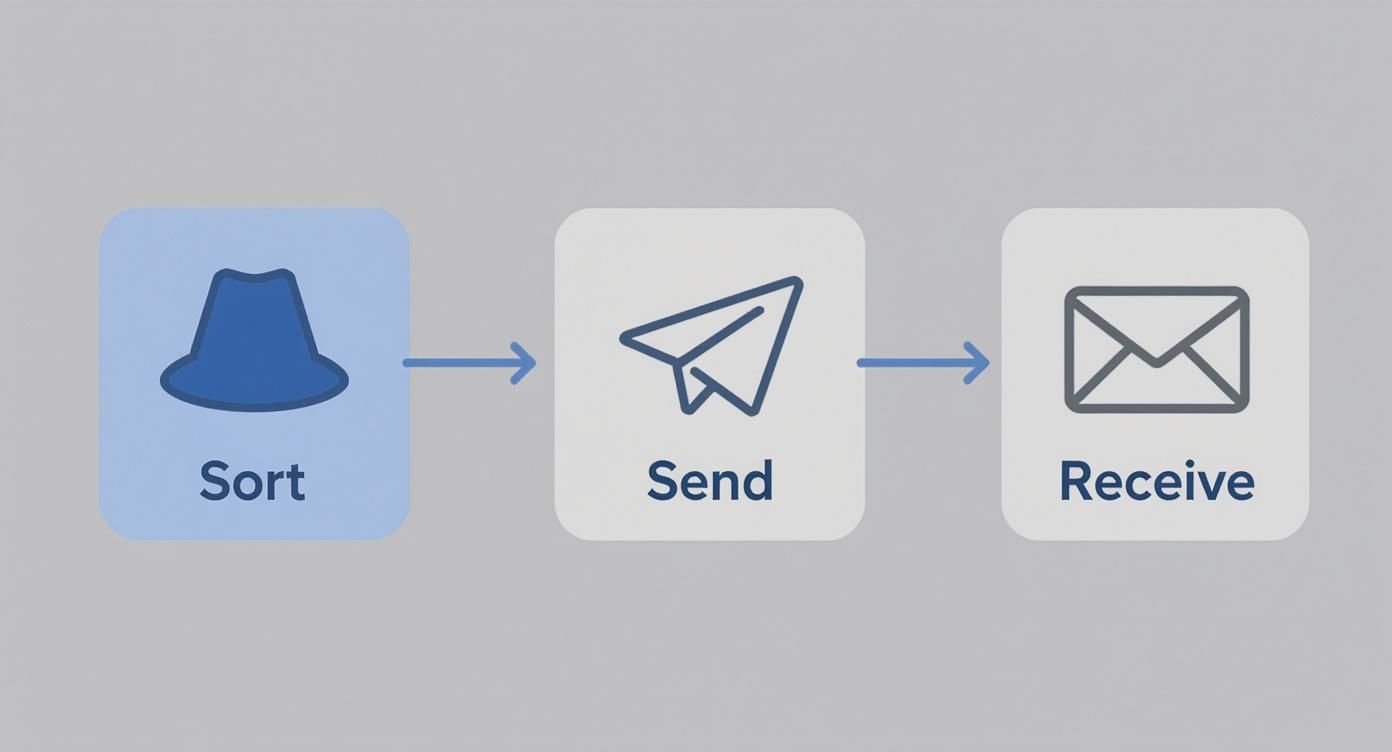
    The whole process is a well-oiled machine, handling the sorting, sending, and receiving of mail in distinct stages.

    Email workflow diagram showing three stages: sort messages, send communications, and receive incoming mail

    This handoff is where SMTP's role ends. It's purely a delivery protocol; something else needs to handle what happens when the email arrives.

    Arrival and Retrieval: POP3 vs. IMAP

    Once SMTP successfully delivers your email to the recipient's mail server, the message sits there, waiting to be picked up. Now, two new protocols step into the picture: Post Office Protocol 3 (POP3) and Internet Message Access Protocol (IMAP).

    Their job is to let the recipient retrieve the mail from the server, but they work in completely different ways.

    • POP3 (The Local Download): This is the old-school approach. When an email client uses POP3, it connects to the server, downloads all the new mail onto your device, and usually deletes the server copy. It’s like emptying your P.O. box and taking the letters home. The mail now lives only on that one machine, which is a big drawback if you check email on your phone and your laptop.

    • IMAP (The Cloud Sync): This is the modern standard, and for good reason. IMAP syncs your email across all your devices by leaving the messages on the server. When you read an email on your phone, it’s marked as read on your tablet and computer, too. Delete it from one place, and it’s gone from all of them. Everything stays perfectly in sync.

    Key Insight: Your choice of protocol fundamentally changes how you interact with your email. IMAP offers the seamless, multi-device experience we expect today, while POP3 is a relic of a time when people used a single computer for everything.

    Getting this right is crucial for a smooth workflow. If you want to dig deeper into the technical nuts and bolts, our guide on SMTP vs. POP3 and which email protocol is right for you has you covered. Now that you understand the journey, we can start looking at how to make it more secure.

    Protecting Your Digital Letters with Email Security

    In today's world, sending an email can feel a bit like dropping a postcard into a global mail system. Without the right precautions, anyone along the delivery route could potentially glance at its contents. This is why a modern mail server is so much more than a simple delivery agent; it's a digital guardian, built to shield your private conversations from prying eyes and bad actors.

    The first line of defense is encryption. The best way to think about this is like sealing your digital letter inside a tamper-proof envelope before it ever leaves your outbox. This is handled by a protocol called SSL/TLS (Secure Sockets Layer/Transport Layer Security). When you connect to your mail server, TLS creates a secure, private tunnel for your data to travel through.

    Gold padlock on envelope next to laptop keyboard representing email security and encrypted communication

    This encryption ensures that even if someone manages to intercept the data on its journey, all they’ll see is a scrambled, unreadable mess. It's an absolute must-have for any mail server, protecting everything from your login credentials to the actual words in your emails.

    Verifying the Sender's Identity

    Encryption protects your email's journey, but what about its origin? We've all seen phishing attacks, where scammers convincingly impersonate legitimate companies or even our own contacts. The problem is rampant—a 2022 report found that a staggering 83% of UK businesses faced a phishing attack. To fight back, mail servers use a trio of authentication protocols that act like a digital signature and seal.

    These protocols work together to prove an email is the real deal and hasn't been forged:

    • SPF (Sender Policy Framework): This is essentially a public list of all the mail servers authorized to send email for a specific domain. When an email arrives, the receiving server checks if the sender is on that approved list. It’s like a post office double-checking that a mail truck really came from an official depot.
    • DKIM (DomainKeys Identified Mail): This protocol adds a unique, tamper-proof digital signature to every single email. If even one character is changed while the email is in transit, that signature "breaks," and the receiving server knows something is off. Think of it as the wax seal on a royal decree—if it's broken, you can't trust the message inside.
    • DMARC (Domain-based Message Authentication, Reporting & Conformance): DMARC is the enforcer. It tells other mail servers what to do if an email fails either the SPF or DKIM check. The instructions can be to quarantine it in the spam folder or reject it completely. It also sends reports back to the domain owner, helping them spot when someone is trying to impersonate their brand.

    Key Takeaway: SPF, DKIM, and DMARC aren't just technical jargon. They're your email’s passport, signature, and security guard, all rolled into one. They're vital for building trust and fighting the endless tide of spam and phishing.

    If you want to dive deeper, you'll find that understanding email authentication is a cornerstone of digital privacy. These systems are precisely what allow a modern mail server to confidently tell the difference between a real message and a dangerous fake.

    Protecting Your Mailbox Itself

    While the mail server works hard to protect emails as they travel, securing the mailbox itself is a shared responsibility. Unauthorized access to an email account can be a catastrophe, giving a criminal a treasure trove of personal and financial information. That’s why the security measures on your end are just as crucial as the ones on the server.

    One of the most powerful things you can do is implement stronger authentication. By adding another layer of security, you make it incredibly difficult for someone to get in, even if they somehow steal your password. The gold standard here is Multi-Factor Authentication (MFA). MFA requires a second form of verification—like a code sent to your phone—on top of your password, effectively locking the door on would-be attackers.

    Hosted email platforms, especially privacy-focused ones, often build these security layers right into their service. They handle all the complex server configurations for you, making sure encryption and authentication are always up-to-date. This approach gives you the power of a professionally managed server combined with easy-to-use security features, creating a seriously tough defense for your digital life. We'll explore the pros and cons of managing this yourself versus using a hosted service in the next section.

    Hosted Platforms vs. Self-Hosted Email

    When it comes to email, you’re at a crossroads. Do you build your own digital post office from the ground up, or do you hand the keys over to a company that specializes in it? This is the essential difference between running a self-hosted mail server and using a hosted email platform.

    The choice really boils down to a trade-off: do you want absolute control over your privacy, or do you prefer managed convenience and security? Self-hosting puts you in the pilot’s seat, giving you total command over your data. On the flip side, a hosted platform—think Google Workspace, ProtonMail, or our own Typewire service—handles all the messy technical details for you, delivering expert security and reliability straight out of the box.

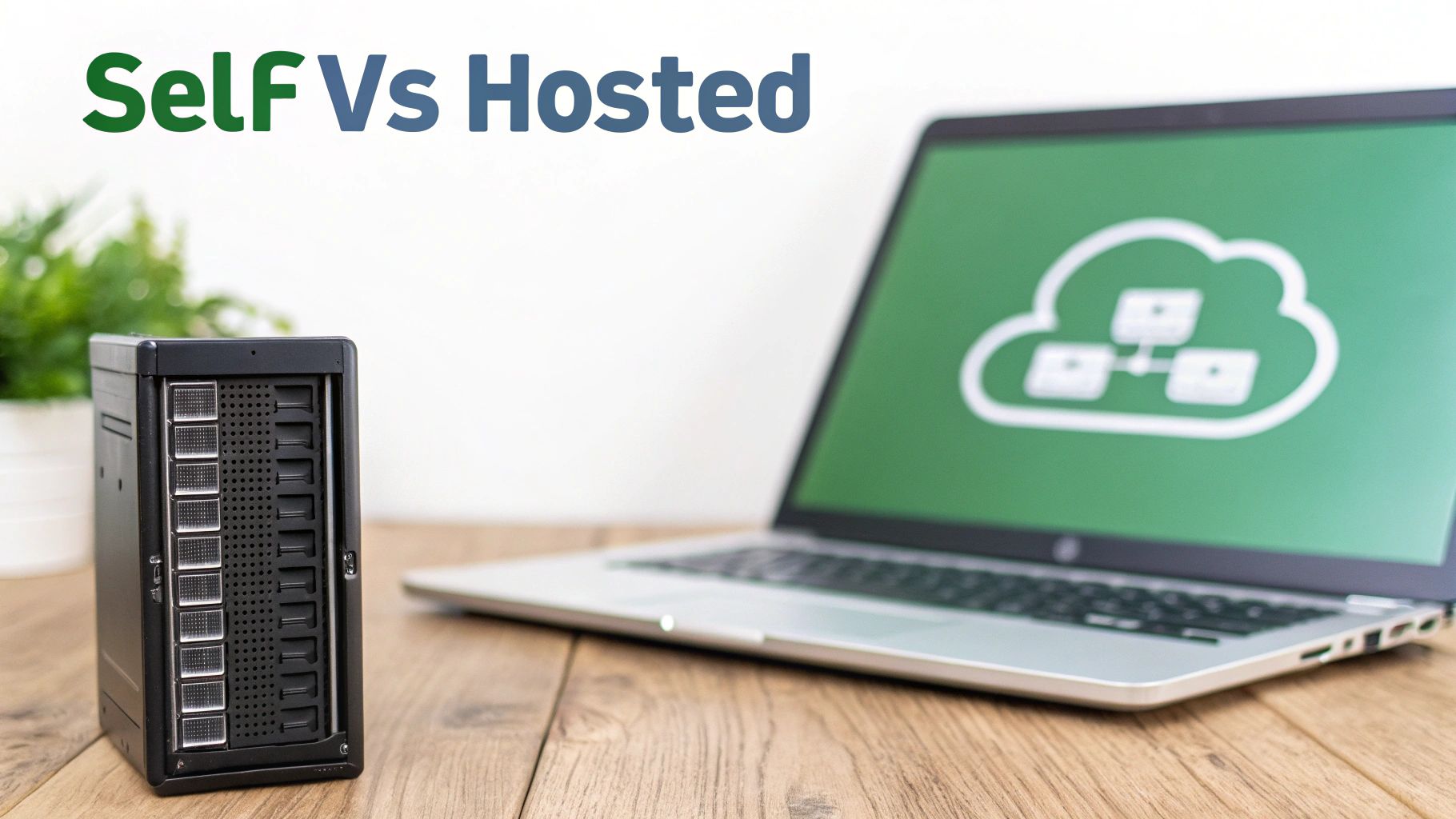
    Self versus hosted comparison showing physical server and laptop with cloud storage icon on screen

    The Case for Self-Hosting Your Mail Server

    Choosing to self-host your email is the ultimate declaration of digital independence. You aren't just a customer of an email service; you are the service. Every single piece, from the server hardware to the spam-filtering software, is under your direct control. This offers some serious advantages for anyone who's deeply concerned about privacy or needs to meet specific compliance standards.

    For instance, with your own setup, you can be 100% certain that no third party is scanning your emails for advertising keywords or mining your data. You write the security rules, you define the data retention policies, and you are the sole master of your digital domain.

    But this freedom comes with a hefty dose of responsibility. It requires real, hands-on expertise in network administration, server security, and the nuances of email protocols. You’re on the hook for everything:

    • Constant Maintenance: Applying security patches, updating software, and keeping an eye out for threats.
    • Deliverability Management: Making sure your server doesn't get blacklisted, which would stop your emails from ever reaching their destination.
    • Uptime and Reliability: Keeping things online 24/7, even if the power goes out or a hard drive fails.

    If you’re technically skilled and value total control above all else, diving into a self-hosted email server setup guide can be an incredibly rewarding project.

    The Power of Hosted Email Platforms

    For the vast majority of people and businesses, a hosted email platform is simply the more practical and secure route. These services are run by companies whose entire business is built around providing dependable, secure, and easy-to-use email. They have teams of experts dedicated to managing the complex infrastructure that keeps your messages flowing safely.

    The biggest benefit here is peace of mind. You don't have to lose sleep over server crashes, security holes, or whether your emails are being properly authenticated with SPF and DKIM. The provider takes care of all that, letting you get back to what you were trying to do in the first place: communicate.

    Key Insight: A professionally managed hosted platform is often far more secure than an individual's self-hosted server. One small mistake in a self-hosted configuration can open a massive security gap, while reputable providers have robust, battle-tested defenses already in place.

    Plus, these platforms often bundle in valuable tools like shared calendars, cloud storage, and simple user management—features that are a headache to set up on your own. This makes them a powerhouse for small and medium-sized businesses that need professional-grade tools without the IT department to run them.

    Privacy and Security in Hosted Solutions

    It’s important to realize that not all hosted platforms are created equal, especially when it comes to your privacy.

    • "Free" Services: Providers like Gmail or Outlook.com offer their services without a price tag because their business model often involves analyzing your data to sell targeted ads and train their AI. They are secure from outside hackers, but your privacy from the provider itself is minimal.
    • Privacy-First Platforms: Services like Typewire operate on a completely different model. They’re funded by customer subscriptions, not by selling data. This puts their interests directly in line with yours—their mission is to protect your privacy, not profit from it. These platforms usually offer features like zero-knowledge architecture and end-to-end encryption, which means not even the provider can read your emails.

    To help you weigh the options, here's a direct comparison of the two approaches.

    Self-Hosted vs Hosted Email: A Head-to-Head Comparison

    Factor Self-Hosted Mail Server Hosted Email Platform
    Control & Privacy Total Control. You own the data, set all policies. No third-party data scanning. Provider-Dependent. Privacy-focused services offer strong protections; free services may analyze data.
    Technical Expertise High. Requires deep knowledge of server admin, security, and email protocols. Low. The provider handles all technical maintenance, security, and updates.
    Initial Cost High. Requires purchasing server hardware or a dedicated virtual server. Low to None. Often a predictable monthly/annual subscription fee per user.
    Ongoing Time Significant. Constant monitoring, patching, and troubleshooting are required. Minimal. You only need to manage user accounts and basic settings.
    Security Your Responsibility. Security is only as strong as your configuration and diligence. Expert Management. Handled by dedicated security teams with advanced infrastructure.
    Deliverability Challenging. You are responsible for managing IP reputation to avoid blacklists. Professionally Managed. Providers work to ensure high deliverability rates.
    Features DIY. Calendars, contacts, and storage must be set up and integrated separately. Integrated. Often includes a full suite of productivity tools out of the box.

    Ultimately, the best choice depends entirely on your specific needs, technical comfort level, and budget.

    Email isn't just a tool; it's a pillar of modern business. Email marketing alone is projected to swell into a $36.3 billion industry by 2033. Furthermore, about 80% of mail server software demand comes from large enterprises and government bodies. These numbers highlight just how critical reliable and secure communication is, a need that hosted platforms are uniquely positioned to fill. You can read more about the strategic role of mail servers in organizational communication.

    Choosing the right path comes down to what you value most: your technical skill, your budget, and, most importantly, your personal philosophy on privacy and control.

    Choosing a Secure and Private Email Provider

    Opting for a hosted email service makes a lot of sense for most people, but it immediately raises a huge question: how do you pick a provider that actually respects your privacy?

    The market is really split into two camps, and understanding this divide is your first step. It all comes down to a simple choice—do you want to be the customer, or do you want to be the product?

    On one side, you have the "free" email giants. They don't charge you a subscription because they make their money in other ways, usually by scanning your emails for keywords. This data helps them build detailed advertising profiles or train their AI models. Your emails might be secure from hackers, but your privacy from the provider itself is fundamentally compromised by their business model.

    Then you have privacy-first platforms. These services are funded directly by their users through subscriptions. This simple shift completely changes the dynamic. Their business interest is perfectly aligned with yours—their entire goal is to protect your data, not to sell it. This financial freedom lets them build features designed from the ground up to shield your communications from prying eyes.

    What to Look For in a Private Email Service

    When you start comparing providers, you need to look past the flashy marketing features. Real privacy and security aren't just features; they're baked into the core of how the service is built. The best providers are completely transparent about their technology and how they operate.

    Here are the non-negotiables that set a truly private email service apart:

    • End-to-End Encryption (E2EE): This is the gold standard. E2EE means your message is scrambled into unreadable code on your device and can only be unscrambled by the intended recipient. The most important part? The email provider cannot read your message, because they don't have the key.

    • Zero-Knowledge Architecture: This is a simple but powerful idea: the provider should know as little about you as possible. When your emails are stored on their mail server, they're encrypted in such a way that even their own employees can't access them. They hold the locked box, but you hold the only key.

    • Independent Infrastructure: Does the provider own and manage its own servers, or does it rent space from a massive cloud company? A service that controls its own hardware has complete authority over its security, from the network right down to the physical machines. Relying on third-party clouds can introduce risks you have no control over.

    A provider’s business model is the clearest indicator of its commitment to privacy. If the service is free, your data is likely the price you pay. A subscription-based model ensures the company is accountable to you, the user.

    Making an Informed Choice

    More and more people are moving towards secure, private communication. Today, cloud-based mail server solutions hold over 60% of the market share, and that number is only going up.

    While a few massive corporations dominate about 70% of this market, a growing number of people are actively looking for independent, privacy-focused alternatives. You can dig deeper into the evolving mail server software market on marketreportanalytics.com.

    Choosing a provider like Typewire isn't just about getting a new email address. It’s a conscious decision to use a service built on a foundation of privacy, not data harvesting. When you pick a platform with end-to-end encryption and a zero-knowledge framework, you're taking a real step toward reclaiming control over your digital life and ensuring your private conversations stay that way.

    Common Questions About Mail Servers and Email Privacy

    Once you start pulling back the curtain on how mail servers work, a lot of questions about privacy and security naturally come up. Let's tackle some of the most common ones that pop up when people think about how their messages are actually handled behind the scenes.

    Can My Email Provider Read My Emails?

    This is the big one, and the honest answer is: it all comes down to the provider's business model and the technology they use.

    Many mainstream email services, especially the "free" ones, absolutely can and do scan your emails. It’s not a person sitting there reading your messages, but sophisticated automated systems that hunt for keywords. They use this data to build surprisingly detailed advertising profiles or to train their own AI features. In this model, your privacy from the provider is paper-thin.

    On the flip side, providers built around end-to-end encryption and a zero-knowledge architecture are physically incapable of reading your messages. With this setup, your email gets encrypted on your own device before it even hits their servers. Only the person you send it to has the key to unlock it. This is the fundamental divide between services that treat you as the product and those that offer a paid, private service.

    The Bottom Line: A provider's ability to read your emails isn't a bug; it's a feature of their business. A zero-knowledge provider has no technical way to access your encrypted content, which is the only real guarantee that your conversations stay private.

    Is a Self-Hosted Mail Server Always More Secure?

    Having total control over your data by self-hosting sounds like the ultimate security win, but it doesn't automatically make you safer. The security of a self-hosted mail server rests entirely on your shoulders—your technical skill, your time, and your constant attention.

    A single misconfigured setting, a forgotten security patch, or a weak firewall rule can blow the whole thing wide open. It’s a high-stakes DIY project where one small slip-up can lead to catastrophic data loss or, almost as bad, ruin your email deliverability.

    Contrast that with a reputable hosted email service. They have a team of security professionals whose entire job is to fend off threats, patch vulnerabilities, and maintain a hardened infrastructure that’s been tested against real-world attacks day in and day out. For most people and businesses, trusting the experts at a professionally managed service is often the smarter and more reliable path.

    What Is the Real Difference Between IMAP and POP3?

    Both IMAP and POP3 are simply rules for how your email app fetches messages from a mail server, but they work in completely different ways and create very different experiences.

    • POP3 (Post Office Protocol 3): Think of this as the old-school method. It connects to the server, downloads all your new mail to one single device (like your desktop computer), and then usually deletes the messages from the server. It was a one-way trip, meaning your email was stuck on that one machine.

    • IMAP (Internet Message Access Protocol): This is the modern standard everyone uses now. IMAP keeps all your email living on the server and just syncs your activity across every device you use. When you read, delete, or file away an email on your phone, that change instantly shows up on your laptop, tablet, and the web.

    Simply put, IMAP gives you the seamless, always-in-sync experience we all expect today. POP3 is a throwback to a time when people had one computer and one inbox.

    Why Is Email Still So Important for Businesses?

    With all the chat apps and collaboration tools out there, you might think email is on its way out. Far from it. Email is still the universal language of professional and official communication. Its real power lies in creating a formal, searchable, and permanent record of conversations that other platforms just can't match.

    Email is the engine for countless business-critical functions. It’s how companies find new clients, send marketing campaigns, handle invoices, sign vendor contracts, and manage internal accounts. A recent study found there are over 4 billion daily email users, a number expected to climb to 4.6 billion by 2025. That massive, open network means any business can reliably talk to any customer, anywhere in the world. A secure, professional mail server isn't just a nice-to-have; it's an absolutely essential asset.


    Ready to take back control of your inbox with a service that puts your privacy first? Typewire offers secure, private email hosting built on our own hardware, with zero tracking and no data mining. Start your free trial and experience email the way it should be. Learn more at Typewire.