Take Back Control of Your Inbox: A Guide to Powerful Email Filtering
Tired of endless spam, phishing attacks, and unwanted clutter clogging your inbox? Effective email filtering is critical for individuals and businesses alike. This guide provides in-depth reviews of 12 powerful email filtering solutions, going beyond simple marketing copy. We'll explore each tool's strengths and weaknesses based on extensive usage, offering clear guidance to help you choose the right fit.
This comprehensive resource examines the essential features, pricing tiers, pros, cons, and ideal use cases for each solution. Whether you're a privacy-focused individual, a small business owner, or an IT administrator, this listicle will equip you to make an informed decision. We'll cut through the noise and provide actionable insights to reclaim your inbox and improve your productivity.
This guide delves into the following email filtering solutions:
- Typewire
- SpamTitan Email Security
- Proofpoint Email Protection
- Mimecast Secure Email Gateway
- Barracuda Email Security Gateway
- Cisco Secure Email (IronPort)
- Microsoft Defender for Office 365
- Avanan Cloud Email Security
- Trustifi Email Security
- Libraesva Email Security
- Sophos Email Appliance
- Trend Micro Email Security
From robust enterprise-grade platforms to user-friendly solutions for individuals, we cover a wide range of options to address diverse needs. You'll gain practical insights to effectively combat spam, malware, and phishing attempts while streamlining your email workflow. Stop wasting time sifting through junk – discover the perfect email filtering solution to take back control of your inbox.
1. Typewire
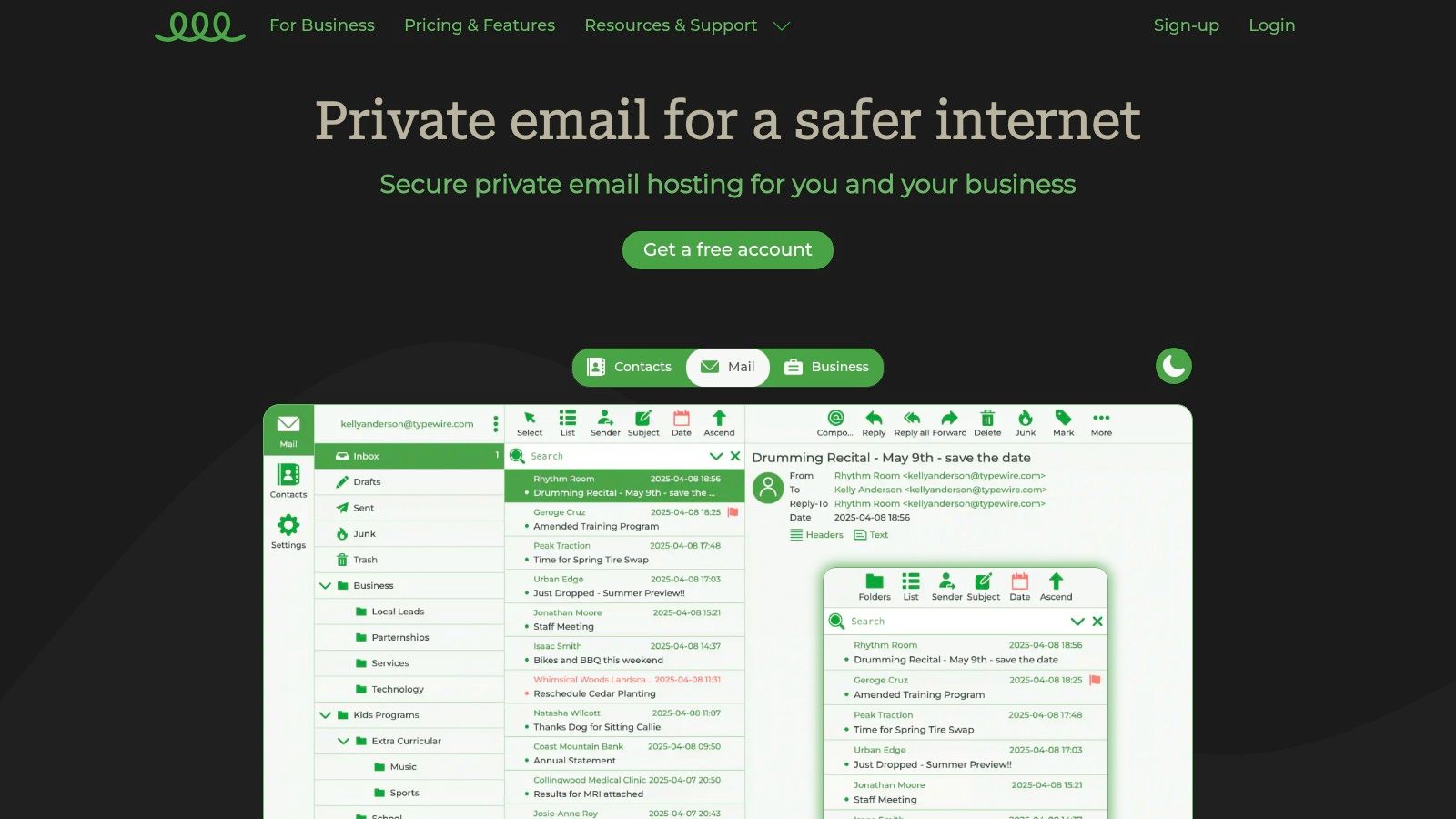
Typewire distinguishes itself as a privacy-focused email filtering solution by prioritizing data security and user control. It's built for individuals and businesses who value ad-free, no-tracking email hosting. This platform offers a refreshing alternative to mainstream providers that often prioritize data mining and advertising over user privacy. Typewire shines in its commitment to keeping your data yours.
Key Features and Benefits
Typewire's core strength lies in its robust privacy features. Data is hosted in privately owned Canadian data centers, avoiding third-party cloud services. This provides an extra layer of security and control. Advanced anti-spam and virus filtering keeps your inbox clean and focused. The intuitive web interface, available in light and dark modes, makes email management straightforward. Migration from platforms like Gmail and Outlook is reportedly seamless.
Pricing and Plans
Typewire offers flexible pricing tiers, including free, basic, and premium options. This caters to individual users and teams with varying needs. While tiered pricing offers flexibility, specific costs require a visit to their website. This minor inconvenience is outweighed by the transparency of no hidden fees. A 7-day free trial allows risk-free exploration of the platform's features.
Pros and Cons
Pros:
- Complete privacy with zero ads, tracking, or data mining.
- Secure data storage in privately owned Canadian data centers.
- Advanced anti-spam and virus protection.
- Flexible pricing plans.
- User-friendly interface with light/dark modes.
Cons:
- Specific pricing details require visiting the website.
- Limited to email hosting; lacks broader collaboration tools.
Implementation and Use Cases
Typewire is ideal for privacy-conscious individuals and businesses seeking secure email hosting. Its custom domain support makes it suitable for professional use. The advanced filtering makes it an excellent email filtering solution for those overwhelmed by spam. While it excels in secure communication, its focus on email may limit its appeal for users requiring integrated collaboration tools.
Final Thoughts
Typewire provides a compelling solution for those prioritizing privacy and control in their email communications. Its robust security features, coupled with an intuitive interface, make it a strong contender in the realm of email filtering solutions. Check out their website for a deeper dive into their offerings: https://typewire.com
2. SpamTitan Email Security
SpamTitan Email Security offers a robust defense against spam, phishing attacks, malware, and other email-borne threats. It's designed for organizations seeking comprehensive protection without complex setup or management. This solution excels in its ability to block malicious emails before they reach users' inboxes, minimizing disruptions and enhancing productivity. For a comprehensive comparison of various email filtering solutions, you can Learn more about….
Key Features and Benefits
SpamTitan's strength lies in its multi-layered approach to email security. Advanced spam and virus filtering, powered by real-time blacklist monitoring, ensures high threat detection rates. The platform's phishing and malware protection actively identifies and quarantines suspicious emails. Seamless integration with Office 365 and Google Workspace simplifies deployment for organizations using these platforms.
Pricing and Plans
SpamTitan offers various pricing tiers based on user count, making it adaptable for small to medium-sized businesses. Specific pricing details are available on their website. This approach allows for tailored solutions to match specific organizational needs and budgets.
Pros and Cons
Pros:
- High spam detection rate.
- Easy deployment and management.
- Cost-effective for SMBs.
- Integrates with Office 365 and Google Workspace.
Cons:
- Limited advanced threat protection features, especially when compared to enterprise-grade solutions. This might necessitate supplemental security measures for organizations with high-security requirements.
Implementation and Use Cases
SpamTitan is ideal for small to medium-sized businesses seeking a straightforward yet effective email filtering solution. Its ease of deployment and user-friendly interface minimize administrative overhead. The platform's robust filtering capabilities make it suitable for organizations dealing with high volumes of email traffic.
Final Thoughts
SpamTitan offers a practical and efficient email filtering solution, balancing comprehensive protection with ease of use. Its focus on core email security features makes it a strong choice for organizations prioritizing simplicity and affordability. Check out their website for a deeper dive into their offerings: https://expertinsights.com/insights/the-top-email-anti-spam-filtering-solutions/?utm_source=openai
3. Proofpoint Email Protection
Proofpoint Email Protection stands out as a comprehensive email security solution designed for businesses seeking robust protection against advanced threats. It goes beyond basic spam filtering by incorporating dynamic reputation analysis and advanced threat intelligence. This makes it a powerful tool for organizations prioritizing email security and data protection. Proofpoint focuses on safeguarding corporate email systems from phishing, malware, and other sophisticated attacks.
Key Features and Benefits
Proofpoint's strength lies in its multi-layered approach to email security. Advanced filtering techniques, including URL and attachment sandboxing, effectively identify and neutralize malicious content. Dynamic reputation analysis assesses the trustworthiness of incoming emails in real-time. This proactive approach significantly reduces the risk of phishing attacks and malware infections. The platform also offers robust Data Loss Prevention (DLP) capabilities.
Pricing and Plans
Proofpoint offers various pricing tiers based on the specific features and level of protection required. Detailed pricing information is typically obtained through contacting their sales team. This allows for customized solutions tailored to individual business needs. While specific costs aren't readily available, the investment reflects the comprehensive nature of the platform's security features.
Pros and Cons
Pros:
- Comprehensive protection against sophisticated email threats.
- High accuracy in threat detection through advanced technologies.
- User-friendly interface for managing security policies and reports.
- Detailed threat intelligence and reporting provide valuable insights.
Cons:
- Higher cost compared to some competitors, potentially limiting accessibility for smaller businesses.
Implementation and Use Cases
Proofpoint is ideal for businesses of all sizes, particularly those in regulated industries with stringent security requirements. Its advanced threat protection makes it well-suited for organizations handling sensitive data. The platform's scalability allows it to adapt to growing business needs. It's a valuable email filtering solution for companies seeking to enhance their overall security posture.
Final Thoughts
Proofpoint Email Protection offers a powerful defense against the evolving landscape of email threats. While the investment may be higher, the comprehensive protection and advanced features justify the cost for businesses prioritizing robust email security. For more detailed information and specific pricing, visit their website: https://preventiveapproach.com/top-anti-phishing-solutions/?utm_source=openai
4. Mimecast Secure Email Gateway
Mimecast offers a comprehensive suite of email security and management tools, going beyond basic filtering. It provides robust protection against spam, phishing, malware, and other email-borne threats. This makes it a strong choice for businesses prioritizing a secure and reliable email environment. Mimecast also offers archiving and continuity services, ensuring access to emails even during outages.
Key Features and Benefits
Mimecast's strength lies in its integrated approach to email security. Its URL and attachment protection scans for malicious links and files, preventing them from reaching your inbox. Impersonation detection helps identify and block emails from spoofed senders. The platform also provides user awareness training, educating employees about phishing and other threats.
Pricing and Plans
Mimecast offers various plans tailored to different business sizes and needs. Specific pricing details are available on their website or through a sales consultation. This tailored approach allows for customized solutions, but can make quick price comparisons challenging.
Pros and Cons
Pros:
- All-in-one solution for email security and management.
- Comprehensive threat protection including spam, phishing, and malware.
- Reliable performance and uptime.
- Archiving and continuity services for uninterrupted email access.
Cons:
- Can have a steeper learning curve for new users due to its extensive features.
- Pricing requires direct contact, making quick comparisons difficult.
Implementation and Use Cases
Mimecast is ideal for businesses of all sizes looking for a robust email security solution. Its comprehensive features make it suitable for organizations with strict compliance requirements. The archiving and continuity features are valuable for businesses requiring uninterrupted email access. It's a powerful email filtering solution, but requires some initial investment in training and setup.
Final Thoughts
Mimecast provides a powerful and comprehensive solution for email security and management. While it may present a learning curve initially, its robust features and reliable performance make it a valuable asset for businesses prioritizing email security. For a deeper dive into their specific offerings, visit their website: https://preventiveapproach.com/top-anti-phishing-solutions/?utm_source=openai
5. Barracuda Email Security Gateway
Barracuda Email Security Gateway offers a robust defense against various email-borne threats, including phishing attacks, malware, and spam. It provides both cloud-based and on-premises deployment options, making it adaptable to different business needs and IT infrastructures. This flexibility allows organizations to choose the solution that best fits their existing setup and security requirements. For those concerned about increasingly sophisticated phishing attempts, Barracuda offers a vital layer of protection.
Key Features and Benefits
Barracuda's real-time threat protection utilizes advanced filtering techniques to identify and quarantine malicious emails before they reach user inboxes. Email encryption and data loss prevention (DLP) features help safeguard sensitive information. Outbound filtering prevents data leaks by monitoring outgoing emails for confidential data. The platform boasts a user-friendly management interface, simplifying administration and policy configuration. Integration with Microsoft Sentinel enhances security for Office 365 users. If you're interested in stopping unwanted emails, learn more about how to achieve that.
Pricing and Plans
Barracuda offers various pricing tiers based on features, user count, and deployment model. Detailed pricing information is available on their website or through contacting their sales team. This personalized approach ensures businesses receive a tailored solution that matches their budget and requirements.
Pros and Cons
Pros:
- Comprehensive protection against a broad spectrum of email threats.
- Automated incident response and remediation capabilities.
- Seamless integration with Office 365 via Microsoft Sentinel.
- Flexible deployment options (cloud-based or on-premises).
- User-friendly management interface.
Cons:
- Primarily caters to small and midsized businesses. Larger enterprises may require more extensive solutions.
Implementation and Use Cases
Barracuda Email Security Gateway is well-suited for small to medium-sized businesses seeking comprehensive email security. Its flexible deployment options make it adaptable to various IT environments. The user-friendly interface simplifies administration and policy management. While ideal for smaller businesses, larger organizations might find its scalability limited.
Final Thoughts
Barracuda presents a robust email filtering solution, especially for businesses seeking comprehensive protection against diverse email threats. Its automated incident response and flexible deployment options are notable advantages. Check out their website for a deeper dive into their specific offerings: https://preventiveapproach.com/top-anti-phishing-solutions/?utm_source=openai
6. Cisco Secure Email (IronPort)
Cisco Secure Email (formerly IronPort) offers enterprise-grade email security, moving beyond basic filtering to encompass advanced threat protection, data loss prevention, and encryption. This makes it a robust solution for organizations prioritizing comprehensive email security. It's particularly well-suited for mid-sized to large businesses with complex security needs.
Key Features and Benefits
Cisco Secure Email leverages machine learning and Cisco Talos threat intelligence for real-time protection against evolving threats. Features include advanced anti-phishing, anti-malware, and ransomware protection. Data loss prevention and email encryption enhance compliance and data security. Comprehensive reporting and analytics provide valuable insights into email traffic and security posture.
Pricing and Plans
Cisco offers tiered pricing based on user count and features. Specific pricing requires contacting Cisco directly. This enterprise-focused approach often involves tailored solutions and custom quotes. It’s best to consult with their sales team for detailed pricing information relevant to your organization's size and needs.
Pros and Cons
Pros:
- Robust email security features including encryption and data loss prevention.
- Effective malware and ransomware protection through advanced sandboxing.
- Integration with the broader Cisco security ecosystem.
- Real-time threat intelligence updates from Cisco Talos.
Cons:
- Complex deployment and management can be challenging for smaller IT teams.
- Pricing is not readily available and often requires custom quotes.
Implementation and Use Cases
Cisco Secure Email is best suited for organizations with dedicated IT resources and a strong emphasis on email security. Its advanced features make it ideal for industries with strict regulatory compliance requirements, such as finance and healthcare. Integrating it with other Cisco security products provides a unified security posture.
Final Thoughts
Cisco Secure Email (IronPort) is a powerful email filtering solution that delivers enterprise-grade protection. Its advanced threat intelligence and robust security features make it a valuable asset for organizations seeking comprehensive email security. Visit the Cisco website to learn more and request a quote.
7. Microsoft Defender for Office 365
Microsoft Defender for Office 365 is a cloud-based email filtering solution that bolsters the built-in security of the Microsoft 365 email platform. It provides advanced protection against sophisticated email threats, such as phishing and business email compromise. This makes it a valuable tool for organizations already invested in the Microsoft ecosystem. For a deeper understanding of email security protocols and their role in safeguarding your communications, you might find this guide helpful: Learn more about secure email protocols.
Key Features and Benefits
Defender for Office 365 uses AI-powered threat detection to identify and block malicious emails in real-time. Its anti-phishing policies help protect against fraudulent emails attempting to steal credentials. Anti-malware capabilities scan attachments and links for known threats. Real-time reporting and investigation tools provide administrators with insights into detected threats and allow for swift response and remediation.
Pricing and Plans
Defender for Office 365 is available as an add-on to existing Microsoft 365 subscriptions. Different tiers offer varying levels of protection and features. Some advanced functionalities may require higher-tier plans. This tiered approach provides flexibility, but detailed pricing information requires checking the Microsoft website.
Pros and Cons
Pros:
- Seamless integration with existing Microsoft 365 environments.
- Centralized administration and policy management.
- AI-powered threat detection for proactive protection.
- Comprehensive reporting and investigation tools.
Cons:
- Advanced features often necessitate higher-tier subscriptions.
- Can be complex to configure for users unfamiliar with Microsoft 365 administration.
Implementation and Use Cases
Implementing Defender for Office 365 is relatively straightforward for organizations already using Microsoft 365. It integrates directly into the existing infrastructure. This makes it an ideal email filtering solution for businesses seeking enhanced security without significant disruption. It's particularly beneficial for organizations dealing with sensitive data and requiring robust protection against advanced email threats.
Final Thoughts
Microsoft Defender for Office 365 offers a powerful set of email filtering capabilities tightly integrated with the Microsoft 365 suite. While some advanced features require additional investment, it's a robust solution for organizations seeking comprehensive email security within their existing Microsoft environment. Visit the Microsoft website for detailed pricing and plan options.
8. Avanan Cloud Email Security
Avanan Cloud Email Security stands out for its API-based approach to email filtering. It integrates directly with platforms like Microsoft 365 and Google Workspace, offering an additional layer of security beyond built-in features. This makes it an ideal email filtering solution for organizations already invested in these ecosystems, seeking enhanced protection against evolving threats. Avanan leverages machine learning to analyze email patterns and identify malicious activity, including phishing, business email compromise (BEC), and malware.
Key Features and Benefits
Avanan's strength lies in its machine learning capabilities. It analyzes email content, sender reputation, and other factors to identify and block threats with high accuracy. URL rewriting and sandboxing provide proactive protection against malicious links and attachments. The platform also extends its security umbrella to collaboration tools like Slack and Teams, addressing the growing risk of communication-based attacks across multiple platforms.
Pricing and Plans
Avanan's pricing is not readily available on their website. Potential users need to contact their sales team for a customized quote. This lack of transparent pricing can be a drawback for some. However, it also suggests a focus on tailored solutions based on specific organizational needs.
Pros and Cons
Pros:
- Highly accurate threat detection through machine learning.
- Comprehensive protection across email and collaboration platforms.
- Cloud-based deployment simplifies management and scalability.
- API integration streamlines deployment within existing ecosystems.
Cons:
- Pricing information requires contacting sales, hindering quick comparisons.
- Advanced features may require additional licensing costs.
Implementation and Use Cases
Avanan is best suited for organizations heavily reliant on Microsoft 365 or Google Workspace. Its API-based integration minimizes disruption to existing workflows. Companies concerned about advanced threats like phishing and BEC will benefit from its machine learning-driven detection capabilities. It's a powerful email filtering solution for security-conscious businesses seeking enhanced protection beyond basic filtering.
Final Thoughts
Avanan offers a robust, cloud-based email security solution. It distinguishes itself through API integration and machine learning. While the lack of transparent pricing can be a hurdle, the comprehensive protection and scalability make it a worthwhile option for organizations prioritizing advanced email security. For a deeper dive into their offerings and pricing details, visit their website: https://www.avanan.com/
9. Trustifi Email Security
Trustifi Email Security offers a robust, cloud-based email filtering solution focusing on inbound threat protection. It scans emails directly within the inbox, enabling fast and accurate remediation against spam, malware, and phishing attempts. This real-time approach distinguishes Trustifi from solutions that rely solely on pre-inbox filtering. It provides an added layer of defense against evolving threats.
Key Features and Benefits
Trustifi's InboundShield provides comprehensive email scanning. Real-time threat detection alerts users to potentially malicious emails with clear warnings. An email safety scoring system helps users quickly assess risk. User reporting tools empower individuals to flag suspicious emails, further enhancing threat intelligence. Customizable admin policies allow organizations to tailor security settings.
Pricing and Plans
While specific pricing details aren't readily available, Trustifi offers tiered plans catering to different needs. Advanced features likely reside in higher-tier plans. Contacting Trustifi directly is recommended for precise pricing information based on your organization's requirements.
Pros and Cons
Pros:
- Highly effective against sophisticated threats like phishing and business email compromise.
- Real-time detection and user warnings for malicious emails.
- Easy deployment and management.
Cons:
- Advanced features may require higher-tier plans.
- Specific pricing requires contacting Trustifi.
Implementation and Use Cases
Trustifi is ideal for organizations needing robust protection against advanced email threats. Its ease of deployment makes it suitable for businesses of all sizes. The real-time scanning and user warnings are particularly beneficial for training employees to identify and avoid phishing attacks.
Final Thoughts
Trustifi Email Security offers a powerful email filtering solution for organizations prioritizing real-time threat detection and remediation. Its focus on inbound protection, coupled with user empowerment and customizable policies, makes it a valuable tool in the fight against email-borne threats. Check out their website for a deeper dive into their offerings: https://expertinsights.com/insights/the-top-email-anti-spam-filtering-solutions/?utm_source=openai
10. Libraesva Email Security
Libraesva Email Security stands out as a robust email filtering solution designed for businesses reliant on cloud-based email platforms like Microsoft 365 and Google Workspace. It provides advanced protection against various email threats, including spam, phishing, malware, and ransomware. This multi-layered approach to security, filtering at both the Gateway and API levels, makes it a compelling choice for organizations prioritizing comprehensive email protection.
Key Features and Benefits
Libraesva offers a suite of powerful features. These include a Threat Remediation function for swift response to identified threats. Spoofing protection is ensured through SPF, DKIM, and DMARC authentication. The QuickSand sandbox defense analyzes suspicious attachments in a safe environment, preventing malware from reaching your inbox. Time-of-click URL protection further safeguards against malicious links. An integrated dashboard provides comprehensive data on email attacks, allowing for proactive threat management.
Pricing and Plans
Specific pricing details for Libraesva Email Security are not readily available on their website. Potential users are encouraged to contact them directly for tailored quotes based on their organization's needs. While this lack of transparent pricing may be a minor drawback, it suggests a focus on customized solutions rather than one-size-fits-all plans.
Pros and Cons
Pros:
- Easy deployment and customization.
- Comprehensive protection against various email threats.
- Supports easy integration with SIEM systems and other applications.
Cons:
- Advanced features may require additional plans. Pricing details require direct contact.
Implementation and Use Cases
Libraesva is ideally suited for businesses using Microsoft 365 or Google Workspace. Its comprehensive security features make it a strong choice for organizations handling sensitive data and requiring robust email protection. The integrated dashboard and reporting capabilities provide valuable insights for IT security teams.
Final Thoughts
Libraesva Email Security offers a powerful and comprehensive email filtering solution. Its focus on cloud-based platforms and advanced threat protection makes it a valuable asset for businesses prioritizing email security. For a deeper understanding of their offerings and specific pricing, visit their website: https://expertinsights.com/insights/the-top-email-anti-spam-filtering-solutions/?utm_source=openai
11. Sophos Email Appliance
Sophos Email Appliance offers robust email security for businesses seeking comprehensive protection against evolving threats. It combines advanced threat protection with a simplified management interface. This makes it suitable for organizations of all sizes wanting to enhance their email security posture without complex configurations. Sophos emphasizes proactive threat detection and response, going beyond basic spam filtering.
Key Features and Benefits
Sophos uses deep learning and continuously updated rule sets to combat ransomware, phishing, malware, and spam. Automatic outbreak detection and response isolates threats rapidly. Policy-based email encryption ensures secure communication. The browser-based management interface simplifies administration. Seamless integration with Microsoft Exchange, Office 365, and Google Workspace streamlines deployment.
Pricing and Plans
Sophos Email Appliance requires an upfront hardware investment and an ongoing subscription for software and support. Pricing varies based on the appliance model and user count. Contacting Sophos directly is necessary for detailed pricing information. This appliance-based approach may present a higher initial cost than cloud-based solutions. However, it offers greater control over your email security infrastructure.
Pros and Cons
Pros:
- Comprehensive protection against malware and ransomware.
- Effective automatic outbreak detection and response.
- Simple management interface.
Cons:
- Requires upfront investment and ongoing subscription costs.
- Hardware-based solution may require dedicated IT resources.
Implementation and Use Cases
Sophos Email Appliance is best suited for businesses prioritizing comprehensive on-premises email security. Organizations with strict compliance requirements or sensitive data benefit from its advanced threat protection capabilities. Integrating the appliance into existing email infrastructure requires some technical expertise. However, the streamlined management interface simplifies ongoing administration.
Final Thoughts
Sophos Email Appliance delivers robust email filtering solutions for businesses seeking enhanced security. Its proactive threat detection and simplified management make it a strong contender for organizations looking beyond basic spam filtering. Visit their website for more information: https://saasft.com/the-15-most-effective-email-anti-spam-solutions-of-2023-a-comprehensive-review/?utm_source=openai
12. Trend Micro Email Security
Trend Micro Email Security positions itself as a comprehensive email protection solution powered by AI and machine learning. It aims to detect and mitigate advanced threats, including spam, phishing, and more sophisticated attacks. This makes it a compelling option for businesses concerned about evolving email security risks. It promises robust protection beyond basic filtering.
Key Features and Benefits
Trend Micro's strength lies in its AI-driven threat detection. This allows it to identify and block emerging threats that traditional rule-based systems might miss. Features like anti-spam and anti-phishing filtering provide a fundamental layer of protection. The platform also offers advanced threat protection, data loss prevention, and email encryption for enhanced security.
Pricing and Plans
Trend Micro offers various pricing tiers based on the features and level of protection required. Specific pricing details are available on their website or through contacting their sales team. This premium pricing model reflects the comprehensive nature of its security suite. Businesses should evaluate their specific needs and budget to determine the appropriate plan.
Pros and Cons
Pros:
- Effective protection against advanced email threats.
- Comprehensive feature set covering various security needs.
- User-friendly interface for easy management.
Cons:
- Premium pricing may be a barrier for some businesses.
Implementation and Use Cases
Trend Micro Email Security is best suited for businesses that require robust email protection against sophisticated threats. Its comprehensive features make it ideal for organizations handling sensitive data. The user-friendly interface simplifies management for IT administrators. While effective, the premium pricing may make it less suitable for smaller businesses with limited budgets.
Final Thoughts
Trend Micro Email Security offers a powerful email filtering solution for businesses prioritizing advanced threat protection. Its AI-powered detection and comprehensive features provide a strong defense against evolving email security risks. For a deeper look at their offerings and specific pricing, visit their website: https://about.uledger.net/post/top-10-email-security-2024?utm_source=openai
Email Filtering Solutions: Feature Comparison of Top 12 Tools
| Solution |
Core Features / Security |
User Experience / Quality ★★★★☆ |
Value Proposition 💰 |
Target Audience 👥 |
Unique Selling Points ✨ |
Price Points 💰 |
| 🏆 Typewire |
Private hosting, no ads/tracking, anti-spam/virus |
Fast, intuitive web UI, light/dark modes |
Flexible plans: Free to Premium |
Privacy-conscious individuals & teams |
Fully private Canadian data centers, no 3rd-party clouds |
Free / Basic / Premium (transparent) |
| SpamTitan Email Security |
Spam/phishing/malware filtering, blacklist monitoring |
Easy deployment, detailed reporting |
Cost-effective for SMBs |
SMBs needing email security |
Real-time blacklist monitoring |
Mid-range |
| Proofpoint Email Protection |
Phishing detection, sandboxing, DLP, threat intel |
High accuracy, user-friendly |
Comprehensive protection |
Enterprises |
Dynamic reputation analysis, DLP |
Higher cost |
| Mimecast Secure Email Gateway |
Anti-spam/phishing, archiving, continuity |
Reliable performance |
All-in-one email security |
Medium to large businesses |
Continuity & archiving, user awareness training |
Mid to high |
| Barracuda Email Security Gateway |
Threat protection, encryption, DLP |
User-friendly management |
Automated incident response |
SMBs |
Cloud/on-prem deployment options |
Mid-range |
| Cisco Secure Email (IronPort) |
Threat protection, encryption, malware sandboxing |
Integration with Cisco ecosystem |
Enterprise-grade protection |
Mid to large organizations |
Cisco Talos threat intelligence |
Higher cost |
| Microsoft Defender for Office 365 |
AI threat detection, phishing/malware policies |
Easy setup for MS 365 users |
Extends native MS email protection |
Microsoft 365 customers |
Deep Microsoft 365 integration |
Varies (required plans) |
| Avanan Cloud Email Security |
ML-driven analysis, collaboration app security |
Cloud-based flexible deployment |
Covers email + collaboration apps |
Cloud workspace users |
API-based, multi-app protection |
Mid to high |
| Trustifi Email Security |
Inbox scanning, real-time threat detection |
Easy to deploy |
Fast, accurate phishing remediation |
SMBs & enterprises |
In-inbox threat scan & user warnings |
Mid-range |
| Libraesva Email Security |
Sandbox, spoofing protection, URL/time-of-click defense |
Easy deployment, customizable |
Gateway & API filtering |
Cloud email platforms |
SIEM integration |
Mid to high |
| Sophos Email Appliance |
ML threat protection, automated outbreak response |
Simple management interface |
Strong malware/ransomware defense |
SMB to enterprise |
Appliance-based security |
Upfront + subscription |
| Trend Micro Email Security |
AI threat detection, DLP, encryption |
User-friendly |
Advanced threat detection |
Enterprises & SMBs |
Comprehensive AI-powered protection |
Premium pricing |
Securing Your Digital Future: Choosing the Right Email Filtering Solution
This exploration of leading email filtering solutions has provided a comprehensive overview of the tools available to combat spam, phishing attempts, and other email-borne threats. From established players like Mimecast and Proofpoint to emerging solutions like Trustifi and Typewire, each option offers a unique set of features and capabilities designed to address specific needs. Choosing the right solution depends on carefully evaluating your organization's requirements and priorities.
Key Takeaways and Implementation Considerations
Several key themes emerged throughout this review. Advanced threat protection, including detection of zero-day exploits and malware, is no longer a luxury but a necessity. Integration with existing security infrastructure and cloud platforms is crucial for seamless deployment and management. User experience and ease of administration should also be top considerations, as complex solutions can hinder productivity.
- Scalability: As your organization grows, your email filtering solution must scale accordingly. Consider solutions that offer flexible pricing tiers and can adapt to increasing email volumes.
- Customization: Generic email filters can fall short. Look for solutions that allow for granular control over filtering rules, policies, and reporting.
- Support: Reliable technical support can make all the difference when encountering issues or needing assistance with configuration.
Making the Right Choice for Your Needs
The "best" email filtering solution is the one that aligns with your specific circumstances. Small businesses may prioritize simplicity and affordability, while large enterprises require robust security and advanced features. Consider the following factors when making your decision:
- Budget: Email filtering solutions range in price from free basic plans to enterprise-level subscriptions. Define your budget early in the process.
- Technical Expertise: Some solutions require significant technical expertise to implement and manage effectively. Assess your team's capabilities.
- Integration: Ensure compatibility with your existing email infrastructure, CRM, and other business applications.
- User Adoption: Choose a solution that is intuitive and easy for users to adopt, minimizing disruptions to workflow.
Practical Next Steps: From Evaluation to Implementation
Choosing an email filtering solution is an investment in your digital future. Take the time to thoroughly evaluate the available options. Leverage free trials and demos to get a feel for the interface and functionality. Consult with your IT team or security professionals to discuss specific requirements and concerns. Strategic implementation is equally important. Carefully configure settings, provide training to users, and monitor performance to optimize effectiveness.
Email filtering solutions are constantly evolving to meet the changing threat landscape. Staying informed about the latest advancements and best practices is crucial. By proactively addressing email security, you can protect your organization from costly data breaches, maintain a clean and efficient inbox, and empower your team to communicate with confidence. Choosing the right email filtering solution isn't just a technical decision; it's a strategic imperative.
For a seamless and secure email experience tailored to your needs, consider exploring Typewire. Typewire offers robust email filtering and advanced security features, all while respecting user privacy. Learn more and start your free trial today at Typewire.