Author: williamwhite

  • How to Send an Encrypted Email: Secure Your Messages Easily

    How to Send an Encrypted Email: Secure Your Messages Easily

    Why Your Privacy Demands Encrypted Email
    A cursor clicks a 'send' button with a lock icon on an email interface

    Email remains a cornerstone of communication. However, standard emails offer minimal privacy. They're akin to postcards, easily read by anyone handling them. This leaves your sensitive information vulnerable to prying eyes and cyberattacks. Understanding encrypted email is now vital for protecting your privacy.

    The Risks of Unprotected Email

    Sending sensitive information via unencrypted email is risky. Without encryption, your messages are open to interception. This includes personal conversations, financial details, business documents, and intellectual property. A competitor could access your strategic plans, or a hacker could steal your login credentials.

    The sheer volume of email traffic also presents a tempting target for cybercriminals. The growing use of email for personal and professional matters, combined with the rise of e-commerce, exacerbates this risk. In 2025, there were 4.83 billion email users globally. This figure is projected to climb to 5.61 billion by 2030. Daily email traffic is expected to surge from 392 billion to 523 billion emails between 2025 and 2030. This massive volume underscores the need for robust email security. For more detailed statistics, see the Email Encryption Global Strategic Business Report.

    The Benefits of Encryption

    Email encryption safeguards your messages. It acts like a digital lock and key, scrambling your data so only the recipient with the correct key can decrypt it. This prevents unauthorized access, even if the email is intercepted. This is particularly critical for protecting confidential data.

    • Financial Data: Bank account details, credit card numbers, and investment information.
    • Medical Records: Health history, diagnoses, and treatment plans.
    • Legal Documents: Contracts, agreements, and sensitive correspondence.
    • Business Secrets: Proprietary information, strategic plans, and research data.

    Compliance and Encryption

    Many industries now require encryption to comply with data privacy regulations. These regulations mandate the protection of sensitive customer data, and email encryption is essential for compliance. Failure to meet these requirements can result in hefty fines and reputational damage. Sending an encrypted email is not just good practice; it's often a legal obligation. This growing need for secure communication makes encryption a critical step in safeguarding your privacy and ensuring compliance.

    Encryption Fundamentals: What You Actually Need to Know

    This section breaks down encryption into easy-to-understand concepts. We'll explain core ideas like public and private keys, end-to-end encryption, and digital signatures, using insights from security professionals. Grasping these basics is essential for sending encrypted emails effectively.

    Public and Private Keys: How They Work

    Think of a mailbox with two slots: one for incoming mail (public key) and one for outgoing mail (private key). Anyone can drop a letter into the incoming slot, but only the person with the unique outgoing key can open the mailbox and read the letters.

    In the same way, with public key cryptography, anyone can encrypt a message using your public key. However, only you can decrypt it using your private key. This system ensures that even if someone intercepts the message, only the intended recipient can read it.

    End-to-End Encryption: Full Message Protection

    End-to-end encryption (E2EE) adds an extra layer of security. Imagine sealing the letter in an envelope before placing it in the mailbox. The message is encrypted on the sender's device and stays encrypted until it reaches the recipient's device. This means no one, not even the email provider, can read the message during transmission.

    Digital Signatures: Ensuring Authenticity

    Digital signatures act like a wax seal on a letter, verifying its origin. They use your private key to generate a unique digital fingerprint attached to the message. The recipient uses your public key to verify the signature, confirming the message is truly from you and hasn't been altered.

    Content vs. Transport Encryption: Double the Security

    It's important to understand the difference between content encryption and transport encryption. Transport encryption secures the connection between email servers, like protecting a mail truck from being hijacked. However, the message itself might still be readable on the server. Content encryption, conversely, encrypts the message itself. This ensures only the recipient can read it, even if the connection is compromised. Using both methods provides comprehensive protection. For more information on securing your data, check out these data privacy best practices.

    The Increasing Importance of Encryption

    Our growing reliance on digital communication, coupled with stricter data protection regulations, is fueling the email encryption market's expansion. The global email encryption market was valued at $6.4 billion in 2025 and is projected to reach $31.1 billion by 2034. This highlights the growing need to send encrypted emails. You can learn more about this growth in the email encryption market. The escalating threat of cyberattacks further emphasizes the need for strong security measures like E2EE and cloud-based encryption solutions.

    Finding Your Perfect Encryption Solution
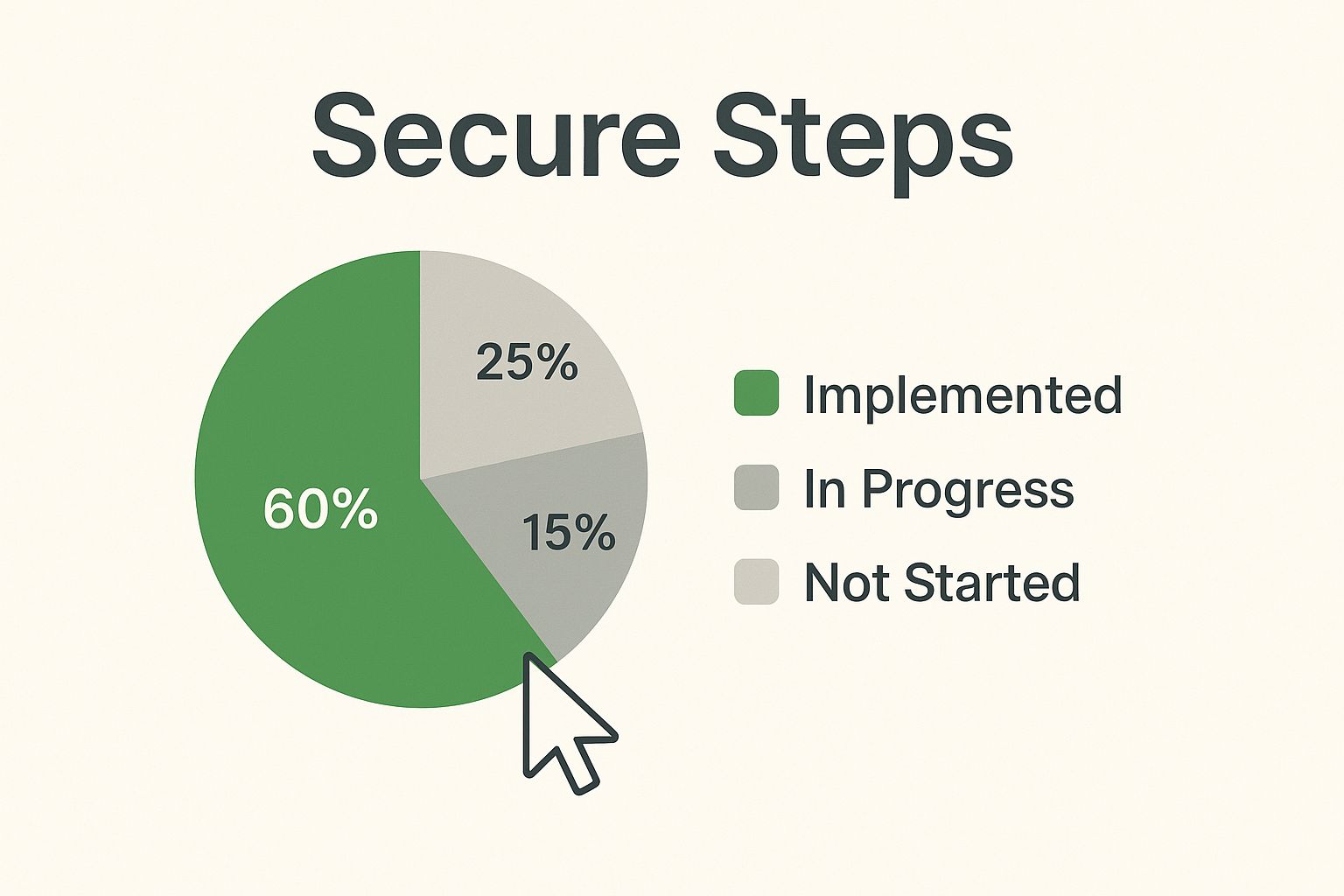
    Infographic about send an encrypted email

    The infographic above illustrates how simple sending an encrypted email can be. With a focus on "Secure Steps," it visually represents the process, emphasizing the ease and accessibility of secure communication with just a click of a button. The lock icon provides visual reassurance, effectively communicating that encrypted email is a straightforward process.

    Finding the right encryption solution depends on your specific needs and technical comfort. A large corporation and an individual user likely have very different requirements. For example, a dedicated secure email provider offers a complete platform with robust security but often comes with a higher price tag.

    Browser extensions like Mailvelope offer a free and user-friendly alternative for encrypting emails through existing webmail services like Gmail. For further insights on pricing strategies, you can check out this article: How to master pricing decisions. Email plugins offer another option, integrating with your current email client for added convenience.

    Evaluating Your Options

    Choosing the right encryption tool hinges on several factors: ease of use, compatibility with existing systems, the strength of its encryption, and overall cost. Some tools prioritize a simple user experience, while others offer advanced features and customization options.

    • Dedicated Secure Email Providers: Offer comprehensive security but can be more expensive.

    • Browser Extensions: Free and user-friendly, but may have limited features.

    • Email Plugins: Integrate with your current email client, offering a balance of convenience and security.

    Key Features To Consider

    When evaluating encryption tools, prioritize key features like strong encryption protocols, effective key management, and easy mobile access. Balancing robust security with user-friendliness is essential, especially for team implementation.

    • Key Management: Consider how easy it is to generate, store, and manage encryption keys.

    • Attachment Encryption: Ensure the solution encrypts both the email body and any attachments.

    • Mobile Access: Check for a user-friendly mobile app or a responsive web interface for access on the go.

    Free Vs. Premium: Where To Invest

    Free encryption solutions often provide adequate protection for individual users. However, businesses or organizations handling sensitive data may require the advanced features and dedicated support offered by premium services. This support becomes invaluable if technical issues arise.

    To help you make an informed decision, here's a comparison of free and premium encryption options:

    Encryption Tools Compared: Real-World Performance

    This comparison reveals how today's top encryption solutions perform across security strength, user experience, and practical implementation factors.

    Tool/Service Encryption Type Ease of Setup Free Version Premium Cost Compatibility Best For
    Mailvelope PGP Easy Yes N/A Chrome, Firefox, Edge Individuals, casual users
    ProtonMail End-to-end Easy Yes, limited Paid plans available Web, Mobile apps Privacy-conscious users, businesses
    Tutanota End-to-end Easy Yes, limited Paid plans available Web, Mobile apps Security-focused users, businesses

    This table highlights the key differences between popular encryption solutions, showcasing the varied options available for distinct needs. While free options are suitable for basic encryption, premium services provide enhanced security and support for sensitive data.

    Enhance your email security further by implementing two-factor authentication (2FA). This adds an extra layer of protection, preventing unauthorized access even if your password is compromised. The ideal encryption solution depends on your specific security requirements, budget, and technical expertise. By carefully considering these factors and evaluating available options, you can confidently choose the right tool to protect your email communications.

    How to Send an Encrypted Email Across Any Platform

    Sending an encrypted email is simpler than you might imagine. This guide provides practical steps for encrypting your emails on various platforms, from common webmail services like Gmail and Outlook to dedicated secure email providers. Whether you're new to encryption or a seasoned pro, these instructions will help you safeguard your sensitive data.

    Encrypting With Gmail

    Gmail offers built-in options for sending encrypted emails. While not end-to-end encrypted by default, you can boost security with browser extensions like Mailvelope.

    • Install Mailvelope: Add the Mailvelope extension to your Chrome browser.
    • Generate Keys: Create your public and private keys using Mailvelope.
    • Compose and Encrypt: Write and encrypt your message in the Mailvelope compose window using the recipient's public key.
    • Send Securely: The recipient can then decrypt the message using their private key.

    This makes it straightforward to send encrypted email to both Gmail and non-Gmail users.

    Encrypting With Outlook

    Outlook supports encryption, primarily through S/MIME. This requires a bit more setup but offers robust security.

    • Obtain a Digital Certificate: You'll need a digital certificate from a trusted Certificate Authority (CA).
    • Configure S/MIME in Outlook: Set up S/MIME in your Outlook settings, linking it to your digital certificate.
    • Compose and Encrypt: Select the encryption option when sending an email to protect it with S/MIME.
    • Decrypting: Recipients will also need S/MIME configured or compatible software to decrypt the message.

    While slightly more technical, S/MIME provides solid email encryption within Outlook.

    Using Secure Email Providers

    Services like Typewire, ProtonMail, and Tutanota offer built-in end-to-end encryption, simplifying the process considerably.

    • Choose a Provider: Select a provider that meets your security needs and budget. Typewire, for example, offers various plans.
    • Create an Account: Set up an account with your chosen provider.
    • Compose and Send: Create and send emails as usual. The encryption and decryption are handled automatically.

    This provides a streamlined way to manage secure communications.

    Encrypting on Mobile Devices

    Protecting your emails on mobile is essential. Most secure email providers offer dedicated mobile apps with integrated encryption.

    • Download the App: Install your provider's app on your phone or tablet.
    • Log In: Sign in to your account on the app.
    • Send and Receive Securely: Send and receive encrypted messages seamlessly within the app.

    This ensures secure email access even when you're on the move.

    Verifying Your Encryption

    After setting up encryption, it's crucial to confirm it's working correctly.

    • Check for Visual Indicators: Watch for lock icons or other visual cues within your email client or provider’s interface. This usually signals successful encryption.

    • Test with a Trusted Contact: Send a test encrypted email to a trusted contact to ensure they can decrypt and read it without issues.

    • Review Message Headers: Examining message headers can offer technical details about the applied encryption.

    Troubleshooting Encryption Issues

    Occasionally, problems can arise with encryption.

    • Compatibility Problems: Recipients may lack the necessary software or settings to decrypt messages. Providing clear instructions or alternative secure methods can be helpful.
    • Key Management Errors: Lost or damaged keys can prevent decryption. Maintaining secure key backups is essential.

    Addressing these potential issues will enhance your encrypted email experience. The optimal method depends on your technical comfort level, budget, and specific security requirements. Exploring these options will allow you to integrate email encryption effectively into your communications. For business-focused secure email information, Typewire’s business plans may be a valuable resource.

    Encryption Habits That Actually Stick
    Developing consistent encryption habits

    Knowing how to send an encrypted email is only the first step. Truly securing your communications depends on building consistent encryption habits. This section explores practical and sustainable habits for maintaining your privacy over time, incorporating insights from security professionals and experienced users. For businesses seeking secure email solutions, consider exploring Typewire's business plans.

    Mastering Password Management for Encryption

    Strong passwords form the foundation of secure encryption. A weak or easily guessed password can compromise your entire system. Using robust, unique passwords for your email accounts and encryption keys is therefore critical.

    • Use a Password Manager: Password managers generate and securely store complex passwords, eliminating the need to remember them all.

    • Enable Two-Factor Authentication (2FA): 2FA adds an extra layer of security. It requires a second verification method—such as a code sent to your phone—in addition to your password.

    • Regularly Update Passwords: Change your passwords frequently, especially for accounts handling sensitive information.

    These practices are essential for maintaining strong security.

    Effective Key Storage and Rotation

    Properly managing your encryption keys is vital. Losing your private key can make encrypted messages inaccessible. Similarly, infrequent key rotation increases vulnerability to compromise.

    • Secure Key Storage: Store private keys securely, such as in a password manager or on a dedicated hardware security key.

    • Key Rotation: Rotate your encryption keys on a regular basis. This limits potential damage if a key becomes compromised.

    • Back Up Your Keys: Create secure backups of your keys in case of loss or damage. Store these backups separately from your primary key storage location.

    These practices help ensure your keys remain secure and effective.

    Deciding When to Encrypt

    Not all emails require encryption. Over-encrypting can disrupt workflow and frustrate recipients. Developing a clear protocol for when to encrypt is therefore essential.

    • Sensitivity of Information: Encrypt emails containing sensitive data, including financial details, medical records, or confidential business documents.

    • Recipient's Security Practices: Consider the recipient's security practices. If they are unfamiliar with encryption or lack the necessary tools, explore alternative secure methods.

    • Legal and Regulatory Requirements: Be aware of legal or regulatory requirements for encrypting specific types of information.

    This helps streamline your workflow and focus encryption efforts where they are most needed.

    Educating Your Recipients

    Introducing recipients to encrypted email can be challenging. Many are unfamiliar with the process. However, clear communication can simplify things and encourage adoption.

    • Provide Clear Instructions: Give simple, step-by-step instructions for decrypting messages.

    • Offer Alternative Methods: If recipients struggle with traditional encryption, consider secure file-sharing options.

    • Explain the Benefits: Emphasize the importance of encryption for protecting sensitive information and building trust.

    By addressing these challenges proactively, you can foster a secure communication environment. These habits shift encryption from a technical process to a sustainable practice, providing long-term protection for your sensitive data. Learn more about effective security strategies in our article, how to master….

    Overcoming Real-World Encryption Challenges

    Even with robust tools, sending an encrypted email isn't always straightforward. Practical challenges can hinder your security efforts. This section offers solutions to common obstacles, ensuring your encrypted email practices remain effective.

    Compatibility Issues: Bridging Different Email Systems

    One common hurdle is compatibility. Not all email systems support the same encryption methods. Sending an encrypted email to someone using a different system can lead to decryption issues. For example, if you are using PGP encryption Pretty Good Privacy and the recipient's email client doesn't support it, they will not be able to read your message.

    • Communicate with Recipients: Discuss encryption methods beforehand. This ensures they have compatible software.

    • Provide Clear Instructions: Offer step-by-step guides for decrypting messages, tailored to their email client.

    • Consider Alternative Solutions: If compatibility proves insurmountable, explore secure file-sharing services as a backup.

    These steps mitigate frustration and maintain secure communication flow.

    Key Management Across Multiple Devices

    Managing encryption keys across multiple devices presents another challenge. Losing a private key renders corresponding encrypted emails unreadable. Additionally, using the same key across all devices increases the risk of compromise.

    • Use a Password Manager: Store your private keys securely in a password manager. This simplifies management and facilitates secure access across devices.

    • Consider Hardware Security Keys: Hardware security keys offer an extra layer of protection for your keys, shielding them from software vulnerabilities.

    • Implement Key Rotation: Periodically change your encryption keys. This limits the potential impact of any single key compromise.

    This simplifies key management while maintaining robust security.

    Balancing Security With Workflow Efficiency

    Strong encryption can sometimes feel cumbersome, impacting workflow efficiency. Finding the right balance between security and usability is key to sustained encryption practices.

    • Automate Where Possible: Utilize email clients or extensions that automate encryption and decryption. This minimizes manual steps. For example, using extensions like Mailvelope for Gmail simplifies key management.

    • Integrate with Existing Tools: Choose encryption solutions that integrate seamlessly with your current email client. Avoid standalone applications that create extra steps.

    • Train Your Team: Invest in training for team members on sending and receiving encrypted emails and handling the complexities of public and private keys.

    This allows you to maintain security without sacrificing productivity.

    To help illustrate common encryption roadblocks and their solutions, let's look at the following table:

    Encryption Roadblocks and Proven Solutions

    This table outlines the most common obstacles users face when implementing email encryption and provides field-tested solutions for each challenge.

    Problem Cause Solution Prevention Tips
    Decryption Failure Recipient's email system lacks support for the sender's encryption method. Communicate with recipients beforehand to ensure compatible software or explore alternative secure file-sharing services. Discuss encryption methods with recipients in advance and offer clear decryption instructions.
    Lost Encryption Keys Misplaced or forgotten private keys. Securely store private keys in a password manager or on a hardware security key. Implement key rotation and use strong, unique passphrases for key protection.
    Cumbersome Encryption Process Manual encryption/decryption steps slow down workflow. Use email clients/extensions that automate these processes and integrate with existing tools. Train your team on efficient encryption practices.
    Mobile Encryption Challenges Limited screen space and varying operating systems complicate key management and decryption. Choose mobile-friendly solutions, simplify key management with password manager apps, and consider cloud-based key storage. Opt for encryption providers with dedicated mobile apps and streamline key access on mobile devices.
    Inconsistent Team Practices Lack of clear guidelines for when and how to use encryption within the team. Establish and document clear encryption protocols and provide thorough training. Develop and communicate team-wide encryption best practices and ensure everyone understands key exchange methods.

    This table summarizes practical solutions and preventative measures to address common encryption challenges.

    Team Communication and Encryption Practices

    Managing encrypted communications within a team requires careful planning and coordination. Ensuring consistent practices and addressing individual needs are crucial.

    • Establish Clear Encryption Protocols: Develop and document clear guidelines for when and how to use encryption within the team.

    • Provide Training and Support: Offer comprehensive training to all team members on encryption best practices.

    • Facilitate Key Exchange: Implement secure methods for team members to share public keys with each other.

    This creates a collaborative and secure communication environment.

    By anticipating and addressing these practical challenges, you can establish resilient encryption practices that genuinely protect your email communications. For additional insights into secure email practices, especially for businesses, explore Typewire's robust features. They offer solutions designed to integrate seamlessly with your current workflow.

    The Evolution of Email Privacy: What's Next

    Privacy technologies are constantly changing. This begs the question: how will these changes affect your current email encryption strategy? By understanding the future of secure communication, you can make informed decisions about your current encryption investments and adapt to the challenges ahead. You might be interested in learning more about the platform Typewire.

    Quantum Computing: A New Era of Encryption

    The rise of quantum computing presents both a risk and an opportunity for email encryption. Quantum computers could potentially break current encryption algorithms, making them obsolete. However, they also open doors to new, quantum-resistant encryption methods.

    This means that while established methods like RSA and ECC (Elliptic Curve Cryptography) might become vulnerable, new algorithms designed to resist quantum attacks are being developed. Staying up-to-date on these advancements is critical for ensuring your email security in the future.

    AI and The Future of Email Security

    Artificial intelligence (AI) is becoming increasingly important in both offensive and defensive cybersecurity. AI can be used to create more advanced phishing attacks. At the same time, AI is also being employed to create more intelligent anti-spam and anti-phishing filters.

    This constant arms race highlights the need for adaptive security measures that can keep pace with these developing technologies.

    Regulatory Changes: Adapting to New Standards

    Data privacy regulations are becoming more and more demanding. These regulations often require the use of encryption for sensitive data, making robust email encryption essential for compliance.

    Staying informed about these regulatory changes and adapting your encryption strategies is vital to avoid penalties and maintain a strong security posture. For instance, implementing client-side encryption in platforms like Gmail gives companies more control over their encryption keys. This helps meet regulatory requirements by keeping sensitive data encrypted and under the customer’s control.

    Staying ahead of these developments is critical for effective email encryption. Adapting your strategy as standards evolve ensures your private information remains protected. Explore how Typewire prepares you for the future of email privacy.
  • Secure Email Explained: Complete Guide to Encrypted Email Providers

    Secure Email Explained: Complete Guide to Encrypted Email Providers

    Email Security Image

    Think of standard email as a postcard. Anyone who handles it during its journey can read what’s written. A secure email, on the other hand, is like a secret message in a sealed, tamper-proof envelope inside a locked box. It uses end-to-end encryption to ensure only you and your recipient can access the contents – not email providers, hackers, or government agencies.

    This fundamental difference has driven organizations in healthcare, finance, and legal sectors to seek secure alternatives. But separating marketing claims from genuine email security requires understanding the underlying technology.

    This guide provides a foundational understanding of secure email technology, encryption methods, and how to evaluate providers for personal and enterprise use. Once you understand these concepts, you can implement practical security measures with our companion guide: How to Make Email Secure: Top Tips to Protect Your Account.

    Understanding Secure Email: Beyond the Marketing

    The demand for genuine email security is reflected in explosive market growth:

    • Email security market: USD 18.5 billion (2024) → USD 24 billion (2030), 4.4% CAGR
    • Email encryption market: USD 6.4 billion (2025) → USD 31.1 billion (2034), 22.5% CAGR

    This expansion is driven by increasingly sophisticated cyber threats, regulatory compliance requirements, and growing awareness of digital privacy.

    The Three Pillars of Secure Email

    Genuine secure email platforms are built on three foundational elements:

    Encryption: Scrambles message content, rendering it unreadable to anyone except the recipient possessing the correct decryption key.

    Authentication: Verifies the sender’s identity, ensuring messages aren’t forged or spoofed.

    Metadata Protection: Safeguards information about your communication – sender, recipient, timestamps, and location – preventing attackers from exploiting these details.

    These components work together to create multi-layered defense against data breaches and cyber threats.

    Email Encryption Technologies: A Deep Dive

    Transport Layer Security (TLS)

    How it works: TLS encrypts the connection between email servers during message transmission. It’s the digital equivalent of sending a locked briefcase between two offices – the briefcase is secure during transport, but both offices can open it.

    Limitations:

    • Your email provider can still read message content
    • Messages are decrypted and re-encrypted at each server hop
    • Vulnerable if either sender’s or recipient’s provider is compromised

    Best use: Baseline protection for routine business communications where provider access isn’t a concern.

    End-to-End Encryption (E2EE)

    How it works: E2EE encrypts messages on the sender’s device and only decrypts them on the recipient’s device. The email provider never possesses the decryption keys. Even if the provider’s servers are breached, the attacker only obtains encrypted, unreadable data.

    Think of it this way: Your message is locked before it leaves your computer or phone. Only your recipient has the unique key to unlock it. No one in the middle – not your ISP, not hackers, and not even the email provider itself – can read it. The message stays encrypted for the entire journey, with no third party ever accessing the original readable text.

    Key characteristics:

    • Zero-access architecture: Provider cannot decrypt messages
    • Keys remain exclusively with sender and recipient
    • Requires both parties to use compatible systems (in most implementations)
    • Can send encrypted messages to non-users via secure links with password protection

    Best use: Confidential communications in healthcare, legal, financial services, or any scenario requiring absolute privacy.

    Zero-Knowledge Encryption for Stored Emails

    E2EE protects emails in transit, but what about messages sitting in your inbox? This is where zero-knowledge encryption becomes critical.

    How it works: A zero-knowledge approach means the email provider has zero knowledge of the data they’re storing for you. Your emails are encrypted on their servers, and only you have the key to unlock them. Even if hackers breach the provider’s data centers, they find only useless scrambled data.

    Key difference from standard providers: Services like Gmail and Yahoo may encrypt data at rest, but they hold the encryption keys. This means they can – and do – access your email content to power features like targeted advertising and smart replies. Your data becomes their product.

    Zero-knowledge providers cannot access your data even if legally compelled to do so. Your privacy is guaranteed by technical architecture, not just policy.

    Best use: Anyone storing sensitive communications long-term, professionals handling confidential client information, or individuals who believe private conversations should remain genuinely private.

    S/MIME (Secure/Multipurpose Internet Mail Extensions)

    How it works: S/MIME uses digital certificates to encrypt email and verify sender identity. It’s widely supported in enterprise email systems and works across different email providers.

    Key characteristics:

    • Certificate-based authentication provides strong sender verification
    • Works with existing email infrastructure
    • Requires obtaining and managing digital certificates

    Best use: Enterprise environments with established PKI (Public Key Infrastructure), particularly for regulatory compliance.

    PGP/GPG (Pretty Good Privacy/GNU Privacy Guard)

    How it works: PGP uses a combination of public and private encryption keys. You share your public key openly, allowing anyone to send you encrypted messages. Only your private key can decrypt them.

    Key characteristics:

    • Widely trusted, open-source encryption standard
    • Decentralized trust model (web of trust)
    • Requires more technical knowledge to implement correctly

    Best use: Technical users, journalists, activists, or anyone requiring independently verifiable encryption.

    Email Threats Image

    Understanding Encryption Trade-offs

    Each encryption method involves specific trade-offs between security, usability, and compatibility:

    Encryption Type Security Level Ease of Use Cross-Platform Provider Access
    TLS Only Moderate High Universal Yes
    End-to-End Very High Moderate Limited* No
    S/MIME High Moderate High Depends on implementation
    PGP/GPG Very High Low Moderate No

    *Some E2EE providers support sending to non-users, but typically with reduced security or requiring recipient to create an account.

    The Email Threat Landscape: What You’re Defending Against

    Understanding threats helps contextualize why specific security features matter.

    Phishing and Business Email Compromise (BEC)

    Phishing attacks have become highly sophisticated. In 2022, malicious phishing emails increased by 569%, with credential phishing reports up 478%. These attacks often appear identical to legitimate messages from trusted companies.

    Business Email Compromise targets organizations by impersonating executives or vendors to authorize fraudulent payments or extract confidential data. BEC attacks have cost businesses millions and can irreparably damage reputations.

    AI-Powered Attacks

    Criminals now use artificial intelligence to create personalized phishing emails that are increasingly difficult to detect. AI can analyze public information to craft convincing messages and automate attacks at scale. Traditional signature-based security struggles to keep pace.

    Conversely, AI also powers advanced threat detection systems. In 2025, Google deployed a new AI-powered threat detection model in Gmail that analyzes multiple signals to improve spam and phishing detection, demonstrating the growing role of AI in email security.

    Man-in-the-Middle Attacks

    Without proper encryption, attackers can intercept emails during transmission, reading or modifying content before forwarding it to the intended recipient. End-to-end encryption eliminates this vulnerability by ensuring only the sender and recipient can decrypt messages.

    Metadata Exploitation

    Even with encrypted content, metadata reveals valuable intelligence: who you communicate with, how often, when, and from where. This communication pattern analysis can expose relationships, schedules, and organizational structures. Secure providers minimize metadata collection and protect what must be retained.

    Defending Against These Threats

    Understanding these threats is essential for choosing the right secure email provider. However, even with a secure provider, you need to implement additional security practices like multi-factor authentication, phishing awareness, and device security. For a comprehensive guide to these practical defenses, see How to Make Email Secure: Top Tips to Protect Your Account.

    Evaluating Secure Email Providers: A Framework

    Not all providers offering “secure email” deliver equivalent protection. Use this framework to evaluate options.

    Security Features Deep Dive

    End-to-End Encryption Implementation:

    • Does encryption happen client-side (on your device)?
    • Does the provider have any method to decrypt your messages?
    • What happens when sending to non-users of the platform?
    • Are attachments encrypted with the same rigor as message content?

    Key Management:

    • Who controls the encryption keys?
    • How are keys generated, stored, and backed up?
    • What happens if you lose access to your keys?
    • Can the provider recover your data if you forget your password?

    If a provider can recover your encrypted data, they (or an attacker who compromises them) can read your messages. True zero-access encryption means provider password reset results in data loss.

    Authentication Methods:

    • Two-factor authentication (2FA) options available?
    • Support for physical security keys (FIDO2/U2F)?
    • Options for IP restrictions or location-based access controls?

    Metadata Protection:

    • What metadata is collected and stored?
    • Is metadata encrypted or anonymized?
    • How long is metadata retained?
    • Can metadata be shared with third parties or law enforcement?

    Metadata is often the overlooked vulnerability. Even if message content is encrypted, metadata reveals who you communicate with, how often, subject lines, and timestamps. This creates a detailed map of your communications. Quality secure providers either encrypt metadata or minimize collection entirely.

    Additional Security and Privacy Features

    Beyond encryption fundamentals, look for these features that distinguish truly privacy-focused providers:

    Anonymous Signup: The ability to create an account without providing personal information like your name, phone number, or payment details. Some providers accept cryptocurrency or cash payments to preserve anonymity.

    Open-Source Code: When a provider makes their code publicly available, independent security experts can audit it for vulnerabilities. This transparency builds trust and allows the security community to verify encryption claims.

    Self-Destructing Emails: Set expiration timers on messages. Once the timer expires, the email is permanently deleted from the recipient’s inbox, giving you complete control over message lifespan.

    Server Location and Jurisdiction: The physical location of a provider’s servers determines which laws and government agencies have authority over your data. Providers based in privacy-friendly jurisdictions like Switzerland, Iceland, or Germany operate under stronger legal protections against surveillance and broad data requests than those in countries with expansive intelligence programs.

    Two-Factor Authentication (2FA): Requires a second form of verification beyond your password. This exponentially increases account security, even if your password is compromised. Look for support for authenticator apps or physical security keys, not just SMS-based 2FA.

    Privacy Policy Analysis

    A provider’s privacy policy reveals their actual practices versus marketing claims. Examine:

    Data Collection Practices:

    • What information is collected during account creation?
    • What data is logged during normal use?
    • Are there options to reduce data collection?

    Data Sharing and Third Parties:

    • Under what circumstances is data shared?
    • Are third-party services integrated (analytics, advertising)?
    • What jurisdiction governs the service?

    Transparency and Accountability:

    • Has the provider published a transparency report?
    • Are they subject to gag orders or national security letters?
    • What’s their track record responding to government data requests?

    Location and Jurisdiction: Services based in privacy-friendly jurisdictions (Switzerland, Iceland) offer stronger legal protections than those in countries with expansive surveillance programs.

    Comparing Leading Secure Email Providers

    Provider Encryption Zero-Access Jurisdiction Open Source Starting Price Best For
    ProtonMail E2EE Yes Switzerland Partial Free tier available Privacy-conscious individuals
    Tutanota E2EE Yes Germany Yes Free tier available Open-source advocates
    Mailfence OpenPGP Yes Belgium No €2.50/month PGP users
    Posteo Optional E2EE Partial Germany No €1/month Sustainability focus
    Typewire E2EE Yes Privacy-focused No Custom pricing Business/enterprise
    StartMail PGP Yes Netherlands No $59.95/year Personal privacy
    Hushmail E2EE Partial* Canada No $49.98/year Healthcare (HIPAA)

    *Some providers offering password-based recovery sacrifice true zero-access encryption for usability.

    Feature Considerations Beyond Encryption

    • Calendar and Contacts Encryption: Do these features receive the same encryption as email?
    • Custom Domain Support: Can you use your own domain with the secure email service?
    • Aliases and Email Forwarding: Options for multiple email addresses and forwarding rules?
    • Storage and Attachment Limits: Adequate storage for your needs? Reasonable attachment size limits?
    • Mobile and Desktop Applications: Native apps available for your devices?
    • Import/Export Capabilities: Can you migrate existing emails? Export your data if you switch providers?
    • Collaboration Features: Encrypted calendar sharing, contact sharing, or other team features?

    Real-World Applications: Why Secure Email Matters

    Beyond technical specifications, secure email protects what matters in daily life. It’s for anyone who believes private conversations should actually stay private.

    Personal Information Protection

    Consider the personal information shared via email daily:

    • Financial Records: Bank statements, tax forms, mortgage applications
    • Medical Information: Sharing diagnoses with family, forwarding medical records to new doctors
    • Personal Identity: Copies of passports, driver’s licenses, social security cards

    With standard email services, this information is often scanned, analyzed, and stored indefinitely on provider servers, making it a goldmine for data brokers and prime target for hackers. Secure email puts a digital lock on these conversations.

    Meeting Legal and Compliance Requirements

    In many fields, secure communication isn’t optional – it’s legally mandated. Professionals in healthcare must comply with HIPAA, financial services with SOX and PCI DSS, and organizations handling EU data with GDPR. The explosive growth in the email encryption market reflects this: businesses need protection against costly data breaches and must meet legal requirements.

    Secure email isn’t an extreme measure for the paranoid; it’s a practical necessity for modern life. It’s the digital equivalent of having a private conversation behind a closed door rather than on a public stage.

    Enterprise Implementation: Beyond Individual Accounts

    Enterprise secure email requirements differ significantly from personal use.

    Regulatory Compliance Considerations

    HIPAA (Healthcare):

    • Requires encryption of Protected Health Information (PHI)
    • Mandates audit controls and access logs
    • Requires Business Associate Agreements (BAA) with email providers
    • Secure email providers must offer BAA and demonstrate compliance

    GDPR (European Data Protection):

    • Requires appropriate technical measures to protect personal data
    • Mandates data minimization and purpose limitation
    • Gives individuals rights to access, correct, and delete their data
    • Providers must demonstrate compliance, offer data processing agreements

    SOX (Financial Reporting):

    • Requires secure retention of financial communications
    • Mandates controls over who can access financial data
    • Requires audit trails of access and modifications

    PCI DSS (Payment Card Industry):

    • Prohibits sending unencrypted cardholder data via email
    • Requires encryption in transit and at rest
    • Mandates access controls and authentication

    State-Specific Regulations: Many U.S. states have enacted data breach notification laws and privacy regulations requiring encryption for specific data types.

    Integration with Existing Infrastructure

    Directory Services Integration:

    • LDAP/Active Directory synchronization
    • Single Sign-On (SSO) support (SAML, OAuth)
    • Automated user provisioning and de-provisioning

    Email Gateway Compatibility:

    • Integration with existing secure email gateways
    • Support for data loss prevention (DLP) policies
    • Compatibility with email archiving solutions

    Mobile Device Management (MDM):

    • Integration with MDM platforms (Intune, MobileIron, etc.)
    • Remote wipe capabilities for lost/stolen devices
    • Enforcement of device-level security policies

    User Management and Administration

    Centralized Administration:

    • Web-based admin console for user management
    • Role-based access controls for administrators
    • Bulk user import/export capabilities

    Policy Enforcement:

    • Ability to enforce encryption policies organization-wide
    • Password complexity and rotation requirements
    • Session timeout and idle logout configurations

    Audit and Compliance Reporting:

    • Detailed audit logs of user activities
    • Compliance reports for regulatory requirements
    • Data retention and deletion policies

    Migration and Change Management

    Email Migration: Most enterprise implementations require migrating from existing systems. Consider:

    • Migration tools provided by the secure email vendor
    • Preservation of folder structures and email metadata
    • Timeline and phased rollout strategies
    • User training and support during transition

    Cost-Benefit Analysis: Quantifying the investment requires understanding:

    • Direct costs: Licensing, implementation, training
    • Indirect costs: Productivity impact during migration, ongoing support
    • Risk mitigation: Cost of potential data breach vs. prevention investment

    The average cost of a data breach in 2023 was $4.45 million, making the investment in secure email often a fraction of potential breach costs.

    Employee Training Requirements

    Technical implementation is only part of enterprise success. Employee training should cover:

    • How encryption works and why it matters
    • Proper key management and password practices
    • Recognizing phishing attempts even with secure email
    • When to use secure email vs. other communication channels
    • Incident reporting procedures

    The Future of Secure Email

    Quantum Computing and Post-Quantum Cryptography

    Quantum computers pose a potential threat to current encryption standards. Their processing power could break widely-used algorithms like RSA and ECC. The cryptography community is actively developing quantum-resistant algorithms.

    NIST is standardizing post-quantum cryptographic algorithms, with adoption expected to accelerate as quantum computing advances. Forward-thinking secure email providers are already planning migration paths to quantum-resistant encryption.

    Decentralized Email Systems

    Emerging decentralized systems challenge the traditional centralized email model by distributing control and data across networks. This makes it harder for attackers to exploit a single vulnerability and reduces reliance on any single provider.

    While still experimental, decentralized email could improve privacy and resilience against targeted attacks or provider failures.

    AI’s Dual Role

    AI will continue playing both offense and defense:

    • Offense: More sophisticated, personalized phishing attacks
    • Defense: Advanced threat detection, anomaly identification, automated response

    The effectiveness of email security will increasingly depend on AI-powered systems that can adapt to evolving threats faster than human-driven rule updates.

    Regulatory Evolution

    Data privacy regulations will continue expanding globally, likely driving:

    • Stricter requirements for encryption and data protection
    • Greater transparency in data handling practices
    • Enhanced user rights over their data
    • Potential certification or compliance frameworks for secure email providers

    Frequently Asked Questions About Secure Email

    Isn’t My Gmail Account Already Secure?

    For casual use, Gmail provides solid account security features. It uses Transport Layer Security (TLS) encryption – like putting your email in an armored truck during transit. The message is safe while traveling between servers.

    The limitation: This isn’t end-to-end encryption. Google holds the encryption keys, meaning they can access your email content. Google uses this access to power targeted advertising and features like smart replies. While your account has security features, the content lacks true privacy from the company running the service.

    Think of it this way: Standard email providers often see your data as the product. Secure email providers see your privacy as the product.

    Can I Send Secure Email to Someone Who Doesn’t Use My Provider?

    Yes. This is a must-have feature for quality secure email providers. You can send fully encrypted messages to anyone, even on standard platforms like Gmail or Yahoo.

    How it works: Instead of the email appearing in their inbox normally, your recipient receives a notification with a secure link. Clicking it takes them to an encrypted webpage where they enter a password you’ve shared separately (via text or phone call). They can read your message and reply on the secure page, keeping the entire conversation encrypted.

    Do I Have to Pay for Secure Email?

    Not necessarily. Many top secure email providers offer excellent free plans perfect for personal use. These free accounts typically include the most important feature – end-to-end encryption – ensuring your conversations remain private.

    Free plan limitations usually include reduced storage space, daily sending limits, or basic feature sets. Paid plans offer increased storage, custom domain support, additional email addresses, priority support, and advanced features designed for businesses or power users.

    Is Switching to Secure Email Difficult?

    Modern secure email providers are built for user-friendliness. They offer clean web interfaces and mobile apps that feel as intuitive as standard email services. Many provide tools to import contacts and migrate existing emails, making the transition seamless.

    The primary “work” involves notifying your contacts of your new email address. This one-time effort is minimal compared to the long-term benefit of protecting your digital communications.

    Making an Informed Decision

    Selecting a secure email provider requires balancing security, usability, features, and cost. Consider:

    For Individuals:

    • Privacy-first providers with strong reputations (ProtonMail, Tutanota)
    • Free tiers for basic use, paid plans for additional features
    • User-friendly interfaces that don’t require technical expertise

    For Small Businesses:

    • Custom domain support
    • Balance between security and ease of onboarding
    • Affordable per-user pricing
    • Basic collaboration features

    For Enterprises:

    • Regulatory compliance capabilities for your industry
    • Integration with existing IT infrastructure
    • Centralized administration and policy enforcement
    • Migration support and ongoing customer service
    • Vendor stability and track record

    True secure email isn’t just about encryption – it’s about comprehensive protection through technology, policy, and user education. By understanding the fundamentals covered in this guide, you can make informed decisions that genuinely protect your communications.

    Next Steps: Implementing Email Security

    Understanding secure email is the foundation. The next step is implementing practical security measures for your current email accounts and devices. Our companion guide covers:

    • Enabling multi-factor authentication (MFA) on popular platforms
    • Detecting and defeating phishing scams
    • Securing devices and apps used for email
    • Email backup and recovery strategies
    • Building security-focused habits

    Read the implementation guide: How to Make Email Secure: Top Tips to Protect Your Account