Category: Uncategorized

  • Your Guide to Private Email Server Setup

    Your Guide to Private Email Server Setup

    Setting up your own private email server means you're taking back the keys to your digital kingdom. You install and manage the email software on a server you control, giving you complete ownership over your data and communications. It's a powerful move away from big tech's data mining and ad-driven models, creating a truly private channel for your messages.

    Why Run Your Own Email Server?

    Let's be clear: deciding to run your own email server is a big leap. You're shifting from being a simple user to the owner of the entire service. For most people who go down this path, the driving force is a desire for genuine digital sovereignty.

    Think about it. When you use a free email provider, your data isn't really yours. It's a product, often scanned and analyzed to build a detailed advertising profile. Hosting your own server flips that script completely. Your emails are no longer routed through third-party systems where they can be read, monetized, or even blocked without your say-so.

    For businesses, this level of control is more than just a preference—it’s a necessity. If you handle sensitive client information, you're likely bound by compliance standards like GDPR or HIPAA. In that world, protecting data isn't optional, it's the law.

    Gaining True Data Control and Privacy

    The real payoff of a private email server is absolute control. You set the rules. You decide on storage limits, security protocols, and who gets an account. There's no risk of a provider suddenly changing its privacy policy, killing a feature you depend on, or locking you out of your account with little explanation.

    This independence also puts you in a stronger security position. While massive email providers are a huge, tempting target for widespread data breaches, a small private server is a much less attractive target. You're in charge of your own defenses, which means you can build security that fits your specific needs instead of relying on a generic, one-size-fits-all solution.

    By hosting your own email, you're not just creating an inbox; you're building a digital fortress. Every policy, from user creation to encryption standards, is your decision, ensuring your communications align perfectly with your privacy and operational needs.

    Comparing Your Email Hosting Options

    Before you jump in, it’s smart to understand the trade-offs. Public cloud email is convenient, no doubt, but that convenience comes at the cost of your privacy and autonomy. A private server offers maximum control, but that control comes with the responsibility of managing it all yourself.

    Here’s a quick comparison to lay it all out:

    Public Cloud Email vs Private Email Server

    Feature Public Cloud Email (e.g., Gmail, Outlook) Private Email Server
    Data Privacy Data is often scanned for advertising and analytics. You own and control all data; no third-party scanning.
    Control Limited by the provider's terms of service and features. Full control over software, security, and user policies.
    Customization Restricted to available settings and integrations. Nearly unlimited customization of domains and features.
    Cost "Free" tier is ad-supported; paid tiers per user. Fixed infrastructure cost (VPS/server), not per user.
    Maintenance Handled entirely by the provider. Your responsibility (updates, security, backups).

    This table makes the choice pretty clear: it's a direct trade between convenience and control.

    And this isn't just a niche idea. The market shows a clear trend toward self-hosted solutions. The global email application market is on track to grow from USD 1.6 billion in 2025 to USD 4.7 billion by 2035. This surge is largely driven by businesses looking to escape the privacy concerns tied to major cloud providers. You can read the full research about this on-premises email market growth to see how the landscape is shifting.

    Ultimately, choosing to set up a private email server is a deliberate move to own your digital identity. It's about ensuring your communications stay confidential, secure, and entirely yours.

    Building a Solid Foundation for Your Server

    Before you even think about installing email software, we need to get the groundwork right. A successful private email server isn't just about clever configurations; it's built on the right infrastructure. Think of it like laying the foundation for a house—if it's weak, everything you build on top of it is going to be unstable.

    Your first big decision is choosing a Virtual Private Server (VPS). This machine is the digital home for your entire email operation, so picking the right one is non-negotiable. Don't just grab the cheapest option you find. Reliability is what you're after, and those rock-bottom prices often mean you're sacrificing performance or dealing with frustrating downtime.

    Remember, a private email server is a critical piece of your communication puzzle. If it goes down, everything stops. That’s why you should only look at VPS providers guaranteeing at least 99.9% uptime. This is the professional standard and means you’re looking at less than 45 minutes of potential downtime a month.

    Choosing the Right VPS Provider

    I learned the hard way with my first server that not all VPS plans are created equal. The two most important things to check under the hood are the virtualization technology and the storage type.

    • Prioritize Full Virtualization: Go for providers that use KVM (Kernel-based Virtual Machine) or something similar. This is what's known as "full virtualization," and it means your server resources—CPU and RAM—are truly yours. You're not sharing them, which is a common problem with cheaper, container-based options like OpenVZ where providers often oversell their hardware.
    • Insist on NVMe SSD Storage: The speed of your storage directly impacts how fast your email feels. NVMe SSDs are the gold standard here. They blow traditional SSDs and ancient HDDs out of the water, making everything from fetching messages to sending mail feel incredibly responsive. You'll notice the difference immediately.

    Don't forget about physical location, either. Picking a server geographically close to you and your users cuts down on latency. An email sent from a server in Frankfurt will feel much faster for someone in Europe than one hosted in Los Angeles. It's a small detail that makes a big difference in user experience.

    It's no surprise that the demand for quality hosting is exploding. The global Virtual Private Server market was valued at around USD 5.1 billion in 2024 and is projected to hit USD 14.1 billion by 2033. This growth is driven by the very technologies making private servers more powerful and accessible. You can dig into more details about the booming VPS market and its technology.

    Why a Dedicated Domain is Essential

    Once you've got your VPS sorted, the next piece of the puzzle is your domain name. It might be tempting to use a free subdomain, but for a professional and trustworthy email identity, a custom domain (yourname.com or yourbusiness.com) is a must-have.

    This dedicated domain becomes the core of your email address (like contact@yourdomain.com), instantly establishing credibility. More importantly, it gives you total control over the DNS records. This isn't just a "nice-to-have"; it's a technical requirement for authenticating your mail and keeping it out of spam folders.

    With your own domain, you can create all the addresses and aliases you need to stay organized. For example, you could have billing@yourbusiness.com and support@yourbusiness.com to keep different communications separate. Thinking about the best methods for organizing email from the start will help you make the most of this flexibility.

    Putting these two pieces together—a high-quality VPS and a dedicated domain—creates the solid, reliable foundation your private email server needs. Trust me, skimping on either will just lead to headaches down the road. Invest in the right infrastructure from day one, and you'll have a stable, secure email system you can count on for years.

    Choosing the Right Email Server Software
    Image

    Okay, you’ve got your server humming along. Now for the most important decision you'll make in this whole process: choosing the software stack that will actually run your email. This choice will shape everything from the initial setup to your daily management routine.

    You're basically at a fork in the road. One path leads to a streamlined, all-in-one suite that gets you up and running fast. The other is a more hands-on, modular route where you piece together the components yourself. There's no wrong answer here—it all boils down to your technical comfort level, how much time you're willing to invest, and what you want to achieve in the long run.

    The All-in-One Solution: Mail-in-a-Box

    If you want a private email server without the headache, an all-in-one solution like Mail-in-a-Box is your best bet. Think of it as a complete "email server in a box" kit. It bundles all the critical software—like Postfix for sending mail and Dovecot for handling mailboxes—into a single, automated script.

    This approach is a game-changer because it drastically lowers the technical barrier to entry. You don’t need to be a Linux guru or spend weeks deciphering email protocol documentation. The installer does the heavy lifting, configuring everything from your webmail client and spam filtering to the SSL/TLS certificates that keep your connections secure.

    Imagine you're a small business owner who just needs a professional email address on your own domain. You don't have a dedicated IT team or the time for a massive project. With Mail-in-a-Box, you can have a secure, fully operational server running in less than an hour. It's the perfect way to reclaim your data privacy without getting bogged down in technical minutiae.

    I often recommend Mail-in-a-Box to people who are new to self-hosting. Its real strength is its "it just works" philosophy. It makes a complex, multi-day project accessible to almost anyone.

    The trade-off for this simplicity is a lack of flexibility. Mail-in-a-Box is deliberately opinionated; it's designed to work one way and one way only. If you get the itch to swap out a component or dive into advanced configurations, you'll likely find its structure a bit rigid.

    The Modular Approach: Postfix and Dovecot

    On the other hand, if you're a developer, a seasoned sysadmin, or just a hobbyist who loves to get their hands dirty, the modular path offers unparalleled power. This means you'll be manually installing and configuring each piece of open-source software. The heart of this setup is almost always Postfix (the Mail Transfer Agent, or MTA) and Dovecot (the IMAP/POP3 server).

    Going this route gives you complete, granular control. You get to hand-pick every single component. Want a different webmail client? No problem. Need to integrate a highly specific anti-spam tool or fine-tune performance for a high-volume setup? This is how you do it. It’s the difference between buying a pre-built computer and building your own custom rig.

    This level of control is essential in some scenarios, but be warned: it’s a serious time commitment. A manual setup demands a solid understanding of Linux, networking, and security best practices. One small misconfiguration can leave your server vulnerable or, worse, get your domain blacklisted by major email providers.

    Making Your Decision

    So, how do you choose? It really comes down to your priorities. To make it clearer, let's put these two approaches side-by-side.

    Email Server Software Stack Comparison

    The table below breaks down the key differences between the plug-and-play convenience of Mail-in-a-Box and the deep control offered by a manual setup.

    Attribute Mail-in-a-Box Manual Setup (Postfix/Dovecot)
    Ease of Setup Very High (Automated Script) Very Low (Manual Configuration)
    Time Investment Low (Under an hour) High (Days or weeks)
    Customization Low (Designed to be rigid) Very High (Full control)
    Maintenance Medium (Automated updates) High (Manual updates for all components)
    Best For Beginners, small businesses, users wanting a quick setup. Experts, developers, users needing specific configurations.

    Ultimately, there's no single "best" answer, only the best fit for you. If your main goal is a secure, private email server with minimal fuss, you can't go wrong with Mail-in-a-Box. But if you crave total control and have the technical chops to manage it, the rewarding journey of a manual build with Postfix and Dovecot is the way to go.

    Your Mail-in-a-Box Installation Walkthrough

    Alright, this is where the real fun begins. You've done the prep work—you've got a solid VPS and a domain name ready to go. Now, we'll bring your private email server to life using Mail-in-a-Box.

    What used to be a daunting, week-long technical nightmare is now a surprisingly straightforward, scripted process. My goal here is to walk you through it, not just telling you what to click, but explaining why each step matters.

    First things first, you need to connect to your new VPS. You'll do this using SSH (Secure Shell), which opens up a command-line window to your server. Once you’re in, you’re at the controls.

    From this command line, the entire private email server setup boils down to a single, elegant command. You'll copy one line of code from the Mail-in-a-Box website, paste it into your terminal, hit Enter, and watch the automated installer work its magic.

    Kicking Off the Automated Setup

    Once that script fires up, it's like having a senior systems administrator working at warp speed right in front of you. The script first scans your server to ensure everything is in order, then it starts pulling in and configuring all the necessary software.

    And it's not just one or two pieces of software—it’s a complete, self-contained ecosystem. The installer sets up:

    • Postfix and Dovecot: The powerhouse duo that actually sends, receives, and stores your mail.
    • Nginx: A high-performance web server for your webmail client and admin dashboard.
    • Nextcloud: A fantastic bonus that gives you file storage, plus contact and calendar syncing.
    • Roundcube: A clean, modern webmail interface you can access from any browser.

    The installer will pause a few times to ask for your input. These prompts are your only real job during the setup, and they're crucial for tailoring the server to your domain.

    The first critical prompt will ask for your email address. This will become your main admin account (e.g., you@yourdomain.com). Make sure to use the domain you just bought. Next, it will ask for your hostname. This should be a subdomain, like box.yourdomain.com.

    I've seen a lot of people trip up here. A common mistake is just entering yourdomain.com for the hostname. Remember, the hostname is the server's name, not just the domain. Using a subdomain like box or mail is the standard, and it keeps things clean.

    After you provide these details, the installer gets back to its work, setting up the databases, creating the initial user, and getting the whole system ready for action. It’s an incredible time-saver.

    Navigating the Configuration Prompts

    As the script chugs along, it tackles one of the most important parts of any modern server: security. A huge piece of that puzzle is setting up SSL/TLS certificates through Let's Encrypt. This is what gives you the little padlock icon in your browser and encrypts the connection between your users and the server.

    The script fully automates this, grabbing and installing a free certificate for you. This means every bit of traffic—both web and email—is secured from day one. In the old days, this step alone was a complex and often costly headache.

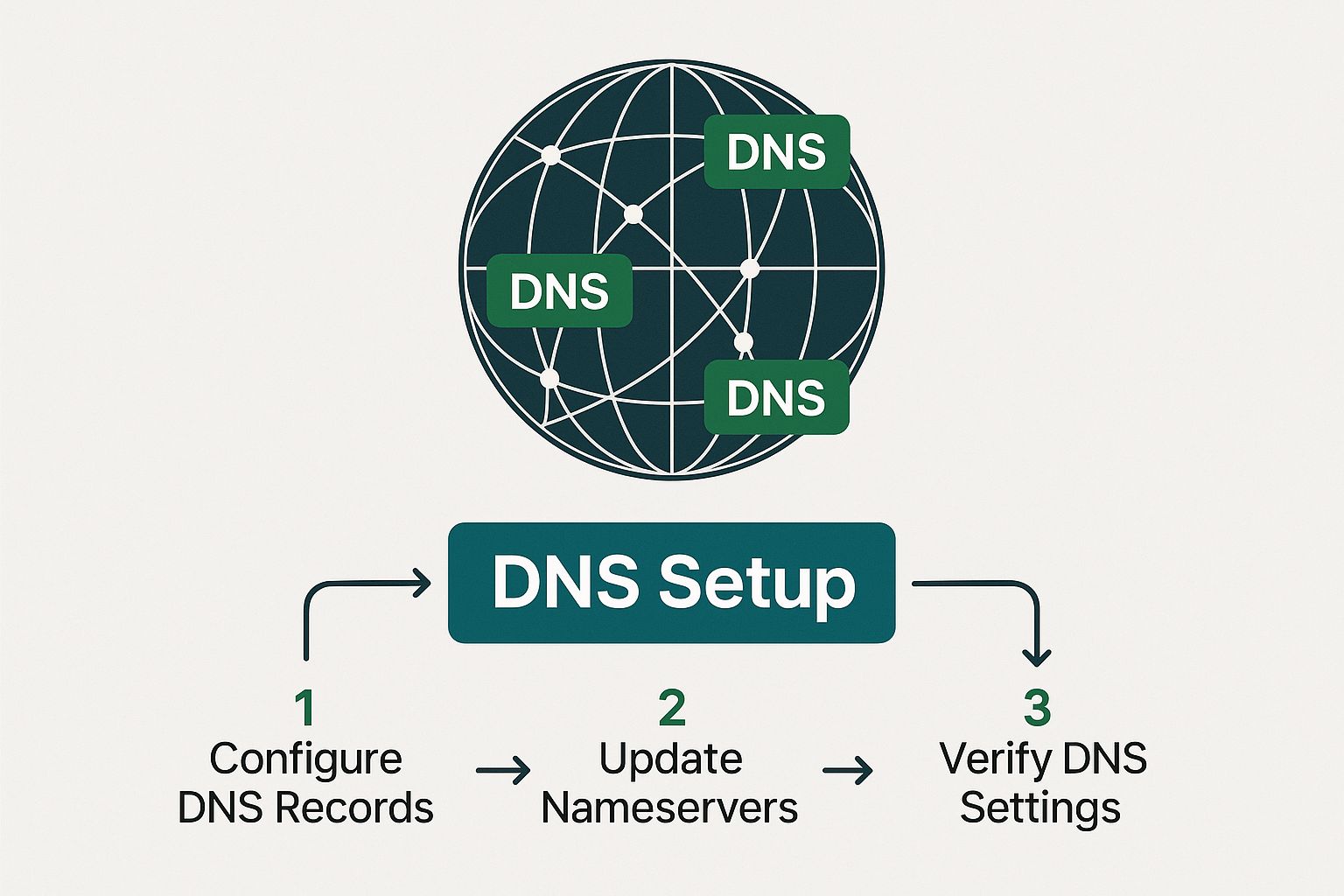
    The final piece of this automated setup is DNS. This can feel abstract, but Mail-in-a-Box makes it incredibly simple. Once the installation script is finished, it will give you a URL for your new admin control panel. The first time you log in, you'll land on a "System Status Checks" page.
    Image

    This status page is your final checklist. It literally lists every single DNS record you need to create at your domain registrar (like Namecheap or GoDaddy). It shows you the exact values to copy and paste, taking all the guesswork out of what is notoriously the trickiest part of setting up a mail server.

    Once you’ve added all the DNS records, those status checks on the admin page will start turning green. That's your victory moment. It's the system's way of telling you that your server is correctly configured, visible to the world, and ready to handle email.

    You've done it. Your private email server setup is complete, and you now have a fully operational, secure, and private communication platform that you truly own and control.

    How to Secure and Maintain Your Email Server
    Image

    Getting your server online is a huge milestone, but the job isn't done yet. A successful private email server setup is more than a one-time project; it’s an ongoing commitment. An unmanaged server can turn into a major liability surprisingly fast, so building good operational habits from day one is the key to long-term success.

    The good news is that Mail-in-a-Box handles a lot of the heavy lifting right out of the box. It comes with a pre-configured firewall (ufw, or Uncomplicated Firewall) that immediately locks down all non-essential ports. Think of it as a digital bouncer for your server—it only lets approved traffic, like web and email, get through the door. This is your first and most critical line of defense.

    Mastering Automated Security and Updates

    While Mail-in-a-Box is designed with security in mind, you still have a part to play. The software includes an automated update script, and you need to get in the habit of running it. This script does more than just update Mail-in-a-Box; it also pulls in the latest security patches for all the underlying system packages.

    I make it a point to SSH into my server and run this update at least once a week. It’s a simple two-minute task that can save you from a world of hurt by closing newly discovered vulnerabilities. Honestly, forgetting to run updates is one of the easiest ways to put your server and your data at risk.

    One of the biggest wins with a solution like Mail-in-a-Box is its built-in security intelligence. It automatically configures strong TLS/SSL policies and other best practices that would take an expert hours, if not days, to implement from scratch. Trust the defaults—they’re solid for a reason.

    For a deeper dive into hardening your system, our secure email server guide is a great resource for building truly bulletproof email systems. Security isn't a "set it and forget it" task; it's a continuous process of vigilance.

    Implementing a Reliable Backup Strategy

    Your data is, without a doubt, the most valuable thing on your server. A single hardware failure or a clumsy configuration mistake could wipe it all out in an instant. This is why you absolutely must configure the built-in backup solution in Mail-in-a-Box. It uses a great little tool called duplicity to create encrypted, incremental backups of all your mail data and system configurations.

    The crucial part is sending these backups off-site. Storing backups on the same server you're protecting is useless if the entire machine goes down.

    Here are a few solid options I've used for off-site backup storage:

    • Amazon S3: A classic choice. It's incredibly durable and usually very cost-effective for this kind of data.
    • Backblaze B2: I'm a big fan of their simple pricing and easy-to-use tools. It’s a strong contender.
    • A separate VPS: For the ultimate in privacy, you can spin up another cheap VPS and use SSH as your backup destination.

    Setting this up from the admin panel is incredibly straightforward. Once you’ve configured it, backups will run automatically every night. You’ll sleep a lot better knowing your data is safe and sound somewhere else.

    Ongoing Maintenance and User Management

    Beyond patches and backups, day-to-day maintenance involves keeping an eye on your server's health and managing your users. The Mail-in-a-Box admin panel is your command center for all of this. It has a "System Status Checks" page that constantly monitors your server's configuration. If anything is wrong—like an expiring certificate or a DNS problem—it will scream at you in red. Make a habit of checking this page.

    Adding or removing users is also handled right from the web interface. You can create new email accounts, set up handy aliases (like forwarding info@yourdomain.com to your personal inbox), and manage user settings with just a few clicks. It's this simplicity that makes it perfect for small teams or organizations.

    This ease of use is a major reason why Small and Medium Enterprises (SMEs) are flocking to VPS hosting for email. It’s a smart move that cuts infrastructure costs while keeping them in full control of their IT. For many startups, especially in retail where customer communication has to be secure, a private server on a VPS is a much more practical and affordable path than buying and managing physical hardware.

    Common Questions About Private Email Servers

    Taking the plunge into setting up your own email server is exciting, but it's natural to have a few nagging questions. It’s a big step, and you’re taking on a lot of responsibility for your own communications. Over the years, I've seen the same concerns pop up time and again, so let's tackle them head-on.

    Getting these answers straight will save you headaches down the road and give you a realistic picture of what running your own mail server actually involves.

    Will My Emails Go to Spam?

    This is the big one, isn't it? The honest answer is: maybe, at first. A brand-new server with a fresh IP address is an unknown quantity. Major providers like Gmail and Outlook are inherently wary of them until you prove you're one of the good guys.

    Your primary job is to build a solid sender reputation. This starts with proper authentication. The DNS records that Mail-in-a-Box sets up for you are non-negotiable. You absolutely must get these right:

    • SPF (Sender Policy Framework): Your public whitelist of servers authorized to send email for your domain.
    • DKIM (DomainKeys Identified Mail): A digital signature that proves your emails are legitimate and haven't been altered in transit.
    • DMARC (Domain-based Message Authentication, Reporting & Conformance): Your policy that tells other servers how to handle mail that fails SPF or DKIM checks.

    Once those are in place, you need to "warm up" your IP. Don't blast out a company-wide newsletter on day one. Start small by emailing friends and family who you know will open and reply to your messages. This back-and-forth signals to the big providers that you're a legitimate sender, not a spammer.

    How Much Technical Skill Do I Really Need?

    Thanks to tools like Mail-in-a-Box, the bar is much lower than it used to be. You don't have to be a Linux guru, but you can't be a complete novice either. If you're comfortable buying a domain, signing up for a VPS, and using an SSH client to log in and paste a command, you've got this.

    The script does all the heavy lifting, wrestling with the intricate configurations of all the different software components. Going the manual route with Postfix and Dovecot, on the other hand, is a whole different ballgame. That path demands a serious understanding of Linux administration, network security, and the nitty-gritty of mail protocols.

    Think of Mail-in-a-Box as a high-quality model kit. The instructions are clear, and a lot of the complex assembly is automated. The manual approach is like being handed a box of raw metal and a blueprint—infinitely more flexible, but it assumes you already know how to build an engine from scratch.

    What Are the Ongoing Costs?

    This is one of the best parts—the financial side is surprisingly lean. Your main recurring costs are just for the VPS hosting and your annual domain name renewal. A decent VPS that can handle email for a small team or a family will typically run you somewhere between $5 and $20 per month.

    Domain names usually cost around $10 to $20 per year. All the critical software—Mail-in-a-Box and all its components—is free and open-source. So, you're really just paying for the digital real estate.

    A huge advantage here is scalability. Unlike services that charge per seat, you can add ten, twenty, or even more email accounts for your family or team without your core costs going up. The only real constraint is your server's CPU and RAM.

    Can I Migrate My Existing Emails?

    Absolutely. The process is much less painful than most people imagine. The easiest way is to use a desktop email client like Thunderbird or Apple Mail. Just add both your old account (e.g., your Gmail account) and your new private server account to the client.

    With both accounts visible, you can literally just drag and drop emails or entire folders from the old account over to the new one. The client uses the IMAP protocol to copy everything across. If you have a massive archive, this might take a while, so make sure you're on a stable internet connection.

    Of course, things can sometimes go wrong. In case of accidental deletion during a move, it pays to be prepared. We've put together a guide that details how to recover lost emails, which can be a real lifesaver. For those who want more power, a command-line tool called imapsync can perform migrations directly between servers.


    Ready to take full control of your inbox without the technical overhead of managing a server yourself? Typewire offers secure, private email hosting that puts you in the driver's seat. Enjoy the benefits of a private server—no ads, no tracking, and total data ownership—with the simplicity of a managed service.
    Start your 7-day free trial with Typewire today!

  • 7 Best Private Mail Services for 2025 (Our Top Picks)

    7 Best Private Mail Services for 2025 (Our Top Picks)

    In an age where data privacy is paramount, your email inbox remains one of the most significant vulnerabilities. Standard email providers often treat your personal and business communications as a product, scanning messages to serve targeted ads and collecting vast amounts of metadata. This practice exposes you to data mining, security breaches, and an endless stream of spam. For professionals, entrepreneurs, and privacy-conscious individuals, the solution is a dedicated private mail service. These platforms reclaim your digital sovereignty, offering encrypted, ad-free, and secure communication channels.

    This guide is designed to help you navigate the best private mail services available today. We’ve done the heavy lifting by reviewing the top options, focusing on the features that matter most: security protocols, user interface, storage capacity, custom domain support, and pricing. Whether you're a small business owner needing professional email addresses or an individual determined to shield your personal data, this list provides a clear path forward.

    Below, you’ll find in-depth reviews of each service, complete with screenshots, direct links, and a transparent breakdown of their pros and cons. Our goal is to equip you with the specific information needed to select a provider that aligns perfectly with your privacy requirements and operational needs.

    1. Typewire

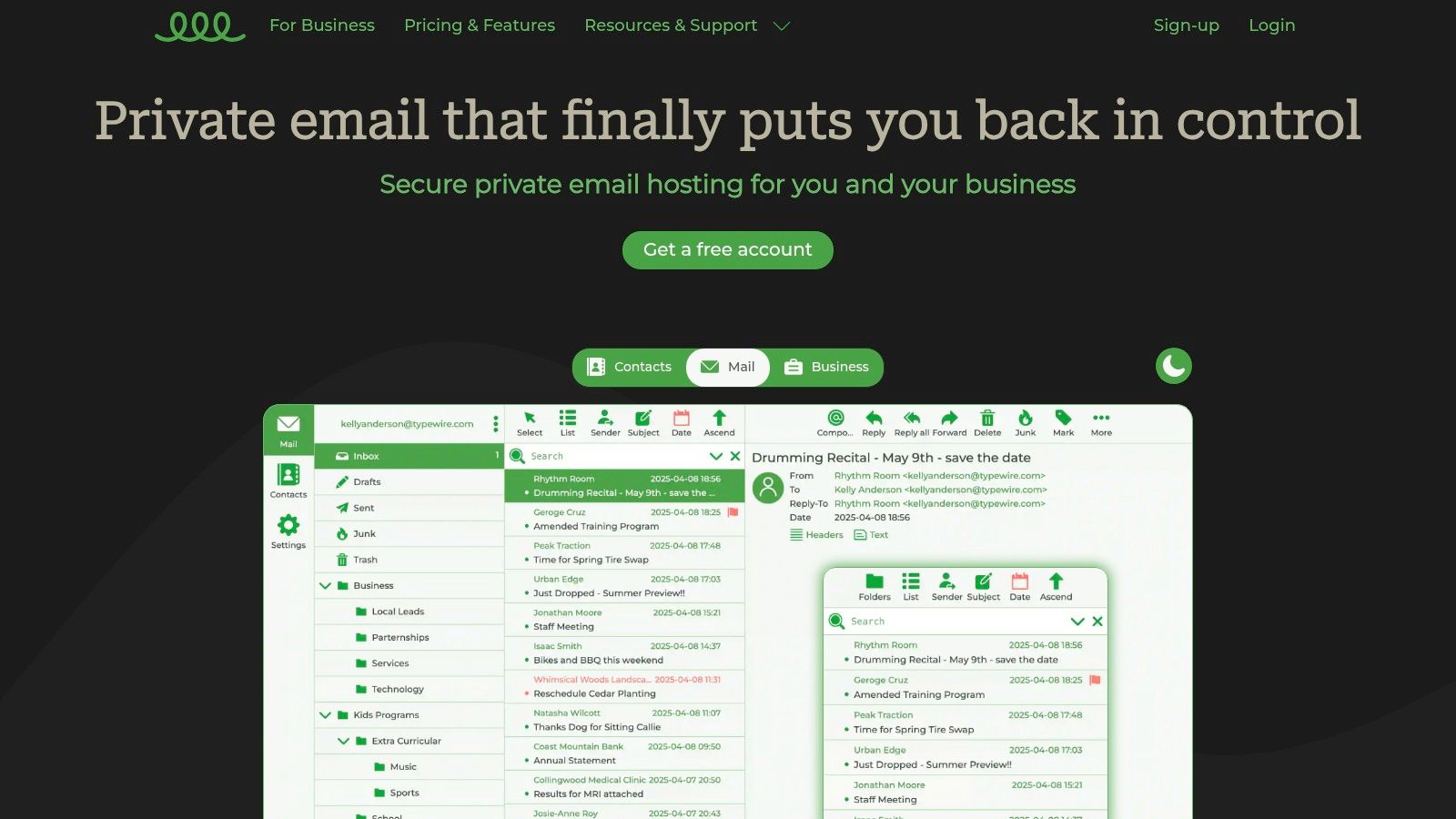
    Typewire positions itself as a premier choice for users who prioritize data sovereignty and operational security in their communications. As one of the most robust private mail services available, it’s engineered from the ground up to eliminate common privacy compromises. The platform's core philosophy is built on zero tracking, zero ad-targeting, and a strict no-data-mining policy, ensuring your conversations remain confidential and under your complete control.

    What truly sets Typewire apart is its infrastructure. Instead of relying on large, third-party cloud providers like AWS or Google Cloud, it operates exclusively on privately owned and managed data centers located in Vancouver, Canada. This strategic decision provides an additional layer of physical and network security, insulating user data from the broader data-sharing ecosystems common with mainstream cloud services. This commitment to data locality and private hardware is a significant differentiator for privacy-conscious individuals and businesses.

    Typewire

    Key Features and User Experience

    Typewire’s feature set is designed for efficiency and security. The platform's web interface is notably fast, clean, and intuitive, catering to power users who need to manage their inbox effectively. With both light and dark modes, it provides a comfortable user experience regardless of preference. The built-in anti-spam and virus protection is highly effective, aggressively filtering out malicious and unwanted content to maintain a clean and secure inbox.

    For businesses and professionals, the ability to use custom domains is a critical feature. Typewire makes this process straightforward, allowing organizations to maintain their brand identity while benefiting from enterprise-grade security. User management tools are simple yet powerful, enabling administrators to add or remove team members with ease.

    Pricing and Plan Structure

    Typewire offers a flexible, tiered pricing model to accommodate various user needs, from individuals to entire teams. A free plan is available for basic use, while the Basic and Premium tiers unlock more advanced capabilities.

    Plan Tier Key Features Best For
    Free Basic secure email functionality. Individuals testing the service or with minimal needs.
    Basic Increased storage, standard features. Solo users and freelancers needing a reliable private email.
    Premium Custom domain hosting, team user management. Businesses, teams, and professionals requiring branded, secure email.

    All paid plans come with a 7-day free trial, allowing you to test the full feature set risk-free. This transparent approach, combined with 24/7 support, provides confidence and a low barrier to entry for new users.

    Practical Implementation

    Setting up a custom domain on Typewire involves a few standard steps. You will need to access your domain registrar's DNS settings to add specific MX, SPF, and DKIM records provided by Typewire. While this may sound technical, their documentation provides clear, step-by-step instructions. Once configured, you can create email addresses like contact@yourbusiness.com and manage them directly from the Typewire dashboard.

    Pro Tip: When setting up your custom domain, ensure you correctly configure both SPF and DKIM records. This not only authenticates your emails but also significantly improves your deliverability, preventing your messages from being marked as spam by recipients' email servers.


    Website: https://typewire.com

    Core Strengths:

    • Complete Data Sovereignty: Hosted on privately owned Canadian infrastructure, not third-party clouds.
    • Zero-Compromise Privacy: No ads, tracking, or data mining is fundamental to the service.
    • Powerful Filtering: Advanced anti-spam and virus protection keeps inboxes clean.
    • User-Centric Design: Fast, responsive webmail interface with useful features like dark mode.

    Potential Considerations:

    • Lacks a dedicated mobile application, though the web interface is mobile-responsive.
    • Custom domain setup requires some comfort with editing DNS records.

    2. iPostal1

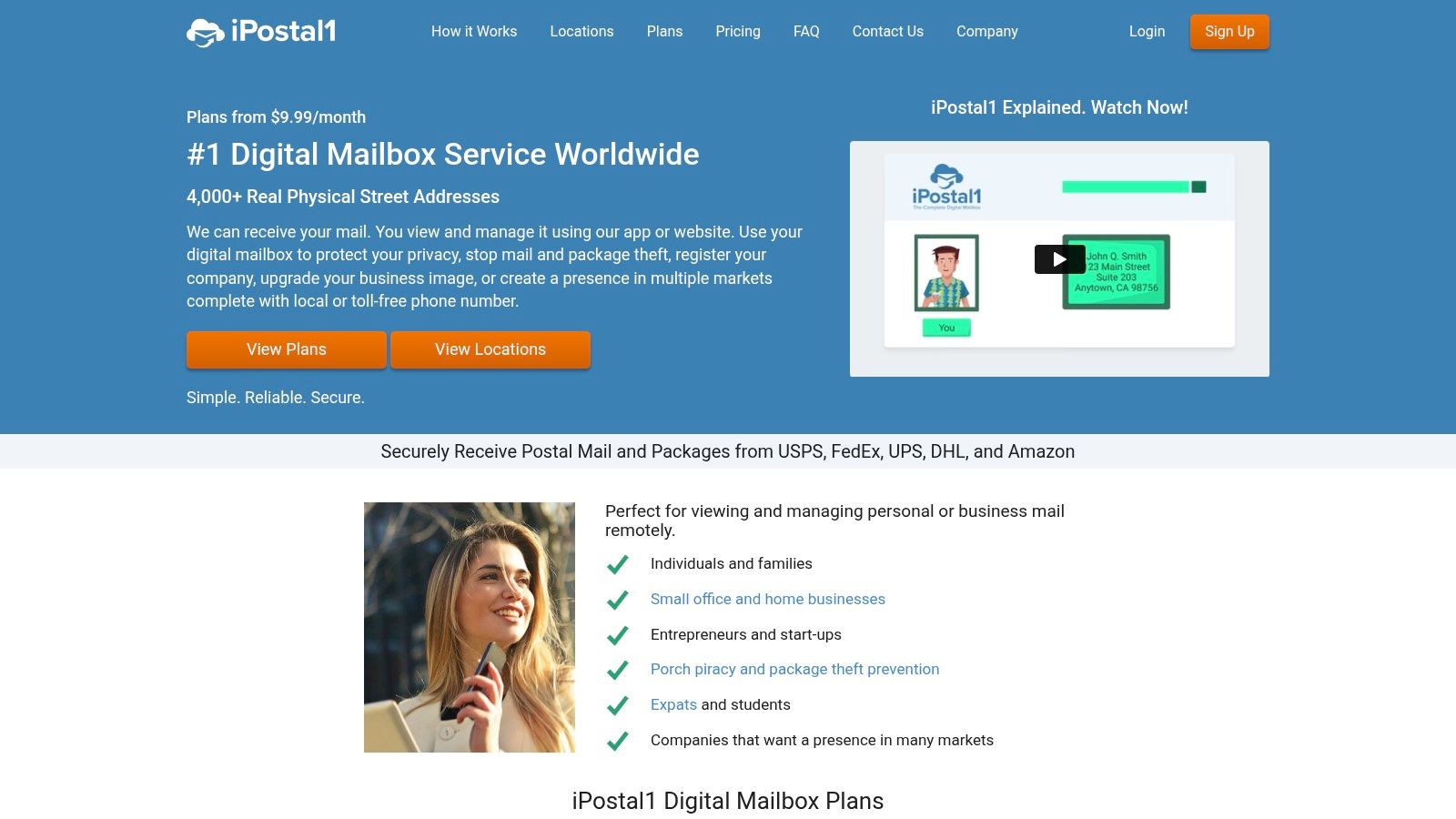
    For those prioritizing address flexibility and extensive location choice, iPostal1 stands out as a leading provider of private mail services. It's not a traditional email host; instead, it offers a virtual mailbox with a real street address, bridging the gap between physical mail and digital convenience. This service is ideal for entrepreneurs, frequent travelers, and anyone needing a stable, professional address separate from their home.

    iPostal1’s primary strength is its vast network of over 2,500 real street addresses across the United States and internationally. This allows users to establish a physical presence in prestigious business districts or simply choose a location convenient for package pickups, all managed remotely. When mail or packages arrive, you receive an alert and a scanned image of the envelope or label, accessible through a secure online portal or a user-friendly mobile app.

    iPostal1

    Key Features and User Experience

    The platform’s interface is designed for simplicity. From your dashboard, you can request to have your mail opened and scanned, forwarded to any address worldwide, securely shredded, or held for pickup. This real-time management gives you complete control over your physical mail from anywhere.

    You can also add multiple recipients, such as family members or business partners, to a single account. For e-commerce businesses or frequent shoppers, iPostal1 consolidates packages from various carriers like USPS, FedEx, and UPS, which can then be forwarded together to save on shipping costs. While a virtual mailbox doesn't directly handle email, many users combine it with a secure email provider and set up automatic forwarding for digital notifications. You can discover more about integrating these services with our guide to automatic email forwarding.

    Pricing & Practical Tips

    iPostal1's plans are structured to be affordable, with virtual mailbox addresses starting at just $9.99 per month. However, it's important to note that this base price covers the address and a set number of incoming mail items. Additional services incur extra fees.

    Feature Details
    Pricing Starts at $9.99/month (varies by location)
    Services Mail scanning, forwarding, shredding, storage
    Fees Pay-per-use for scans, forwards, and shredding
    Availability Over 2,500 locations in the U.S. and abroad
    • Pros:
      • Extensive network of real street addresses.
      • Affordable entry-level plans.
      • Intuitive web and mobile app interface.
    • Cons:
      • Pay-per-use fees can add up quickly.
      • International address selection is less robust than domestic.

    Website: https://ipostal1.com

    3. US Global Mail

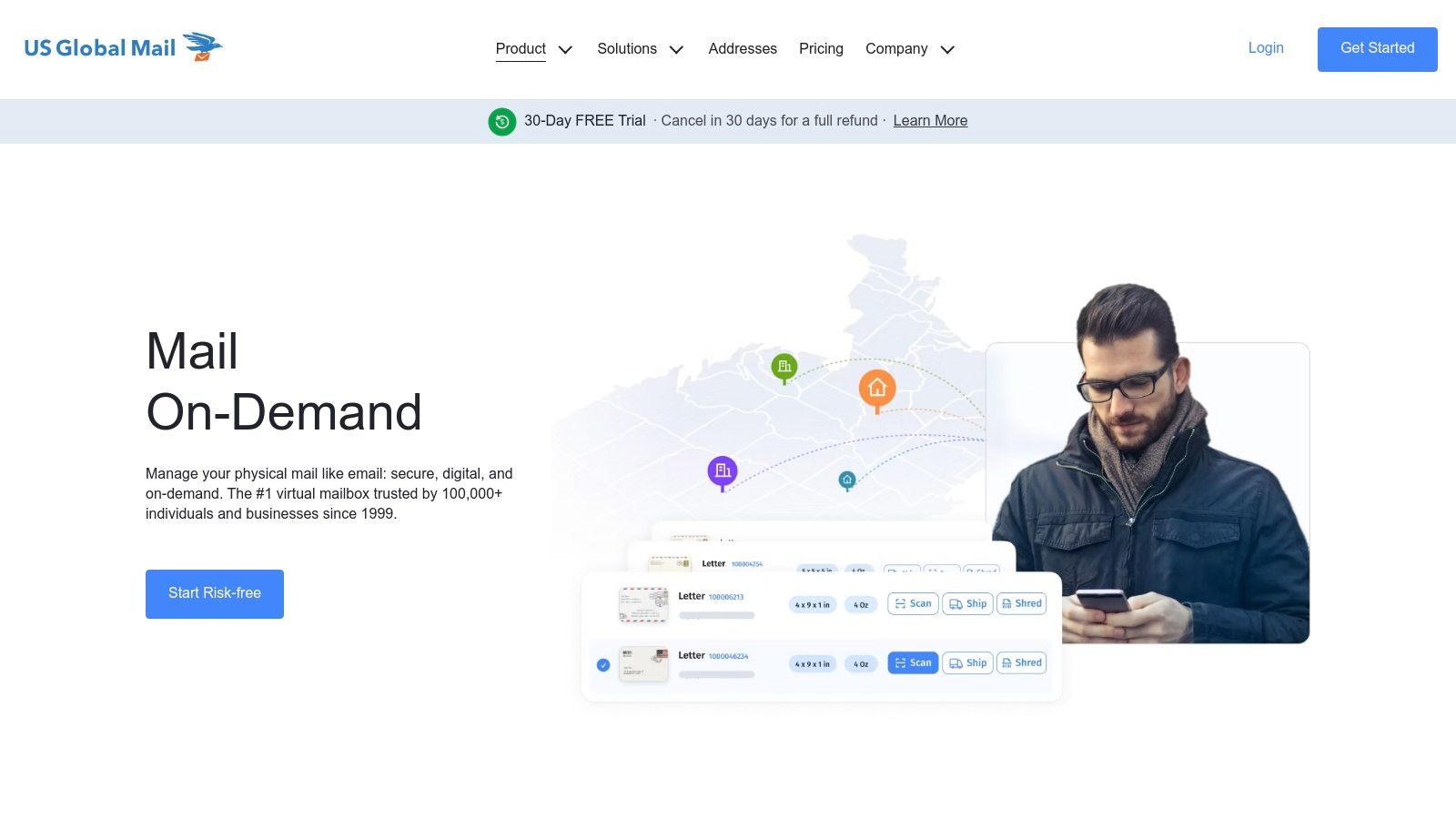
    For expatriates and international businesses seeking reliable private mail services based in the United States, US Global Mail is a highly specialized and trusted provider. With over 20 years of experience, it focuses on offering a stable, permanent U.S. street address for individuals and companies operating from abroad. This service is particularly valuable for those who need dependable management of their physical U.S. mail, including package consolidation and check deposits, all handled remotely.

    US Global Mail's core strength lies in its long-standing reputation and specialized focus on international clients. All mail is directed to a single, secure processing facility in Houston, Texas, ensuring consistent and expert handling. Upon arrival, you receive a notification with a scan of the envelope's exterior, which you can view through a secure online portal. This allows you to manage your mail from anywhere in the world with confidence.

    US Global Mail

    Key Features and User Experience

    The platform is engineered to simplify international mail management. From the dashboard, you can request to have mail opened and scanned, forwarded to any global address, or securely shredded. A standout feature is its free check deposit service, a significant benefit for freelancers and businesses receiving payments in the U.S. This eliminates the complexities of international banking and mail delays.

    US Global Mail also offers deeply discounted shipping rates, claiming up to 80% off standard retail prices for international forwarding. This makes consolidating packages and forwarding them overseas much more cost-effective. All plans include unlimited exterior mail scans and 180 days of free physical mail storage, providing ample time to decide how to handle your items.

    Pricing & Practical Tips

    Plans are competitively priced, starting from just $9.95 per month, making it an accessible option for individuals and small businesses alike. While exterior scans are unlimited, it is important to budget for interior content scans and forwarding costs, which are billed separately.

    Feature Details
    Pricing Starts at $9.95/month
    Services Mail scanning, forwarding, check deposits, shredding
    Fees Additional fees for interior scans and shipping
    Availability Single U.S. address in Houston, TX
    • Pros:
      • Over 20 years of industry experience and high customer trust.
      • Competitive pricing with valuable inclusions like free check deposits.
      • Excellent for expats and international businesses needing a U.S. base.
    • Cons:
      • Limited to a single address location in Houston, Texas.
      • Interior mail content scans incur additional fees.

    Website: https://usglobalmail.com

    4. Anytime Mailbox

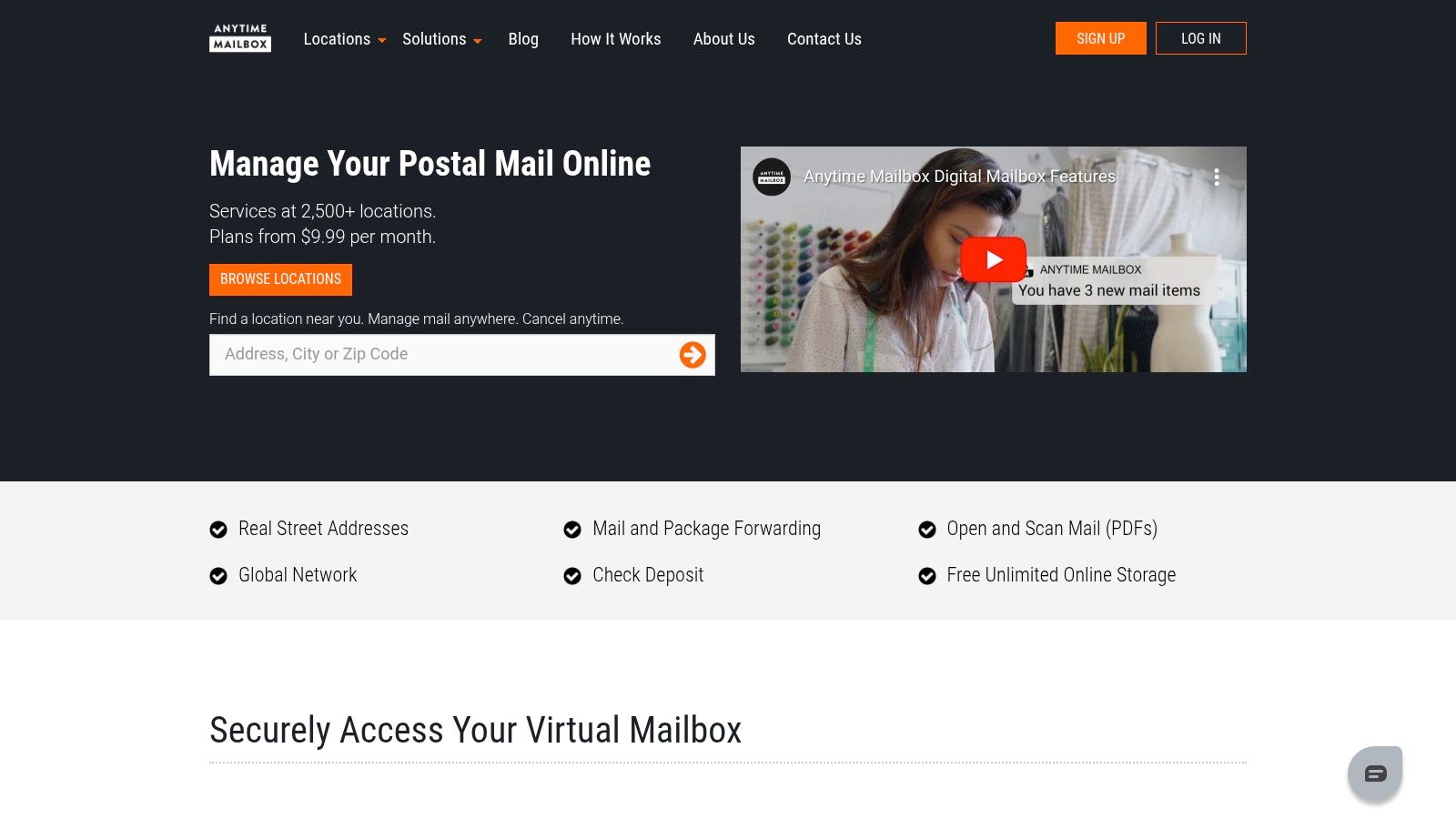
    For users who value a global reach combined with budget-friendly options, Anytime Mailbox emerges as a strong contender in the private mail services market. Similar to other virtual mailbox providers, it offers a real street address to receive your physical mail and packages, which are then managed through a digital platform. This service is particularly beneficial for global travelers, digital nomads, and small businesses seeking an international presence without the high overhead.

    Anytime Mailbox's key differentiator is its extensive global network of over 1,200 locations. This vast selection gives users the freedom to choose an address in a specific country or city that aligns with their business or personal needs. When mail arrives at your chosen address, you are notified and can view a scan of the envelope or package label via a secure online dashboard or mobile app, putting mail management at your fingertips.

    Anytime Mailbox

    Key Features and User Experience

    The platform is designed for straightforward digital mail handling. Through the user-friendly interface, you can direct the facility to open and scan the contents of your mail, forward packages to any location, securely shred junk mail, or even deposit checks. This comprehensive control allows you to manage all your physical correspondence from anywhere with an internet connection.

    One of the platform's standout features is its flexibility. Each location is independently operated, which means services and pricing can vary, allowing users to find a plan that precisely fits their needs and budget. The mobile apps for both iOS and Android are well-regarded, providing a seamless experience for managing mail on the go.

    Pricing & Practical Tips

    Anytime Mailbox is known for its competitive pricing, with some plans starting as low as $4.98 per month. However, it's crucial to understand that costs and included services are location-dependent. The base price typically covers the address rental and a certain number of incoming items or scans.

    Feature Details
    Pricing Starts at $4.98/month (varies by location)
    Services Scanning, forwarding, shredding, check deposit
    Fees Varies; some plans are all-inclusive, others are pay-per-use
    Availability Over 1,200 locations in the U.S. and worldwide
    • Pros:
      • Extremely affordable entry-level plans.
      • Wide selection of domestic and international addresses.
      • User-friendly interface with excellent mobile app support.
    • Cons:
      • Pricing and services vary significantly by location.
      • Service quality can be inconsistent depending on the independent operator.

    Website: https://anytimemailbox.com

    5. PostScan Mail

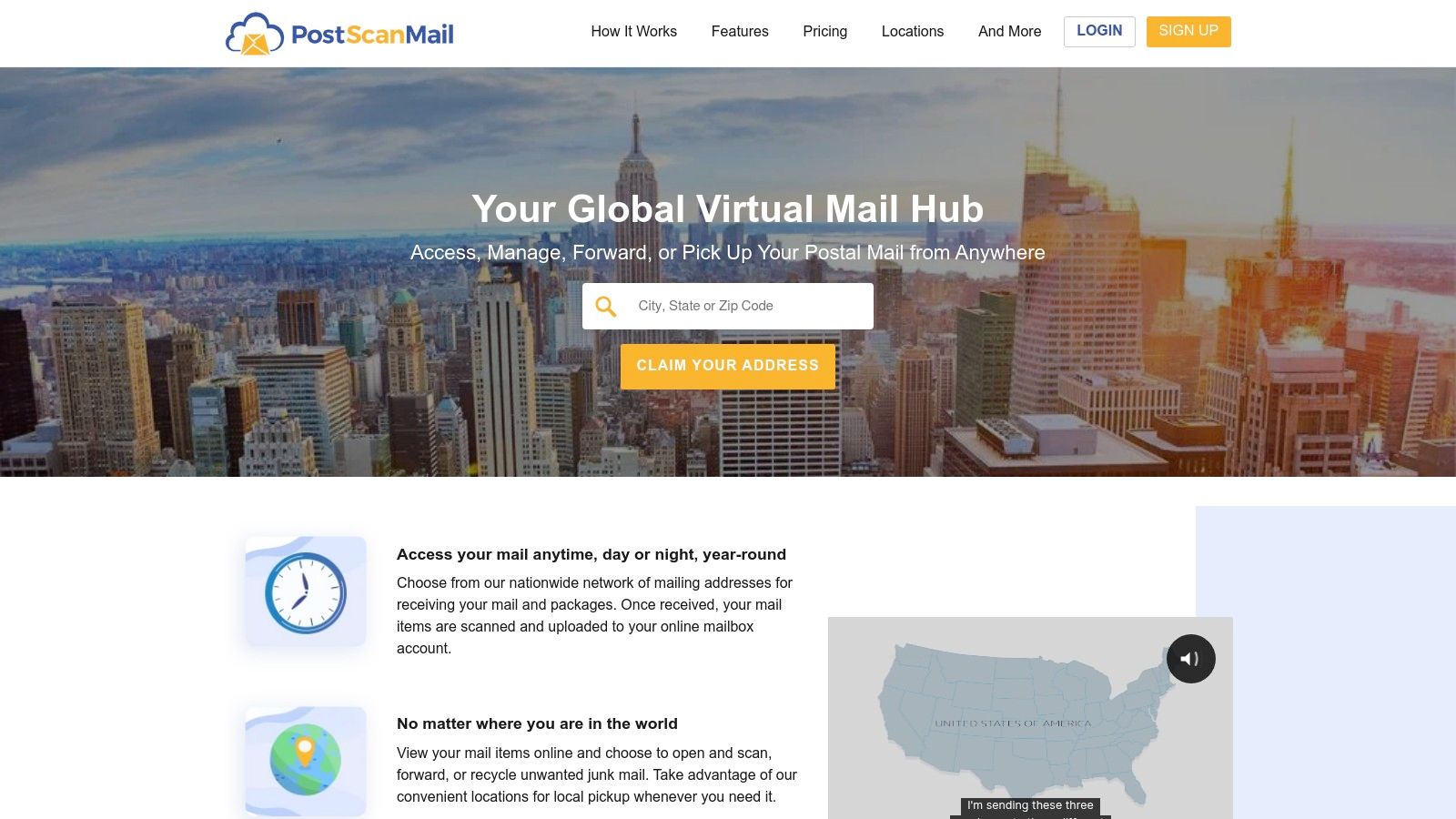
    For freelancers and small businesses seeking straightforward private mail services, PostScan Mail offers a streamlined solution. Similar to other virtual mailbox providers, it focuses on digitizing physical mail, providing users with a real street address that can be managed from anywhere in the world. Its appeal lies in its simplicity, transparent pricing, and features tailored for teams and remote workers who need to handle mail efficiently without a physical office.

    PostScan Mail operates a network of over 400 real street addresses, primarily in the U.S. but with some international options. When mail arrives at your chosen address, you get a notification with a scan of the envelope. Through its web portal or mobile app, you can then direct PostScan Mail to open and scan the contents, forward the item, or shred it. This digital-first approach gives you command over your correspondence, ensuring you never miss an important document.

    PostScan Mail

    Key Features and User Experience

    The platform is designed with a user-friendly interface, making it easy to navigate your virtual mailbox. A key benefit is the free physical mail storage for up to 30 days, giving you ample time to decide what to do with your items. For businesses, PostScan Mail allows multiple users to be added to a single account, enabling team members to manage incoming mail collectively.

    While PostScan Mail excels at core mail management, it's essential to pair it with a secure email service for a comprehensive privacy strategy. You can compare email providers for your needs to find one that aligns with your security requirements and complements your virtual mailbox. The mobile app for both iOS and Android ensures you can manage your mail on the go, a critical feature for travelers and remote professionals.

    Pricing & Practical Tips

    PostScan Mail’s pricing is transparent, with plans starting at $10 per month. Each plan includes a certain number of incoming mail items and scans, with clear costs for additional services. This model helps prevent unexpected charges, though high-volume users should carefully review plan limits.

    Feature Details
    Pricing Starts at $10/month
    Services Mail scanning, forwarding, shredding, storage
    Fees Plans include a set number of items and scans
    Availability Over 400 locations, primarily in the U.S.
    • Pros:
      • Transparent and competitive pricing plans.
      • User-friendly interface with excellent mobile access.
      • Supports multiple recipients/users per account.
    • Cons:
      • Does not offer check deposit services.
      • International address selection is more limited than some rivals.

    Website: https://postscanmail.com

    6. Earth Class Mail

    For businesses seeking robust and secure private mail services, Earth Class Mail provides a premium solution designed for automation and integration. It caters specifically to corporate clients, remote businesses, and professionals who need more than just a virtual address. Earth Class Mail transforms physical mail into high-resolution, searchable PDFs, seamlessly integrating with the tools businesses already use.

    The service's core strength lies in its automation and high-security features. With over 80 prestigious U.S. street addresses, businesses can establish a professional presence anywhere from New York to California. Mail is processed in secure, HIPAA-compliant facilities, ensuring that sensitive information is handled with the utmost care. This focus on security and business workflow makes it a top choice for legal, financial, and healthcare industries.

    Earth Class Mail

    Key Features and User Experience

    Earth Class Mail's platform is engineered for efficiency. A standout feature is its automatic check deposit service, which streamlines cash flow by depositing checks directly into your bank account. The interface allows users to sync their mail with cloud storage services like Google Drive, Dropbox, and Box, making document management effortless.

    Integrations with accounting software such as QuickBooks and Xero further automate bookkeeping by connecting incoming invoices and payments to your financial records. The platform’s data-handling practices are also noteworthy; for businesses concerned with data privacy, their secure processing and shredding services are essential. You can learn more about how these practices align with stringent regulations in our guide to GDPR compliance.

    Pricing & Practical Tips

    Earth Class Mail positions itself as a premium service, with pricing reflecting its comprehensive features. Plans are tiered based on mail volume and the number of recipients. While more expensive than some alternatives, the cost often justifies the time saved through automation and integration.

    Feature Details
    Pricing Starts at $19/month for individuals, business plans higher
    Services Mail scanning, forwarding, check deposits, cloud sync
    Integrations QuickBooks, Xero, Google Drive, Box, Dropbox
    Security HIPAA-compliant, secure shredding and recycling
    • Pros:
      • Comprehensive business integrations.
      • High-security standards and HIPAA compliance.
      • User-friendly and feature-rich interface.
    • Cons:
      • Higher pricing than some competitors.
      • Limited international address options.

    Website: https://earthclassmail.com

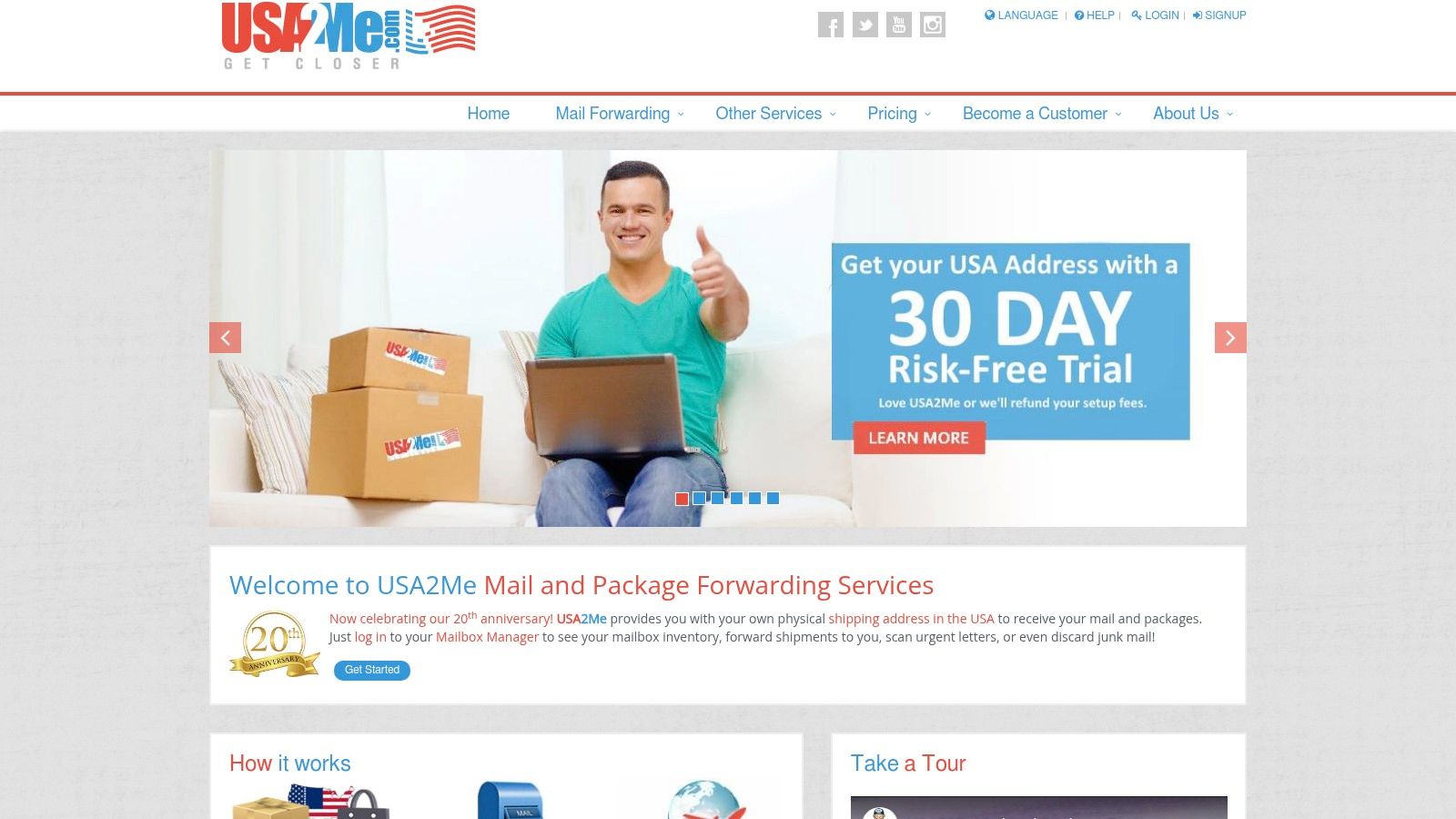
    7. USA2Me

    For international users and businesses needing a stable U.S. base of operations, USA2Me delivers reliable private mail services focused on mail and package forwarding. While it doesn't offer a network of addresses, its single Houston, Texas, location provides a dedicated and reputable point of contact. This service is particularly well-suited for expats, international shoppers, and businesses outside the U.S. requiring an American address for mail, returns, or package consolidation.

    USA2Me’s core strength lies in its established reputation and comprehensive mail handling options. Since 2004, it has provided users with a real U.S. street address, not a P.O. Box, which is essential for business registrations and receiving packages from all carriers. All mail management is conducted through a functional, web-based Mail Manager, where you can view and control incoming items remotely.

    USA2Me

    Key Features and User Experience

    The platform is designed for straightforward mail management. Through the Mail Manager portal, you instruct the USA2Me team on how to handle each piece of mail: open and scan the contents, forward the package, or discard it. The service includes free junk mail removal, which helps keep your virtual mailbox clean and reduces handling fees.

    A unique offering is the personal shopper service, where the company can make purchases from U.S. retailers on your behalf. This is a significant advantage for international customers facing payment restrictions. Premium plans also include a set number of free shipments per month, adding value for frequent users. Although it lacks a dedicated mobile app, the web interface is functional for all essential tasks.

    Pricing & Practical Tips

    USA2Me offers flexible plans, including a pay-as-you-go option, though all accounts require a one-time setup fee. Premium plans are tiered to accommodate different volumes of mail and packages, making it scalable for growing needs.

    Feature Details
    Pricing Plans start at $10/month + setup fee
    Services Mail/package forwarding, scanning, personal shopper
    Fees Setup fee on all accounts; pay-per-use options
    Availability Single mailing address in Houston, TX
    • Pros:
      • Established provider with a solid A+ BBB rating.
      • Flexible plans, including pay-as-you-go.
      • Includes a personal shopper service.
    • Cons:
      • Only one mailing address location is available.
      • No mobile app for mail management.
      • Setup fees are required for all accounts.

    Website: https://usa2me.com

    Top 7 Private Mail Services Comparison

    Service Implementation Complexity 🔄 Resource Requirements ⚡ Expected Outcomes 📊 Ideal Use Cases 💡 Key Advantages ⭐
    Typewire Medium – custom domain and team setup needed Moderate – web interface, private servers Secure, private email hosting without data mining Privacy-focused individuals and businesses Complete data ownership, advanced spam protection
    iPostal1 Low – mostly sign-up and address selection Low to moderate – web & mobile app Flexible mail management with wide address options Individuals/businesses needing virtual mailbox Large address network, mobile app support
    US Global Mail Low – simple signup, limited address location Low – US based with mail forwarding Reliable US mailing address with scanning & forwarding Expats, travelers needing dependable US mail Free check deposit, long industry experience
    Anytime Mailbox Low – signup, location-specific services Low to moderate – global coverage Digital mail handling with scanning and forwarding Users needing global virtual mailbox solutions Wide location coverage, affordable pricing
    PostScan Mail Low – web/mobile app, simple setup Low – 400+ addresses, multiple users Mail scanning and forwarding with free short storage Freelancers and small business mail management Multiple user support, free physical storage
    Earth Class Mail Medium – business integrations may require setup Moderate to high – business tool integration Secure mail handling with business workflow support Businesses needing integrated, compliant mailing Business tool integrations, HIPAA-compliant
    USA2Me Low – web-based mail manager, account setup fees Low – single US address Mail forwarding with personal shopper and junk removal Businesses outside US needing flexible mail forwarding BBB-accredited, flexible plans, premium shipping

    Final Thoughts

    Navigating the landscape of private mail services can feel like a significant undertaking, but the rewards in privacy, security, and convenience are substantial. Throughout this guide, we've explored a range of top-tier providers, from iPostal1's extensive network to the enterprise-grade features of Earth Class Mail. Each service presents a unique combination of tools designed to put you back in control of your physical mail, transforming it from a potential liability into a manageable, digital asset.

    The core takeaway is that the "best" service is not a one-size-fits-all solution. Your ideal choice depends entirely on your specific circumstances and priorities. What works for a globetrotting digital nomad may not suit a small business managing high-volume client correspondence. The key is to move beyond the marketing and align a provider’s core strengths with your non-negotiable needs.

    How to Choose the Right Private Mail Service for You

    To make an informed decision, start by auditing your own mail habits and requirements. Ask yourself a few critical questions to create a clear checklist of what matters most. This self-assessment will act as your compass when comparing the options we've discussed.

    Consider these key factors:

    • Mail Volume: Are you a low-volume user who primarily needs a stable address, or does your business receive dozens of items daily? Services like PostScan Mail and USA2Me offer flexible, tiered plans that can accommodate fluctuating volumes without overcharging for unused capacity.
    • Action-Oriented Needs: Do you simply need to view your mail, or do you require frequent forwarding, check depositing, and secure shredding? Providers like US Global Mail and Earth Class Mail excel at these action-oriented tasks, offering robust and reliable execution.
    • Geographic Flexibility: Is a prestigious business address in a major city crucial, or do you prioritize having a location close to your actual home base? Anytime Mailbox and iPostal1 shine with their vast number of available addresses, giving you maximum choice.
    • Budgetary Constraints: Define your budget from the outset. Are you looking for the most economical option for basic scanning, or are you willing to invest in a premium, all-inclusive package that handles every detail? Mapping your budget against provider pricing will quickly narrow your list.

    Implementing Your New Mail Service

    Once you've made your selection, the implementation process is your final step toward mail freedom. The initial setup, while straightforward, requires attention to detail. The most critical part is completing the USPS Form 1583, which legally authorizes your chosen provider to receive and open mail on your behalf. Ensure this form is filled out accurately and notarized correctly to avoid any delays in activating your service.

    Take the time to thoroughly explore your new dashboard. Set up your notification preferences, create filters or rules if available, and familiarize yourself with the process for requesting scans, forwards, or shredding. A little time invested upfront will make managing your mail a seamless part of your daily routine. By choosing one of these capable private mail services, you are not just acquiring a virtual mailbox; you are investing in a more secure, efficient, and organized way of life.


    Ready to streamline your communications beyond just physical mail? For teams and businesses looking to secure their digital conversations, Typewire offers a shared inbox solution that combines email, team chat, and project management in one private, organized platform. Discover how Typewire can bring clarity and efficiency to your team's workflow.