
Last updated: October 26, 2026
A data breach is the loss, unauthorized access, use, or disclosure of personal or sensitive information, whether caused by hacking or an ordinary handling mistake. It can involve an exposed email account, a misplaced device, or a message sent to the wrong person.
You might be checking your inbox when an unfamiliar sign-in alert appears, or notice a password-reset email you didn't request. The alert doesn't prove a breach, but it's a reason to check what happened. For email, the concern goes beyond one mailbox: an attacker who controls it may be able to reset passwords for other accounts connected to it.
What a Data Breach Actually Is
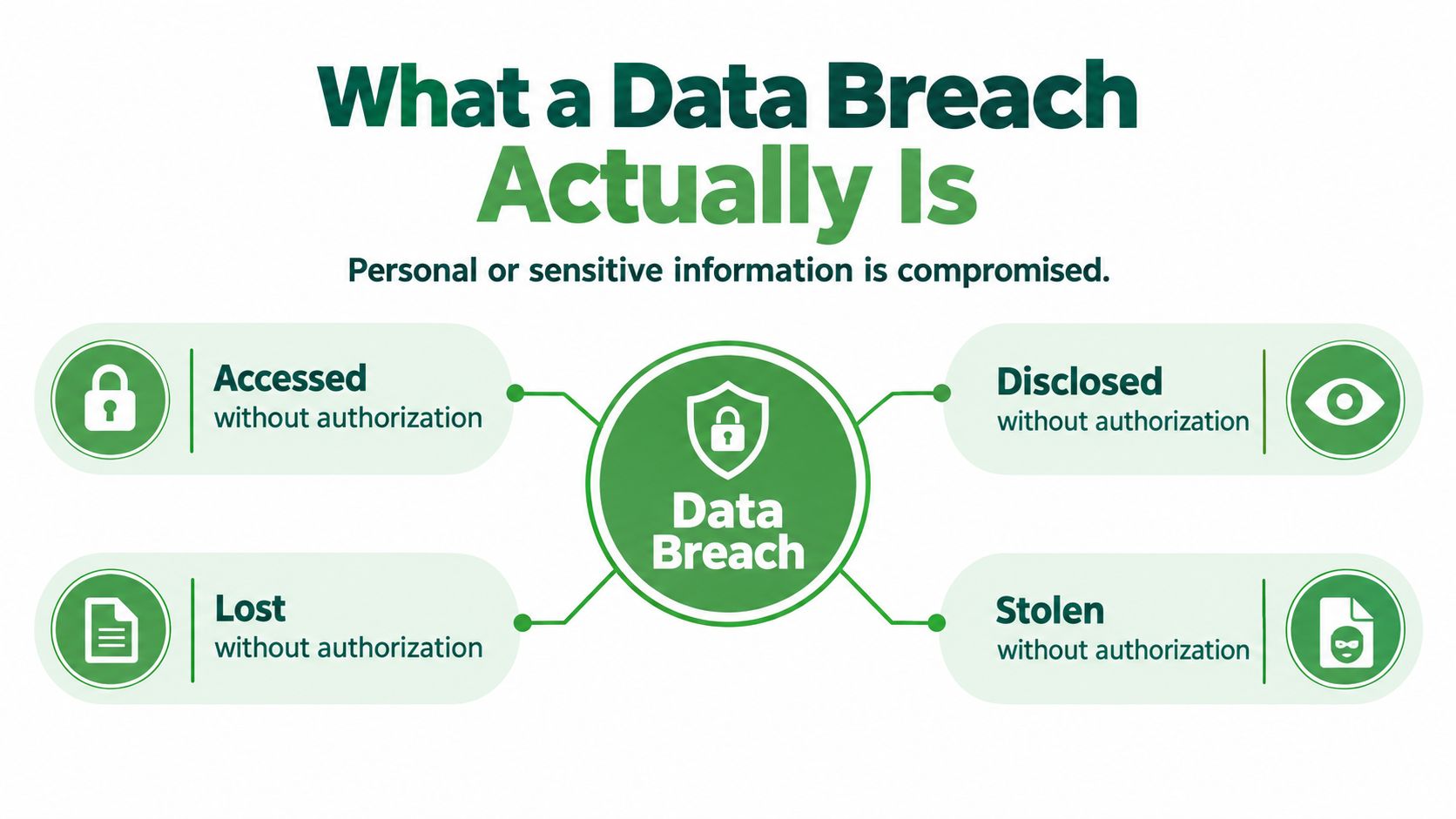
A data breach happens when personal or sensitive information is accessed, disclosed, lost, or taken without authorization. That includes an attacker breaking into a system, but it can also include a staff member sending a customer list to the wrong recipient. In Canada, the Office of the Privacy Commissioner defines a privacy breach as the loss, unauthorized access, use, or disclosure of personal information. The Commissioner's guidance on business privacy breaches explains that failures to establish or maintain safeguards can expose information, too.
Think of your email password like a house key. If someone makes a copy, you may not see a broken window or a forced door, but that person can still enter without permission. The important question isn't only how the key was copied. It's whether someone now has access they shouldn't have.
A breach is different from an outage
A service outage means a system or service isn't working as expected. A cyber incident can also be an unsuccessful attempt to access, change, damage, or disable a system. A breach is specifically about information being exposed, accessed, lost, or taken without authorization. A system can be disrupted without anyone obtaining private information, and information can be exposed without an obvious outage.
For an email account, sensitive data may include message contents, attachments, contacts, login credentials, account-recovery details, and sign-in records. Even information that seems routine can help someone impersonate you or target people who know you.
That's why a data breach definition matters in practice. If you assume a breach only means a dramatic hack, you may miss a wrong-recipient email, a lost device, or an account accessed with a stolen password. You can't respond to a problem you don't recognize.
The Main Types of Data Breaches
A federal employee attaches the wrong spreadsheet to an email and hits send. In that single click, hundreds of names and addresses land in a stranger's inbox. That counts as a data breach.
Breaches fall into a handful of recurring types. Some are deliberate, some are careless, and each one exposes a different slice of your information.
| Breach type | How it happens | Data commonly exposed |
|---|---|---|
| Phishing or credential theft | Someone is tricked into sharing a password or signing in through a fake page. | Email credentials, account details, messages |
| Malware or ransomware | Malicious software infects a device or system, potentially stealing, locking, or deleting information. | Files, messages, customer records, credentials |
| Insider misuse | An employee accesses information without permission or misuses access they already have. | Customer or employee information, internal records |
| Accidental disclosure | A message, attachment, or file is sent or shared with the wrong person. | Names, contact details, financial or other personal information |
| Lost device | A laptop or phone containing accessible information goes missing. | Saved messages, files, account sessions |
| Misconfigured access controls | A system or shared folder allows people to view information they shouldn't. | Stored documents, contact lists, account data |
For your email account, phishing and credential theft deserve the most attention. A stolen password hands over the account itself, along with everything it can reset, rather than a single file. Accidental disclosure runs a close second, because sending private information to the wrong person happens in seconds and can't be undone by changing a password.
Federal reporting backs up the idea that breaches go well beyond hacking. The Privacy Commissioner's reporting on federal privacy breaches tracks mishandling of personal information, employee snooping, and security vulnerabilities alongside cyber incidents. In 2025–2026, federal institutions reported 451 breaches affecting more than 48,000 Canadians. Mishandling, meaning everyday errors like the misdirected spreadsheet above, accounts for a large share of what gets reported. A “data breach” is any time information ends up where it shouldn’t, whoever or whatever caused it.
Practical rule: Before sending an email with private information, check the recipients and attachment. A small pause can prevent an accidental disclosure.
How Data Breaches Happen
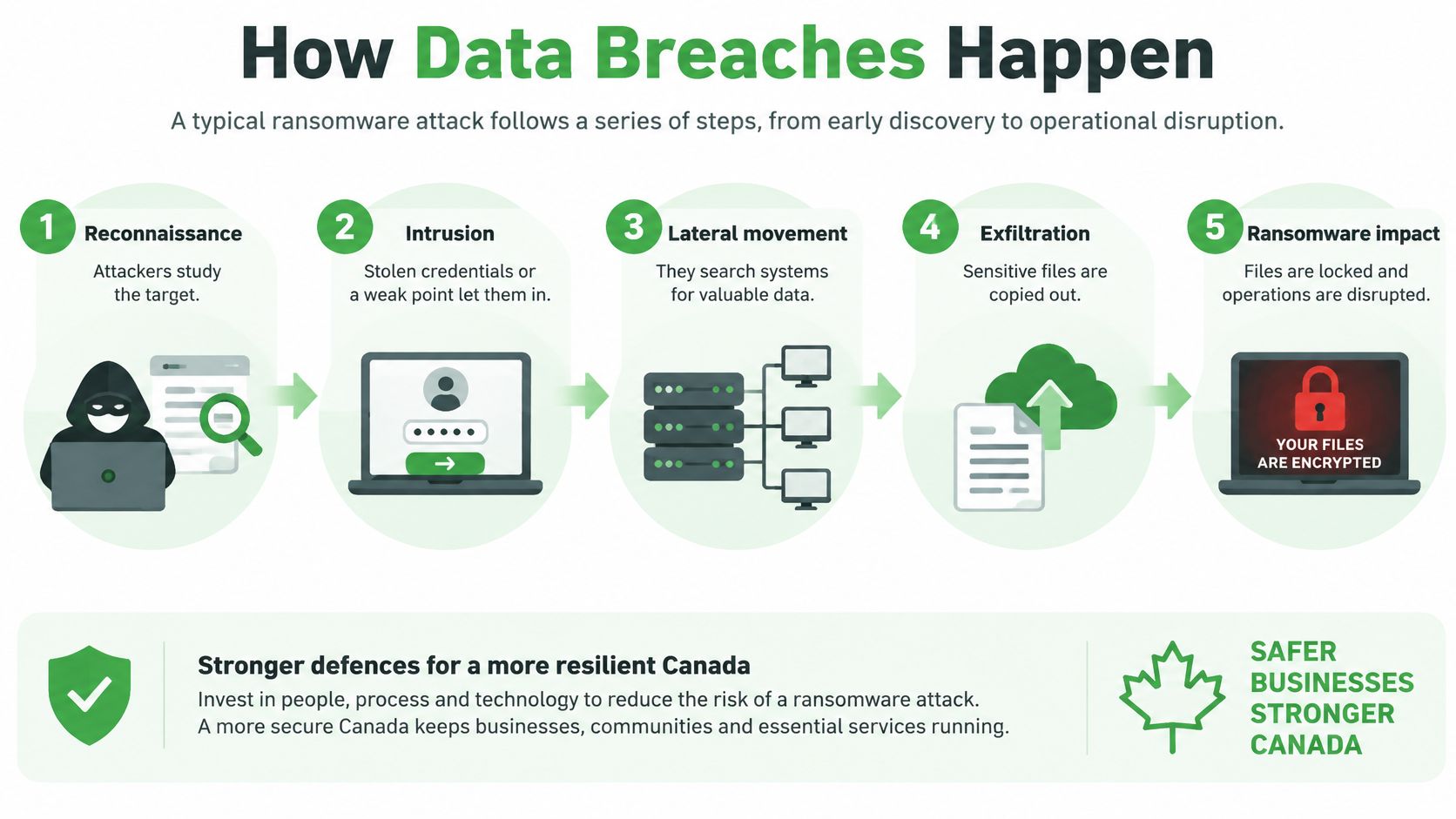
A ransomware attack can unfold in stages. The Canadian Centre for Cyber Security describes a typical sequence as reconnaissance, intrusion, infection, and impact. Its guidance on ransomware explains how attackers may study a target, gain access, introduce malware, and disrupt or steal data.
First, attackers study the target and look for a way in. They might use stolen credentials or send a spear-phishing email aimed at a person or organization. The message may appear ordinary and ask the recipient to open a link or attachment.
Next comes infection. A Word, Excel, or PDF file may look harmless, but opening it can trigger a malware download. Once inside, attackers may search for valuable information and move through connected systems.
When stolen information becomes leverage
At the impact stage, attackers may encrypt files, steal information, delete data, or demand payment. In a double-extortion attack, they threaten to publish copied information as well as locking the victim out of systems. Restoring access doesn't necessarily remove the risk if attackers still hold a copy.
Not every breach follows a ransomware path. Someone may reuse a password that was exposed in an older breach, or attackers may find an exposed password database or a weakness in access settings. Those routes can be less visible than a ransom note, but they still put accounts and information at risk.
The process is easier to understand when you know how to check a link before you click. A link that looks like a familiar sign-in page can hand an attacker your password if you enter it there.
The practical lesson is to make it harder for one mistake to open every door. Use different passwords for different accounts, and pay attention to unexpected sign-in alerts or unusual activity. Early detection gives you a chance to act before an attacker uses an account to reach more information.
What Happens to Your Email After a Breach
An email account can act like a control panel for your other online accounts. Password-reset links for banking, shopping, and work services often arrive in your inbox. If someone else can read those messages, they may be able to reset passwords and take over accounts tied to your address.
Suppose an attacker gets into your mailbox. They could search old messages for invoices, account details, or private conversations, then try the same password on other services. They might request password resets, send believable phishing messages to your contacts, or create a forwarding rule so copies of new mail keep arriving elsewhere.
Signs your mailbox may be compromised
A password change alone may not end an intrusion. An attacker could have changed recovery information, added a forwarding address, created a filter that hides security alerts, or left an active sign-in session open. Check those settings as well as your password.
Watch for messages in your sent folder that you didn't write, unfamiliar login alerts, or contacts who say they received strange messages from you. An unexpected password-reset notice can also be a sign that someone is trying to access an account, even if the attempt hasn't succeeded.
If your email account controls password resets, secure it before you work through the other affected accounts.
That order matters because changing a bank or work password won't help for long if an attacker can still read your inbox and reset it again. Email access can also help criminals impersonate you, making their messages to colleagues, family, or suppliers more convincing. Treat the mailbox as a priority, then check the accounts connected to it.
Data Breaches in Canada
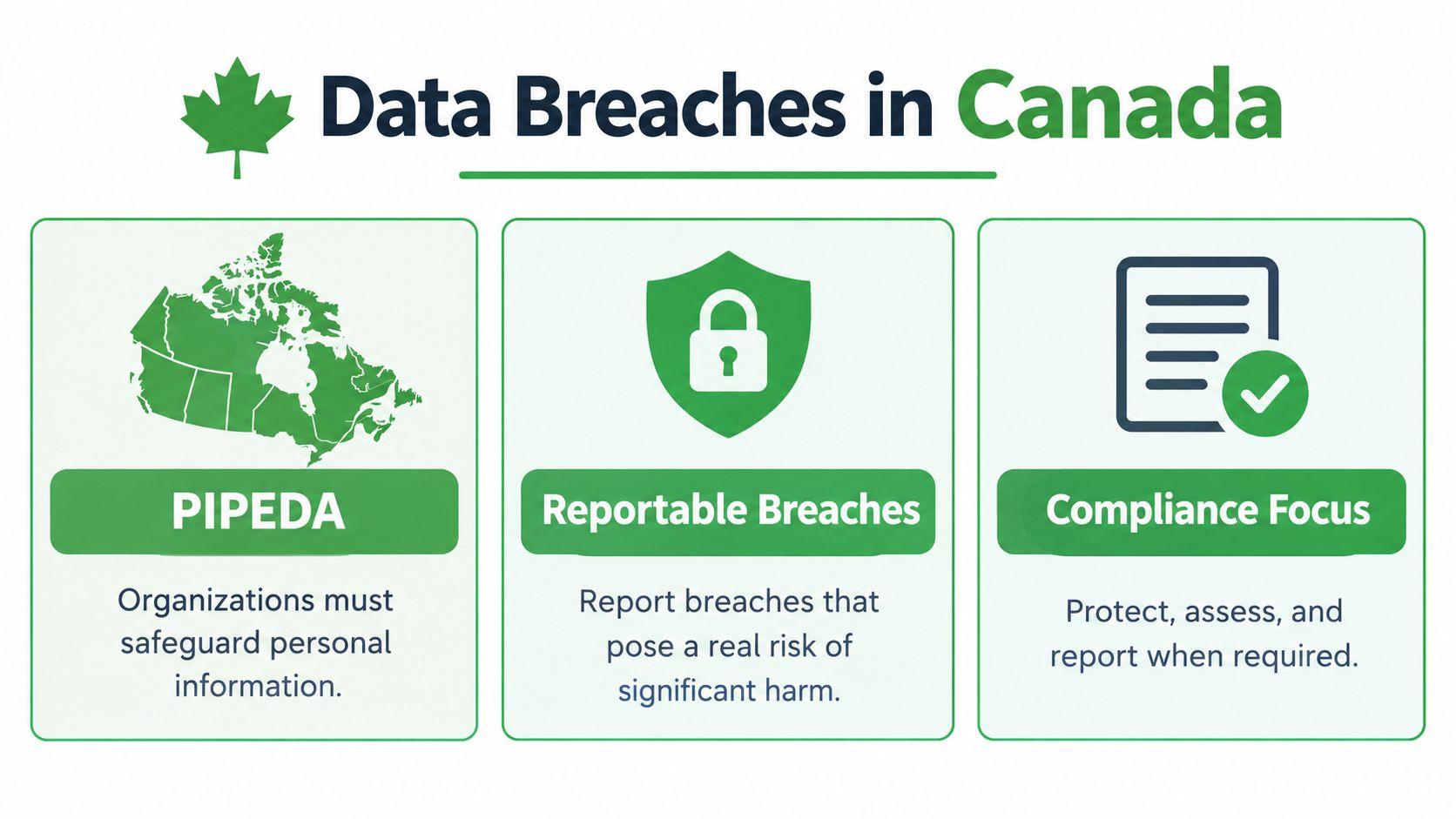
PIPEDA, Canada's federal private-sector privacy law, requires organizations covered by the law to safeguard personal information. Organizations must report a breach to the Privacy Commissioner and notify affected individuals when it creates a real risk of significant harm. The potential harm depends on what information was exposed and how likely it is to be misused. Organizations in British Columbia, Alberta, and Quebec may also have obligations under their provincial privacy laws.
Breach counts alone don’t tell the whole story. In 2025–2026, businesses filed almost 700 breach reports with the Office of the Privacy Commissioner. Those breaches affected more than 20 million Canadians. The number of reports stays fairly steady from year to year, but a single large incident can expose millions of people.
Responsibility doesn't disappear with a vendor
A business may store information with an email host, payroll provider, or cloud platform, but outsourcing doesn't remove the need to protect the information it controls. Organizations should know what personal information a supplier handles, how the supplier reports a suspected breach, and who will assess whether notification is required.
For individuals, a notice from an organization should explain what information was involved and what steps to take. If you receive one, use contact details found independently on the organization's official website rather than assuming a link in the message is safe.
Businesses that need a closer look at their obligations can review PIPEDA compliance considerations for Canadian businesses. The useful takeaway is simple: know where personal information lives, restrict access, and decide in advance how your organization will assess and respond to exposure.
How to Find Out If Your Data Was Breached
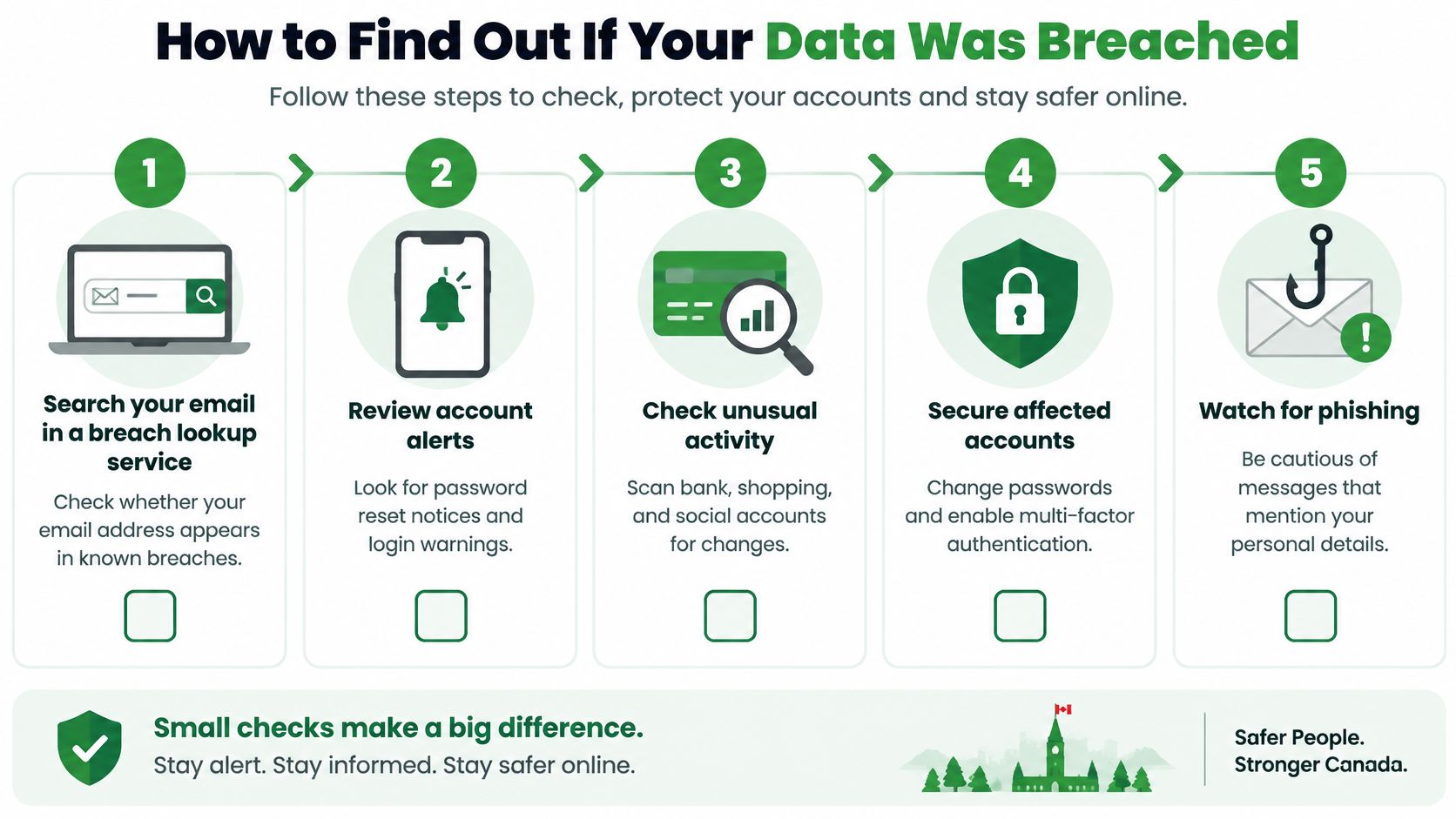
Start by checking whether your email address appears in a reputable breach-notification lookup service. These services can show whether an address is associated with known breaches, but they can't confirm that every possible incident has been found. Treat a result as a prompt to investigate, not proof that someone currently controls your account.
Then check the accounts you use. Look for password-reset emails you didn't request, sign-in alerts from unfamiliar devices or locations, and messages in your sent folder that you don't recognize. Ask your contacts whether they've received unexpected messages from you.
Check the mailbox settings, not just the inbox
Look for forwarding rules and filters you didn't create. Check recovery email addresses, phone numbers, and account details for changes you don't recognize. If your email provider shows active sessions or connected apps, review those for access you didn't approve.
A breach notification can itself be a phishing attempt. Criminals may copy the look of a real alert and try to rush you into clicking a link or opening an attachment. Verify the sender, avoid urgent links in unexpected messages, and type the organization's web address yourself or find its contact details through a separate search.
No single warning sign proves that a breach happened. Taken together, unfamiliar account changes, unexpected login notices, and messages you didn't send are enough reason to secure the account and contact the provider through an official channel.
What to Do After a Data Breach
Start with your email account. Change its password to a new one you don't use anywhere else, enable two-factor authentication, and sign out of active sessions if the provider offers that option. Revoke app passwords or connected apps you don't recognize.
Next, change passwords on accounts where you reused the old one. Prioritize financial, work, and other accounts that contain sensitive information. If you can't tell which accounts used the same password, review your password manager or account list and treat uncertain matches as worth checking.
Remove access the attacker may have left behind
Check forwarding rules, filters, recovery addresses, and connected devices. Remove unfamiliar changes, then scan your devices for malware using trusted security software. If the account belongs to work, tell your IT or security contact promptly so they can check related systems.
For a business, the Canadian Centre for Cyber Security recommends a written incident response plan that covers how you detect, respond to, and recover from incidents. The Cyber Centre's incident-response guidance gives organizations a way to manage the response rather than relying on improvised decisions.
Keep a record of what happened and when, including notices received, settings changed, and steps taken. Monitor bank and credit statements for unusual activity, and be cautious with follow-up security messages until you verify who sent them. If an organization's notice says your information was affected, follow its official instructions and ask for clarification through a contact method you find independently.
How to Protect Your Email Going Forward
Prevention starts with limiting how much access one compromised account can provide. Use a unique password for every account and turn on two-factor authentication wherever it's available. Email aliases can help keep your main address separate from sign-ups, making it easier to manage which services can contact you.
Check what your provider stores and how it handles your messages. Privacy-focused features can reduce tracking or unnecessary exposure, but no email service can promise that every risk disappears. Encryption also has limits: it can protect message contents in certain circumstances, but it won't stop someone who has already gained access to an account from reading what that account can access.
At Typewire, we provide ad-free email with an encryption-focused design and host our infrastructure in Canada. Our service is built for people who want email without tracking or data mining, but your account security still depends on choices such as using a unique password and reviewing recovery settings.
A useful step today is to change any email password you've reused elsewhere and enable two-factor authentication on your mailbox.
Typewire is a Canadian email provider based in Vancouver, BC. We offer ad-free email hosted on our own Canadian infrastructure, with features designed to support privacy and account security. Start your 7-day free trial to keep your inbox under Canadian jurisdiction.