Author: williamwhite

  • How to Block Spam Emails and Reclaim Your Inbox

    How to Block Spam Emails and Reclaim Your Inbox

    Fighting back against spam really boils down to three habits: diligently marking junk as spam, setting up custom filter rules, and being selective about where you share your email address. Once you get these down, you can turn your inbox from a spam magnet into a well-defended fortress.

    Reclaiming Your Inbox from the Spam Onslaught

    If your inbox feels like it's under constant siege, you're not wrong. Spam is a huge, automated business. It’s hard to believe, but spam messages account for a mind-boggling 45% of all emails sent worldwide. That’s about 14.5 billion junk emails flying around the internet every single day.

    What does that mean for you? The average person gets hit with over 1,800 unwanted emails every year. You can dig into more of these stats over at AgainstData.com.

    So, how did your email end up on all those lists? It usually happens in a few common ways:

    • Data Breaches: A service you signed up for years ago gets hacked, and your email is part of the stolen data sold to spammers.
    • Publicly Available Information: If your email is on your company website, a social media bio, or any public forum, scraper bots will find it. It's only a matter of time.
    • Purchased Lists: Some companies sell their customer lists. Your email gets bundled up and sold to the highest bidder, legally or otherwise.

    This guide is your battle plan. We’re going to move past just deleting spam and build a real, long-term defense. You don't have to be a tech guru to block spam emails effectively—you just need the right tactics.

    The real secret is to stop being reactive—deleting spam after it arrives—and start being proactive. You need to train your email client to stop junk before it ever clutters your inbox. That's a complete game-changer.

    This means you’ll be actively teaching your email’s built-in filters what you consider spam, creating your own smart rules to catch annoying repeat offenders, and learning when it's actually safe to hit "unsubscribe." If you're eager to get started right away, our practical guide on how to reduce spam email has some great quick wins.

    By putting these methods together, you'll dramatically cut down on the noise and finally reclaim your inbox for the conversations that truly matter.

    Your First Steps to a Cleaner Inbox

    Ready to take action right now? These three simple steps can make an immediate and noticeable difference in the amount of spam you see.

    Action How It Works Why It's Effective
    Mark as Spam Use your email client's "Report Spam" or "Junk" button instead of just deleting. This trains your email provider's algorithm to recognize and block similar messages in the future for everyone, not just you.
    Create a Filter Set up a rule to automatically delete or archive emails from a specific sender or with a certain subject line. This is your personal bouncer, instantly dealing with repeat offenders so you never have to see their emails again.
    Unsubscribe Carefully Only use the unsubscribe link on emails from legitimate, well-known companies. Unsubscribing from real newsletters cleans your inbox. Clicking unsubscribe on spam emails just confirms your address is active.

    Putting just these three practices into play will start clearing out the clutter almost immediately. It’s the foundation for a permanently cleaner inbox.

    Train Your Email’s Built-In Spam Defenses

    Most popular email services like Gmail and Outlook already have some seriously powerful spam filters working for you right out of the box. They do a pretty good job on their own, but with a little bit of your help, they can become incredibly accurate. Think of it as teaching a smart assistant to recognize exactly what you consider junk.

    The single most important thing you can do is smash that "Report Spam" or "Junk" button. Just deleting a spammy email doesn't teach your filter anything. But when you report it, you’re feeding the system a crucial piece of data. You're essentially saying, "Hey, messages like this, from this kind of sender, with these links? It's all trash." This not only cleans up your own inbox but also improves the spam filter for everyone else using the service.

    Fine-Tuning Your Filter's Accuracy

    Of course, no automated system is perfect. Sometimes, an important email gets caught in the crossfire. We've all been there—frantically searching for a shipping confirmation or a client's message, only to find it sitting in the junk folder.

    When you find a legitimate email that was misfiled, it’s crucial to rescue it the right way. Don't just drag and drop it back to your inbox. Take the extra second to open your spam folder, select the message, and specifically mark it as “Not Spam” or “Not Junk.” This is the other side of the training coin.

    This simple action does two very important things:

    • It immediately tells your email service that the sender is trustworthy.
    • It helps the algorithm learn what kinds of emails you actually want, making it less likely to flag similar messages down the road.

    Imagine a new prospect’s first email lands in your spam. By marking it “Not Spam,” you’re essentially whitelisting them, ensuring their follow-up messages land right where they belong—in your inbox.

    Your email filter learns from every single click. Consistently reporting junk and rescuing good mail is the fastest way to build a personalized defense that truly gets you.

    This constant feedback loop is the bedrock of a clean inbox. A little effort over time transforms a generic filter into a highly effective shield, custom-built for your communication style.

    Create Custom Rules for Ultimate Inbox Control

    Training your email's built-in spam filter is a great start, but let's be honest—it doesn't catch everything. For those pesky, recurring junk emails that sneak through, creating your own custom rules is the ultimate power move.

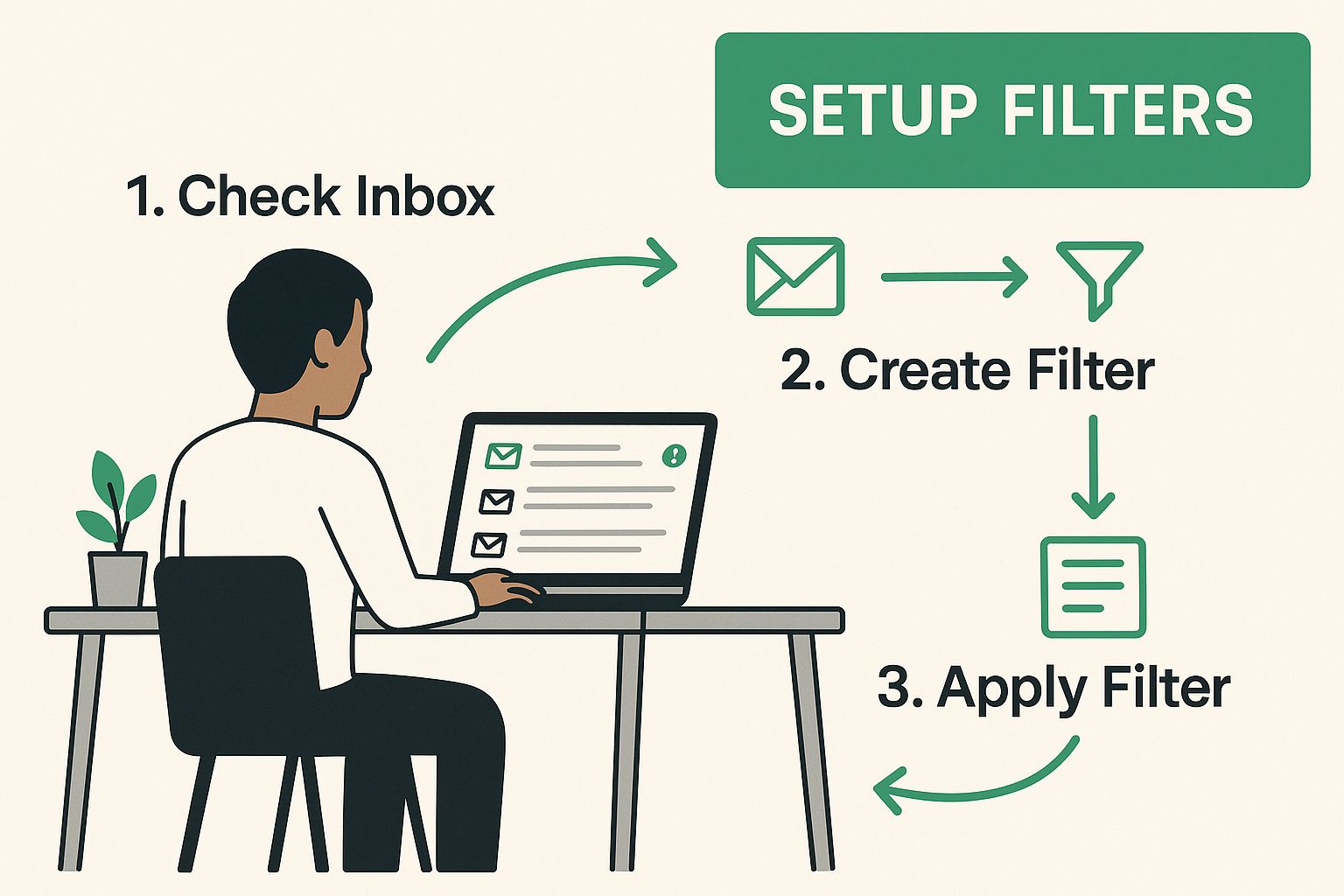
    Think of rules as your personal bouncer for your inbox. You get to set the criteria, and your email client does the dirty work automatically. This is where you stop just reacting to spam and start proactively blocking it before it even has a chance to distract you. You can build rules around a sender's address, specific words in the subject line, or even phrases in the email itself.

    This is all about taking back control, one rule at a time. The process is pretty straightforward once you get the hang of it.
    Image

    The main idea is simple: setting up your own rules gives you a direct line of defense to keep your primary inbox clean and focused.

    Build Your Custom Spam-Blocking Logic

    So, how does this work in the real world? Let’s say you’re constantly getting junk mail from different addresses, but they all come from the same domain, like spam-offers.biz. Blocking each new sender one by one is a losing battle. A much smarter move is to create one rule that nukes anything coming from that entire domain.

    Here are a few powerful rule ideas you can put into action right now:

    • Block a Whole Domain: If an email is from *@spam-offers.biz, send it straight to Trash. The asterisk is a wildcard that catches everything from that domain.
    • Filter by Keywords: If the subject line contains "You've Won!" or "Limited Time Offer," automatically move it to Junk.
    • Handle Risky Attachments: If an email from an unknown sender has a .zip file attached, flag it as spam immediately.

    A pro-tip from my own experience: create a rule that automatically deletes emails containing phrases like "confirm your account" or "verify your identity" from senders not in your contact list. This alone can wipe out a huge chunk of phishing attempts before you're ever tempted to click.

    This kind of personal touch is what makes rules so effective. While built-in filters are good, they can’t possibly know what’s important to you. Rules fill that gap, making you the final authority on what lands in your inbox.

    For even more robust protection, you can pair your custom rules with a dedicated filtering tool. Check out our guide on the top 8 best email spam filters to protect your inbox in 2025 to find solutions that offer another layer of advanced, automated defense.

    When to Use the Unsubscribe Button (and When to Avoid It)
    Image

    That little unsubscribe link at the bottom of an email looks like the perfect escape route from an inbox you can't control. And sometimes, it is. But here’s the catch: clicking it can sometimes open the floodgates, making your spam problem a whole lot worse.

    The real danger is that clicking "unsubscribe" on a malicious email is like raising your hand and telling a scammer, "Yes, this email address is active, and someone reads what comes through!" Your address instantly becomes more valuable, and they'll often sell it to other spammers. The result? You get an even bigger avalanche of junk mail.

    Figuring out which links are safe and which are a trap is a crucial skill for getting your inbox back.

    Legitimate vs. Malicious Unsubscribe Links

    So, how do you tell them apart? A legitimate unsubscribe link will come from a company you actually know and have done business with. Think about retailers you’ve shopped with or newsletters you specifically remember signing up for. By law, these businesses have to give you a clear way to opt out.

    On the flip side, you need to be very suspicious of any email that:

    • Comes from a sender you've never heard of.
    • Is riddled with obvious typos and bad grammar.
    • Pushes sketchy products or deals that sound way too good to be true.

    The rule of thumb I've always stuck to is simple: if I don’t remember signing up for it, I don’t click unsubscribe. I report it as spam and then delete it. This trains my filter without confirming my address to a scammer.

    For any email that gives you that "something's not right" feeling, the smartest move is to just leave the unsubscribe link alone. Instead, hit your email client’s "Report Spam" button. This not only blocks that sender but also helps your spam filter get better at spotting similar threats down the line, all without ever tipping off the bad guys.

    Spot and Block Dangerous Phishing Attacks
    Image

    Not all unwanted emails are just trying to sell you something. Some are sophisticated traps designed to steal your money, data, and identity. These malicious messages, known as phishing attacks, are a much bigger deal than your average junk mail. Knowing how to block this kind of spam isn't just about reducing clutter—it's about protecting yourself.

    Phishing emails almost always try to create a false sense of urgency. I've seen countless examples that use fear-based language to rush you into making a mistake, claiming your account is compromised or you need to verify payment details right now. They’re banking on you panicking before you have a chance to think things through.

    The scale of this problem is massive. A staggering 3.4 billion phishing emails flood inboxes every single day. These deceptive messages are directly responsible for about 36% of all cybersecurity breaches, and the average financial hit from a successful attack is a shocking $4.9 million.

    Common Phishing Red Flags

    The good news? Most phishing attempts aren't as clever as they seem and have obvious tells. If you train yourself to spot these red flags, you can dodge the vast majority of them. It's one of the most effective skills you can develop for online safety. For a deeper look, check out our complete guide on how to identify phishing emails for more expert tips.

    Here are a few of the most common warning signs I always look for:

    • Suspicious Sender Address: The email might display the name "PayPal," but when you look at the actual address, it's something bizarre like paypal-support@security-update123.com. A real company will always email you from its official domain.
    • Mismatched Links: Always hover your mouse over a link before you even think about clicking it. The link text might look legit, saying paypal.com/verify, but the preview that pops up shows a completely different and sketchy URL.
    • Urgent or Threatening Language: Phrases like "Your Account Will Be Suspended" or "Urgent Action Required" are classic phishing tactics. They want to scare you into acting without thinking.
    • Generic Greetings: If an email starts with "Dear Valued Customer" instead of your name, be extra cautious. Legitimate companies you do business with will almost always address you by name.

    Behind the scenes, your email provider uses verification tech like SPF, DKIM, and DMARC to confirm a sender is who they say they are. When you take a moment to report a phishing email, you're actually feeding valuable data back into these systems. This helps them get better at spotting and blocking fraudulent senders for everyone.

    Once you know what to look for, you can confidently report and delete these malicious emails, turning your inbox into a much safer place.

    Bringing in the Big Guns: Third-Party Spam Filtering Services

    Let's be honest: the spam filters built into your email client are pretty good, and setting up your own rules definitely helps. But sometimes, you need more firepower. If your business is a magnet for spam or you're a high-profile target for phishing attacks, calling in a specialist service can completely change the game.

    Think of these third-party services as a dedicated security checkpoint for your email. They meticulously inspect every single message before it ever gets a chance to land in your inbox. They use far more aggressive and sophisticated filtering technology than what comes standard with most email accounts, catching clever threats that would otherwise sneak right past your defenses.

    When Does an External Filter Make Sense?

    So, is it worth paying for one of these services? It really boils down to your specific situation.

    If you’re a small business owner entrusted with sensitive client data, or a professional whose email address is plastered all over the internet, the extra layer of protection is almost always a smart investment. The peace of mind that comes from their advanced threat detection is hard to put a price on.

    Here’s where these specialized tools really outshine the standard options:

    • Global Threat Intelligence: They tap into a massive network, analyzing data from millions of emails across the globe. This allows them to spot brand-new spam campaigns and phishing schemes the second they emerge.
    • A Secure Quarantine Zone: You get a separate, secure dashboard to review everything they’ve blocked. This gives you total control to safely release any legitimate messages that got caught or just nuke the junk for good.
    • Lighter Load on Your Server: By stopping spam at the source, these services prevent a flood of unwanted mail from ever hitting your email server, which can improve its performance.

    Of course, there are a couple of things to keep in mind. These services aren't free; they typically run on a subscription model. There's also a bit of a learning curve to get everything set up just right, and you're adding another company into your email's journey, which might be a concern for those who are extra privacy-conscious.

    Ultimately, these services offer an incredibly robust solution for anyone who needs to block spam with maximum efficiency. They aren't a necessity for every casual user, but for those who need a fortress-like defense, they deliver a level of security that's tough to match with built-in tools alone. This is especially true for any business where even a single successful phishing attack could be devastating.

    Got Questions About Stopping Spam? We’ve Got Answers.

    Even with the best spam-fighting plan, you’re bound to run into some head-scratchers. Let’s tackle some of the most common questions people ask when they're trying to get their inboxes under control.

    Can I Really Stop All Spam Emails for Good?

    Let's be realistic—stopping 100% of spam emails permanently is a pipe dream. Spammers are relentless; they're always cooking up new schemes and cycling through disposable email addresses. The real win isn't total elimination but effective management.

    By consistently using the techniques we've covered, like marking junk and setting up smart rules, you can slow the flood of spam to a tiny, manageable trickle. Your goal is to make your inbox a fortress, encouraging spammers to give up and move on to less-protected targets.

    So, Why Am I Still Getting Spam After I "Unsubscribe"?

    This is a classic—and incredibly frustrating—scenario. When you unsubscribe from a legitimate company's newsletter, it usually works. But when you click that same "Unsubscribe" link in an email from a shady sender, you've just walked into a trap.

    You’ve essentially raised your hand and told the spammers, "Hey, this is a live account with a real person reading these!" This makes your email address a more valuable target. They'll often hit you with even more junk or sell your address to other spam networks.

    My advice? If you don't recognize the sender or the email looks fishy, never unsubscribe. Just mark it as spam and let your filter do the work.

    Is It Okay to Just Delete Spam Emails?

    Simply deleting spam is better than nothing, but it’s a huge missed opportunity. When you just hit delete, your email filter doesn't learn anything from it.

    Taking that extra second to report it as spam is like giving your email provider a crucial piece of intel. You’re actively training your filter to recognize and block similar threats in the future. Think of it as teaching your digital guard dog a new trick instead of just cleaning up after it. This one small habit makes a massive difference over time.


    Ready for an inbox that's secure by design? Typewire offers advanced anti-spam and virus protection, ensuring your communications remain private and free from clutter. With no ads, no tracking, and powerful filtering, you regain full control. Explore our plans and start your 7-day free trial.
  • A Guide to Improving Email Deliverability

    A Guide to Improving Email Deliverability

    Improving your email deliverability is all about making sure your messages actually land in the primary inbox, not get lost in the spam folder. When you get it right, you're not just sending emails; you're connecting with your audience. This comes down to a mix of technical authentication, a solid sender reputation, and sending great content to a clean, opted-in list.

    Why Your Emails Land in Spam and How to Fix It

    Ever pour your heart into a campaign, hit send, and then wonder why it vanished into the digital abyss of the spam folder? It’s a gut-wrenching feeling, and a common one. The reality is that mailbox providers like Gmail and Outlook are fierce gatekeepers, constantly evaluating every single email you send to protect their users.

    It helps to think of it like a credit score. Every action associated with your emails contributes to your sender reputation. When recipients open your emails and click your links, that’s a positive signal that builds trust. On the other hand, things like high bounce rates, spam complaints, or sending to a list full of old, inactive addresses will wreck your score. Once that reputation is damaged, future messages are far more likely to get flagged as spam.

    The Four Pillars of Deliverability

    To consistently hit the inbox, you have to build your strategy on four core pillars. If even one of these is weak, the whole structure can come tumbling down.

    • Authentication: Think of this as your email’s digital passport. Protocols like SPF, DKIM, and DMARC are technical verifications that prove to mailbox providers you are who you say you are, not a phisher or a spammer in disguise.
    • Sender Reputation: This is the score tied to your sending domain and IP address, built up over time. It’s all about your history—high engagement builds a great reputation, while spam complaints and a low-quality list will tear it down.
    • List Quality: Sending emails to invalid or unengaged addresses is one of the biggest red flags for internet service providers (ISPs). A clean, opted-in list shows you're a responsible sender who respects people’s inboxes.
    • Engagement: This is the ultimate proof that your emails are wanted. Mailbox providers reward senders whose emails get opened, read, and clicked. If your engagement is low, it tells them your content isn’t valuable, pushing you straight toward the spam folder.

    "Your email list should be treated as a garden, not a graveyard. It requires constant tending—pruning inactive contacts and nurturing engaged subscribers—to flourish."

    Key Factors Influencing Your Email Deliverability

    Here’s a quick summary of those core pillars and what’s at stake if you ignore them. Understanding these is the first step to diagnosing and fixing any deliverability issues you might be facing.

    Pillar What It Is Risk of Neglect
    Authentication Technical standards (SPF, DKIM, DMARC) that verify your identity as a sender. Without it, you look like a phisher. Your emails are likely to be blocked or sent to spam.
    Sender Reputation A score based on your sending history, tied to your domain and IP address. A poor reputation leads to aggressive filtering, throttling, and a one-way ticket to the spam folder.
    List Quality The health of your contact list, measured by opt-ins, bounce rates, and engagement. A dirty list generates spam complaints and high bounce rates, destroying your sender reputation.
    Engagement How recipients interact with your emails (opens, clicks, replies). Low engagement tells mailbox providers your content isn't wanted, leading to poor inbox placement.

    Each of these pillars works together. You can't just set up authentication and then ignore your list quality; they all influence your ability to connect with your audience.

    The challenge is only getting tougher. According to Validity Inc.'s latest report, global inbox placement rates have been slipping, thanks to stricter privacy rules and smarter, AI-driven spam filters. This just goes to show how critical it is for marketers to stay on top of their game.

    A proactive, well-rounded strategy is your best defense. For a deeper dive into the specific tactics and best practices you can implement today, check out our complete guide on how to improve email deliverability. Mastering these concepts is how you'll reclaim your spot in the inbox and make sure your messages get the attention they deserve.

    Building a Bulletproof Technical Foundation

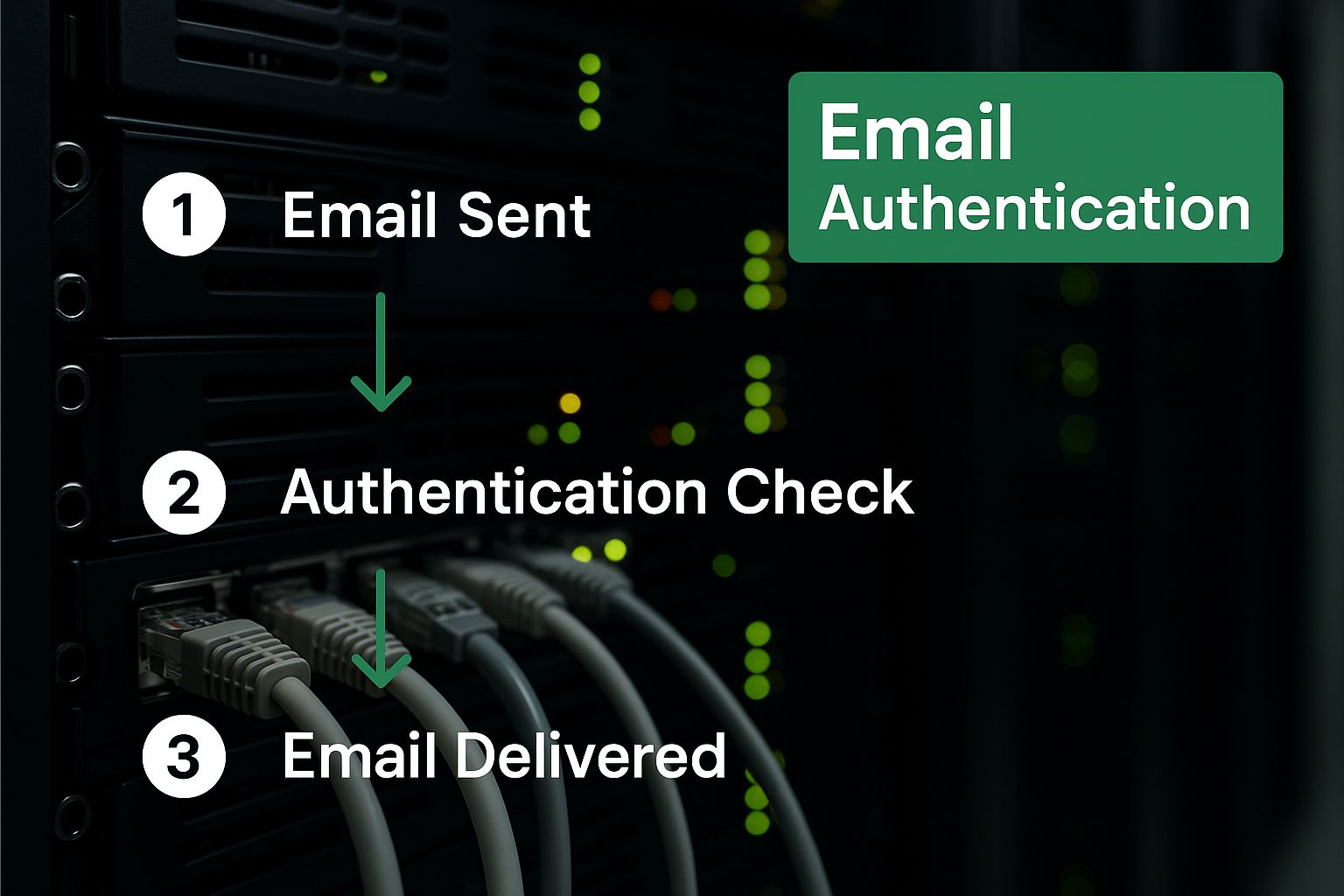
    Think of email authentication as your official passport for the internet. Without it, you’re an anonymous sender trying to cross a heavily guarded border. Mailbox providers like Gmail and Outlook are the border patrol, and they have every right to be suspicious of unverified travelers. Improving email deliverability starts by proving you are who you say you are.

    This process isn't just a technical checkbox; it's the very foundation of trust between you and every mailbox provider. It’s how you build a positive sender reputation right from your very first email. If you neglect this, you're essentially building a house on sand—it's only a matter of time before things start to crumble.

    Your Digital ID Card: SPF

    First up is the Sender Policy Framework (SPF). In simple terms, an SPF record is a public list of all the servers and IP addresses authorized to send emails on your domain's behalf. It’s like telling mailbox providers, “If an email from mydomain.com doesn't come from one of these approved locations, it’s not from me.”

    When an email lands in an inbox, the receiving server glances at your domain's SPF record to see if the sending server is on the approved list. A match signals legitimacy; a mismatch raises a huge red flag. This simple check is your first line of defense against basic email spoofing, where spammers try to impersonate your domain.

    The Unbreakable Seal: DKIM

    While SPF verifies the sender, DomainKeys Identified Mail (DKIM) verifies the message itself. DKIM adds a unique, encrypted digital signature to the header of every email you send. It’s the digital equivalent of a tamper-proof seal on a physical letter.

    Once the email arrives, the recipient's server uses a public key stored in your domain’s DNS to check this signature. If it's valid, the server knows two critical things:

    1. The email genuinely came from your domain.
    2. The email’s content hasn't been fiddled with in transit.

    This cryptographic check offers a powerful layer of security, confirming your message's integrity all the way from your outbox to their inbox.

    “SPF and DKIM are the one-two punch of email authentication. SPF says ‘I’m allowed to send this,’ while DKIM says ‘I actually sent this, and nobody messed with it.’ You really need both for a credible sending identity.”

    The Rulebook for Authentication: DMARC

    Domain-based Message Authentication, Reporting, and Conformance (DMARC) is the final piece of the puzzle. It ties SPF and DKIM together and tells mailbox providers exactly what to do if an email fails either of those checks. Think of DMARC as the set of instructions you give to the bouncer at a club.

    Without DMARC, a mailbox provider might see a failed SPF or DKIM check but let the suspicious email through anyway, maybe just flagging it as spam. A DMARC policy lets you issue crystal-clear commands:

    • p=none: Monitor these emails but don't take any action. This is perfect for gathering data when you're just starting out.
    • p=quarantine: Send any emails that fail the checks straight to the spam folder.
    • p=reject: Outright reject and block any emails that fail the checks. Don't even let them in the door.

    DMARC also sends you invaluable reports, giving you visibility into who is sending email using your domain. This helps you spot unauthorized use and protect your brand from being hijacked for phishing attacks. If this feels a bit technical, don't worry. For a complete walkthrough, check out our guide on what is email authentication to get all the details.

    Image

    The Importance of Custom Domains

    Finally, let's touch on tracking domains. Most email service providers use shared tracking domains by default to monitor opens and clicks. The problem? You’re sharing that domain’s reputation with thousands of other senders. If just one of them gets spammy, that shared domain can get blocklisted, and your deliverability takes a nosedive through no fault of your own.

    Using a custom tracking domain puts you squarely in the driver's seat. All link tracking is routed through a domain you own, completely separating your sender reputation from the crowd. Here at Typewire, we consider this a non-negotiable for any serious sender. It’s a crucial step in owning your email destiny and ensuring the reputation you build is based entirely on your own good practices.

    Mastering List Hygiene and Recipient Engagement

    Image

    Think of your email list not as some static database, but as a living, breathing asset. From my experience, one of the fastest ways to torpedo your sender reputation is to keep blasting emails to unengaged or flat-out invalid addresses. It’s a direct signal to mailbox providers that your messages are unwanted, and mastering list hygiene is a non-negotiable part of the game.

    A clean, engaged list is your best friend in deliverability. It sends a stream of positive signals to ISPs, showing them that real people are actively opening and interacting with your emails. This builds trust and dramatically increases your odds of landing in the primary inbox instead of the spam folder.

    The Power of Confirmed Interest

    If you want to start the relationship off right, use a double opt-in. It's a simple concept: when someone signs up, they get an automated email asking them to click a link to confirm they really want to hear from you. This one small step is incredibly powerful.

    It acts as an instant quality filter. You immediately weed out typos in email addresses, bogus sign-ups, and spam bots that can poison your list and drive up bounce rates.

    A confirmed subscriber is an engaged subscriber from day one. By asking for that second click, you’re not adding friction; you’re building a foundation of consent and intent that mailbox providers love to see.

    While it might feel like an extra hurdle for new subscribers, the long-term payoff is huge. You'll see higher open rates, better click-throughs, and fewer spam complaints—all critical metrics for a healthy sender score. In a platform like Typewire, setting up double opt-in is a straightforward way to guarantee the quality of every new contact you add.

    The Art of Letting Go with List Cleaning

    Even your most dedicated fans can go quiet. It happens. People change jobs, switch email providers, or their interests simply shift. That's why cleaning your list regularly is just as critical as how you add people to it in the first place.

    When you send to an address that no longer exists, you get a hard bounce. This is a major red flag for ISPs and a direct blow to your reputation. If your hard bounce rate creeps above 2%, you can bet you’ll get flagged quickly.

    Likewise, continuously emailing people who never open your messages tells mailbox providers your content isn't relevant. They track this lack of engagement and can start routing your emails to spam for everyone—even your most active subscribers.

    Sunsetting and Re-engagement Strategies

    The process of weeding out these inactive users is often called sunsetting. Before you hit delete, though, it’s always smart to run a re-engagement campaign to see if you can win them back.

    Here’s a practical approach I’ve seen work time and again:

    • Define "Inactive": First, decide what inactivity means for you. Is it someone who hasn't opened or clicked an email in 90 days? Or maybe 180 days?
    • Launch a Win-Back Campaign: Send a short, targeted series of 2-3 emails. Try subject lines like "Is this goodbye?" or "We miss you" to catch their eye. Offering a special discount or highlighting your best content can also do the trick.
    • Confirm or Say Goodbye: In your last email, be direct. Let them know you'll be removing them from your active list unless they click a link to stay subscribed. This gives them one final, clear chance to opt back in.

    If they still don't engage, it's time to let them go. I know it feels wrong to shrink your list, but trust me: a smaller, highly engaged audience is infinitely more valuable for your deliverability than a large, silent one. This focus on quality is a big reason why B2B email marketing remains so effective. Despite the challenges, the delivery rate for B2B emails is an impressive 98.16%, proving what's possible with a rigorous deliverability checklist. You can dig deeper into these industry benchmarks over on the TrulyInbox blog.

    Ultimately, managing your list with this level of care shows the world you're a responsible sender who respects the inbox.

    Crafting Content That Evades Spam Filters

    What you say—and just as importantly, how you say it—is a massive piece of the deliverability puzzle. Mailbox providers are incredibly sophisticated these days. They look far beyond just a few "spammy" keywords, scrutinizing your email's content, structure, and even the underlying code to decide if you’re trustworthy.

    This is exactly where I see so many senders stumble. You can have perfect authentication and a pristine list, but if your content itself triggers alarms, you're still heading straight for the junk folder. The goal is to create emails that both people and their filtering algorithms find valuable and safe.

    Move Beyond Outdated "Spam Words"

    The old advice was simple: avoid words like "free," "risk-free," or "act now!" While it's still smart to steer clear of overly sensational language, modern filters are much smarter. They're all about context, not just isolated words.

    For instance, a respected non-profit can use "donate now" without a problem because their sender reputation and past engagement are rock-solid. A brand-new sender using that same phrase? They’ll likely get flagged. The real key is to focus on providing genuine value, not trying to trick people with pushy language. Just write naturally and clearly.

    Your subject line is a promise. The body of your email is the delivery on that promise. A mismatch between the two is a classic spam signal that instantly erodes trust with both your subscribers and their mailbox providers.

    The Critical Balance of Text and Images

    A classic mistake I see all the time is sending emails that are just one giant image. To a spam filter, this is a huge red flag. Why? Because filters can't "read" text embedded in an image, leaving them blind to your content's legitimacy. It’s a tactic spammers love because they can hide shady links and text inside the graphic.

    A healthy email strikes a good balance. There's no single magic ratio, but a solid rule of thumb is to aim for at least 60-70% text and keep images to 30-40% of the email body. This structure gives filters plenty of real text to analyze, which helps prove you're the real deal.

    And please, always use ALT text for every single image. This does two critical things:

    • It makes your message accessible to users with visual impairments who rely on screen readers.
    • It gives context to everyone else when email clients block images by default, so your message still makes sense.

    Keep Your Code and Links Clean

    The hidden stuff matters just as much as what your subscribers see. Messy, broken HTML can be interpreted as the work of a low-effort, spammy sender.

    When building your email, stick to clean, simple HTML. Whatever you do, avoid copying and pasting directly from programs like Microsoft Word or Google Docs. They often drag in a ton of messy formatting code that can wreck how your email displays and set off spam filter alarms.

    Your links are also under a microscope. Follow these best practices to keep them from torpedoing your deliverability:

    • Ditch URL Shorteners: Services like Bitly are frequently abused by spammers to hide malicious destinations, so many filters view them with instant suspicion. Always link directly to the full, transparent URL.
    • Use Descriptive Link Text: The clickable text should clearly state where the link goes. Instead of "Click Here," use something specific like, "Read Our Latest Security Report."
    • Ensure Link Consistency: Make sure your links point to reputable domains that align with your sending domain. A random link to an unrelated, low-reputation site is a major warning sign.

    By dialing in these content details, you’re sending strong signals to mailbox providers that you're a professional and trustworthy sender. To really master this, it helps to understand the advanced algorithms at play; you can learn more about the best email spam filters and how they work to stay ahead of the game. At Typewire, we’ve built our platform to support these best practices, giving your thoughtfully crafted content the best possible shot at hitting the inbox.

    Navigating Global Deliverability Challenges

    Image

    Email deliverability is a tricky beast, and it gets even more complicated when your audience is scattered across the globe. What gets you straight to the inbox in North America can land you in the spam folder in Europe or the Asia-Pacific (APAC) region. I’ve seen it happen time and time again.

    Each market has its own quirks—different dominant email providers, unique cultural expectations, and specific data privacy laws that can make or break your inbox placement. Ignoring these regional nuances is a surefire way to have your global campaigns fail quietly in the background, tanking your sender reputation in one market while it stays perfectly healthy in another.

    Get to Know the Local Mailbox Providers

    First things first: the world doesn't run solely on Gmail and Outlook. While they are massive, many countries have their own local heroes with their own filtering rules. In Germany, for instance, GMX and Web.de are huge. In Russia, Mail.ru has a massive user base.

    From experience, I can tell you these local ISPs are often more conservative, especially with mail coming from international senders. They're quick to flag things like sudden volume spikes or content that just doesn't feel right for their audience. If you want to improve deliverability in these regions, you have to play by their rules.

    • Segment by geography. Stop sending to one giant "international" list. Break your subscribers down by country or region so you can fine-tune your content and actually see what’s working where.
    • Warm up each region. When you start targeting a new country, treat it like a brand-new IP warmup. Begin by sending to a small group of your most engaged subscribers there to build a good reputation specifically with their local providers.
    • Keep an eye on local blocklists. There are regional spam traps and blocklists that you might not even know exist. Make sure you're monitoring them.

    A "one-size-fits-all" global email blast is a classic mistake. You'll look like an outsider to local mailbox providers, and they'll filter you aggressively. A targeted, localized strategy is always the smarter play.

    Adapt to Privacy Laws and Cultural Norms

    Beyond the tech, you have to navigate the cultural and legal landscape. Europe's General Data Protection Regulation (GDPR) has completely changed the game for consent. What passes for an opt-in in one country could land you in serious legal trouble in another.

    You can see these differences in the data. Geographically, inbox placement rates vary a lot. Europe, for example, enjoys a high average inbox placement rate of around 91%. The APAC region, however, has the lowest at about 78%. That gap isn't random; it's a direct result of local factors, a topic you can dive deeper into by reviewing the latest global deliverability findings.

    To get it right, you have to adapt your entire approach:

    • Follow the law, period. Make sure your consent practices are airtight and compliant with regulations like GDPR, CCPA, and any others relevant to your audience.
    • Watch the clock. An email sent at 2 PM your time might arrive at 3 AM for your recipient. Use scheduling tools to deliver messages when people are actually awake and likely to check their email. It makes a huge difference.
    • Translate and localize your content. If you have the resources, translate your emails. Even small touches of localization show you respect your audience and can give your engagement a serious lift.

    Using a secure platform like Typewire gives you a fantastic foundation for your communications. The real magic happens when you build on that foundation with these global principles, ensuring your messages aren't just sent, but are actually welcomed across every border.

    Your Email Deliverability Questions Answered

    When you start diving into the world of email deliverability, you’ll find that a lot of questions come up. It's easy to feel a bit lost in the jargon and technical details. Let's walk through some of the most common questions I hear and give you clear, straightforward answers to help you get your emails where they need to go.

    Think of this as your practical, no-fluff guide. Each of these topics builds on the core principles of sender reputation, clean lists, and quality content—all essential for landing in the inbox.

    How Long Does It Take to Warm Up a New IP Address?

    Patience is the name of the game here. From my own experience, you should set aside at least 4 to 8 weeks to properly warm up a new IP address or sending domain. I know that sounds like a long time, but trying to rush this process is one of the most common—and damaging—mistakes you can make.

    The whole point is to gradually increase your sending volume, day by day. This slow-and-steady approach lets mailbox providers like Gmail and Outlook get to know your new IP, learn your sending patterns, and start building up a positive reputation for you. If you just blast out thousands of emails from a cold IP, you look exactly like a spammer.

    Here’s how to do it right:

    1. Start with Your Champions: Your first sends should go only to your most engaged subscribers. These are the folks who consistently open and click your emails, giving you those crucial positive signals right out of the gate.
    2. Increase Volume Methodically: Over the next few weeks, slowly add more subscribers to your sends. You can gradually mix in less-engaged segments once your reputation has a solid foundation.
    3. Monitor Everything: Keep a close eye on your metrics—open rates, click rates, bounces, and spam complaints. If you see any red flags, slow down the volume increase or even pause for a day or two until things stabilize.

    Think of it like making a new friend. You wouldn't ask for a huge favor the first time you meet. You build trust through small, positive interactions over time. Warming up an IP is no different.

    What's a Good Open Rate to Aim For?

    This is a classic "it depends" question. A "good" open rate can vary wildly depending on your industry, audience, and the type of email you're sending. That said, a solid benchmark to shoot for is somewhere between 15% and 25%. If you're consistently hitting that range, you’re probably on the right track.

    But here’s a critical piece of advice: don’t obsess over open rates as the one true metric of success. With features like Apple's Mail Privacy Protection, open rates have become a lot less reliable. The feature can preload email content, which can artificially inflate your open numbers even if a user never actually viewed your message.

    A much smarter strategy is to look at a blend of metrics to get a complete picture of your email performance:

    • Click-Through Rate (CTR): This shows you who is actually interacting with your content. It’s a much stronger signal of engagement.
    • Conversion Rate: Are people taking the action you want them to take? This ties your email efforts directly to business goals.
    • Bounce Rate: A high bounce rate is a clear sign that your list health needs attention.
    • Unsubscribe Rate: This tells you if your content is resonating or pushing people away.

    Looking at these metrics together gives you a far more accurate view of both your deliverability and your overall engagement.

    My Deliverability Suddenly Dropped. What Should I Do First?

    Seeing your deliverability suddenly tank can be terrifying. The first rule is: don't panic. The key is to be methodical and play detective to figure out what changed in your email program.

    Start by running through these immediate checks:

    • Check for Blocklistings: The first thing I always do is use a tool like MxToolbox to see if my sending domain or IP has landed on any major blocklists. It’s a common culprit for sudden drops.
    • Review Recent Campaigns: Did you just mail a new list for the first time? Or maybe a very old, stale segment? Sending to unengaged contacts can trigger a wave of spam complaints and hammer your reputation almost instantly.
    • Analyze Your Content: Did you make any big changes to your email template? A new link pointing to a domain with a poor reputation, a drastic change in your text-to-image ratio, or even different phrasing could be the cause.
    • Review DMARC Reports: Your DMARC reports are a goldmine of information. They can tell you if someone is trying to send unauthorized emails from your domain (a practice called spoofing), which can absolutely destroy your reputation without you even knowing.

    Nine times out of ten, the problem can be traced back to a specific, recent action. Once you've found it, you can take steps to fix it—like pulling that bad list segment or reverting the content change—and start the work of rebuilding your sender reputation.

    Can Using Too Many Images Hurt My Deliverability?

    Absolutely. An email made up mostly of images with very little text is a massive red flag for spam filters. There are a couple of good reasons why mailbox providers are so wary of them.

    First, their systems can't "read" the text inside an image, so they have no way to verify that your content is legitimate and not something malicious. Second, spammers have historically used this exact tactic to hide shady links and trigger words from older filters. As a result, today’s sophisticated filters often treat image-only emails as high-risk by default.

    For much better deliverability, aim for a healthy balance. A good rule of thumb is a ratio of about 80% text to 20% images. And always, always include descriptive ALT text for every single image. This not only helps users whose email clients block images but also makes your emails more accessible.


    Ready to take full control of your email and stop worrying about shared reputations and data mining? Typewire offers secure, private email hosting that puts you in the driver's seat. Build your sender reputation on a foundation of privacy and security. Explore Typewire's features and start your free trial today.