
Last updated: November 3, 2026
A dark web monitoring match means your email or related data was exposed at some point, not that someone accessed your account or that fraud has already occurred. Most advice stops at "run a dark web scan and panic if you get a hit," and that advice is incomplete.
We think the hit itself is only a sorting problem. The useful question is what kind of data appeared with your address, because an old address on its own needs a different response from a live password or an identity number. Running a dark web email check without that sorting step can scare you, waste your afternoon, or give you false comfort. The check can also create a new privacy record with the service you use, which matters if you're trying to hold less data in fewer places.
What a Dark Web Email Check Can Tell You
Say it's Saturday morning and an alert lands in your inbox. It says your address was found in a breach collection. You check your mail, see no strange logins, and find no sent messages you didn't write. That gap between the alert and what you can see is normal, and it's exactly what dark web monitoring can and can't resolve.
Dark web monitoring checks whether an email address, password, phone number, or identity detail shows up in breach collections, criminal forums, or marketplaces. Free tools such as Have I Been Pwned search published breach lists. Paid tools claim to watch forums and marketplaces on an ongoing basis. Neither one replaces your own sign-in history, because your provider's logs show actual access while a monitoring hit only shows that data circulated somewhere.
Matching the alert to a response
Dark web alert types and first actions
| Alert type | What it usually means | Urgency | First action |
|---|---|---|---|
| Email address only | Address appeared in a breach dump, often old | Medium | Note which accounts use it and watch for phishing |
| Email plus password | A reusable login pair that can be stuffed into other sites | High | Retire that password everywhere and turn on multifactor authentication |
| Email plus phone number | Contact data that can support impersonation | High | Treat unexpected government or bank messages as suspect |
| SIN, passport, licence, or similar ID | Identity details that can be packaged and resold | Urgent | Call your bank, review credit files, and report suspected fraud |
| Session token or cookie | Possible active access rather than just a leaked address | Urgent | Sign out other sessions and reset the password |
| Repost of an older breach | Duplicate data, not automatically a new incident | Lower | Confirm the password was already changed and record the alert |
Read the table top to bottom as a rough risk ladder. An address alone mostly raises your phishing exposure, because criminals now know where to send convincing mail. A password changes the picture completely, since that pair can be tried automatically against your bank, your payroll portal, and your government accounts. A session token or cookie sits at the top because it can skip the password step entirely and act like an already signed-in browser.
Practical rule: Sort by the data that travelled with your address, not by the name of the breached company in the headline.
Scale helps explain why we push for a plan instead of passive awareness. According to Statistics Canada's summary of police-reported cybercrime, Canadian police recorded 40,437 cybercrime incidents in the first six months of 2025, based on preliminary data. That figure counts incidents reported to police, so it doesn't represent every attack or fraud attempt in the country. Even as a partial count, it shows that exposed credentials sit in a busy environment where criminals test them quickly.
If you're asking "is my email on the dark web," treat a yes as a prompt to replace reused passwords, turn on multifactor authentication, and review your recovery details. Monitoring doesn't prevent cybercrime on its own. Its value is earlier visibility, which shrinks the window criminals have to reuse what leaked. Start by matching your alert to one row in the table, then work through the checking steps and the response steps that follow in this guide.
What the Dark Web Is and How Email Ends Up There
Think of the dark web as a set of sites that need special software to reach, a bit like shops down an unmarked alley that don't appear on a street map. Stolen records get posted or sold in places like that. It isn't one searchable database, so you can't type your address into it the way you'd search an ordinary index. Monitoring services send collectors into some of those spaces and report back on matches, which is why coverage always has gaps.
Three ordinary paths to a leak
A company breach: Someone breaks into a business you signed up with, copies its customer list, and posts or sells that list on a criminal forum.
Phishing: A fake login page collects your address and password directly from you, often by copying a bank or government sign-in screen.
Password reuse: Criminals take a pair leaked from one site and try it on others, a method called credential stuffing.
That third path is the one people underestimate, and a national example shows why. In the 2020 compromise described by the Office of the Privacy Commissioner of Canada review of the GCKey credential-stuffing incident, attackers used usernames and passwords obtained from previous breaches against Government of Canada authentication systems. The campaign accessed approximately 26,000 CRA My Account accounts, 6,000 ESDC My Service Canada Accounts, and 112 ESDC business accounts. The affected records included information relating to approximately 34,000 CRA individuals and 14,000 ESDC individuals, with some people affected through both. Attackers then modified or created accounts to redirect benefit payments.
Notice what failed there. Attackers didn't need a weakness in the government site itself. The logins worked because people had reused passwords that were already floating around from earlier breaches elsewhere. Your email address is often your username, so one exposed pair can be tried against your mail, your banking, and your payroll in minutes by automated tools.
Why old leaks keep resurfacing
Breach lists get merged into larger combo lists, which get resold and reposted for years. That means the date a list appears for sale is rarely the date of the original breach, and a fresh-looking alert can describe a password you retired long ago. The reverse also happens, where a quiet old leak only surfaces publicly much later. Either way, the date on the post tells you less than the data inside it.
For a fuller walk through how exposed credentials put accounts at risk, our guide to what a data breach is and how exposed email credentials put you at risk covers the chain in more depth. Your takeaway here is simple. The password and the recovery address attached to a leak matter more than the company name attached to it, so protect those two first.
What an Alert Cannot Prove
Many alerts sound certain. They name a company, show a date, and imply your data is for sale right now. Most of that certainty is borrowed, because breach records are repackaged, combined, and posted long after the original incident.
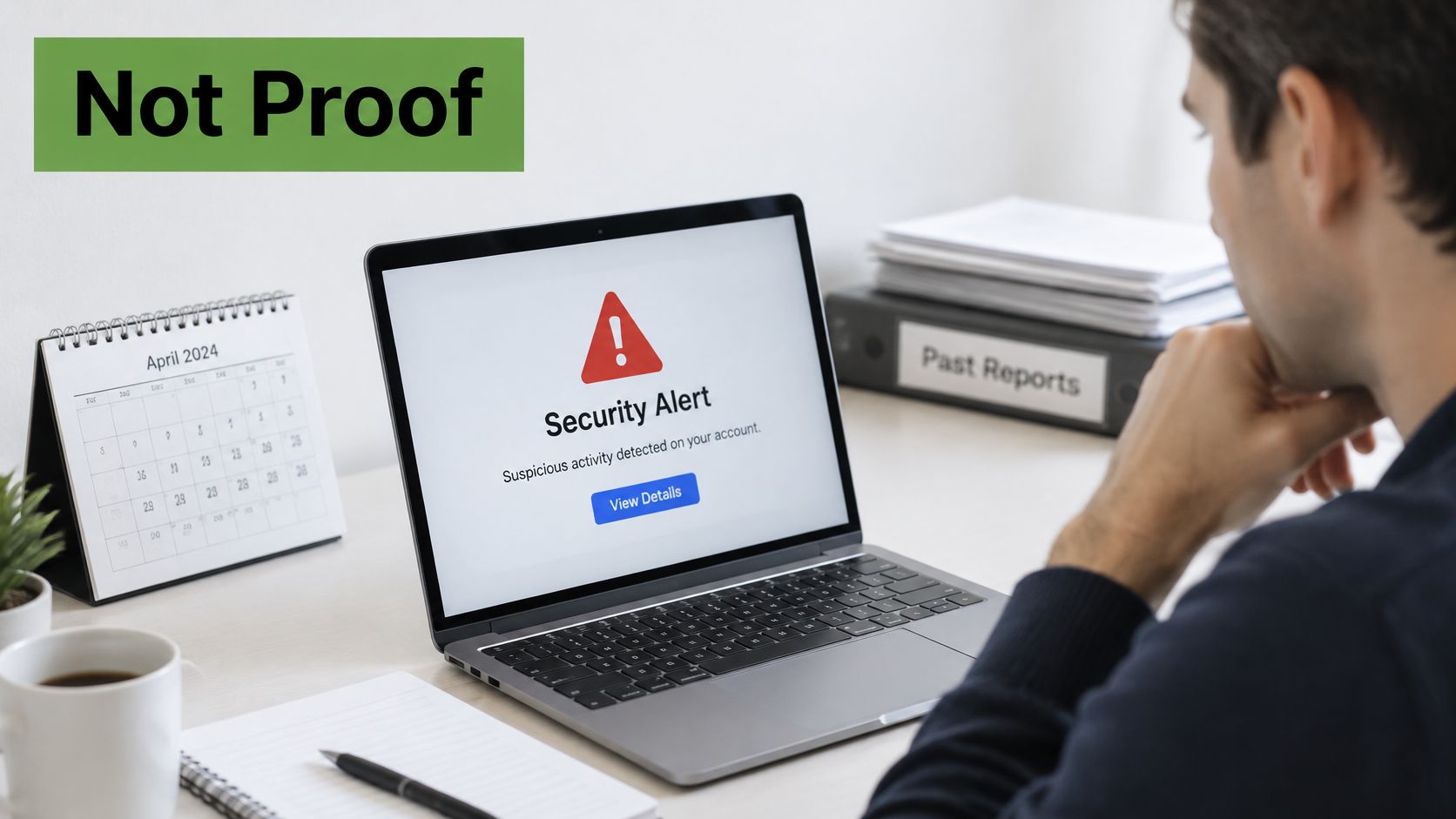
A typical alert shows what reaches you, and why it deserves a calm read before any action.
Confidence matters more than drama
A good service checks a sample of a dataset before labelling it a hit, and it gives you some sense of confidence, whether that's high, medium, or low. Treat that rating seriously. An email address with no secret attached is lower risk than a password, a cookie, or an identity document, even if both alerts arrive in the same red banner. Duplicate rows are also common, and a reposted record shouldn't count as a new breach in your records.
Ordinary handling mistakes produce a large share of breaches, which a dark-web-only view misses entirely. The Office of the Privacy Commissioner of Canada 2024–2025 annual report recorded 686 private-sector breach reports under PIPEDA in 2024–2025, affecting approximately 20 million individual accounts. The same report notes federal institutions submitted 615 breach reports, affecting 309,865 people, and many incidents resulted from mishandling information rather than advanced cyberattacks. PIPEDA is the Personal Information Protection and Electronic Documents Act, the federal private-sector privacy law.
This short video walks through how to read a security alert without overreacting to it.
The check itself creates a record
Ask what the monitoring service stores about your query before you hand over more identifiers. How long does it keep your address, and where does it process your alerts? A privacy tool can become another holder of sensitive identifiers, especially if you submit a phone number, a SIN, or document numbers for watching. In our view, and this is opinion rather than a proven finding, residency and retention deserve the same attention as detection quality.
An alert tells you data circulated. It rarely tells you who leaked it, when it leaked, or whether anyone used it.
If you run an organization that holds other people's information, the official OPC breach guidance sets out how to assess real risk of significant harm and when to report. For your own alert, ask for three things before treating it as urgent: the data class, the confidence rating, and a straight answer on retention.
Free and Paid Dark Web Email Checks
We don't think there's one winner here, because a one-time question and an ongoing worry need different tools. Free options answer "have I been pwned" for known public breaches, which covers many people's actual need. Paid services add ongoing watching and broader identity coverage, at the cost of storing the identifiers you submit.
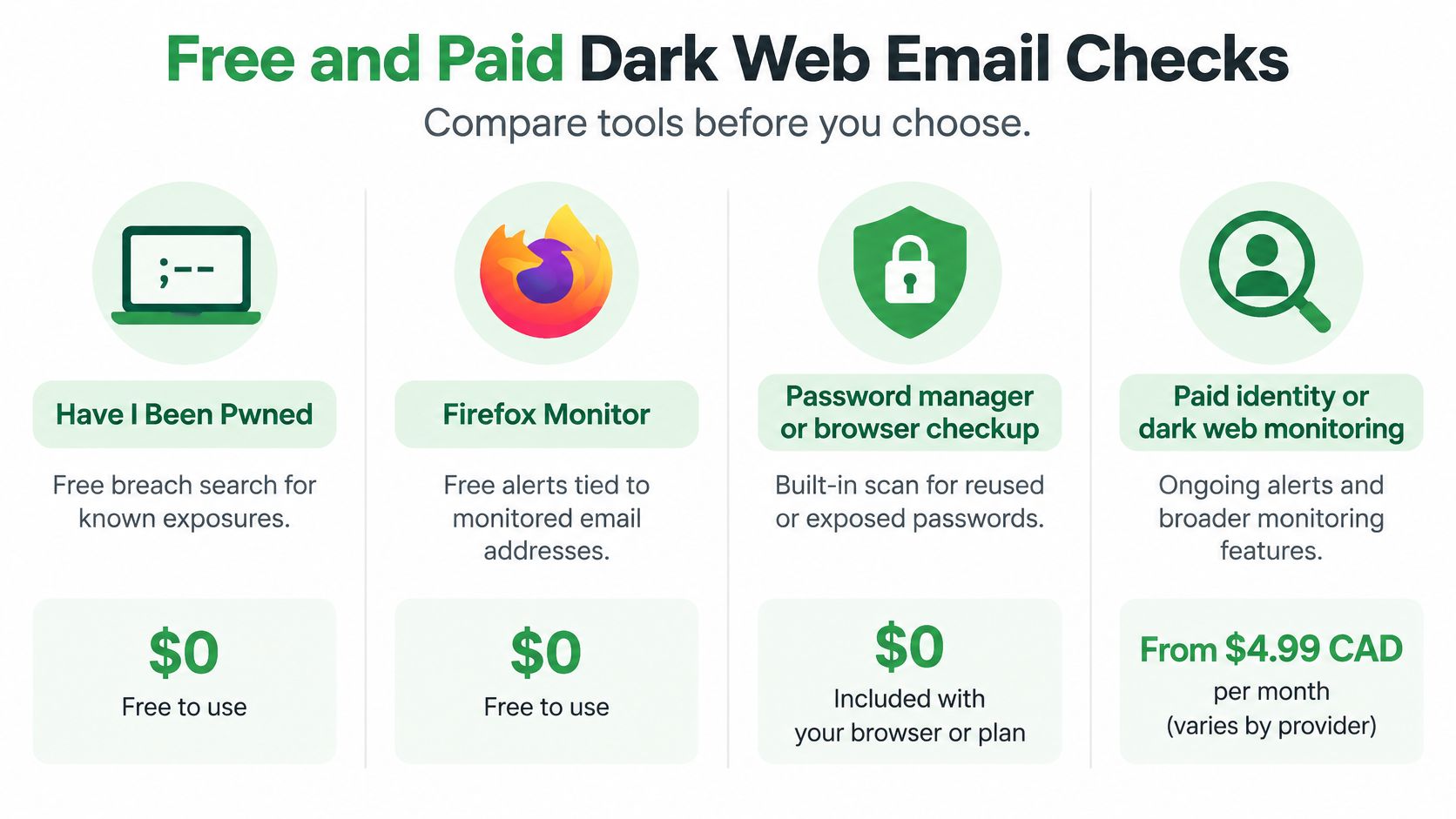
This chart lays the main options side by side before we get into the limits.
Free and paid ways to run a dark web email check
| Option | Cost | What it searches | Main limit |
|---|---|---|---|
| Have I Been Pwned | Free | Email in published breach corpuses | Does not show private forum or marketplace sales |
| Mozilla Monitor | Free | Email through the Have I Been Pwned data | Same public-breach limit, plus optional alerts |
| Password manager or browser checkup | Free with the tool | Saved passwords and related logins | Misses accounts that were never saved there |
| Paid identity or dark web monitoring | Paid subscription | Ongoing watch of email, and sometimes domain or identity data | May store your identifiers and recycle old dumps |
| Employer or IT threat-intel feed | Usually part of a security service | Company domains, staff credentials, sometimes documents | Built for an organization, not a personal inbox |
Have I Been Pwned and Mozilla Monitor suit a one-time question about whether an address appeared in a known public breach, and Mozilla Monitor also offers optional alerts for new matches. Neither shows private forum or marketplace sales, because those spaces aren't part of the public breach data they rely on. A password manager or browser checkup only covers the passwords saved inside that tool, so an account you never saved won't appear in its warnings. That's a quiet gap people miss when a clean checkup feels like a clean bill of health.
Paid subscriptions may watch an address, a whole domain, or identity documents over time, which suits small businesses and people whose ID has already leaked. They also store what you submit, and some present an old dump as a fresh alert to justify the subscription. An employer threat-intelligence feed fits a company domain and staff credentials, not your personal inbox at home.
Why this data trades so cheaply
Market pricing explains why criminals bother with bulk lists at all. In Inside Halton's report on research published in 2026, researchers analyzed almost 75,000 listings on dark-web marketplaces between January 2025 and February 2026 and identified 415 Canadian payment-card listings, with Canadian Visa and Mastercard details selling for a median of approximately US$2.21, or about C$3. The same research found a "fullz" identity package containing a Social Insurance Number, date of birth, and address sold for approximately US$40.
Cheap data means criminals can afford to test huge volumes of credentials and discard what fails. It also means your records can be combined with other leaks and resold repeatedly at low cost. Use a free check for a one-time search. Pay for monitoring only when you need domain or identity coverage and you're comfortable with the extra data holding that comes with it.
How to Check Your Email for a Breach
One warning before the steps. Never type a password into an unknown dark web scan site to see if it leaked. A site you don't trust can record what you typed, and you've created the very exposure you were checking for. Legitimate checks ask for your email address, not your current password.
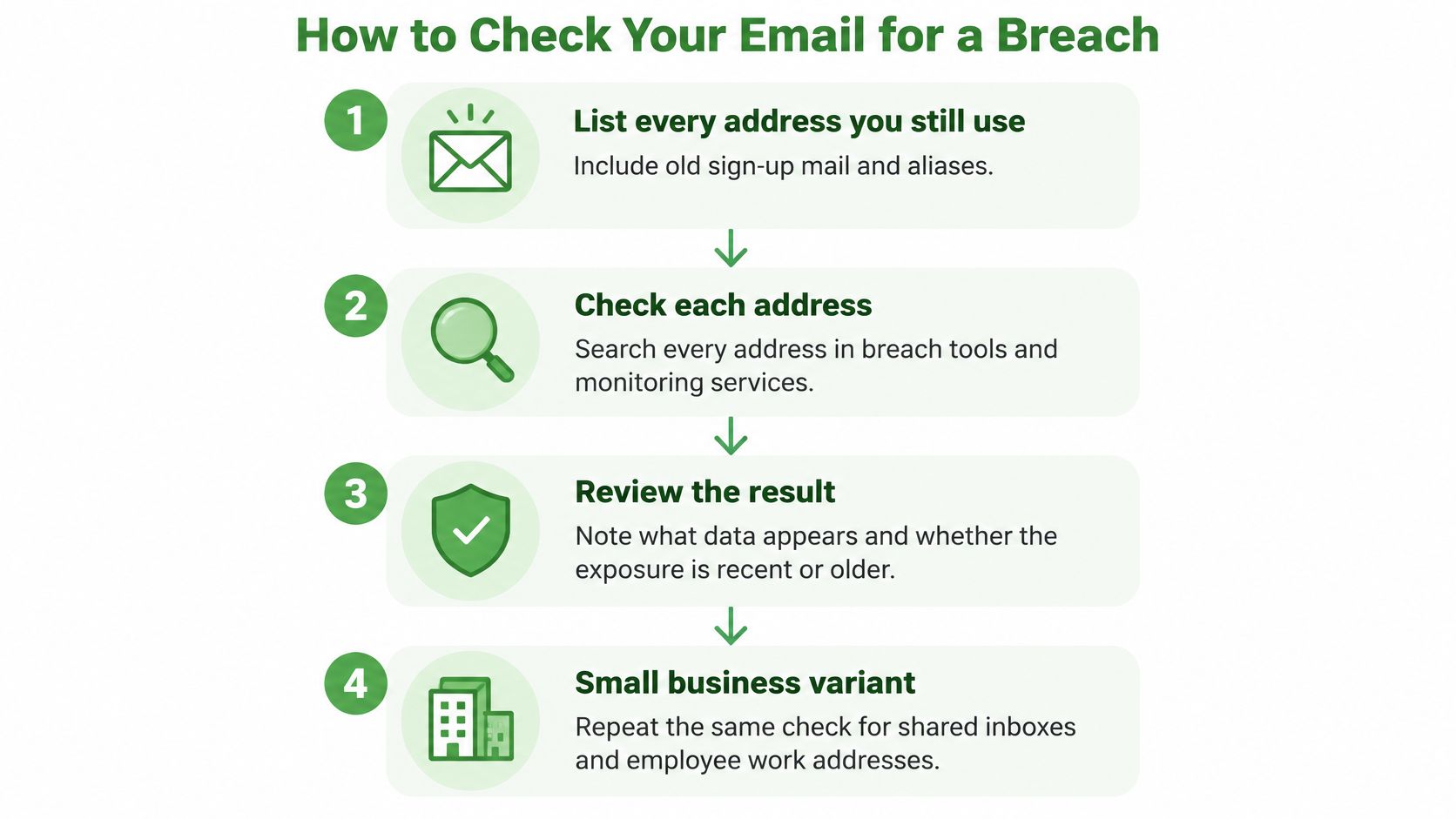
This process diagram summarizes the order, and the numbered steps under it explain why each one comes where it does.
A personal check, step by step
List every address you still use. Include old sign-up mail, a work address, and any aliases, because breaches often involve the address you used for shopping years ago and forgot about.
Search each address separately. Run every address through Have I Been Pwned or Mozilla Monitor, and write down the breach name and the data classes listed, such as passwords, phone numbers, or physical addresses. The data classes drive your response, while the site logo mostly doesn't.
Treat any listed password as burned. If a password appears in the results, retire that exact password even when the breached site looks minor, because credential stuffing doesn't care whether the source was a bank or a recipe forum.
Check your saved logins. Run the breach checkup inside your password manager or browser and note which saved logins it flags. Remember it only sees what you saved there, so combine its results with step 2 rather than choosing one.
Review your recovery details. Confirm the recovery email and phone number on your important accounts are current and under your control, because password resets flow through them. A stale recovery address is a quiet way to lose an account you thought you'd secured.
Turn on multifactor authentication in priority order. Start with email, then banking, then government accounts, because your inbox resets everything else. An authenticator app or a hardware key beats text-message codes where you have the choice, since phone numbers can be redirected.
For a small business, add the domain layer. Check the business domain and shared inboxes such as info@ or billing@, and ask whoever runs your IT whether a threat-intelligence feed already watches them. That keeps staff from pasting work addresses into random scanner sites, which creates new records you can't control.
Make future checks easier to read
Using a unique alias per service pays off here. If only one alias appears in a breach, you know exactly which sign-up exposed you, and you can retire that alias without touching your main address. It turns a vague "somewhere leaked you" result into a specific account you can close or re-secure.
Write it down: Record the breach name, the data classes, and the date you checked. Future you will need that note to tell a genuinely new exposure from a recycled one.
Keep that record somewhere simple, such as a note in your password manager. With the data classes written down, your response can match the actual risk instead of treating every hit as an emergency.
What to Do When Your Email Is Found
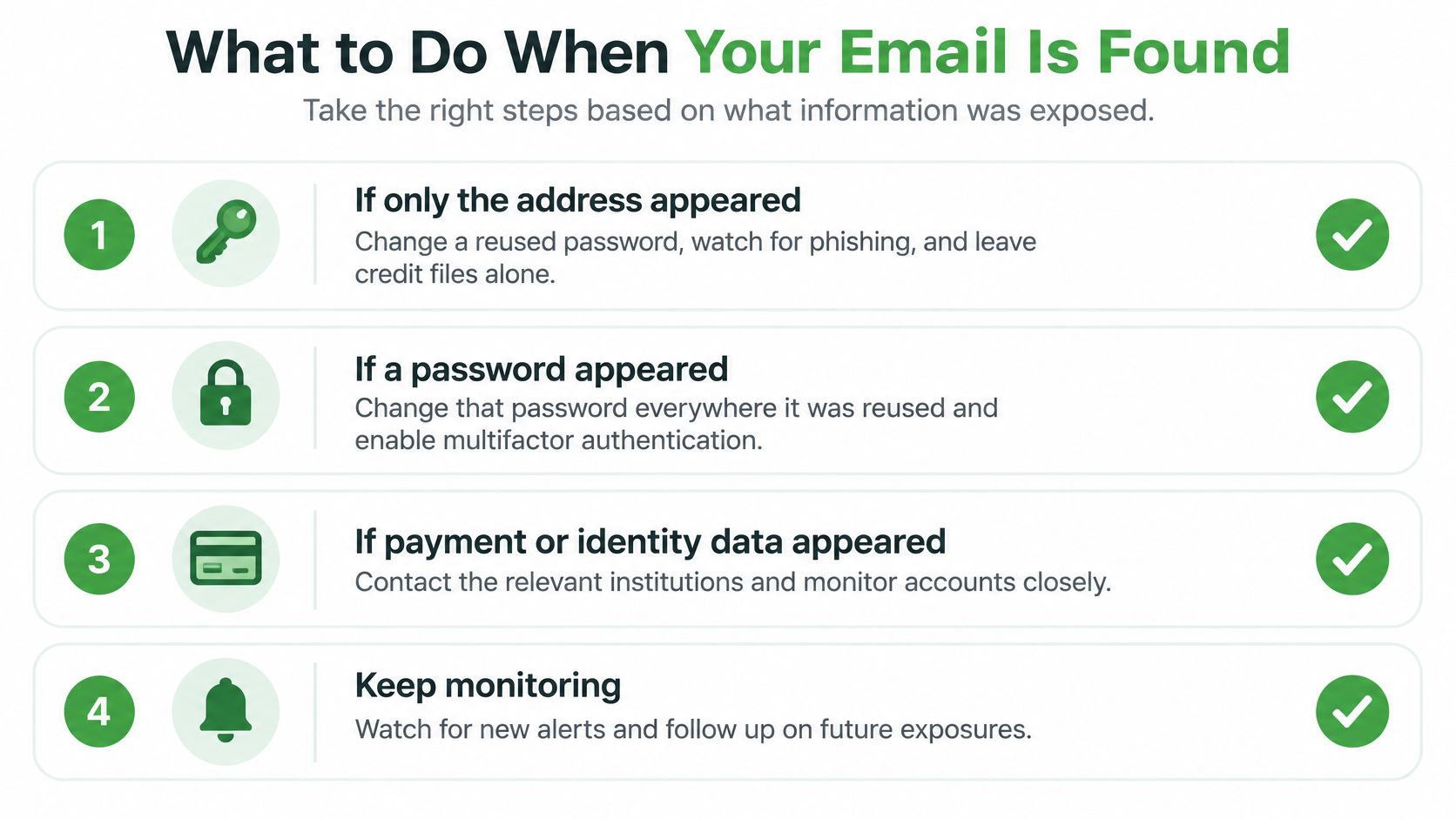
The right response depends on what the alert exposed. An address alone calls for a different response than a password or identity document. Match your next steps to the data, rather than treating every alert as proof of fraud.
Address only, or address plus phone
If only your email address appeared, change its password anywhere you reused it and watch for phishing messages that mention services you use. An address-only alert does not show that someone opened credit in your name, so focus on account security rather than credit files.
A phone number alongside your email can make scam calls or texts seem convincing. Treat messages using a bank's or government agency's name with caution, even if they include real details. Don't follow their links or call numbers they provide. Open the service's usual app or website to check for messages.
Password, or identity documents
If a password appeared, replace it everywhere you reused it, not just on the breached site. Prioritize email, banking, payroll, and government logins. Sign out other active sessions, use a long, unique passphrase for each account, and save them in a password manager.
If a Social Insurance Number, passport, driver's licence, or similar identifier appeared, contact your bank, check both credit files for unfamiliar accounts, and report suspected identity fraud to the Canadian Anti-Fraud Centre and local police. Identity fraud was the most reported fraud type in Canada in 2025, with 8,403 reports to the Canadian Anti-Fraud Centre. Many frauds go unreported, so a lack of reports does not prove that you're safe.
Before repeating these steps, compare the alert with your earlier record. If it lists a password you already retired, note the match and focus on any newly exposed data. A monitoring alert shows exposure, not that someone used the information or opened an account in your name.
For businesses managing hosted mail, our guide to building a data breach response plan for hosted email security helps turn individual response steps into an organizational process. For individuals, the alert can point to the accounts that need attention. It cannot prevent fraud or catch every future attempt.
Why Privacy-First Email Helps
Once an exposed address is also the login or recovery address for your bank and government accounts, that inbox works as a master key for everything else. Whoever controls the recovery inbox can reset the rest. That's why we'd move that one recovery address to a mailbox you control, on a service whose business is email rather than advertising.
What that move changes in practice
A privacy-first mailbox doesn't scan message content to target ads, so a message about a breach check isn't mined to build an advertising profile. Blocking tracking pixels stops senders from learning when you opened mail about a leak, which is exactly the moment you least want to broadcast activity. Aliases keep one leaked sign-up separate from your main address, so you can tell which service exposed you and cut that alias off cleanly.
For a small business, a custom domain does similar work. It lets you separate staff mail from a breached marketing list, so a leak in a newsletter tool doesn't put your team's real inboxes into circulation. Our overview of Typewire as a private email alternative in 2026 explains how we handle hosting in Canada and why that location matters for data residency.
We'll be plain about limits. No inbox is unhackable, and a private mailbox doesn't make monitoring unnecessary, because leaks usually happen at the services you sign up for rather than at your email provider. What it changes is how much a single leak can reach, and how clearly you can see where it came from.
Organizations that hold other people's information should follow the official OPC guidance under PIPEDA for assessing and reporting breaches. For your own setup, the concrete next step is small. Change the recovery address on your most important accounts first, set new unique passwords, then run the free check again so old hits are easy to tell from new ones.
We built Typewire as private, ad-free email hosted in Canada on our own infrastructure, with aliases, tracking pixel blocking, and no scanning of your messages for advertising. If an alert just showed you how much rides on one recovery inbox, moving that inbox to a service that treats it as private by default is a practical place to start. Start your 7-day free trial and move your recovery inbox first.